
AI Image Generator from Text: A Complete 2026 Guide
See how an AI image generator from text works, what it costs, and which use cases deliver real results. Practical tips and best practices for 2026.
Grow your LinkedIn to the next level.
Use ViralBrain to analyze top creators and create posts that perform.
Try ViralBrain freeAn AI image generator from text converts written descriptions into visuals by aligning language and image data inside a neural model, then synthesizing pixels from noise until the scene matches the prompt. The first text to image system appeared in 2014, while public facing tools moved from research to practical use between 2014 and 2022.
The popular advice says better prompts solve image quality. That's only half true. A clear prompt can improve the first draft, but approval still depends on revisions, brand fit, correct composition, useful dimensions, readable text, and a review trail. The image that looks impressive in a demo may still waste an afternoon in a real content queue.
For B2B teams, the useful measure is not how quickly a tool makes one image. It's how quickly the team gets an approved asset that can survive LinkedIn, a carousel, a thumbnail, and the next brand review.
The Hidden Cost of Prompt Perfection
Prompt tricks are fun because they produce visible results fast. Add a camera angle, a lighting style, a lens reference, and a few polished adjectives. The output often looks better. Then the headline appears as nonsense, the person has an extra finger, the logo is wrong, and the empty space reserved for copy has vanished.
That's where the demo ends and production starts.
Prompt quality helps, but it doesn't remove iteration time, post editing, prompt optimization, infrastructure use, or tool switching. A review of 2,111 verified software reviews covering August 2025 through July 2026 identified those issues as common hidden costs in image generation workflows. The analysis of AI image generation software reviews also reported that all seven surveyed vendors saw materially higher adoption over the prior 12 months, with five reporting daily customer use and two reporting weekly use.
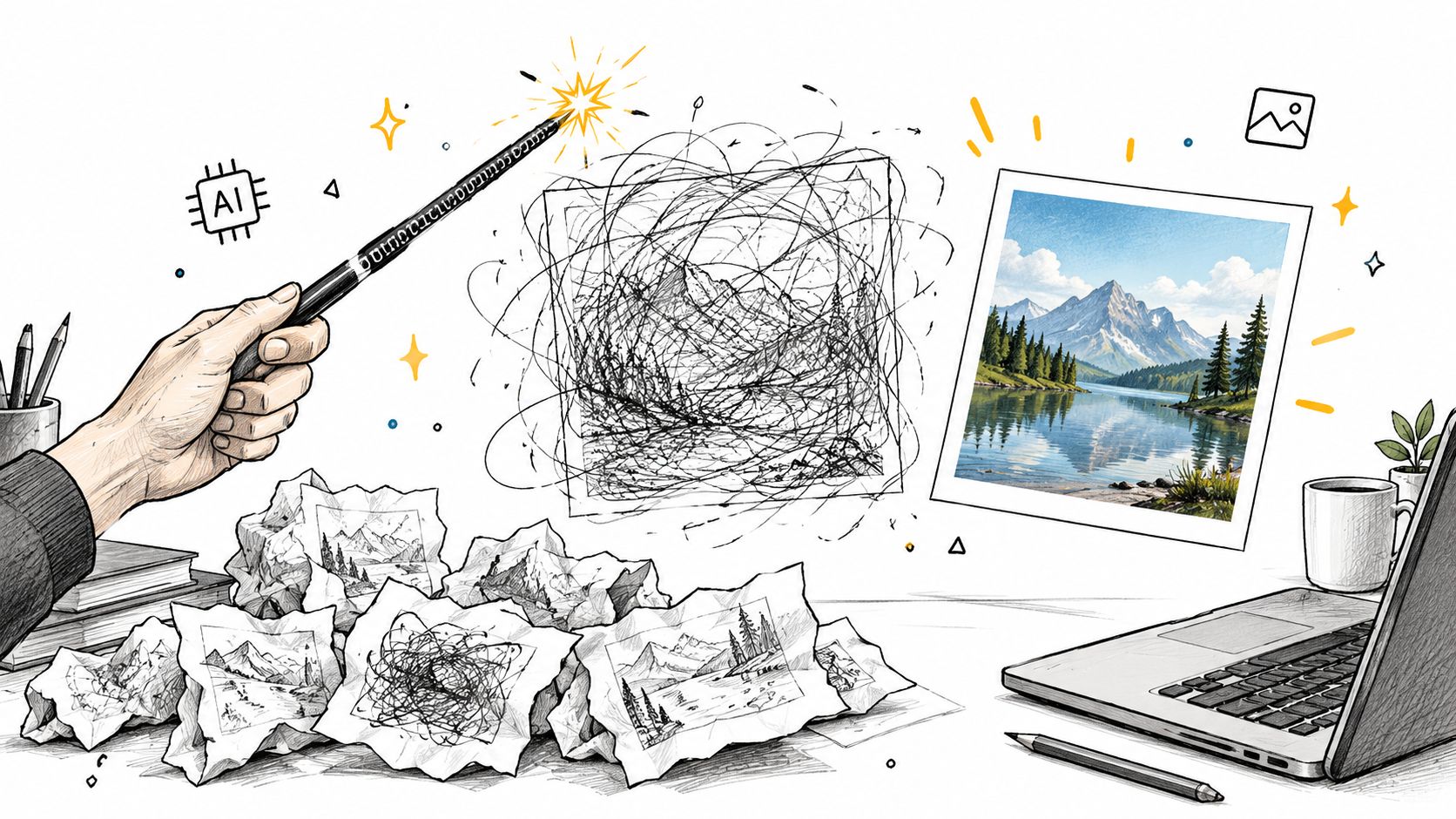
Approval speed beats first draft speed
A team can generate a pile of attractive images and still move slowly. Each draft creates another decision. Is the subject clear? Does the visual match the brand? Can a designer add text without fighting the crop? Does the same style hold across the campaign?
Practical rule: Track time to approved asset, not time to first image.
ViralBrain fits into this kind of workflow as one option for teams creating LinkedIn content and AI generated social visuals. The useful question is whether the image supports a repeatable content process, not whether it wins a five second beauty contest.
A better brief reduces waste before the prompt is written. Define the audience, message, format, subject placement, visual style, and review standard first. Then use the generator to explore controlled variations. The tool should produce options. Your process should decide which option earns publication.
How AI Image Generators Turn Words Into Pictures
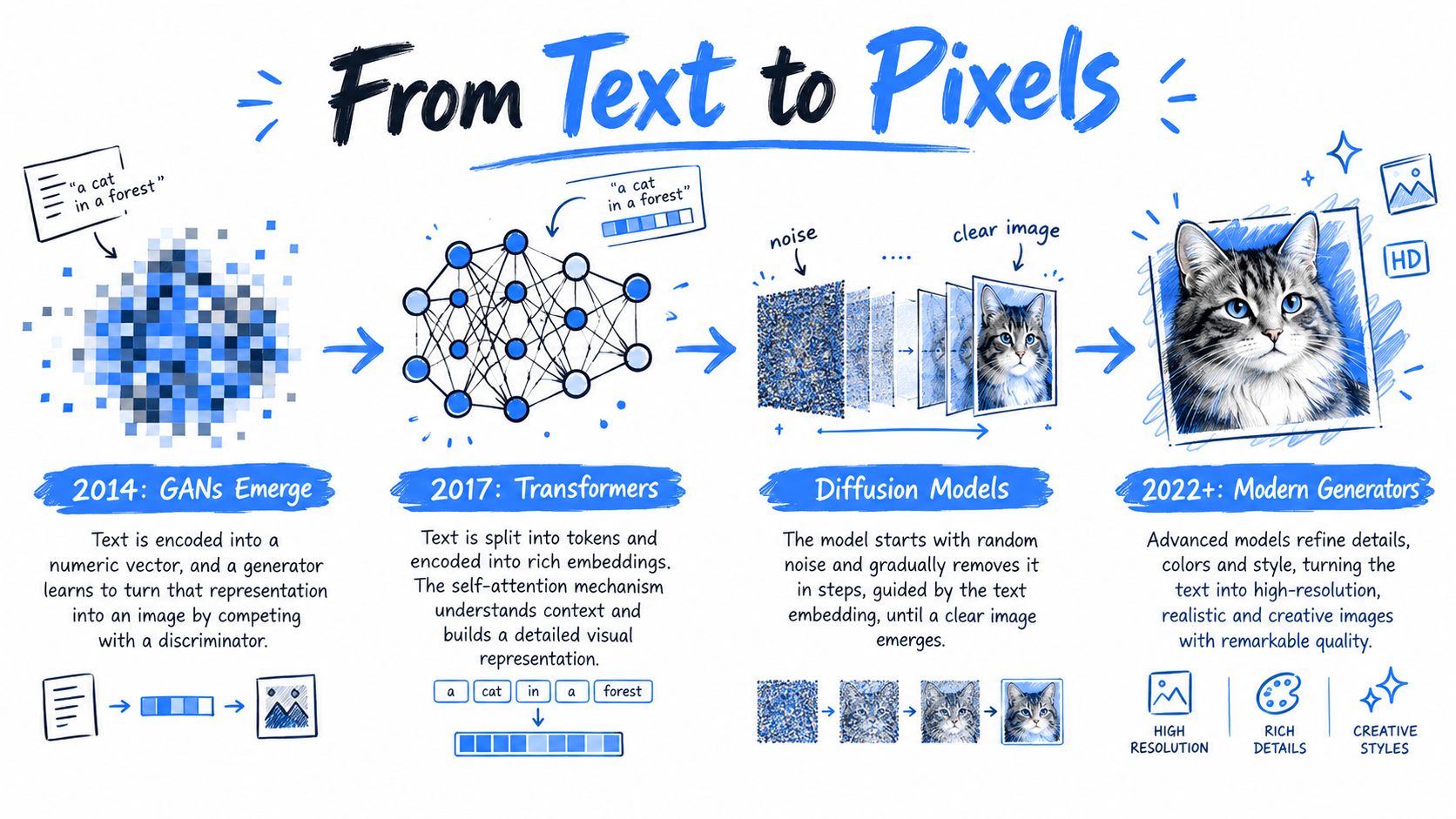
Text to image generation grew through several research steps rather than one commercial launch. A 2023 historical review identifies 2014 as the year of the first system capable of generating images from text. OpenAI introduced the first DALL·E system in 2021, using a GPT 3 like approach for text understanding plus a variational autoencoder, rather than the diffusion architecture used by later systems. The historical review of text to image generation identifies the pairing of CLIP with diffusion as a seminal step because it connected language and image alignment with an efficient generation process.
In plain terms, the prompt becomes numbers. Those numbers represent concepts such as a person, a desk, a blue background, or open space on the left. The system compares those representations with visual patterns, starts from noise, then repeatedly removes noise until the image matches the requested meaning closely enough.
Why latent diffusion changed access
Stable Diffusion arrived in August 2022 and made the process more accessible. It uses latent diffusion, which denoises a compressed representation rather than operating directly on every pixel. A related technical account describes the model as having 1.1 billion parameters and being pretrained and fine tuned on LAION 5B, a dataset containing approximately 5 billion image text pairs. The technical account of latent diffusion models explains how operating in latent space reduces computational requirements while supporting generation, inpainting, and super resolution.
That change mattered to marketers and developers. Lower computational demands made prompt based generation easier to reproduce, customize, and deploy through a wider set of tools. Teams could produce visual variations from a written concept without commissioning every early exploration manually.
A cloud environment can help when local hardware isn't suitable. Teams comparing deployment options may find this cloud GPU platform for AI images useful for testing generation workloads without building the whole setup themselves.
Modern systems such as DALL·E 2, Midjourney, and Stable Diffusion sit on this broader progression. The practical result is simple. A written brief becomes a numerical representation, the representation is aligned with visual concepts, and the system progressively synthesizes the image.
Fidelity Versus Alignment, What Quality Actually Means
A pretty image can still be a failed image. It may look realistic while ignoring the requested subject, placing the person in the wrong position, or losing the core brand idea. Production teams need two separate quality checks, visual fidelity and prompt alignment.
FID, or Fréchet Inception Distance, compares the statistical distance between feature distributions from generated and real images. Lower values generally indicate closer resemblance to the reference distribution. CLIP based scores estimate cosine similarity between the prompt and the generated image. They measure whether the result matches the requested meaning.
Those goals can compete. A model may produce a realistic office scene that misses the requested empty space. Another may follow the layout closely but create a less convincing image. That's why a single quality score can hide the exact problem that causes a stakeholder to reject the asset.
On the MS COCO 2014 validation benchmark, the reported FID 30K results were as follows. The eDiff-I benchmark source provides the comparison.
| Model | FID 30K |
|---|---|
| eDiff-I diffusion ensemble | 6.95 |
| Imagen | 7.27 |
| Parti | 7.23 |
| Stable Diffusion | 8.59 |
| DALL·E 2 | 10.39 |
The figures don't tell you which model will suit your brand. They show why testing matters. A benchmark result describes performance on a shared task, not the exact prompts your team uses for product diagrams, founder portraits, event graphics, or LinkedIn carousels.
A model that wins the beauty test can still lose the brief.
Build a small internal test set with representative prompts. Check subject accuracy, composition, style consistency, text handling, and crop flexibility. Track fidelity and alignment where the tool exposes those measures. Then add human review, because a score can't decide whether a medical image feels respectful or whether a visual actually fits your audience.
Prompt Structure That Actually Moves Pixels
A useful prompt gives the generator fewer gaps to fill. OpenAI recommends organizing complex requests around scene, subject, details, and constraints. Its image prompting guidance also supports specifying intended use, composition, aspect ratio, placement, style, and restrictions.
For a LinkedIn graphic, write the job before the decoration. State the format, the main subject, the action, the position of the subject, the area reserved for copy, the lighting, and what must not appear. The prompt should read like a brief another person can edit without asking what you meant.
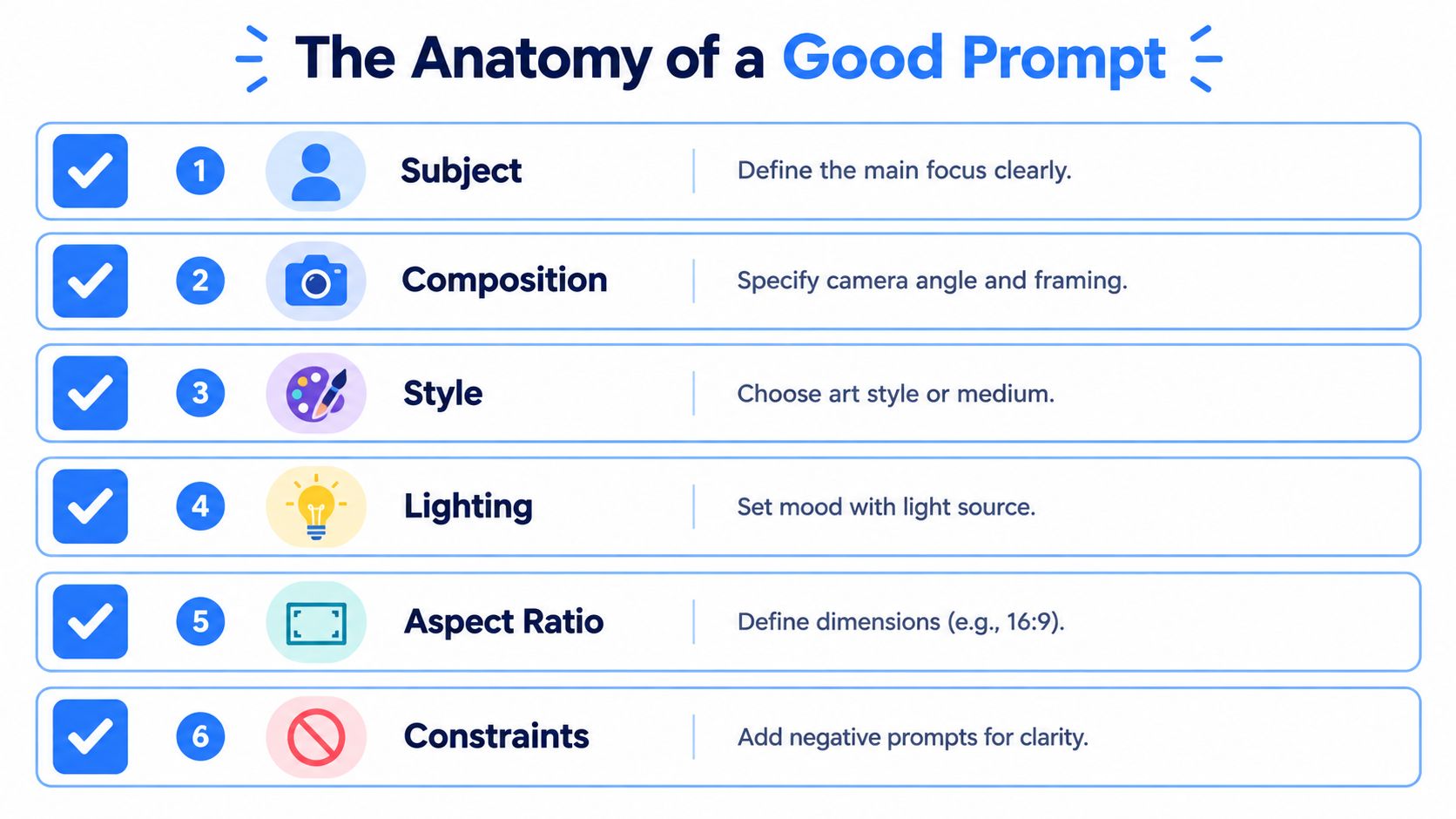
A prompt built for production
Try this structure in plain language:
- Use: LinkedIn post graphic for a B2B cybersecurity audience.
- Subject: One person working at a desk, viewed from a slight side angle.
- Composition: Subject on the right, open space on the left for a headline.
- Format: Square layout with a clean crop that can adapt to a carousel.
- Style: Natural editorial photography, soft office lighting, restrained blue accents.
- Constraints: No extra people, no visible logos, no decorative text, no distorted hands.
This approach works for more than social posts. Teams creating AI clothing design for print on demand need the same discipline around subject, placement, material, and constraints. A shirt mockup fails when the graphic floats, the garment folds hide the design, or the model changes between variations.
Keep the prompt readable. Fancy syntax doesn't guarantee a better result. OpenAI's image generation prompting guide recommends one to three clear sentences in most cases and adjusting one element at a time after the first generation.
Change one variable
Start with a plain base prompt. Generate it. Then alter only one variable, such as lighting, camera angle, background color, or crop. Save each version beside the prompt that produced it.
That small habit turns taste into a test. If the crop improves, keep the crop change. If the lighting change makes the subject muddy, remove it. For teams building scripts around visual content, the same principle applies to the AI content generator script. A clear input makes later edits easier to diagnose.
Provenance Workflows for Branded Output
Generated images need a record. C2PA Content Credentials attach origin and editing history to a file, including the tool used and the creation time. That information can support internal review, client disclosure, and later audits. OpenAI's explanation of C2PA in DALL·E 3 describes how these credentials work in generated assets.
File associated metadata has a weakness. Re encoding, export settings, or platform processing can remove it. An uploaded image may no longer carry the same credentials after passing through another tool.
Invisible watermarking addresses a different problem. Google DeepMind's SynthID embeds a signal directly into generated media for detection. It isn't the same as a visible editing history, and neither method proves that an image is factually accurate, legally cleared, or suitable for publication.
Keep the original asset
A practical workflow looks like this:
- Archive the source: Preserve the original credential bearing file before resizing or exporting.
- Record the brief: Store the prompt, model, model version, date, and editor separately.
- Create derivatives: Make platform versions only after the original is safe.
- Review the image: Check people, products, text, claims, accessibility, and brand fit.
- Log approval: Keep the final decision with the asset so the team knows what was cleared.
For broader brand operations, pair this trail with a documented brand consistency workflow. Provenance tells you where an asset came from. It doesn't tell you whether the visual should represent your company.
When AI Image Generation Actually Saves Time
Higher adoption doesn't automatically lower content cost. Teams may generate more images while spending more time correcting them. The review analysis cited earlier identifies iteration, post editing, prompt optimization, infrastructure usage, and switching between tools as the main sources of hidden overhead. That finding matters because consumer comparisons often stop at model quality.
A marketing team needs a wider scorecard. First draft speed is useful, but it can hide the queue that follows. The asset still needs approval, formatting, accessibility work, copy placement, and adaptation for other placements.
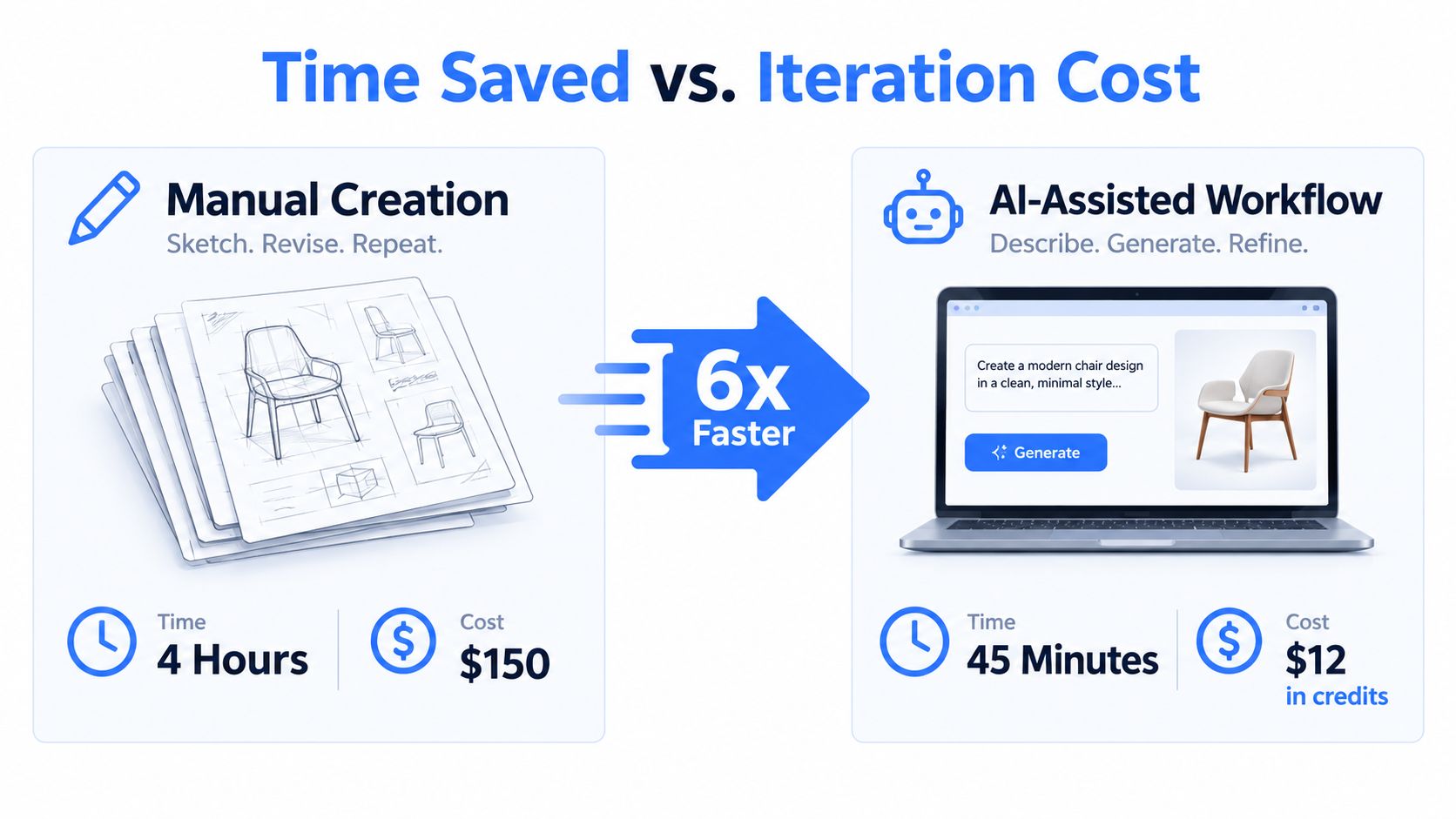
Measure the part finance actually feels
Track these measures for a real content cycle:
- Time to approval: Count from the first prompt to the approved file.
- Revision count: Record how many generation or editing rounds the asset needs.
- Brand failures: Log wrong colors, inconsistent characters, missing details, and unusable layouts.
- Repurposing effort: Note the work needed for feed posts, carousels, thumbnails, and campaign variants.
- Tool switching: Capture time spent moving files and prompts between systems.
Standardize the brief before increasing volume. Reusable style instructions help. So do fixed review criteria and planned output formats. A team that generates without those controls can turn cheap drafts into expensive admin.
Cost check: The winning tool is the one that reduces time to approved, reusable output.
Use lower quality settings when latency matters, then inspect the result before spending more processing time, as OpenAI's guidance recommends. That keeps exploration cheap while reserving heavier generation for a brief that already makes sense.
From First Draft to Approved LinkedIn Visual
A B2B team wants a square LinkedIn graphic about reducing reporting work. The brief calls for one person at a desk, the subject on the right, soft office lighting, and open space on the left for a headline.
The base prompt stays plain. It names the intended use, subject, composition, aspect ratio, style, and constraints. The first generation may get the person right but fill the left side with a monitor and a plant. That isn't a prompt failure worth hiding. It tells the team exactly what to change.
One controlled revision
The next version changes only the composition. The prompt now says the left third must remain clear, with a quiet background and no objects behind the headline area. The team keeps the lighting, subject, and style unchanged. If the second output fixes the layout, the change has a clear reason.
The review then checks more than aesthetics. Is the subject recognizable? Does the visual support the post's idea? Can the headline sit comfortably without covering important content? Does the image crop well for a carousel cover and a smaller thumbnail?
A content workspace such as ViralBrain can support the surrounding LinkedIn process by combining content creation, image generation, repurposing, previews, and iteration in one workflow. Teams comparing tools can also review this image generation tool guide while deciding where generation belongs in their stack.
Decide when to stop
Keep generating when the brief is sound and one visible issue remains. Change the brief when several elements fail at once, because more adjectives won't repair a confused request. Switch tools when the same failure repeats across clear prompts, especially with text, specific brand details, or a required composition.
Capture the source file and prompt before making derivatives. Then create the carousel and thumbnail versions from the approved concept, not from whichever draft happens to look attractive.
Frequently Asked Questions
How many revisions are normal?
There's no fixed number. Stop when each new version changes a small detail rather than fixing a major failure. If every draft breaks the subject or layout, rewrite the brief instead of adding more adjectives.
Do simpler prompts help with accessibility?
They can. A 2025 workshop found that visual minimalism and a structured basic object focus template produced the strongest semantic alignment for cognitively accessible images. The workshop research on cognitively accessible image generation supports using simple visuals when clarity matters.
How do teams preserve metadata?
Keep the original credential bearing file. Archive it before resizing, exporting, or uploading it to a platform that may strip metadata.
What should reviewers check for disability or medical visuals?
Check whether people, assistive devices, and health contexts appear accurate and respectful. The same 2025 community led study found that prompting alone was largely ineffective at improving disability, health, and accessibility representation, so human review remains necessary.
ViralBrain helps teams create and refine LinkedIn content with pattern based ideas, image generation, repurposing tools, previews, and analytics. Visit ViralBrain to build a visual workflow that measures approved assets, not just attractive first drafts.
Grow your LinkedIn to the next level.
Use ViralBrain to analyze top creators and create posts that perform.
Try ViralBrain free