
How to Increase LinkedIn Engagement: A Practical Playbook
Learn how to increase LinkedIn engagement with proven tactics on profiles, hooks, formats, timing, and analytics, all backed by real 2025–2026 data.
Grow your LinkedIn to the next level.
Use ViralBrain to analyze top creators and create posts that perform.
Try ViralBrain freePosting more on LinkedIn won't fix weak content. It only gives weak content more chances to be ignored.
The better question is how to increase LinkedIn engagement when visible reactions no longer tell the whole story. Clicks, reading time, profile visits, saves, comment quality, and account type now matter more to a serious growth program than a pile of easy likes. Hootsuite reports that LinkedIn members engage with about 1.5 million pieces of content every minute, while comments rose 37% year over year in Q2 2025. The feed is crowded, so volume alone is a poor plan. (Hootsuite's LinkedIn statistics)
A practical strategy starts with the profile, then improves the hook, format, publishing routine, conversations, and measurement. You don't need to publish all day. You need to make each post easier to read, easier to discuss, and more useful to the right people.
Why Most LinkedIn Engagement Advice Stops Working
“Post more and wait for reach” is now a weak growth plan. It fills feeds with rushed opinions, recycled advice, and text posts that offer little before asking readers what they think. Publishing more does not repair a poor angle. It gives that angle more chances to be ignored.
The benchmark picture points to a better priority order. LinkedIn's average engagement rate reached 5.19% in June 2025, while accounts with 2,000 to 10,000 followers averaged 612.9 engagements per post across the benchmark set. (Hootsuite's LinkedIn statistics) These figures do not prove that higher output wins. They reinforce the case for audience fit, useful formats, and posts that earn attention beyond a public reaction.
Clicks, profile visits, saves, reading time, and detailed comments reveal more intent than a large reaction count. A like can reflect passing approval. A click or sustained read shows that the post earned enough interest to continue. Generic emojis and empty reshares create activity without proving that the right buyer cared.
Stop using vanity metrics as the scoreboard
Set the scorecard around the response you want. That may be a click to a useful resource, a visit from a target buyer, or a detailed comment from someone facing a real problem. Public reactions still help identify broad resonance, but they should not decide which content you repeat.
Practical rule: Likes from the wrong audience are not a successful result.
Account type also changes the baseline. Metricool reported that personal profiles had a 63% higher average engagement rate than company pages, while one 2026 dataset placed personal profiles at 2.6% and company pages at 1.74%. (Metricool's LinkedIn study) A person with a clear point of view usually gives readers more reason to respond than a logo repeating approved copy. Company pages still have a role, but personal expertise should carry the conversation.
What to prioritize
Use this operating order rather than treating every reaction as equal:
| Signal | Operating priority | Why It Matters |
|---|---|---|
| Clicks and profile visits | Highest | They show curiosity and possible intent |
| Reading time and comment depth | Highest | They indicate attention and meaningful engagement |
| Saves and thoughtful replies | High | They indicate practical value |
| Likes | Moderate | They show light approval |
| Generic emojis and empty reshares | Low | They add little evidence of interest |
LinkedIn does not publish the exact ranking formula, so this is a working model, not an official score. Build for attention first, then invite a useful response. That approach supports predictable LinkedIn lead flow more reliably than frantic posting. Better alignment beats more noise.
Fix the Profile Before You Post Another Thing
Your profile decides whether post attention becomes a follow, click, or inquiry. Treat it as the conversion surface for your content. A strong post cannot compensate for a vague headline, an empty Featured section, or an Experience history written like an internal job description.
Start with the headline. A job title tells visitors where you work. A value promise tells them why your work matters.
A B2B SaaS founder could change “CEO at Acme” to “I help finance teams replace spreadsheet reporting with reliable revenue data.” A consultant could replace “Marketing Consultant” with “I help technical founders turn complex products into clear demand.” A recruiter might move from “Tech Recruiter” to “I help SaaS teams hire senior product talent without bloated interview loops.”
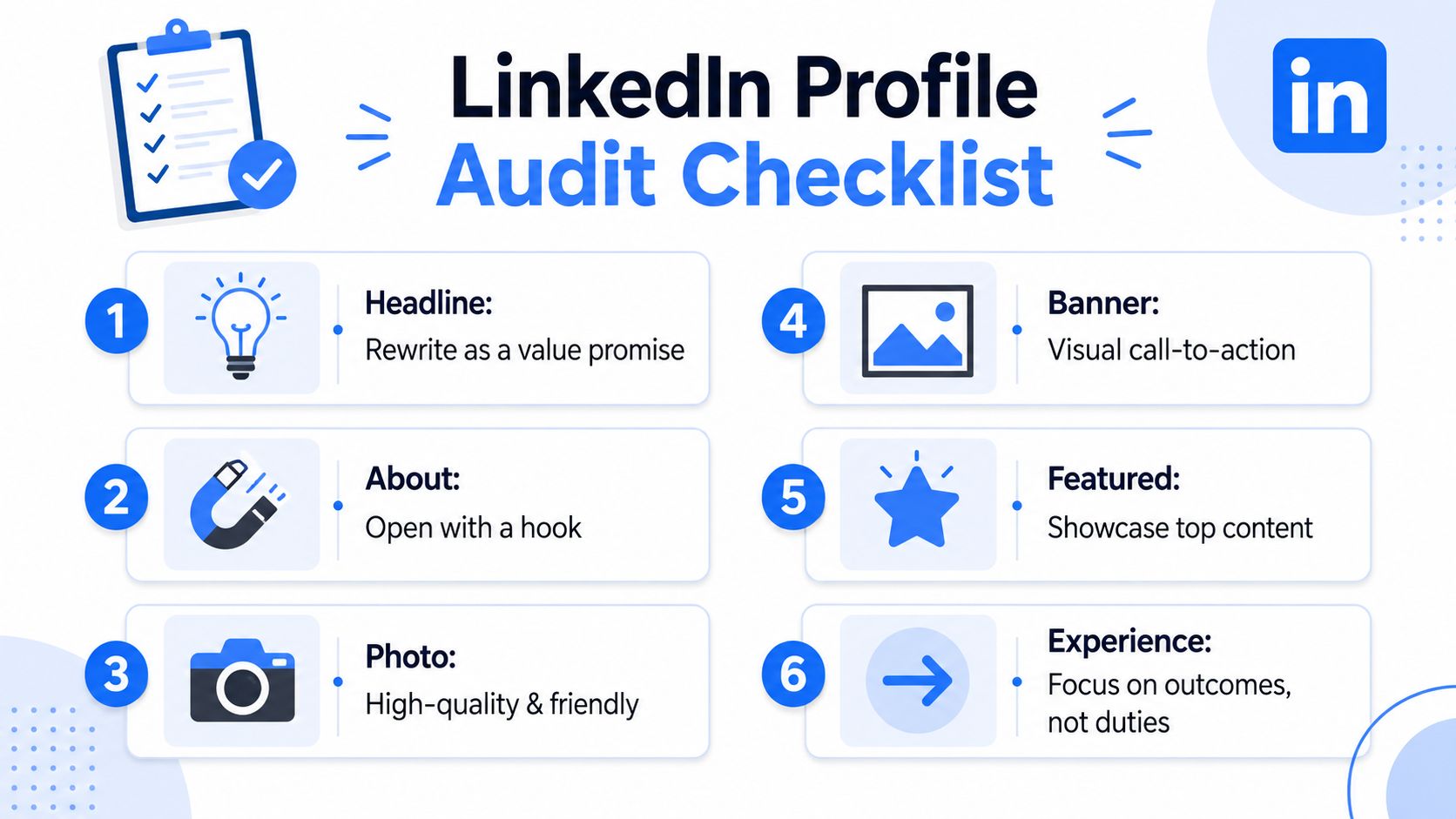
Make six fixes
Open the About section with a sharp problem or point of view. Then name the people you help, the work you do, and the outcomes you aim to create. Keep the useful information above the biography.
Use the banner to identify your audience or the topic you own. Make the Featured section point to one primary action, such as a guide, newsletter, booking page, or product demo. A crowded menu gives visitors another reason to leave.
Rewrite Experience entries around relevance. Explain the problems you handle and the work you produce. Internal duties rarely help a new visitor decide whether to follow you.
Set Creator mode topics to match your posts, headline, and target buyers or peers. Consistency makes your profile easier to classify and remember.
Run a 20 minute audit
Use a before-and-after test. “CEO at Acme” describes your position. “I help finance teams replace spreadsheet reporting with reliable revenue data” tells the right reader what changes after working with you. Make every profile element support that promise.
- Headline: Does it state who you help and what changes for them?
- About: Do the opening lines create a reason to keep reading?
- Photo: Does it look current, clear, and professional?
- Banner: Does it reinforce your audience or offer?
- Featured: Is the strongest proof or resource easy to find?
- Experience: Do the entries explain useful outcomes rather than duties?
Use ViralBrain's LinkedIn profile optimization guide as you make the changes. Hold the next post until a stranger can understand your niche from the profile alone.
Pick Formats and Hooks That Drive Action
Likes are a weak finish line. Choose formats that earn reading time, clicks, and a clear next action. Hootsuite's benchmark coverage, citing Socialinsider data, placed multi image posts at 6.60%, native documents at 5.85%, and video at 5.60%, above the platform-wide 5.19% average. (Hootsuite's social media statistics)
A separate benchmark reported 7.00% engagement for native document or carousel posts, compared with 4.00% or lower for text posts in several datasets, and placed link posts near 3.25%. (ConnectSafely's LinkedIn statistics) Treat these figures as directional. Your audience, account type, topic, and offer still determine whether attention turns into business.
| Format | Avg. Reach Index | Best For | Production Cost |
|---|---|---|---|
| Native document | High | Frameworks, checklists, teardown posts | Medium |
| Multi image | High | Visual explanations and sequences | Medium |
| Video | Medium to high | Demonstrations and personal reach | High |
| Text | Variable | Strong opinions and compact lessons | Low |
| Link post | Lower default | Direct traffic when context is strong | Low |
Use documents when the reader needs to follow a process, compare options, or save a framework. Use multi-image posts for visual sequences. Video helps prospects remember the person behind the expertise, but it demands more production discipline. Link posts need enough native context to earn the click. A bare URL is not a distribution strategy.
Polls can create quick interaction, but voting interest does not automatically signal buying intent. On company pages, polls produced the highest average impressions while accounting for less than 1% of posts, according to Metricool's study. Treat that as a reason to test polls selectively, not as permission to turn your content calendar into a survey.
Treat the hook as its own task
The opening lines determine whether the reader starts the post. Write several versions before finishing the body, then choose the one that promises a specific payoff.
Try these patterns:
- Contrarian claim: “Your content calendar may be the reason your posts feel invisible.”
- Specific number: Use a verified benchmark when it supports the point.
- Mini story: Start with the moment a buyer, founder, or team made a costly choice.
- Mistake confession: “I used to write every post for everyone. That made every post weaker.”
- Question with stakes: “What happens when your best prospects visit your profile and find no clear offer?”
- Unpopular opinion: “A polished company page isn't a substitute for a credible personal profile.”
- Result tease: “One document can turn a messy process into a useful teaching asset.”
Match the hook to the format. Pair a checklist hook with a document, a confession with text, and a result tease with video when the result can be shown quickly. ViralBrain's guide to writing a good LinkedIn hook provides more patterns to test.
Pick two formats and two hook patterns. Rotate them long enough to compare clicks, dwell-time signals, profile visits, and qualified comments. Spreading effort across every format is an efficient way to produce none of them well.
Posting Cadence and Timing Without the Guesswork
The Tuesday morning rule is a superstition with a scheduling tool attached. Timing affects distribution, but a repeatable schedule gives you cleaner evidence. Your account data matters more than a universal posting chart, especially when clicks and reading time matter more than raw likes.
A 4.8 million post analysis found that engagement clustered on weekdays, particularly Wednesday through Friday, with strong slots around 3 p.m. to 5 p.m. and a wider window from about 3 p.m. to 8 p.m. (LinkedIn's large post analysis) Results still varied by weekday. Use those windows as starting points, not instructions carved into stone.
Run a clean timing test
Choose two publishing windows, such as Tuesday morning and Thursday afternoon. Keep the topic, format, hook quality, and audience comparable. Rotate both windows for four weeks, then compare profile views, clicks, reading-time proxies, and meaningful comments.
The Tuesday morning slot is useful precisely because it may lose. If a similar post earns stronger clicks and longer reading signals on Thursday afternoon, you have evidence to change the schedule. If Tuesday wins for your audience, keep it. One post cannot separate timing from topic quality, so judge patterns across comparable posts.
Use a simple operating baseline:
- Publish several times weekly when you need faster learning.
- Treat Wednesday through Friday afternoon as the first test window.
- Keep Tuesday morning as a comparison window, not a permanent rule.
- Publish once weekly only if slower learning is acceptable.
- Reduce frequency when daily output lowers post quality or audience response.
Account type changes the decision too. Personal profiles generally create more useful distribution than company pages, so test timing on the account that carries the conversation. A company page may need a different schedule from an expert-led personal profile.
Keep the schedule your team can sustain. A perfect slot that nobody hits consistently is a calendar decoration, not a strategy.
For launch sequencing, ShipTeaser advice for LinkedIn launches adds practical planning detail. Compare your results with this LinkedIn posting time guide, then let clicks, reading signals, and qualified responses make the final call.
Commenting and Networking That Compounds
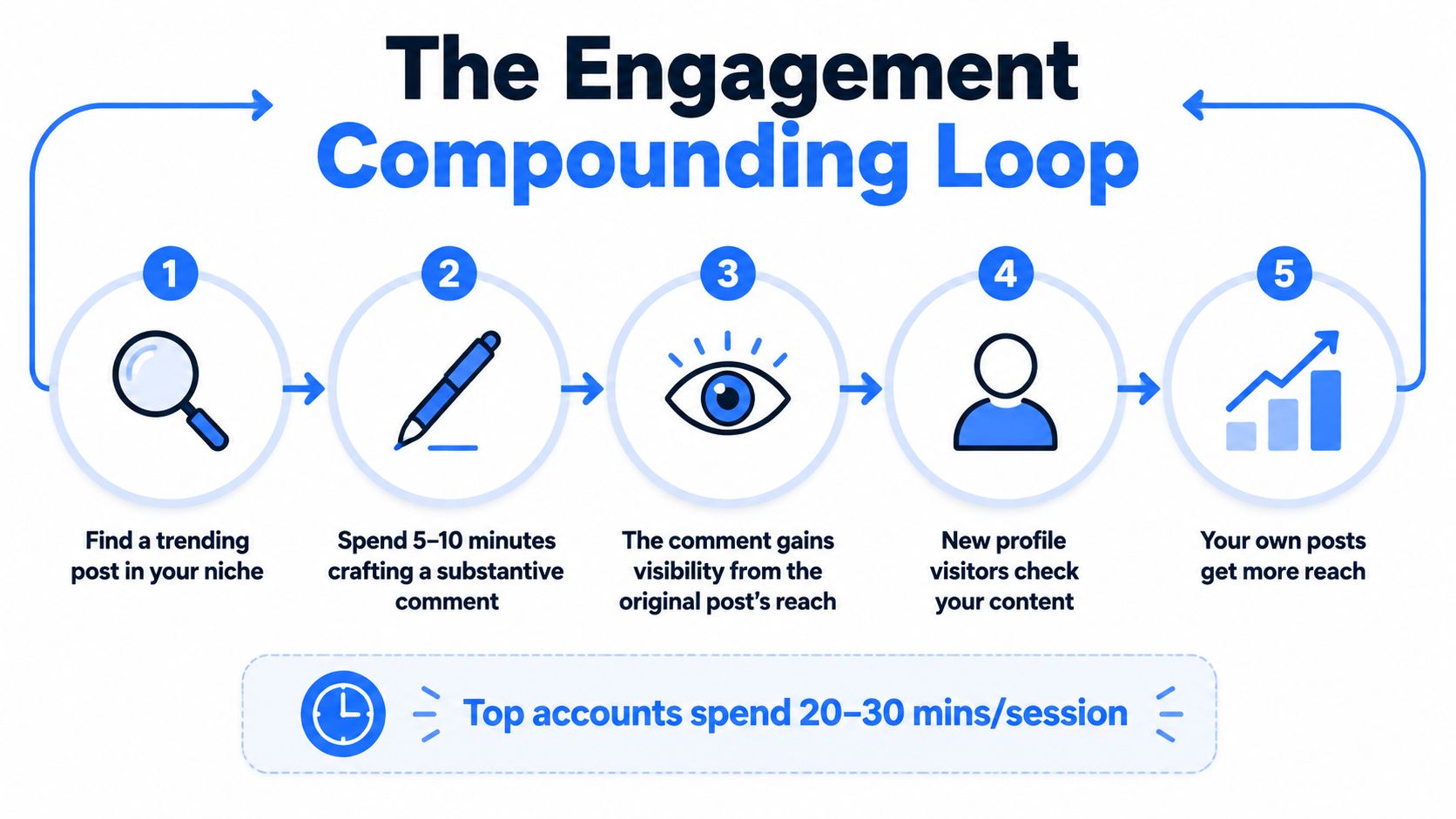
A sharp comment on the right post can outperform a weak original post. It puts your thinking beside an established audience, giving a personal profile a faster route to visibility than publishing to an empty feed.
“Great post” is not networking. Add a counterpoint, a concrete example, or a useful distinction. Write the comment so it helps a reader who never opens the original post. That standard filters out filler quickly.
Use three comment levels
Level one is a brief reaction on a relevant industry post. Use it to become visible to a specific audience.
Level two adds substance in a few sentences. Share a data point, a different interpretation, or a practical warning. For example: “The bottleneck is not content volume. It is the handoff after someone clicks.” This is the level to use most often.
Level three gives direct value to someone who may become a warm connection. Offer a relevant resource, explain a related experience, or identify an overlooked detail without turning the comment into a pitch. A level-three comment might say, “We saw the same pattern in B2B campaigns. The useful test was comparing qualified clicks with time spent reading, not counting reactions.”
Set aside a focused session to read posts your audience already follows. Comment under your own name, not a brand handle. Personal profiles generally create more useful distribution than company pages, so identity affects both reach and conversation quality, as noted in Metricool's LinkedIn study.
When someone replies, continue the public conversation before sending a direct message. Reference the exact topic, offer something relevant, and ask one simple question. Do not send a pitch after one comment. That is not relationship building. It is a pop up ad wearing a blazer.
For B2B video planning, digital video agency advice for B2B marketers offers guidance on format, subject matter, and creator involvement.
This video adds another practical angle on building visible engagement habits.
CTAs, Conversation Design, and What to Measure
“What do you think?” is a weak CTA because it gives readers no clear starting point. Replace it with a prompt tied to the post's purpose and the audience you want to attract.
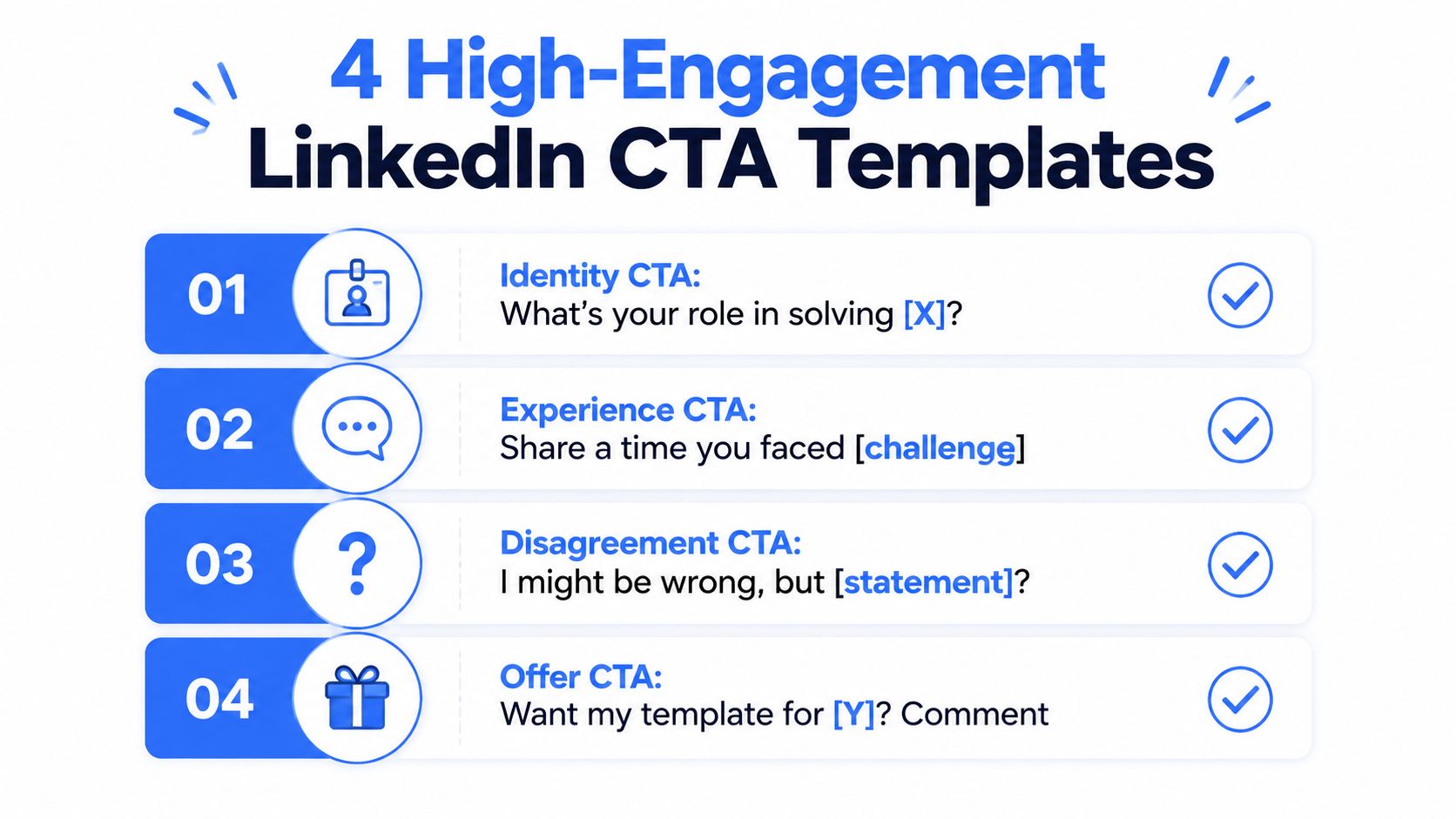
Four CTA patterns
Experience prompt: “What's the worst version of this process you've seen?”
Identity prompt: “Who else owns this problem inside a small SaaS team?”
Counterpoint prompt: “Unpopular take: this advice creates more work than value. What would you change?”
Resource prompt: “Drop the tool or template you use for this below.”
Match the prompt to the post. A teardown calls for disagreement. A personal story should invite comparable experience. A checklist can ask readers to share a resource.
Weak: “What do you think about improving onboarding?”
Strong: “Which onboarding step creates the most qualified-demo drop-off in your team, and how are you testing it?”
The stronger version names the problem, defines who should answer, and gives the audience a useful direction. A question added only to satisfy a content formula produces shallow replies.
Likes are a poor weekly scoreboard. Analysts at Metricool found that clicks and broader engagement signals mattered more than reaction volume in their LinkedIn study. Treat reactions as a surface signal, then inspect whether the post earns attention from relevant people and creates action closer to pipeline.
Track signals closer to pipeline
Review these metrics every week:
- Target profile views: Count visits from the job titles, industries, and accounts you want.
- Connection acceptance: Check whether the people you reach want to stay connected.
- DM replies: Compare replies after posts that attract relevant comments.
- Clicks: Track curiosity and downstream intent.
- Comment quality: Read the replies. Count useful opinions, not just volume.
- Reshares with commentary: Look for people adding their own perspective.
Keep one simple sheet with the post topic, format, hook, posting window, impressions, clicks, profile views, and meaningful replies. Use the timing test from the posting-cadence section instead of rebuilding that analysis here. Compare each format with its own baseline, then stop producing formats that repeatedly miss it.
Your calendar is not a museum for tactics you no longer believe in.
A Weekly System You Can Actually Run
A workable system gives every task a fixed place. It prevents profile work, content production, comments, and analytics from fighting for the same spare hour.
Sunday preparation
Spend one short planning block drafting hooks, outlining one text post, preparing one document post, and choosing people whose posts deserve thoughtful comments. Leave room for replies during the week. A post isn't finished when it goes live.
Monday through Friday
Monday: Review the profile and check the week's topic. Spend time commenting on relevant posts.
Tuesday: Publish a text post if the hook is strong enough to carry it. Reply to every useful comment.
Wednesday: Publish a native document built around a framework, checklist, or teardown. Continue the commenting routine.
Thursday: Use the second test window or publish a short video when the subject needs demonstration. Keep the CTA specific.
Friday: Review clicks, profile views, comment quality, and reading time proxies. Record what changed before you plan the next week.
The benchmark evidence supports document led testing, but it also shows why format selection should match the account and objective. Socialinsider's 2026 benchmark, based on 1.3 million posts across 16,645 business pages, reported an average LinkedIn engagement rate of 5.2%, up 8% year over year, with native document posts at 7.0%. (Socialinsider's LinkedIn benchmark)
Don't expect every post to perform. Personal profiles have a structural advantage over company pages, yet both need repeated testing and clear audience fit. Your first month should establish a baseline. The next phase should narrow formats and topics. By the third phase, you should know which subjects earn clicks, useful comments, and target profile visits.
ViralBrain can help you study high performing LinkedIn patterns, generate drafts in your voice, test hooks, plan content, and review post performance. Visit ViralBrain to turn this playbook into a repeatable content workflow instead of another document you forget to open.
Grow your LinkedIn to the next level.
Use ViralBrain to analyze top creators and create posts that perform.
Try ViralBrain free