
How to Overcome Writer's Block for LinkedIn Posts
Learn how to overcome writer's block for LinkedIn with quick exercises, hook templates and AI workflows to turn ideas into posts fast.
Grow your LinkedIn to the next level.
Use ViralBrain to analyze top creators and create posts that perform.
Try ViralBrain freeYou open LinkedIn to write a post. The idea looked sharp during your morning walk. Now the cursor blinks, your draft says nothing useful, and you're suddenly researching desk lamps.
That's writer's block in its most practical form. Not a lack of talent. Not proof that your niche is boring. Usually, the writing process has become too heavy, too vague, or too exposed to distraction.
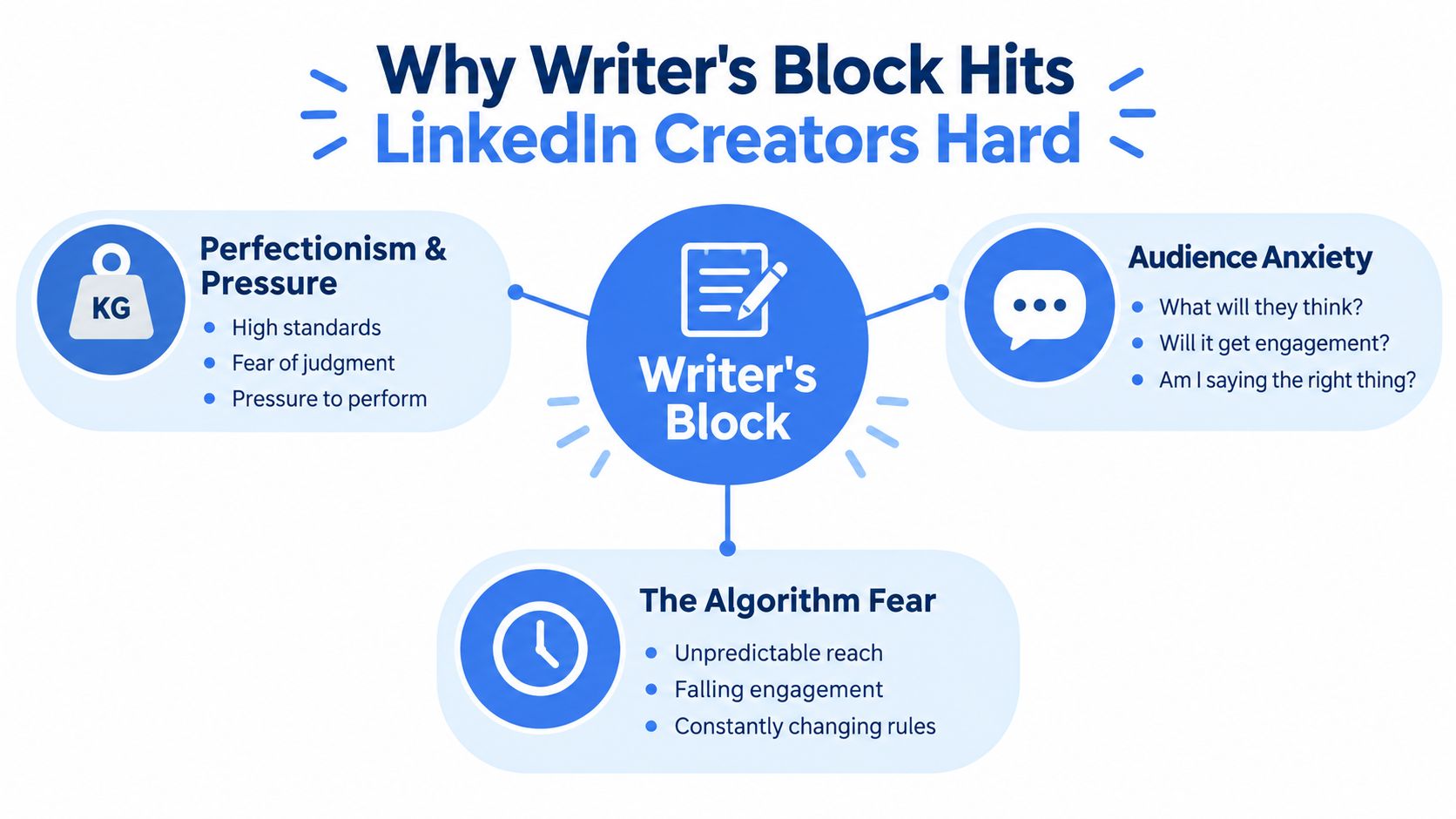
Why Writer's Block Hits LinkedIn Creators Hard
LinkedIn adds pressure to a task that already requires effort. You're not only writing. You're choosing a topic, forming an opinion, finding a useful example, creating a strong opening, managing your tone, predicting how readers might react, then deciding whether the post sounds like you.
That's a lot of decisions before the first paragraph exists.
Research gives the problem a clearer shape. A 2022 mixed method survey of 146 writers identified four recurring cause groups, physiological, motivational, cognitive, and behavioral. Physiological and motivational factors appeared most often, and they disrupted composition more than idea generation. The study on writer's block causes and writing processes supports a useful diagnosis for LinkedIn creators. You may have plenty of ideas. The failure happens when you try to turn one into clean sentences.
The blank page hides a process problem
High block writers also spend far more time planning than drafting. An earlier study of 60 participants found that high block writers spent one half to two thirds of their time prewriting and planning, paused longer, and produced shorter drafts than low block writers. The referenced writing research points to a blunt conclusion. More planning won't necessarily rescue the post. It may give avoidance a respectable outfit.
Perfectionism makes this worse. You try to create the final version while writing the first one. Every sentence must prove your expertise. Every claim must survive an imaginary comment section. Your draft never gets enough oxygen to become useful.
Practical rule: Separate thinking, drafting, and editing. Each job needs a different standard.
Notifications rarely solve the start problem either. A study on writing procrastination found that notifications had minimal effect on helping people begin, while removing distractions and displaying basic writing statistics produced higher task satisfaction. The writing procrastination study supports a better approach, reduce friction and make progress visible.
Writer's block feels personal because your name sits beside the post. Treating it as a process issue gives you something practical to fix. Change the task. Shrink the opening move. Remove the noise. Give your brain better material to work with.
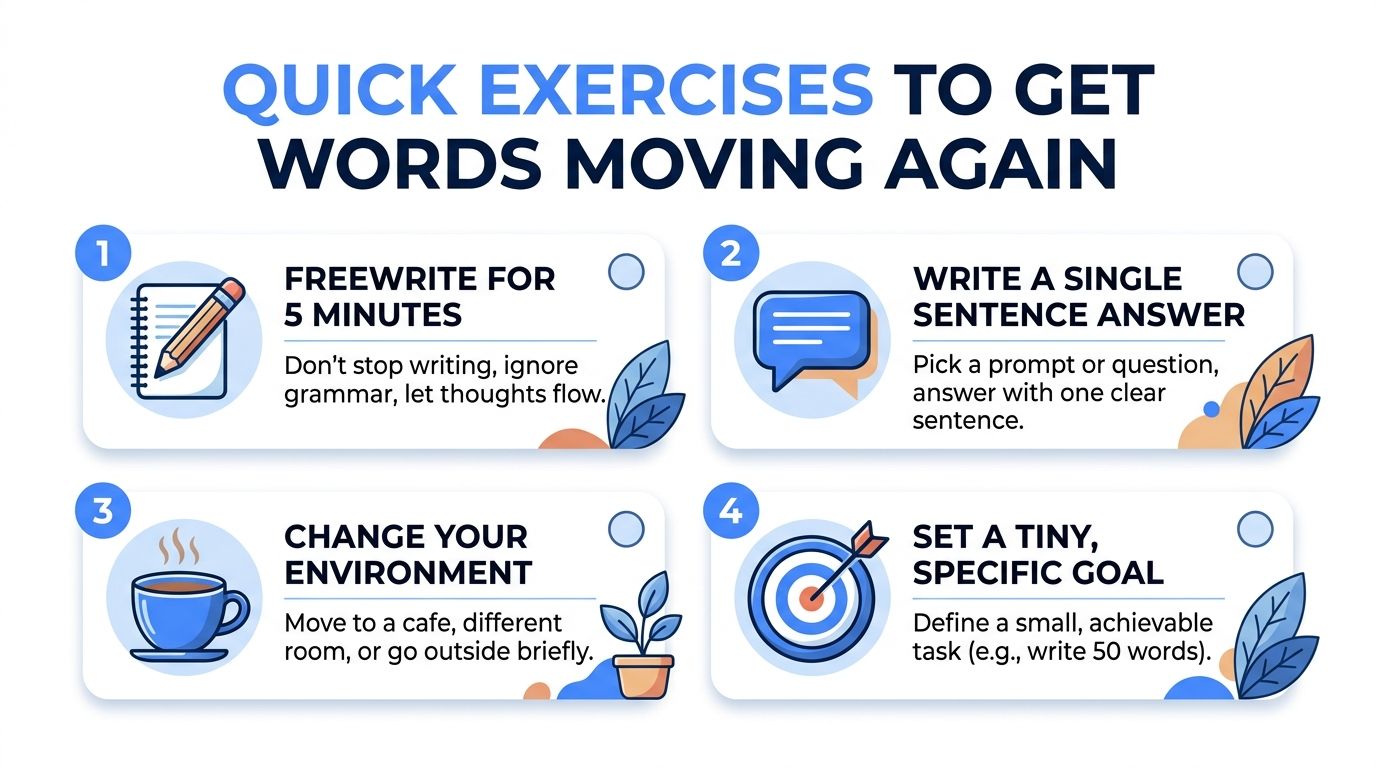
Quick Exercises That Get Words Moving Again
Don't wait for motivation. Motivation is a flaky coworker. Use a small task with a clear finish line instead.
Use a five minute reset
Set a timer for five minutes. Write the rough answer to one prompt, such as “What mistake do buyers in my market keep making?” Don't edit. Don't check LinkedIn. Don't improve the wording. Write fragments if needed.
At the end, stop and highlight one sentence that contains an opinion. That sentence becomes the seed of your post. Done means you have one usable thought, not a polished update.
Try a second exercise when you have an idea but can't form an opening. Write one sentence answering, “What do I want the reader to understand?” Then write one sentence answering, “Why should the reader care?” Those two lines give you direction without forcing a full draft.
Change the conditions
Close every unrelated tab. Put your phone out of reach. Turn off notifications. The research on writing procrastination supports distraction removal as a more useful intervention than notification based nudges. The study on reducing writing distractions also connects visible writing statistics with higher satisfaction.
If the words still won't move, change location or method. Use a notebook. Stand up. Move to another room. A blocked brain often needs a changed cue, not another lecture about discipline.
Force the next sentence
Write a deliberately bad bridge, such as “The point many writers miss is this.” Continue from there. You can delete the bridge later. The job is to keep composition moving, especially when perfectionism has grabbed the steering wheel.
The 2022 survey identified taking a break, switching projects, forcing continued writing, and discussing ideas with others among the useful strategies reported by writers. The survey findings fit a simple rule. If one route stalls, change the route.
For more practical ways to boost your writing productivity, build these small resets into your normal writing sessions instead of saving them for a crisis.
Build a Reliable Idea System for LinkedIn
A blank page is expensive when every post starts from zero. Build a shelf of parts before you need them.
Keep one document for hooks, one for opinions, one for examples, and one for calls to action. Add to it during client calls, sales conversations, podcasts, comments, and daily work. Don't wait for a dramatic insight. Useful content often starts as a sentence someone says casually.
Create a hook library
Save openings that match your voice. Then adapt the structure, not the wording.
| Post Angle | Hook Template | CTA Blueprint |
|---|---|---|
| Hard lesson | “I used to believe [common belief]. Then [specific experience] changed my mind.” | “What belief did your work change?” |
| Practical mistake | “Most teams fix [visible problem] while ignoring [root problem].” | “Which one shows up in your process?” |
| Contrarian view | “[Popular tactic] isn't the answer for every team.” | “Where has this tactic failed you?” |
| Pattern spotted | “After reviewing [type of work], I keep seeing the same pattern.” | “What pattern are you seeing?” |
| Short playbook | “If I had to improve [outcome] from scratch, I'd start here.” | “What would you add?” |
A hook library reduces decision fatigue. A content pillar system gives those hooks somewhere to live. ClipCreator.ai's pillar strategy offers a useful reference for grouping recurring themes without turning your content into five versions of the same post.
Store your pillars as plain language categories. For a B2B marketer, that might mean campaign lessons, buyer research, messaging mistakes, team systems, and personal observations. Each category should generate several angles, not just one approved topic.
Make the next post obvious
Use a daily capture habit. Record one customer question, one decision you made, one thing you disagree with, and one result you noticed. Then attach each note to a pillar.
Keep your calls to action light. Ask for an example. Invite a disagreement. Offer a useful choice. “Which approach would you use?” works better than a forced sales pitch pretending to be a conversation.
Use this guide to finding content ideas when your capture file feels thin. The point is not to collect endless prompts. The point is to make tomorrow's first move a choice between real angles.

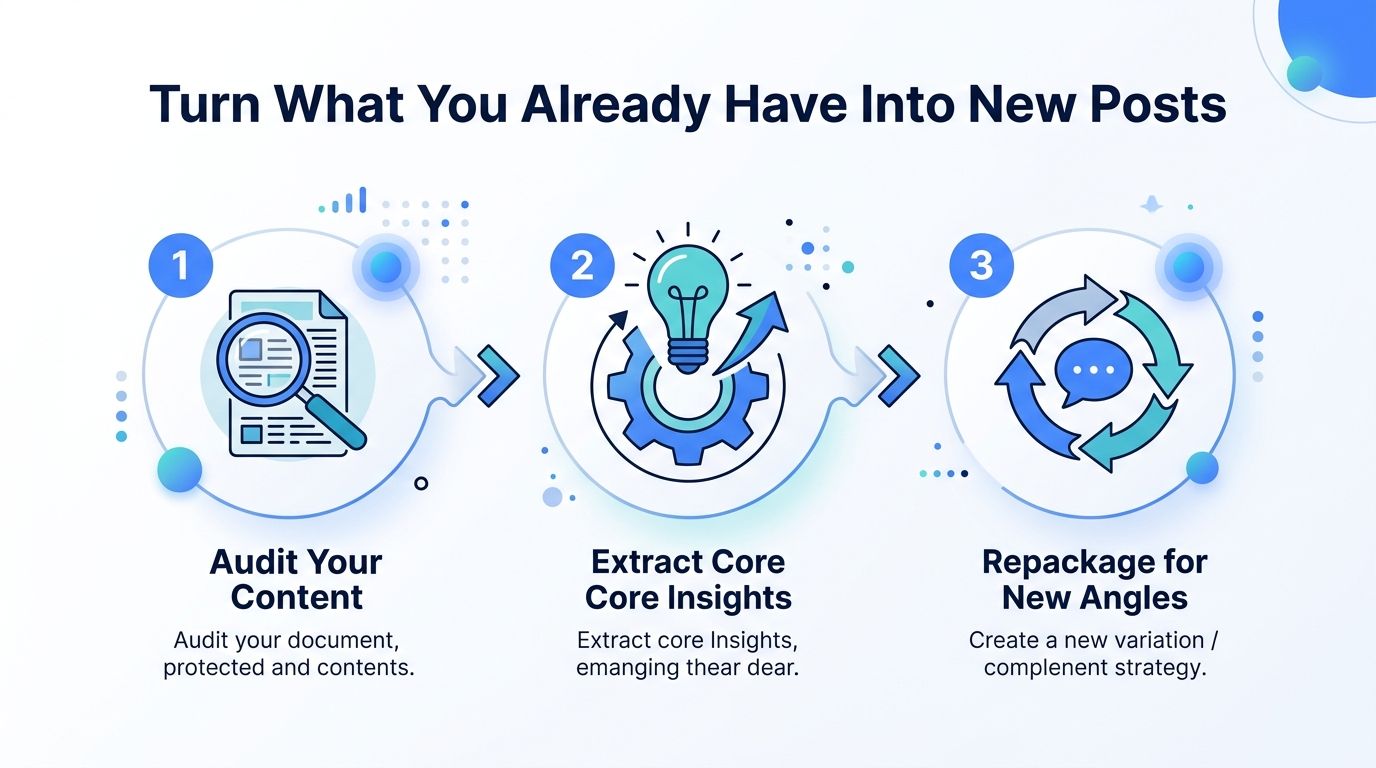
Turn What You Already Have Into New Posts
“I have nothing to say” often means “I haven't sorted my inputs.” Your work already contains raw material. It sits in call notes, saved videos, customer emails, Reddit threads, news items, old drafts, and comments you nearly ignored.
A 2025 empirical study argues that information behavior matters to creative unblocking. Browsing, scrolling, algorithmic curation, and collecting multimodal material can help generate ideas when the input is structured well. The study on information behavior and creativity adds a useful correction to the usual advice. A break can help, but better information exposure can help too.
Run three simple source workflows
Start with a Reddit thread or customer discussion. Find the repeated complaint. Turn it into a post that explains the hidden cause, then add your own recommendation. Don't copy the thread. Translate the pattern into your professional context.
Next, use a YouTube transcript or podcast note. Pull one claim, one tension, and one practical implication. The post can open with the tension, explain the claim in plain language, then show what a LinkedIn reader should do differently.
Old posts offer another route. Audit the comments first. A question in the comments often contains a better follow up than the original post. Write the answer for a new audience, challenge your old position, or turn one paragraph into a short checklist.
Scan for patterns, not noise
Trend discovery becomes useful when you look for repeated language across sources. Save phrases customers use. Group similar complaints. Notice where a popular opinion conflicts with what you see in practice.
That work gives you raw material with a point of view. It also lowers the pressure to invent something original on command, which is a terrible production system.
Use a practical guide on how to repurpose LinkedIn posts when you want to turn one strong idea into several formats without repeating the same paragraph.
You can find a broader workflow for content repurposing strategies and apply it to your own source library. Keep the transformation meaningful. A new headline on an unchanged post is not repurposing. It's recycling with a fake moustache.
Use AI to Draft Faster Without Sounding Robotic
AI can shorten the distance between a rough idea and a draft. It can't decide what you believe. Give it a vague prompt and you'll get vague content wearing business clothes.
Manual drafting gives you control from the first sentence. It also makes you handle every small choice yourself, including hooks, structure, transitions, examples, and calls to action. That works when the idea is clear and your energy is good. It struggles when the problem is too many decisions.
An AI assisted workflow changes the order. You provide a source, opinion, audience, and tone. The tool creates several angles or outlines. You choose one, reject weak phrasing, add lived detail, then edit the result until it sounds like a person with a job wrote it.
Use pattern discovery before generation
Study posts from strong creators in your niche. Look for recurring structures, such as a sharp claim followed by a personal example, a mistake followed by a correction, or a short observation followed by a practical framework. Copy the structure, not the personality.
ViralBrain analyzes high performing LinkedIn posts from selected creators, surfaces hooks, structures, and calls to action, then helps users generate drafts with tone personalization. Its workflow can support pattern translation, trend discovery, repurposing, Smart Suggestions, hook storage, draft saving, and post previews. Treat those features as drafting support, not an excuse to publish untouched output.
Keep the human filter switched on
Ask the tool to use short sentences, plain words, a specific audience, and one clear opinion. Remove empty phrases. Delete claims you can't support. Replace generic advice with a real observation from your work.
Use this AI for LinkedIn posts guide for workflow ideas, then create your own editing rules. A good final check asks whether you would say the sentence aloud, whether the example could belong to anyone, and whether the post teaches something beyond “consistency matters.”
AI should handle repetition. You should handle judgment.
The fastest workflow still includes rejection. Generate alternatives, keep the strongest structure, rewrite the opening yourself, then add the detail only you could know. That is how you get speed without publishing content that sounds like it was assembled by a committee of polite spreadsheets.
Make Consistency Your Daily Unblocking Routine
Writer's block loses power when writing stops being a daily negotiation. You don't need a heroic creative ritual. You need a repeatable appointment with a small task.
Start each writing session by choosing one item from your idea file. Spend a short opening period reviewing the source and stating the opinion in one sentence. Then draft without editing. Finish by marking the next action, such as “add customer example” or “write the counterpoint.”
Use a simple daily cadence
Keep your routine visible. A small tracker can show whether you captured an idea, drafted, edited, and reviewed a post. The point is not to worship a streak. It's to spot where your process keeps breaking.
A useful cadence looks like this:
• Capture: Save one observation from work, a call, a comment, or a source.
• Choose: Select one angle from your hook or pillar library.
• Draft: Write the rough post without polishing each line.
• Review: Check the claim, example, tone, and opening.
• Preview: Read the post as a scrolling reader, not as its anxious author.
Add another human to the process
Blocked academicians reported five especially helpful interventions, discussing ideas with others, working on a different project, walking or exercising, changing location or method, and taking a break. The investigation of blocked academicians gives you a strong response plan when solitary effort starts looping.
Set up a lightweight review exchange with a colleague. Ask for one answer only, “Where did your attention drop?” Don't ask ten people whether the post is good. That creates a committee, and committees are where drafts go to die.
Use visible progress, not vague confidence, as your proof that the routine works.
Review the tracker each week. Look for fewer abandoned drafts, faster movement from idea to rough copy, and a healthier supply of usable angles. Don't chase a perfect process. Fix the stage that keeps failing.
If you can't start, reduce the task. If you can't find an angle, improve your inputs. If the draft sounds flat, add a real example. If you keep polishing one line, move to the next paragraph. That is how to overcome writer's block for LinkedIn posts, through process design rather than motivational theatre.
ViralBrain helps LinkedIn creators find proven hooks, study post structures, generate drafts in their own writing style, repurpose source material, and preview posts before publishing. Visit ViralBrain, build your idea system there, and turn the next blank page into a smaller task.
Grow your LinkedIn to the next level.
Use ViralBrain to analyze top creators and create posts that perform.
Try ViralBrain free