
How to Repurpose YouTube Videos for LinkedIn Growth
Learn how to repurpose YouTube videos into LinkedIn posts, clips, threads, and articles with actionable steps and tools that actually drive engagement.
Grow your LinkedIn to the next level.
Use ViralBrain to analyze top creators and create posts that perform.
Try ViralBrain freeMost advice on how to repurpose YouTube videos is lazy. It tells you to clip a few moments, slap captions on them, then spray them across LinkedIn, Shorts, Reels, and anywhere else with a feed. That's not a system. That's how you make content that looks recycled.
The useful way to do this is different. Start with one strong YouTube video as the source of truth. Then reshape its best ideas for the way people consume content on each platform. LinkedIn wants a sharp insight. Shorts wants an instant hook. A carousel needs sequence. A text post needs tension.
That sounds like more work. In practice, it's less waste. You already did the hard part when you recorded the video. The rest is extraction, editing, and format discipline. If you want LinkedIn growth from YouTube content, that discipline matters more than volume.
Why Repurposing Beats Posting Once
One video should not become one post. That advice wastes effort.
A 2026 industry benchmark found that teams who systematically turn one video into multiple formats report better outcomes. 56.6% said performance was “very strong,” and teams that always repurpose outperformed those that rarely do by 25 percentage points on “good or very good” performance and by 46.8 percentage points on “very good” performance alone according to PlayPlay's video repurposing benchmark.
That result makes sense. A YouTube video usually contains more than one usable idea. It has an argument, an example, a quote, a warning, maybe one line that people would remember if they weren't busy scrolling at work. Posting once means most of that value dies in one format.
Repurposing is respect for the work
Good repurposing isn't laziness. It's respect for production time.
If you recorded one useful video, the smart move is to get more than one asset from it. But that only works if you reshape the material. LinkedIn readers don't behave like YouTube viewers. They don't sit around waiting through your intro, your sponsor read, your throat clearing, or that cute anecdote you swore was necessary.
Practical rule: repurposing starts when you remove what made sense in the original format.
That's the part many teams miss. They repost clips instead of rebuilding the message. The result feels like leftovers.
The real unit is the idea
The best way to think about how to repurpose YouTube videos is to stop treating the video as the asset. The asset is the idea inside the video. Once you work that way, one source can become a clip, a carousel, a text post, or a visual quote without feeling copied.
If you need a broader primer on the core concept, this explanation of content repurposing is useful. But the short version is simple. Don't cross post the same thing everywhere. Rebuild it for the feed you're trying to win.
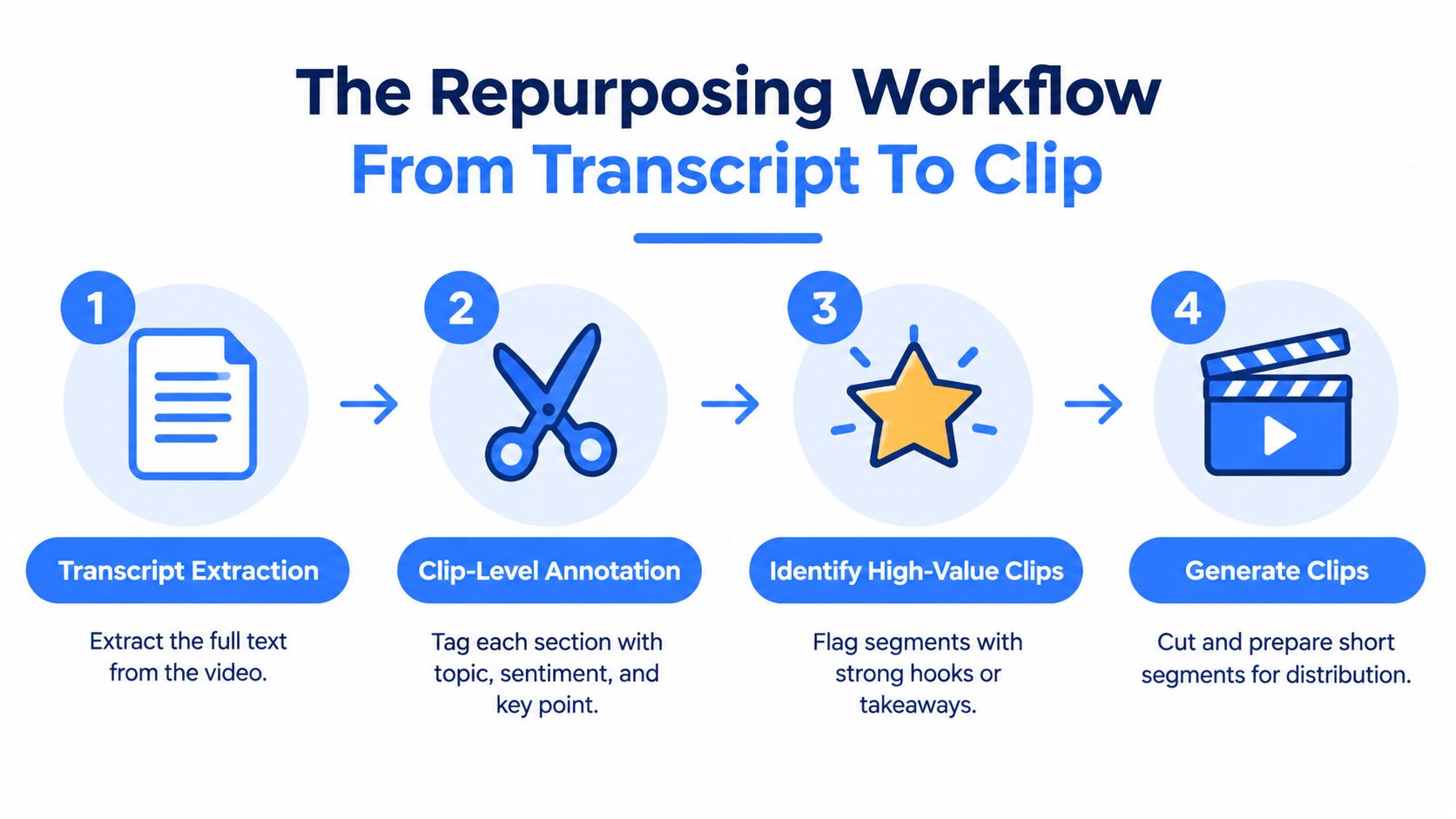
The Repurposing Workflow From Transcript To Clip
The workflow should start with text, not with scrubbing the timeline like a sleep deprived video editor hunting for treasure.
A strong system begins by extracting the transcript. Then you mark the parts that carry weight. That means claims, sharp phrasing, strong examples, objections, mistakes, and moments where the speaker says something worth stealing from themselves.
Why transcript first works better
A large scale academic benchmark built around Repurpose 10K includes over 10,000 videos and more than 120,000 annotated clips, which points to a practical truth. Effective repurposing depends on clip level selection, not vague full video summaries, as shown in the Repurpose 10K benchmark paper.
That matters because summaries smooth out the sharp bits. Repurposing needs the opposite. You want timestamp level moments with a clean beginning, one payoff, and a sentence people can understand out of context.
A simple clip selection process
Use a pass like this when you review the transcript.
- Pull the transcript: Use YouTube captions or a transcription tool, then clean obvious errors.
- Tag the useful moments: Mark sections by topic, payoff, objection, example, or quotable line.
- Score for reuse: Keep the parts with a strong opening sentence, one clear point, and minimal dependency on earlier context.
- Cut with intent: Build each clip for one destination, not for every destination at once.
Here's the trap. Teams often choose clips by what looks visually active. That's backwards. Motion helps. Meaning wins.
A clip without a clean idea is just a moving rectangle with subtitles.
This walkthrough from the FindClout channel clipping guide is worth reading if you want a grounded view of clip extraction without treating every timestamp like a masterpiece.
What to mark inside the transcript
Different moments work for different outputs. I usually sort source material into this quick grid.
| Segment type | Best use |
|---|---|
| Counterintuitive claim | LinkedIn text post |
| Short step by step explanation | Carousel |
| Strong one line takeaway | Short vertical clip |
| Story with tension and payoff | LinkedIn thread style post |
And watch for hard cuts. If a section takes too long to make sense, don't force it. Most of the time the best repurposed asset comes from the part the original editor almost treated as a throwaway line.
This video shows the workflow in action.
Adapting One Video Into Three LinkedIn Formats
LinkedIn does not reward generic clipping. It rewards clarity, tension, and packaging. One YouTube video can become three different LinkedIn assets, but each one needs a different logic.
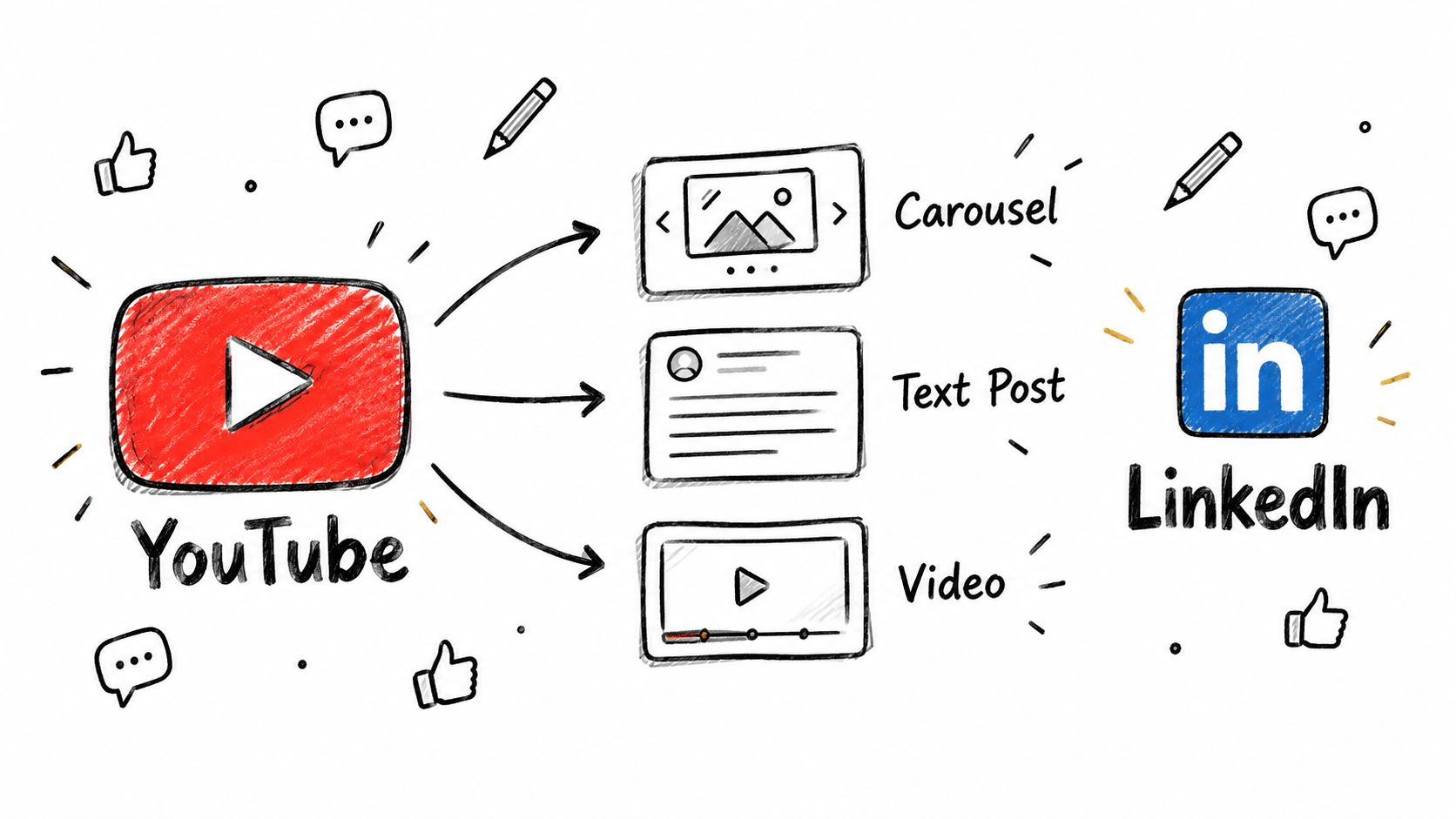
Format one, the carousel
A carousel works when the original video explains a process, breaks a myth, or compares choices. Don't dump transcript chunks into slides. That's not a carousel. That's punishment.
Build a slide sequence with one job per slide.
| Slide | Job |
|---|---|
| Slide 1 | Hook with the punchline or mistake |
| Slide 2 | Frame the problem |
| Slide 3 to 5 | Deliver the key points in order |
| Final slide | Give the reader one action to take |
The best carousel source segments are the ones where the speaker moves cleanly from point to point. If the video rambles, the carousel will look like it had a rough childhood.
Format two, the LinkedIn text post
This works best when the video has a strong claim that can stand alone in the first line.
Open with the sharpest sentence from the transcript, rewritten for reading. Then add the context in short paragraphs. End with a takeaway, not a motivational speech. People on LinkedIn have seen enough fake wisdom to last several lifetimes.
A useful structure looks like this.
I believed X.
The video proved Y.
Here's the part most teams miss.
Here's what to do instead.
That shape works because it creates movement. Reader belief, conflict, correction, action. Clean.
If you're pairing the post with native video, this guide on how to post video on LinkedIn helps with the publishing side.
Format three, the visual quote or graphic
Some video moments are too small for a full post but too good to waste. That's where a graphic asset helps.
Take one verbal tip, strip it down to one sentence, then design around it. Not every idea needs a face cam clip. Sometimes text on a clean branded visual does the job better because the message lands faster in the feed.
Use graphic repurposing when the source moment has these traits.
• Short payoff: one sentence, one idea, no setup needed
• Strong wording: language with bite, not bland advice
• Business relevance: useful to a LinkedIn audience without needing the full video
Most creators overuse highlights. The better move is to isolate the moments with business tension. Mistakes. Contrarian takes. Tiny process fixes. Those travel better than generic “top tips.”
Repurposing For Shorts, Reels, And Vertical Video
Short form clips live or die on formatting. Good source material won't save a bad frame, weak hook, or broken audio choice.
Get the frame right first
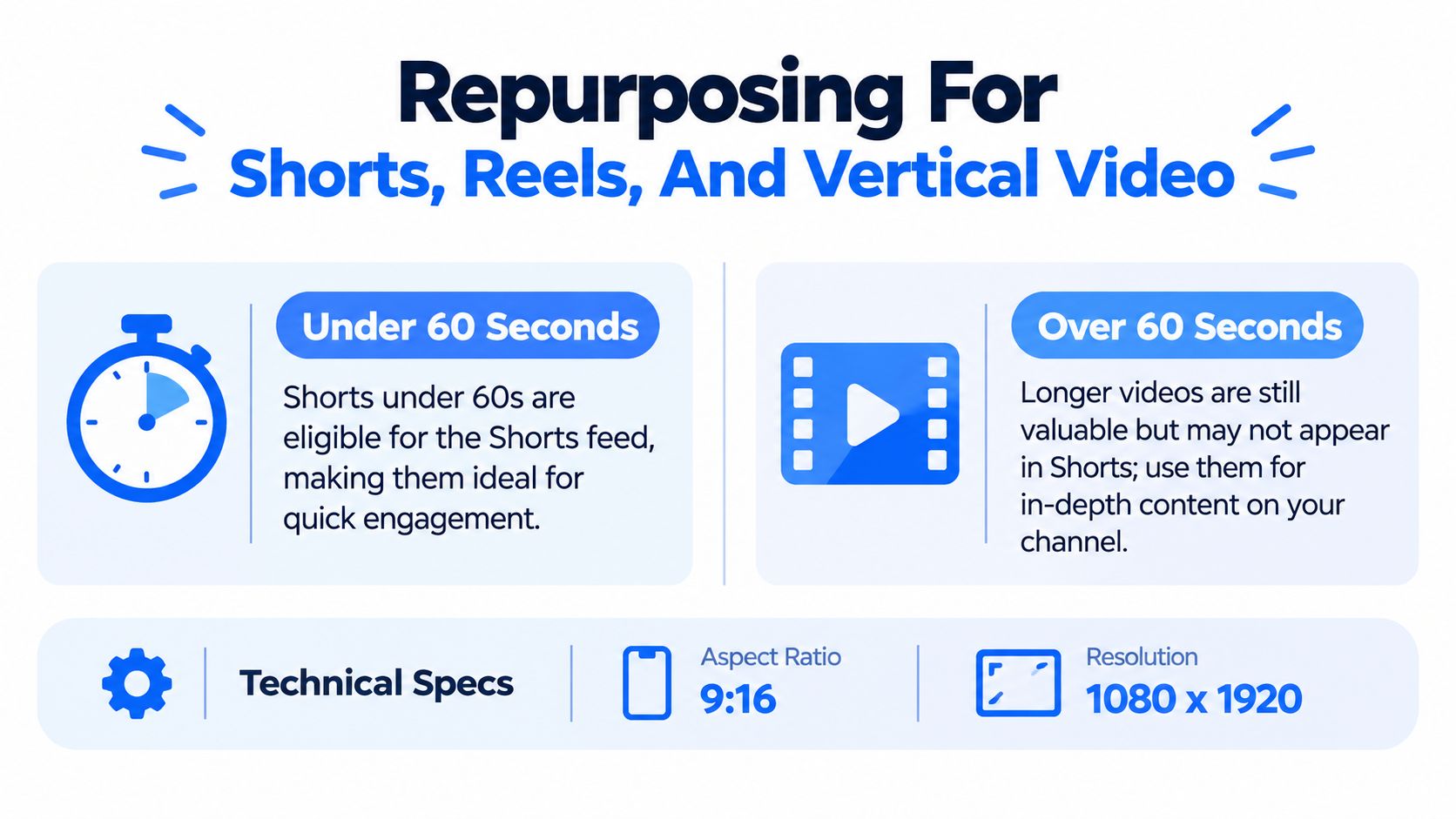
For Shorts, the accepted setup is vertical 9 to 16, usually 1080 by 1920 pixels, and square videos can still qualify if they meet the Short length rules based on this practical guide to YouTube Shorts size and dimensions.
That means you should re edit for vertical, not upload a horizontal crop and pray the platform suddenly becomes generous. It won't.
If you need a wider reference for other platforms, this piece on social media aspect ratio advice for creators is handy. But the basic rule is plain. Reframe the subject, enlarge captions, and keep key visuals centered.
Use the current length rules
YouTube now allows Shorts up to 3 minutes, according to this writeup on the official three minute Shorts change. That opens up more room for repurposing a longer YouTube video into multiple short assets without breaking the current cap.
That said, longer isn't automatically better. A short clip still needs one idea, one hook, and one clean ending. If the segment drifts, cut it harder.
A large 2024 to 2026 research dataset on video repurposing from user generated content reported an average of 18.9 million views per video, with a 90% confidence interval from 62,900 to 38.6 million views, which shows why high performing source videos are valuable raw material for downstream distribution according to this video repurposing dataset summary.
Watch the audio rules
Music rights are where people get sloppy.
For Shorts over 60 seconds, you can't use copyrighted audio from YouTube's music library according to this note on YouTube Shorts length and music limits. If your repurposed clip runs longer than a minute, use original audio or properly licensed music. That's the boring answer. It's also the answer that won't get your clip muted.
Editing rule: if the clip depends on background music to feel interesting, the clip probably wasn't strong enough.
Short form is not just a shorter YouTube video. It's a tighter story with different framing, faster caption pacing, and far less patience from the viewer.
Using AI Tools To Scale Repurposing
Manual repurposing works fine until the queue fills up. Then everything slows down because rewriting the same source material into different formats is annoying, repetitive, and easy to postpone.
That's where AI helps, if you use it for transformation instead of for generic sludge.
What AI should handle
The useful jobs are boring jobs.
• Transcript parsing: pulling the source text into usable chunks
• Pattern matching: spotting hooks, tension, objections, and payoff lines
• Draft generation: turning one source idea into several LinkedIn angles
• Variation testing: rewriting the same point with different openings or structures
What AI should not own
It should not make the final strategic call. A tool can generate options. It can't decide which angle fits your audience, your offer, or your reputation.
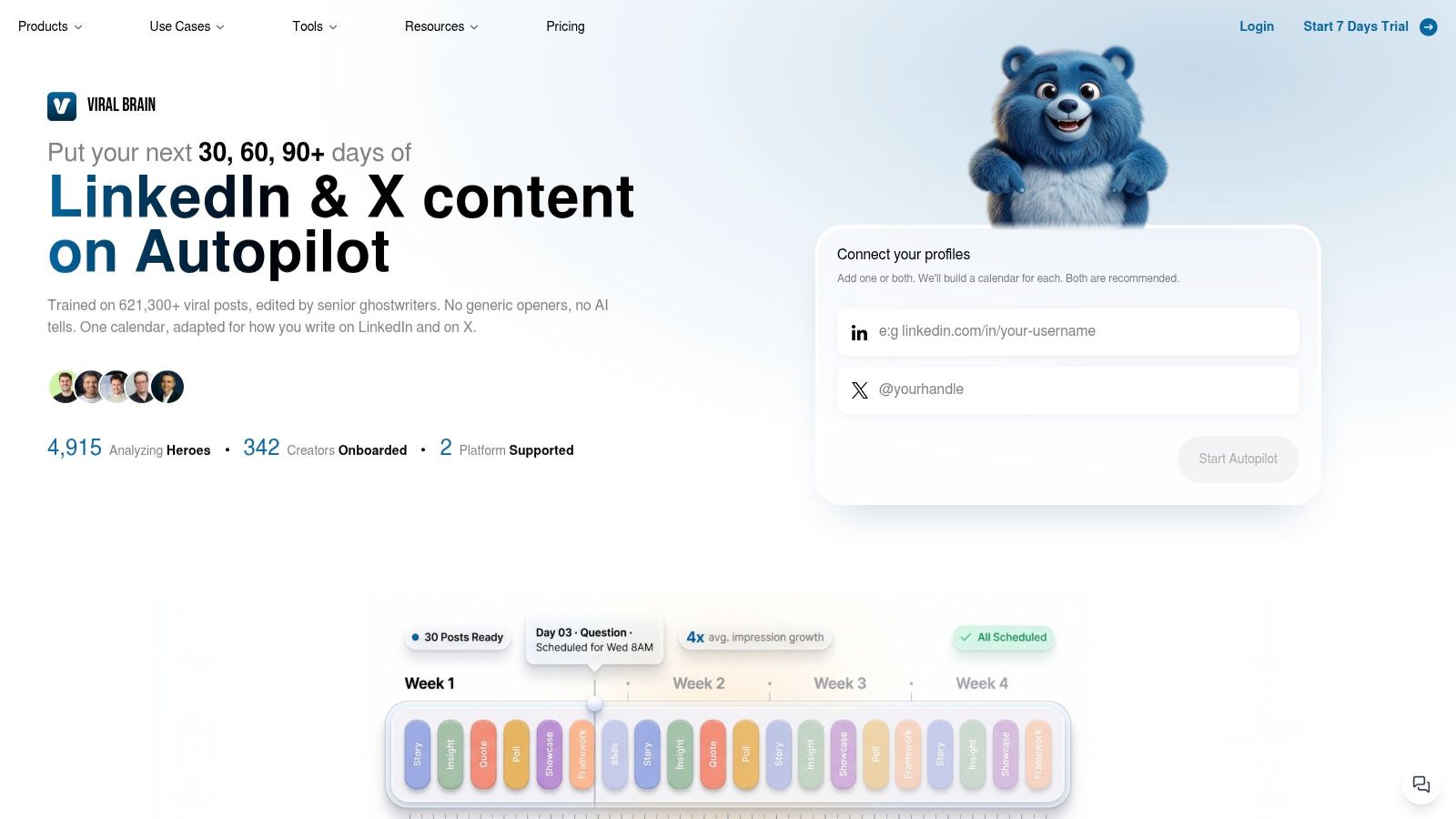
One practical option is ViralBrain's AI repurposing workflow, which accepts source content such as a YouTube link, extracts strong angles, and helps draft LinkedIn ready posts in a chosen voice. That's useful when you want volume without rewriting every post from scratch.
The best setup is simple. Let the tool surface candidates. Then a human editor picks the angle, trims the fluff, and kills the parts that sound like they were written by a very confident toaster.
Avoiding The Reused Content Trap
Repurposing your own YouTube videos is fine. Looking like you're auto recycling content with no transformation is where the trouble starts.
Recent help center material around destination publishing shows that YouTube supports publishing of both regular videos and Shorts in repurposing workflows, and Shorts can be up to 3 minutes, as noted in this YouTube connection and publishing guide. The practical issue isn't whether you can republish. It's whether the result looks meaningfully original.
What lazy reuse looks like
It usually has a few obvious signs.
• No platform adaptation: same intro, same pacing, same framing everywhere
• No new context: the clip assumes viewers watched the full original
• No editorial choice: random highlights instead of a clear point
• No format fit: horizontal clips stuffed into vertical feeds
That's when repurposing starts to feel like duplication. Audiences notice. Platforms do too.
Why this risk is real
A 2026 academic paper studying YouTube repurposing for deception and profit estimated that about 0.24% to 0.25% of channels in a Social Blade population of more than 68 million channels were repurposed during January through March 2025, translating to roughly 3,384 to 3,456 accounts and about 43.98 million subscribers affected. It also found that 1,074 of those repurposed channels had more than 1,000 followers, according to the academic paper on repurposed YouTube channels.
That paper is about abuse, not ordinary creator workflows. Still, it makes one point painfully clear. Repurposed assets can scale far beyond tiny accounts, which means sloppy reuse is not a harmless side project.
Change the hook, change the frame, change the context. If none of that changed, you didn't repurpose anything. You copied yourself.
The safe standard is simple. Keep the original source, but make each output stand on its own. Rewrite the opening. Remove dead setup. Add captions built for the destination. Give the audience a reason to consume this version, not just tolerate it.
If you want help turning one YouTube video into LinkedIn posts that fit the platform, ViralBrain is built for that workflow. It can pull angles from source content, translate them into proven post patterns, and generate drafts in your voice so your team spends less time rewriting and more time choosing the right message.
Grow your LinkedIn to the next level.
Use ViralBrain to analyze top creators and create posts that perform.
Try ViralBrain free