
LinkedIn Analytics Profile Metrics That Actually Matter
Master your LinkedIn analytics profile with clear metric definitions, where to find them, and how to turn trends into reach and engagement growth.
Grow your LinkedIn to the next level.
Use ViralBrain to analyze top creators and create posts that perform.
Try ViralBrain freeLinkedIn crossed 1 billion members across 200 plus countries and regions by 2025, which is why profile analytics stopped being a vanity side panel and became a real B2B signal set, as summarized here. At that scale, a profile isn't just a digital business card. It's a small funnel with leakage, friction, and intent signals.
Many still read their LinkedIn numbers like a horoscope. More impressions, good. More profile views, nice. SSI up, maybe I'm famous now. That's lazy analysis. A useful LinkedIn analytics profile readout tracks movement from being found, to being checked out, to getting a click or another high intent action.
That's the only frame that matters if you care about pipeline, hiring, partnerships, or inbound.
Introduction to LinkedIn Profile Analytics at Scale
LinkedIn has crossed 1 billion members across 200 plus countries and regions, according to Buffer's roundup of LinkedIn statistics. Scale alone does not make profile analytics useful. It does make sloppy interpretation expensive, because weak signals get mistaken for demand very quickly on a network this large.
The audience composition is what makes the profile data commercially interesting. Recent demographic summaries show the 25 to 34 group as the largest cohort, at 33.4 percent to 47.3 percent depending on methodology. Users aged 18 to 24 account for another 21.7 percent to 24.5 percent. Gender splits sit around 56.8 percent to 57.2 percent men and 42.8 percent to 43.2 percent women. Market concentration is uneven too, with the United States at about 250 million users, India at 150 million, and Brazil at 81 million, as collected in this LinkedIn demographics summary.
That matters for one reason. Reach can look healthy while business value stays weak.
A profile should be read like a funnel. First, people can find you in search or through content exposure. Then a smaller group visits the profile. An even smaller group takes a higher intent action such as following, clicking a custom button, or starting a conversation. Native LinkedIn surfaces pieces of that path, but not the whole path in one clean report.
That distinction separates vanity reach from useful signal. A rise in search appearances usually means stronger discoverability. A rise in profile views without follow-on activity often means curiosity, not intent. A rise in clicks or conversations after profile views is closer to business value, because the user moved past passive inspection.
What LinkedIn gives you natively
LinkedIn gives members a workable starting set of metrics. You can see profile views, search appearances, follower trends, and post-level exposure depending on account access and feature availability. Enough for monitoring. Not enough for diagnosis.
The gap is attribution. LinkedIn rarely shows why a metric moved, which audience segment drove the change, and whether the next step in the funnel improved with it. If appearances go up but views stay flat, discoverability improved less than the top-line number suggests. If views rise and clicks do not, the profile may be attracting attention from the wrong people or failing to convert the right ones.
Practical rule: Treat LinkedIn profile analytics as a funnel, not a trophy shelf.
A simple working model looks like this:
- Discovery: Search appearances and other profile appearances
- Evaluation: Profile views and profile activity
- Action: Follows, button clicks, link engagement, messages
- Outcome: Qualified conversations, traffic quality, and downstream actions tracked outside LinkedIn
What the numbers miss on their own
Single metrics are weak evidence. Search appearances can rise because your headline improved, because posting frequency increased, or because one comment thread sent a burst of low-intent traffic. Profile views can spike from job seekers, competitors, or random curiosity. Post impressions can swell while profile actions stay stubbornly flat.
The useful read is sequential and comparative. Did discovery rise first. Did profile visits follow. Did any high-intent action increase after that. If the answer breaks at step one or two, the issue is usually fit or positioning, not reach. Native LinkedIn is good at showing fragments of that chain. It is less good at proving which fragment produced business value.
Here's the dashboard before the dashboard.
Where to Find Every Profile Analytics Metric
LinkedIn gives you enough profile data to spot a funnel problem, but not enough history to trust your memory. If you check the dashboard casually, you miss the sequence that matters. Search appearance first. Profile activity second. Click or contact intent last.
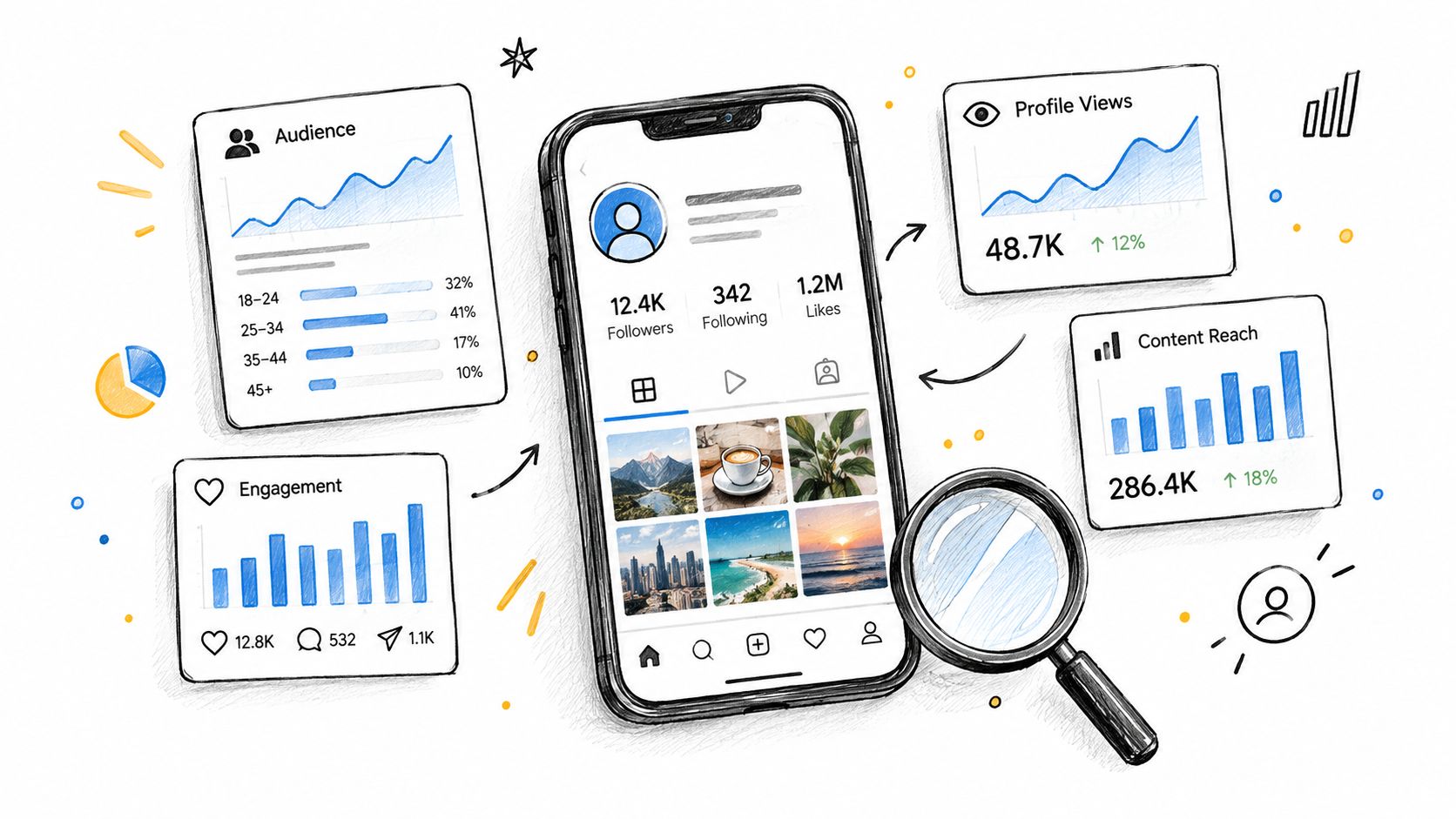
On a personal profile, the Analytics area is the control panel. It usually surfaces cards for profile views, post impressions, and search appearances. The useful move is not just clicking around. It is checking the cards in the same order every time so you can see where the funnel breaks.
The cards to check first
Start with the cards that map to business intent, not feed vanity.
- Search appearances. Top of funnel. People found you in search results.
- Profile views. Mid funnel. Someone cared enough to open the profile.
- Profile activity or button clicks, if shown. Lower funnel. Someone moved past reading.
- Post impressions. Distribution data. Useful context, weak evidence of buyer interest.
- Followers. Slow moving audience signal, better for trend lines than daily decisions.
The order matters. A rise in post impressions without any lift in profile views usually means the content traveled, but your profile did not benefit much. A rise in search appearances followed by profile views is more promising. That pattern suggests your positioning or content made you easier to find, then relevant enough to inspect.
Where the rest of the numbers live
Post level metrics usually sit under each post. That is a different layer of analysis. Good for judging distribution. Poor for judging whether your profile turned that exposure into action.
Native LinkedIn also splits visibility across several surfaces. Search appearance lives in the profile analytics area. Visitor detail depends on account type. Button clicks, website visits, and message starts are less consistently exposed and often fragmented. You can still work with this. You just need a routine.
The 30 second analyst check
Use the same sequence each time:
- Open Search appearances and note whether the trend is up, flat, or down.
- Return to the main analytics cards and check Profile views against that movement.
- Scan your latest posts only if one of the first two moved sharply.
- Capture one screenshot a week, same day, same time.
That screenshot habit sounds boring. It is also how you catch patterns LinkedIn will not preserve for you. Free accounts have limited lookback and detail. Paid plans show more visitor information and more context on who showed up. Either way, native analytics is short on durable history. If you want month over month pattern reading, save the evidence yourself.
One blunt rule helps here. If you only have time to check one thing, do not start with post impressions. Start with search appearances, then profile views. Reach is cheap. Qualified curiosity is harder to earn.
Core Profile Metrics Defined in Plain Language
A decent LinkedIn profile read is a funnel, not a pile of disconnected numbers. Search appearances sit at the top. Profile activity sits in the middle. Clicks and contact actions sit at the bottom. If you skip that order, you will mistake reach for demand.
Search appearances
Search appearances count how often your profile shows up in LinkedIn search results.
This is a discovery metric. It shows whether LinkedIn is surfacing you for the terms, roles, and topics tied to your profile. It does not show whether anyone cared enough to click. That is why search appearances matter, but only as the first stage of the funnel.
Use this metric after changes to your headline, About section, job titles, skills, or posting cadence. If appearances rise and profile views stay flat, visibility improved but relevance did not. That usually points to weak positioning in the headline or a poor match between the searcher's intent and what your profile promises.
Profile views
Profile views count visits to your profile.
This is a stronger signal than search appearance because someone chose to inspect you. It still is not a business outcome. Recruiters, competitors, old colleagues, and lightly curious buyers all inflate this number. Profile views are best read as qualified curiosity.
The useful question is simple. What share of search exposure turns into profile visits? Native LinkedIn does not make that conversion rate easy to track over time, which is one reason weekly screenshots are worth the mild annoyance.
Post impressions
Post impressions belong near this section because they often distort profile analysis.
An impression means your content was displayed in feed. It does not mean the person read it, remembered it, or cared enough to visit your profile. Analysts who treat impression spikes as proof of market interest usually end up congratulating the algorithm, not their message.
Use impressions to judge distribution. Use profile views to judge whether that distribution created enough curiosity for someone to check who you are.
Followers and connections
Followers and connections look similar in dashboards. They do different jobs.
Followers are your subscribed audience. Connections are mutual relationships. Follower growth can help distribution. Connection quality usually matters more for pipeline, partnerships, hiring, and referral flow. A bigger audience is useful only if the right people are in it.
That is why raw growth is a weak read on profile performance. If followers rise while profile views, button clicks, or inbound messages do not, you gained reach without gaining much commercial value.
Social Selling Index
SSI is LinkedIn's own score for social selling activity.
Treat it as a platform health score, not a revenue metric. It can reflect profile completeness and networking habits, but it does not tell you whether the people finding you are the right buyers or whether your profile turns interest into action. A tidy SSI can coexist with a weak funnel.
If you track it at all, track it lightly. It is a side metric.
Profile photo effect
Your profile photo is not a vanity detail. It changes whether people trust the click.
LinkedIn has long reported that complete, credible profiles perform better than incomplete ones. The practical takeaway is obvious. If search appearances are healthy but profile views lag, weak visual trust signals can be part of the leak. Photo quality, banner clarity, and headline specificity all shape whether a search result earns the next step.
So the plain-English hierarchy is this. Search appearances show discoverability. Profile views show curiosity. Clicks, follows, connection requests, and messages show action. Only the lower parts of that chain get close to business value. Native LinkedIn shows pieces of the funnel, not the whole path.
Impressions Views and Clicks Compared Without Confusion
Three numbers. Three different jobs. Confusing them is how teams mistake distribution for demand.
On LinkedIn, these metrics sit at different points in the funnel. Impressions sit at the top. Profile views sit in the middle. Clicks sit lower, where curiosity turns into an action you can use.
The difference in one table
| Metric | What Triggers It | What It Proves |
|---|---|---|
| Impressions | Your content appears on screen under LinkedIn's viewability rules, as noted earlier | You got exposure |
| Views | A person opens your profile, or for video meets LinkedIn's viewing threshold | Someone gave you attention |
| Clicks | A person selects a link or another action target | Someone chose the next step |
If you want the mechanics behind exposure, keep this explainer on how LinkedIn impressions work nearby.
What each metric is good for
Impressions answer one narrow question. Did LinkedIn put the post in front of people?
That matters, but only at the top of the funnel. High impressions can come from decent distribution, broad topics, or a strong first line. None of that proves the audience cared enough to inspect your profile or leave LinkedIn.
Profile views are more selective. A view means the post, comment, search result, or mention created enough interest for someone to check who you are. That is a stronger signal than exposure because it filters out passive scrolling. It still does not prove commercial value, but it often marks the point where relevance and credibility start doing real work.
Clicks are the hardest metric to earn and the easiest to overrate.
A click shows explicit intent. It can mean a website visit, a custom button tap, or another measurable action. It also comes with context. Ten clicks from the right buyers can beat a thousand impressions from everyone else.
Where people read this wrong
The common mistake is celebrating reach in isolation. A post can rack up impressions and still do very little for pipeline, recruiting, partnerships, or inbound leads.
The better read is sequential.
- Impressions up, profile views flat: distribution improved, but the topic, hook, or audience fit did not create enough curiosity
- Profile views up, clicks flat: people are checking you out, but the profile is not converting that interest into action
- Clicks up with modest impressions: reach was smaller, but the audience was probably tighter and the message clearer
That third pattern is often the most valuable. It looks weaker in a screenshot. It performs better in a business.
Use the right metric for the right question
Use impressions to judge visibility. Use profile views to judge whether visibility creates interest. Use clicks to judge whether interest becomes action.
That is the cleanest way to read a LinkedIn analytics profile without inflating vanity reach. Native LinkedIn gives you these signals, but it does not tie them together into a full person-level path. You have to do that part yourself.
How to Read Trends and Audience Demographics
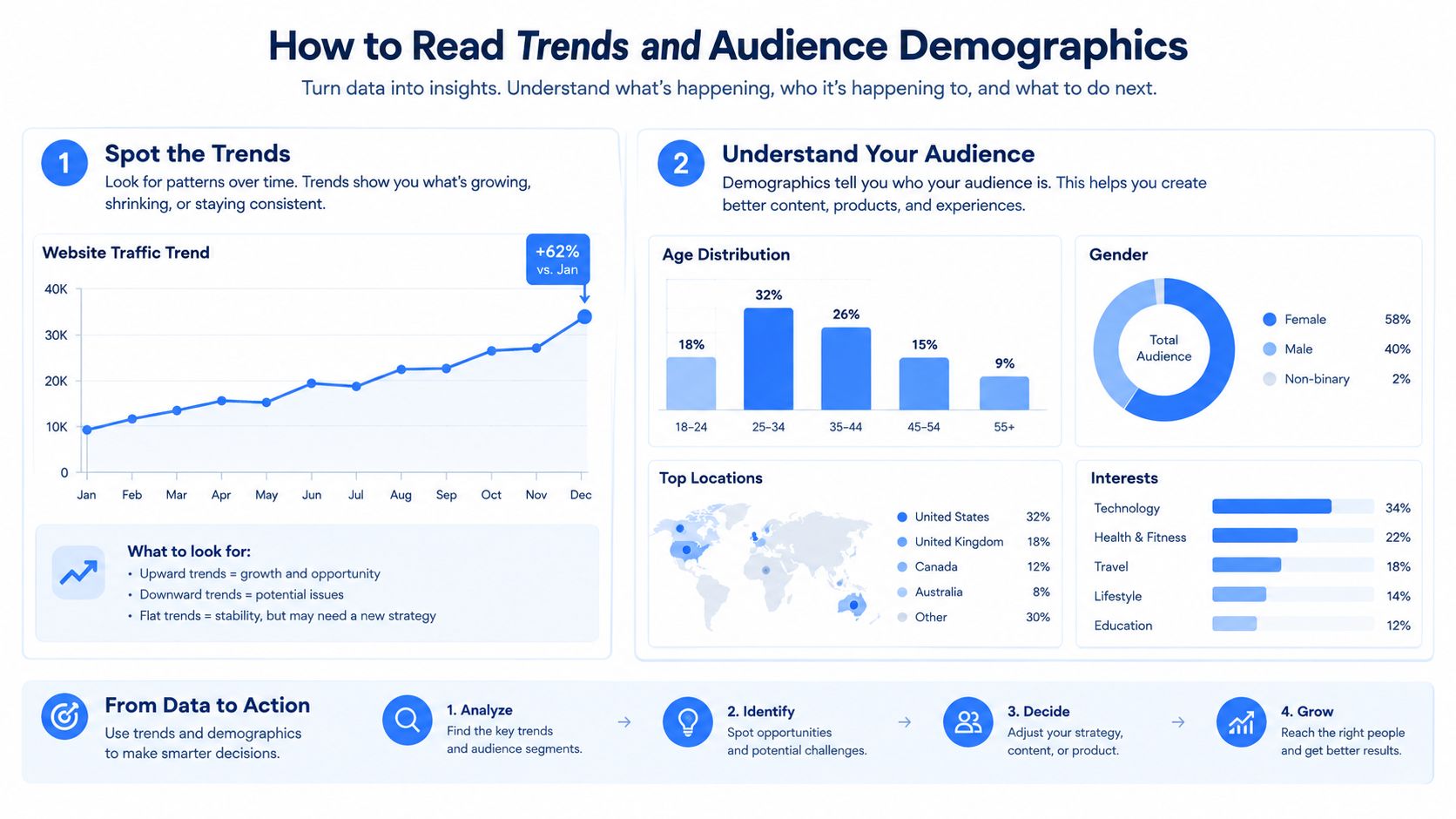
A 30 day view beats a one day snapshot every time. LinkedIn profile analytics is a trend tool, not a truth serum.
What matters is sequence. Search visibility comes first. Profile activity comes second. Clicks, follows, or other actions come after that. If those steps do not move in order, the top of the funnel may be growing while business value stays flat.
Read relationships over time
Single spikes are usually event driven. One post lands. A larger creator mentions you. A comment thread takes off. Useful, yes. Reliable, no.
Repeated patterns are the part worth trusting. Watch for the same metric sequence across several weeks.
- Search appearances rise before profile views rise: discoverability improved
- Profile views rise without more profile activity: positioning got attention, but the profile did not convert it
- Profile activity rises without stronger clicks or follows: interest exists, but the next step is weak or unclear
- Audience growth rises while target fit worsens: reach expanded, but relevance slipped
That last pattern is where vanity metrics earn their bad reputation. Bigger numbers can hide weaker commercial fit.
Demographics are a filter, not a trophy case
The useful question is not whether your audience is large. It is whether the people showing up match the people you sell to, hire, or want introductions from.
Given the age and market concentration noted earlier, broad reach on LinkedIn can easily skew toward the platform's default gravity rather than your ideal audience. That is why audience mix matters more than raw totals. A consultant targeting North American B2B buyers should read a surge from unrelated geographies very differently from a surge in the right market. A recruiter hiring senior operators should not treat early career attention as equivalent demand.
For a more practical breakdown of segmentation and fit, this guide to LinkedIn audience insights is a useful companion.
Good analysis asks who moved through the funnel, not just how many.
A weekly diagnostic that actually helps
Run the same three checks each week.
- Start with entry: Did search appearances or profile appearances move first
- Check fit next: Are viewer companies, job functions, seniority, or locations getting closer to your target
- Check action last: Did profile activity improve after the visibility gain, and did any clicks follow
This order matters. If only the first line moves, you got exposure. If the first two move, your positioning is getting closer. If all three move together for several weeks, the profile is doing business work instead of collecting casual traffic.
A flat follower count does not automatically mean failure. If profile views and quality actions improve while audience fit tightens, you may be attracting fewer people and better prospects. That looks worse in a screenshot. It usually looks better in a pipeline review.
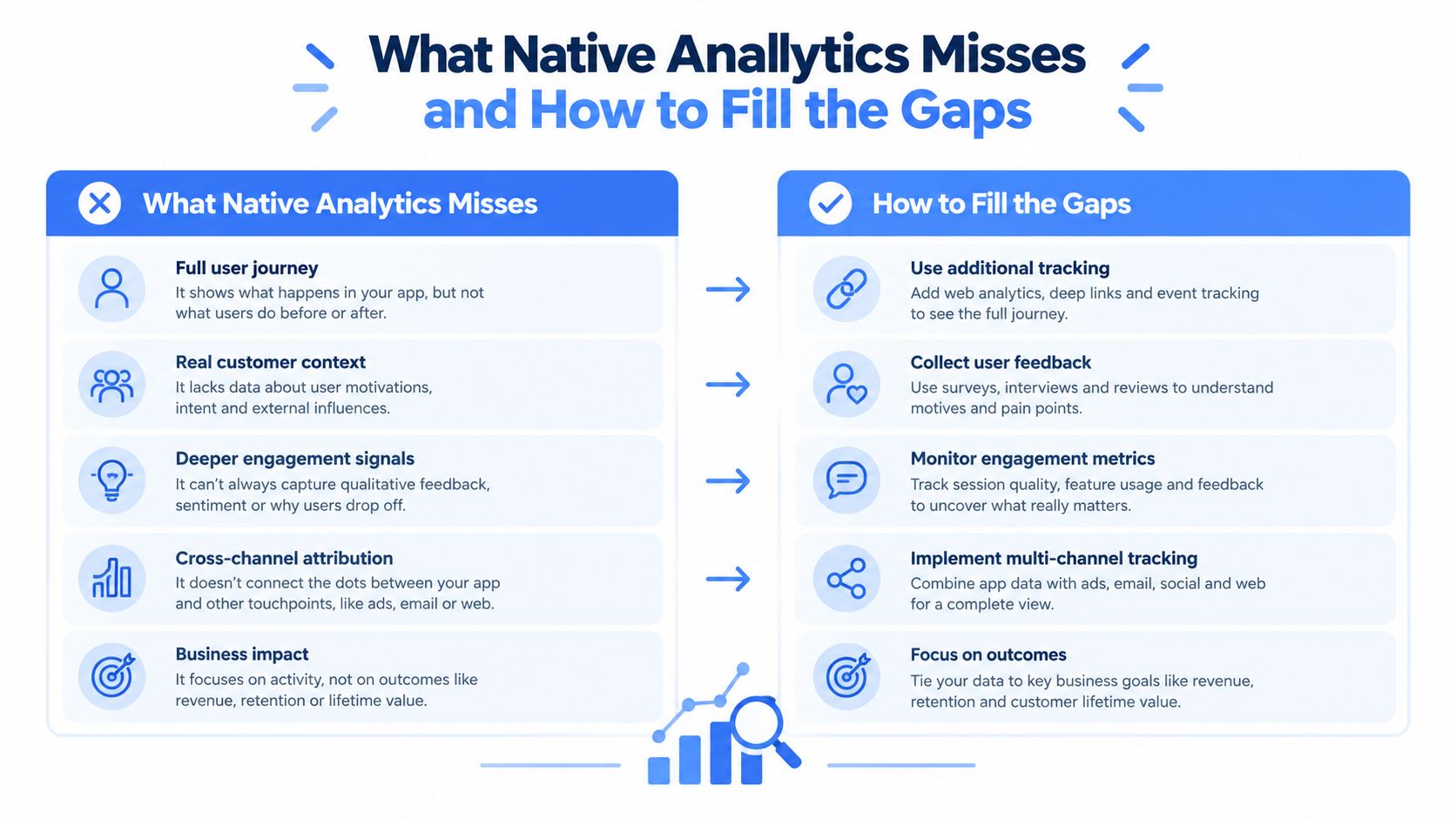
What Native Analytics Misses and How to Fill the Gaps
A profile can get plenty of reach and still produce weak business value. Native LinkedIn analytics makes that confusion easy.
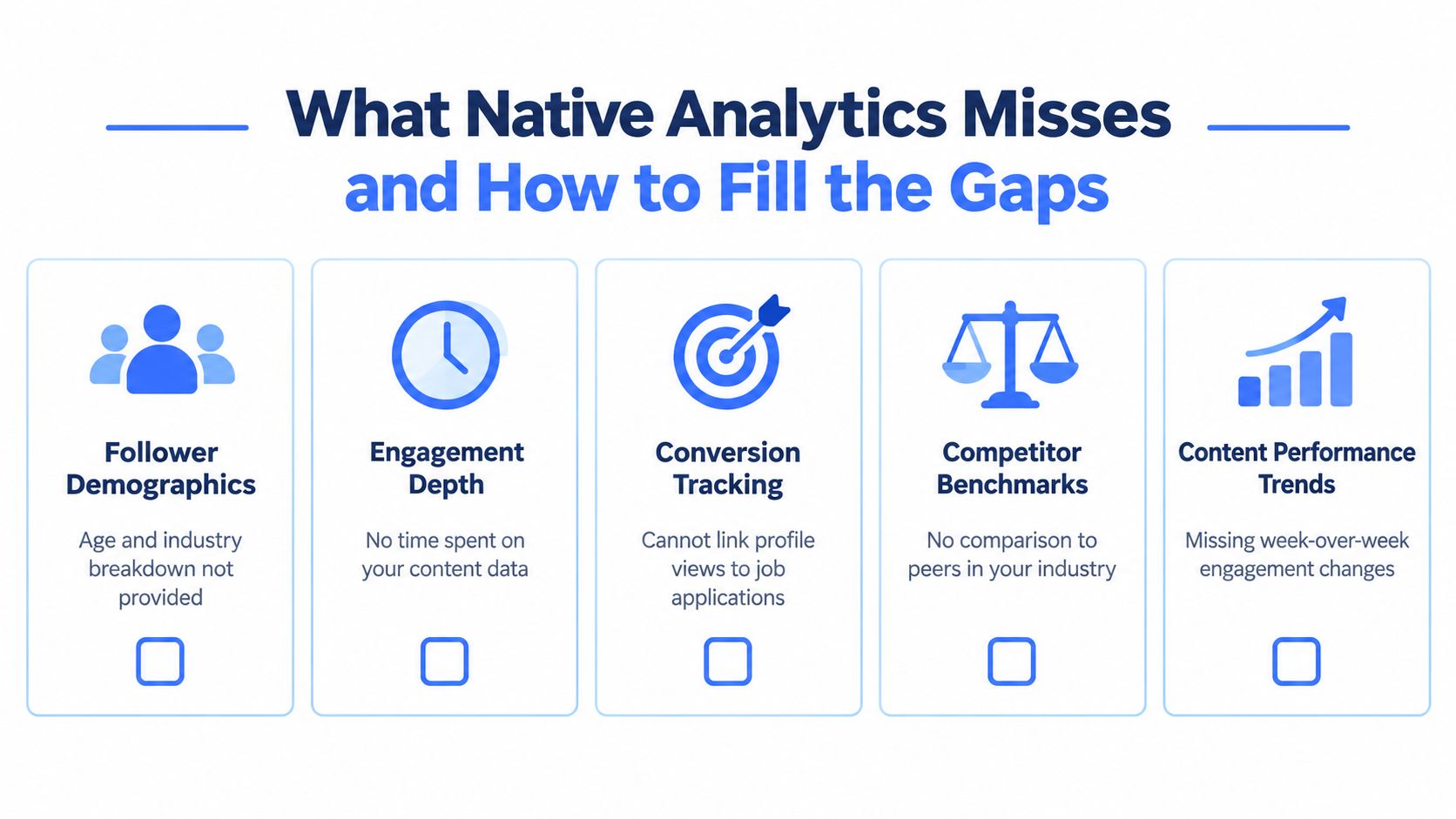
The dashboard shows parts of the funnel, not the full path through it. You can see discovery through search appearances. You can see interest through profile views and some profile activity. You can sometimes see action through link engagement or button clicks on content. What you cannot see cleanly is whether those steps improved after a specific profile change, whether the gains held for more than a short window, or whether your profile is outperforming similar peers.
That gap matters because each metric answers a different question.
| Funnel stage | Native metric | What it helps answer | What native analytics still misses |
|---|---|---|---|
| Discovery | Search appearances | Did LinkedIn match your profile to searches? | Longer trend history, comparison against peers, clearer change detection after edits |
| Interest | Profile views, profile activity | Did visibility turn into curiosity? | A reliable before-and-after view tied to profile changes |
| Action | Link engagement, button clicks | Did someone take a higher-intent step? | Connection to meetings, leads, hires, or any off-platform outcome |
The non-obvious problem is this. LinkedIn is better at reporting exposure than proving intent. Search appearances can rise because your keywords got broader. Profile views can rise because a post traveled outside your target market. Even profile activity is only a partial win if it does not lead to clicks or conversations. Vanity reach sits at the top of the funnel. Business value shows up lower down.
LinkedIn has improved attribution on the content side with post-level profile activity and link engagement. Good change. Still incomplete. Analysts trying to measure cause and effect end up stitching together screenshots, weekly exports, and memory. That is not analysis. That is archaeology.
A practical fix does not require heavy software. It requires a simple measurement habit.
- Keep a weekly baseline: Record search appearances, profile views, follower total, profile activity, and any meaningful click data on the same day each week.
- Log every profile edit: Headline, banner, About section, featured links, creator mode changes, and CTA updates should get a date.
- Map post to profile behavior: After strong posts, check whether profile activity rose faster than impressions. If it did not, the post created reach, not interest.
- Separate audience quality from volume: A rise in views from the wrong function, seniority band, or geography is noise with better lighting.
- Use tools for history, not theater: The useful ones preserve trendlines, support comparisons, and reduce manual logging. This roundup of LinkedIn analytics tools for tracking trends and benchmarks covers that category.
One option in that stack is ViralBrain. It offers LinkedIn analytics tools such as an engagement calculator, a post scorer, and analytics built for pre-publish scoring and niche benchmark comparison.
The blunt version. Native LinkedIn analytics can show that something happened. It often cannot show whether that thing was useful, repeatable, or better than your baseline. If you treat profile analytics like a funnel instead of a pile of metrics, the blind spots get a lot easier to manage.
Turning Metrics Into Actions That Improve Reach and Engagement
Profiles with high reach and low click intent are common on LinkedIn. The gap is the point. Reach gets you seen. Funnel movement gets you business value.
Treat profile analytics as a three-step path. Search appearance. Profile activity. Click or follow action. Each step answers a different question, and each failure points to a different fix.
When search appearances are weak
Low search visibility usually means LinkedIn has poor keyword confidence in your profile. The fix is not cosmetic. It is language.
Tighten the headline, current role, About section, and skills around terms your buyers, hiring managers, or peers use. Cut internal jargon. Cut clever phrasing that reads well but matches nothing. If search appearances rise after that change and profile views do not, you improved findability but not appeal. That narrows the problem fast.
A weak search-to-view rate often points to positioning. People found you. They did not like what they saw in the result.
When views increase but actions stay flat
Vanity reach usually shows itself.
If profile views go up but follows, custom button clicks, or outbound clicks do not move, the profile is attracting curiosity without giving visitors a clear next step. Check the first screen of the profile first. Headline. Banner. Featured section. Call to action. Those elements do the conversion work.
Be blunt about the visitor experience. If someone lands on the profile and cannot tell who you help, what problem you solve, and where to click next within a few seconds, the profile is leaking intent.
When post reach rises but profile activity does not
That pattern usually means the content topic is too broad, too entertainment-led, or too detached from your actual offer.
A post can generate reactions and still produce no meaningful downstream behavior. That is normal. It is also why post performance should not be judged by impressions alone. The better test is whether a strong post lifts profile views, followers gained, or click activity relative to your baseline.
Personal profiles often outperform company pages on distribution and response rates, according to this LinkedIn B2B statistics compilation. Useful. But distribution is still the top of the funnel. If the audience never checks the profile or never clicks, the business value is limited.
What to change first
Use the metric that broke.
- Search appearances down: revise profile language and skills for query match
- Appearances up, views flat: improve headline specificity and search result appeal
- Views up, clicks flat: sharpen the above-the-fold message and featured links
- Post impressions up, profile activity flat: tighten topic relevance and opening hooks
- Followers up, no business action: check audience fit before celebrating growth
This is not glamorous. It is efficient.
A simple action loop
Run small tests. One profile change or one content change at a time. Then watch the next step in the funnel, not every metric on the screen.
A practical sequence looks like this:
- Pick one bottleneck in the funnel.
- Change the element tied to that bottleneck.
- Wait long enough to compare against a normal week.
- Log the result.
- Keep the change only if the downstream metric improves.
That last step matters. Native LinkedIn is decent at showing activity snapshots. It is much worse at proving causation. If you do not track before and after states, you are left with opinions dressed as analysis.
The honest read is simple. Search appearance is a discovery metric. Profile activity is an interest metric. Clicks and follows sit closest to intent. Optimize in that order. Ignore the order, and you can spend a month improving numbers that look healthy and do nothing.
Quick Reference Lookup for Definitions Cross Links and Limits
Use this table for triage. It is built for the actual funnel. Discovery first, interest second, intent third. That order matters more than any single metric.
Core metric lookup
| Metric | Funnel stage | Best paired with | Where to find it | Main caution |
|---|---|---|---|---|
| Search appearances | Discovery | Profile views | Profile Analytics area | Reach can rise without any business action |
| All appearances | Discovery | Profile views or follower growth | Search analytics view | Broader visibility metric. Easy to overread if audience fit is weak |
| Profile views | Interest | Clicks, follows, connection requests | Profile Analytics area | Useful only in context. A visit with no next step is weak intent |
| Post impressions | Exposure | Profile activity from posts | Post analytics and profile analytics views | Good for distribution checks. Poor proxy for buyer interest |
| Followers | Ongoing audience | Engagement quality and profile visits | Follower and profile analytics views | Growth can come from the wrong audience |
| SSI | External scorecard | None, unless you are tracking habits | SSI page | Directional only. Not a visibility metric |
Cross links that save time
If one number moves, check the next step in the funnel instead of rereading definitions.
- Search appearances up, profile views flat: revisit headline, photo, and search snippet appeal
- Profile views up, clicks flat: fix the top card, featured section, and call to action
- Post impressions up, profile activity flat: the content reached people, but it did not create enough curiosity
- Followers up, no downstream action: audience quality is probably drifting
Limits lookup
| Question | Short answer |
|---|---|
| How far back can standard profile view data go? | Native access is limited. Log changes as you go or the comparison window disappears. |
| Can native analytics show the full path from post view to business outcome? | No. LinkedIn shows fragments of the path, not a clean attribution trail. |
| Does SSI improve reach by itself? | No clear evidence. Treat it as a habits score, not a distribution lever. |
| Can you benchmark cleanly against similar profiles inside LinkedIn? | Not well. Native views are thin on peer comparison and long-term context. |
One blunt filter helps. If a metric sits early in the funnel, it is a clue. If it sits late in the funnel, it is closer to value.
ViralBrain helps teams turn messy LinkedIn signals into repeatable content decisions. If you want tools for scoring posts, studying winning patterns, and tightening the profile to post funnel covered in this article, visit ViralBrain.
Grow your LinkedIn to the next level.
Use ViralBrain to analyze top creators and create posts that perform.
Try ViralBrain free