
8 LinkedIn Call to Action Examples That Work
Use these 8 LinkedIn call to action examples to choose better CTAs by goal, post type, audience, testing method, and key metrics.
Grow your LinkedIn to the next level.
Use ViralBrain to analyze top creators and create posts that perform.
Try ViralBrain freeMost advice about LinkedIn CTAs is obsessed with comments. That's lazy advice. Comments are one outcome, not the outcome. If you want profile visits, clicks, DMs, lead captures, or referrals, a comment CTA can be the wrong tool wearing the right costume.
The bigger mistake is treating all LinkedIn call to action examples like interchangeable slogans. They aren't. Post format changes response behavior. Placement changes click behavior. Friction changes conversion. A carousel asking for a download is different from a text post asking for debate. A post with a link in the body is playing a different game from a post that keeps the link in the first comment.
One post, one primary action.
That rule sounds boring because it is. Boring works. LinkedIn gives you only 3,000 characters per post, and users see just the first 210 characters before the see more fold, according to LinkedIn character limit guidance from Konnector. So your CTA logic starts long before the last line. The opening has to earn the action.
There's another hard truth. If your goal is reach, stuffing a link into the post body can kneecap the post. In one LinkedIn engagement experiment, posts without links got 6 times more reach than posts with links, based on Hootsuite's LinkedIn engagement experiment. That's not the platform being evil. That's the platform being a platform.
If you need a broader content system for this, guía de contenido para LinkedIn B2B is a useful companion.
1. The Direct Ask
The direct ask is the least glamorous CTA, which is why people avoid it. They'd rather write something vague like “thoughts?” and pretend they invited discussion. They didn't. They outsourced the work to the reader.
A direct ask says exactly what to do. Reply with your biggest challenge. Comment if you agree. Tag one person who needs this. Share this if it helped. No poetry. No smoke machine. Just a clean instruction.
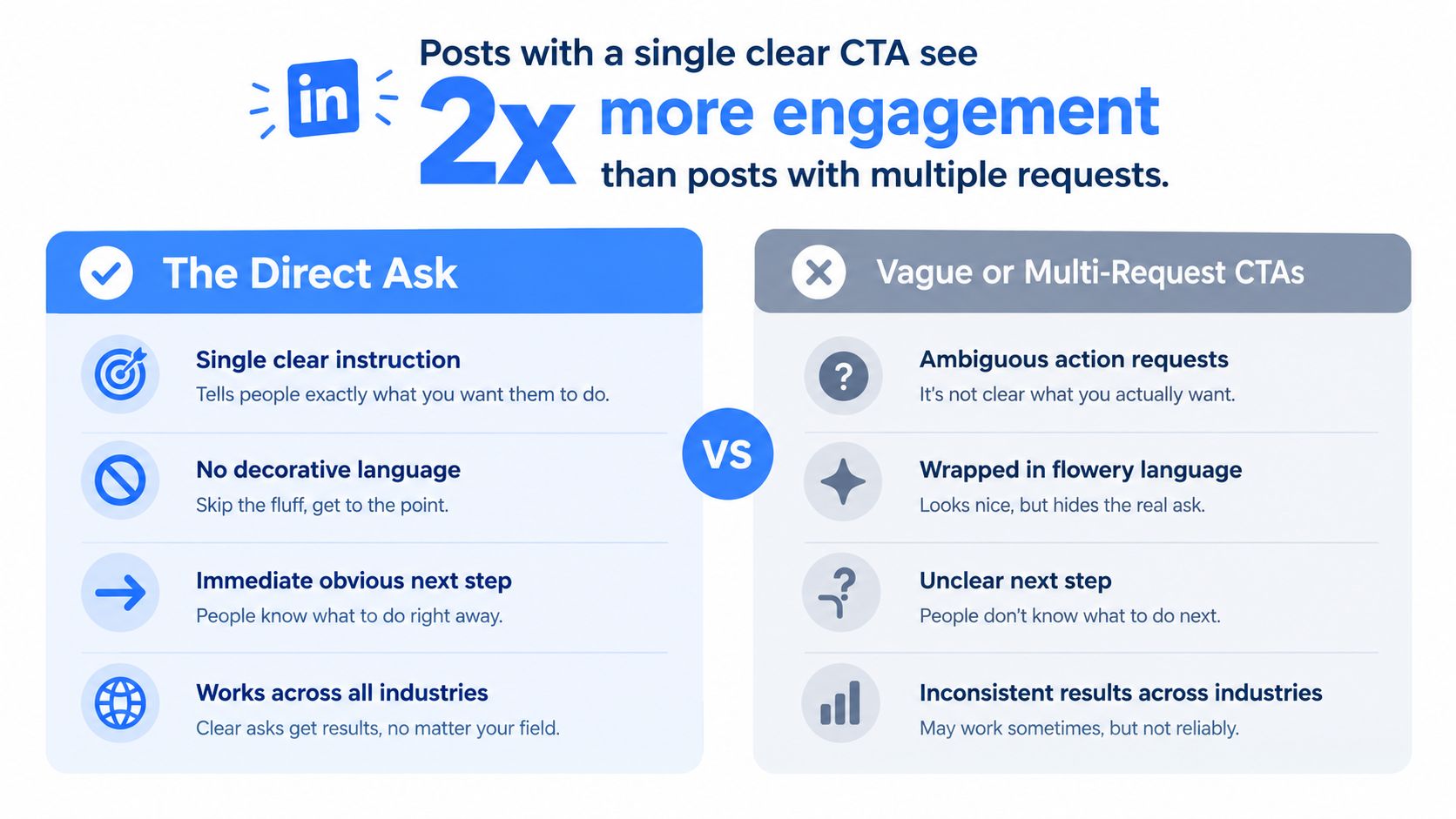
A good use case is a founder posting a hard lesson from a hiring mistake, then ending with “Reply with the hiring signal you trust most.” Readers know what kind of answer fits. That lowers effort. Low effort is not cheating. It's respect.
Where it fits best
Use the direct ask on short text posts, opinion posts, or recap posts where the value is already clear. Don't force it into a resource post that really wants clicks or DMs. That's how you get fake engagement and weak follow through.
For a simple primer on CTA mechanics, this call to action guide from ViralBrain's blog covers the basics well. Upgrade is being stricter. One ask only.
Practical rule: Put the direct ask at the end, after the point lands.
Personalize the ask to the reader's job. A sales leader can answer a different prompt than a solo founder. “Reply with the pipeline problem you're dealing with this quarter” beats “what do you think” because it gives the brain somewhere to sit.
Watch comment quality, not just comment count. If people leave one word because your prompt invited one word, fine. If you wanted insight and got confetti, your CTA was too cheap.
2. The Question Framework
A real question works because people like talking about their own experience. Shocking news, I know. But the trick is asking something the post hasn't already answered.
“What's your take?” is filler wearing a tie. “What blocker hit you when you tried this in your own team?” is better. It creates a lane for honest responses instead of a parking lot for vague approval.

One underused move is pairing the question with a role cue. If you write for RevOps people, ask RevOps people something only they can answer. If you write for SaaS founders, frame the question around a decision they own. Specificity does the heavy lifting.
The trade off
Question CTAs often boost visible engagement. That's useful if your post goal is reach or conversation. But they can produce plenty of heat with very little buying intent. A great comment thread can still be a bad business result.
One 2026 LinkedIn trends roundup reported that adding a specific comment CTA can lift engagement by 80.07 percent, based on Metricool's LinkedIn trends reporting. Nice. But don't confuse more comments with more pipeline. That's how teams end up celebrating applause while leads go missing.
Use this pattern on text posts, story posts, and analysis posts where discussion itself has value. Test a narrow version against a broad one. Example, “What broke in your onboarding process?” versus “What's your biggest onboarding challenge?” The first tends to pull stories. The second often gets abstractions.
Track comments, saves, and profile visits. If the question sparks lots of comments but no profile activity, it may be too entertaining and not useful enough.
3. The Pattern Interrupt with Contrast
Contrast works because the brain likes choosing sides. It's quick. It's clean. It gives people a handle. A or B is easier to answer than “share your framework.”
You can use this without turning the post into a fake cage match. “Are you team detailed outbound research or team fast volume testing?” is enough. A growth lead can answer in seconds, then explain why. That second part matters.
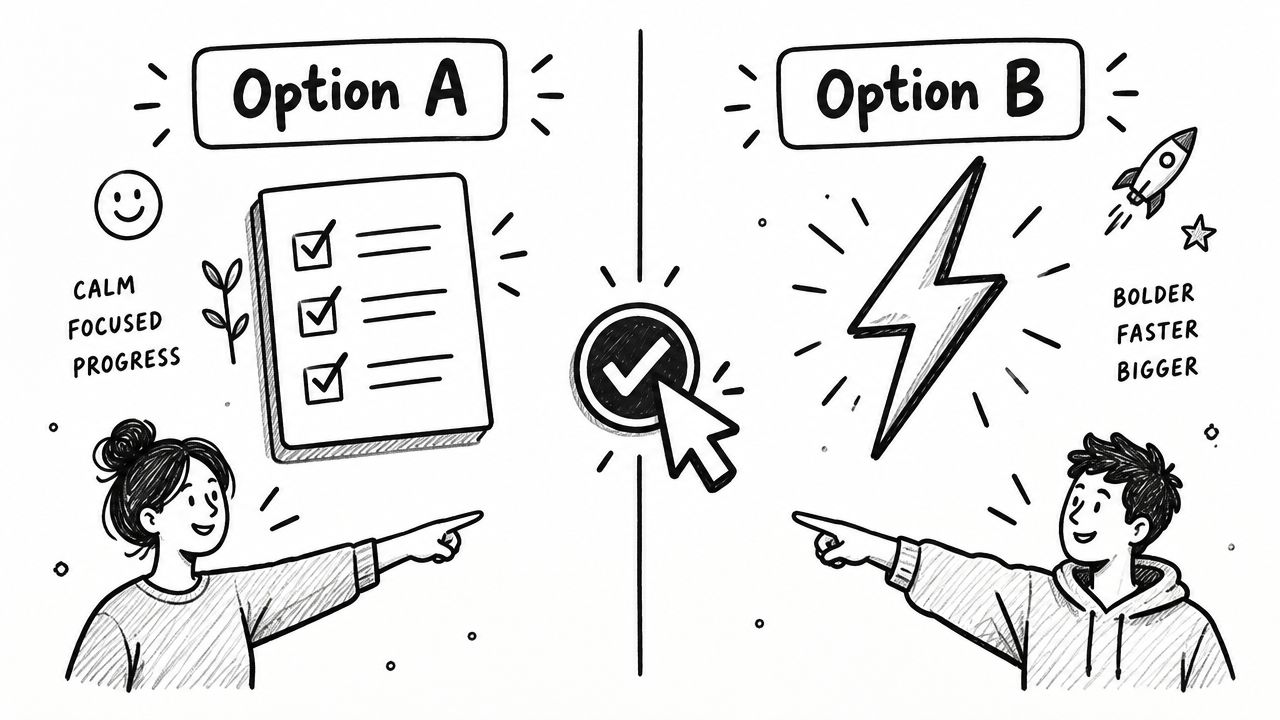
This is one of the cleaner pattern interrupt copywriting approaches when a feed is crowded with soft, agreeable posts. The interruption is not noise. It's contrast with a purpose.
Best post fit and test variant
Use this on opinion posts, benchmark reactions, or “we tried both” posts. It works best when both options are plausible. If one choice is clearly stupid, readers smell the trick and keep scrolling.
A sharp example is a consultant sharing two lead gen approaches, native lead form versus external landing page, then asking which one the audience trusts more for qualified demand. That contrast matters because a 2026 LinkedIn marketing roundup reported Lead Gen Forms convert at about 13 percent versus 2.35 percent for external landing pages. The lesson is not “always use forms.” The lesson is that lower friction often beats prettier journeys.
Pick contrasts that reveal intent, not just preference.
Personalize by naming the pressure point. Time strapped founder. In house marketer. Agency operator. Same topic, different contrast. Watch comment depth. Shallow votes mean weak framing. Rich explanations mean the CTA found real tension.
4. The Resource Offer with Barrier
A gated resource CTA asks for a small act before access. That trade off is useful when you want signals of intent, not easy engagement. It is weak when the barrier exists only to inflate comments.
The common version is simple. “Comment GUIDE and I'll send it.” That can work, but the test is harsh. If the asset is thin, readers learn that your comment request was the product.
Use the lightest barrier that still separates curiosity from action. One keyword comment. One DM request. One clear reply. LinkedIn's own messaging examples favor that kind of low-friction step, such as “Would you like me to walk you through how this would look for you?”. The point is not the wording. The point is that the ask is specific, small, and easy to accept or decline.
A better use case is a teardown post that gives away enough value in public, then offers the full working asset behind a tiny barrier. For example, a B2B marketer reviews a webinar signup page, shows three mistakes in the post itself, then offers the full checklist to readers who comment “CHECKLIST.” That format creates a list of hand-raisers. It also forces discipline. If the public post teaches nothing, the gated asset looks suspicious.
Trade off, best fit, and what to test
This CTA pattern seeks a different reader action than a question prompt or contrast post. It tries to move someone from passive consumption to an explicit opt-in. That makes the main trade off clear. You usually get lower-volume engagement, but stronger intent.
Best post fit: educational breakdowns, teardowns, mini frameworks, template previews, and proof-led posts where the resource extends the lesson.
Personalization prompt: tie the keyword to the pain point or job to be done. “Comment AUDIT” for a review template. “DM PLAYBOOK” for an outbound script. “Reply HIRING” for a candidate scorecard. Specific language filters better than generic terms like “guide.”
Test variant: compare a public-preview version against a pure gate. In one post, include three checklist items before the CTA. In another, mention the checklist without previewing it. If requests rise but follow-through drops, you learned that curiosity was cheap and the asset promise was vague.
Metric to watch: resource requests that turn into meaningful next steps. Track DM replies, booked calls, downloads completed, or qualified conversations. Comment count alone flatters weak offers.
The failure mode is common. B2B creators and service firms often gate average PDFs because comments look good on the post. That produces activity without much business value. Readers notice the mismatch, and trust drops faster than engagement metrics show.
If you want examples of how creative firms package expertise into a stronger offer, this roundup of top creative agencies is a useful reference for positioning and framing.
5. The Controversial Take with Permission to Disagree
Controversy is usually a lazy substitute for precision. On LinkedIn, it only earns its keep when the claim creates a better decision.
That makes this CTA pattern useful for a specific reader action. You are not asking for a like or a generic opinion. You are asking readers to pressure-test a claim in public and expose where it holds, where it breaks, and for whom. A stronger prompt sounds like this: “I think most LinkedIn CTA advice overweights comments and underweights clicks. Disagree if your goal is reach, pipeline, or recruiting, and say which metric changes your view.”
The trade off is clear. You can get sharper replies and stronger audience sorting, but you also narrow the pool. People join the thread if they have a point of view, not just a spare second.
Use disagreement to test a claim
This pattern works best when the post contains a real argument with a measurable consequence. Link placement is a good example because the choice affects the outcome. LeadLoft's LinkedIn benchmark writeup cited organic click through rates of 0.8 percent to 1.5 percent when the link appears in the first comment. That gives you a defensible angle if your post argues that comment volume is the wrong success metric for traffic posts.
The CTA should match that level of specificity. “Agree or disagree” is too weak on its own. Give people a frame for the disagreement. Ask where the claim fails by audience, goal, or format. That produces replies you can use.
Best post fit: opinion-led analysis, myth-busting posts, benchmark commentary, and posts that challenge common LinkedIn habits with evidence.
Personalization prompt: name the segment and the objective under debate. Demand gen teams often care more about clicks. Founders may care more about reach or authority. Recruiters may care more about conversation quality.
Test variant: compare an open disagreement prompt against a bounded one. Version A: “Agree or disagree?” Version B: “Disagree only if you've seen body links outperform first-comment links on traffic posts.” The second version usually lowers reply volume and raises signal.
Metric to watch: quality replies plus the action tied to the claim. If the post debates traffic tactics, watch clicks. If it debates lead quality, watch qualified DMs or booked conversations. A heated thread with no downstream action is still weak performance.
Disagreement is useful when it improves a choice. It is noise when it only lengthens the comment section.
The common failure mode is obvious once you look for it. B2B creators post a broad hot take, collect argument in the comments, and mistake friction for insight. If readers cannot tell what decision the post is helping them make, the CTA generated engagement and wasted attention.
6. The Proof Point with Social Validation
Proof point CTAs tempt people to overstate results. That's where bad LinkedIn content goes to die. If you don't have a clean number you can stand behind, don't spray vague triumph all over the feed.
When you do have a real proof point, use it to invite comparison or experience. A strong example is sharing a carousel result, then asking readers if they've seen the same pattern in their own posts. That keeps the CTA grounded in evidence instead of chest beating.

A reported LinkedIn carousel case study found the CTA slide “Download the Full Case Study Here” on slide 9 corresponded with the highest landing page CTR at 15 percent, and the carousel achieved 215 percent B2B organic reach growth overall, based on LinkedIn Preview's CTA examples and case study. That's useful because it shows a CTA can work inside the asset, not just in the caption.
Best fit and metric to watch
Use this CTA with case studies, carousel posts, and before after breakdowns. But be honest about what kind of proof you're presenting. Social validation is not the same as business validation. A carousel can pull reach while still producing weak lead quality.
Ask for adjacent proof, not applause. “Have you seen click behavior change when the CTA appears before the final slide?” is better than “Pretty cool, right?” One starts a useful thread. The other starts a fan club.
Personalize by naming the operating context. Organic social team. Solo creator. B2B agency. Watch clicks, saves, and replies from people with matching use cases. Empty praise is pleasant. It's not diagnostic.
7. The Referral or Tag Request
Tag CTAs are easy to abuse. Many do. “Tag 7 friends who need this” belongs in the same bin as “smash that like button.” Wrong platform. Wrong crowd. A little dignity, please.
A tag request works when the post is useful to a specific person. “Tag one SDR manager rewriting outbound onboarding this quarter” is far better than “tag someone who needs this.” The first gives a reason. The second gives homework.
Where this earns its keep
This CTA fits practical how to posts, hiring advice, templates, or role specific warnings. If someone can picture exactly who should see it, they're more likely to tag. If the post is broad self promotion, don't ask for tags. That's social littering.
The mechanics matter too. If you need a quick refresher on format, this guide to tagging someone in a LinkedIn post covers the basics. The strategic point is narrower. Ask for one tag. One. Not a parade.
A founder sharing a clean procurement checklist can ask, “Tag one ops lead who gets dragged into software buying late.” That works because it points to a real use case. A sales consultant posting a generic hot take should not ask for tags at all. Nobody wants to volunteer a colleague for that.
Track tagged comments, secondary replies from tagged people, and profile visits after the post spreads beyond your direct audience. If people tag and the tagged person never engages, the CTA may have been too broad or too self serving.
8. The Completion Prompt or Story Continuation
Completion prompts are sneaky in a good way. They lower the effort needed to comment because the reader doesn't have to invent the whole response. They just finish the sentence.
“The hardest part about moving from outbound to inbound is…” gives readers a frame. So does “What nobody tells you about running LinkedIn ads is…” The best ones tap memory, not theory. People answer faster when they can pull from experience instead of manufacturing a smart sounding abstraction.
Fit the prompt to the format
This works best on text posts and personal story posts. It can also work inside document posts, but there's a catch. Carouselli's LinkedIn carousel statistics roundup reported document or carousel posts average around 6.6 percent engagement versus 2 percent for single image posts and 1.8 percent for text only posts, yet carousel CTA clicks often sit around 0.6 percent to 1.2 percent when the CTA is on the last slide. So a completion prompt is better for on platform engagement than off platform conversion.
That's the trade off many creators miss. A completion CTA can feed comments and saves. It may do very little for traffic. If you need clicks, use a different pattern. If you need stories, objections, or language from the market, this one is excellent.
The prompt should be easy to answer, but hard to answer badly.
Personalize by choosing a prompt that matches the reader's stage. New manager. First time founder. Demand gen lead. Test a regret prompt against an observation prompt. “The biggest mistake I made in outbound was…” versus “What nobody tells you about outbound is…” Watch comment length and relevance. Short generic completions mean the prompt was too loose.
8-Point LinkedIn CTA Comparison
| Technique | Implementation complexity | Resource requirements | Expected outcomes | Ideal use cases | Key advantages |
|---|---|---|---|---|---|
| The Direct Ask | Low, simple, single-line CTA | Minimal, copy only | Clear, immediate actions; higher click-throughs (2x vs multiple CTAs) | Quick conversions, broad audiences, short posts | Cuts ambiguity; easy to A/B test; fast to consume |
| The Question Framework | Low–Medium, craft a genuine, specific question | Minimal, thoughtful copy and moderation | Longer, qualitative comments; community insights | Gathering opinions, feedback, building rapport | Encourages thoughtful discussion; reveals audience views |
| Pattern Interrupt with Contrast | Medium, design balanced opposing options | Low, formatting/emoji or simple visuals | High engagement; polarized but predictable responses (≈+40% comments) | Preference testing, opinion polls, sparking debate | Easy to respond to; reveals clear preferences |
| Resource Offer with Barrier | Medium, create resource and delivery flow | Moderate, asset creation, fulfillment, tracking | Fewer but higher-quality interactions; measurable leads/conversions | Lead generation, gated frameworks, serious prospect capture | Filters interested users; builds contact lists; measurable ROI |
| Controversial Take with Permission to Disagree | Medium, requires well-reasoned contrarian POV | Low–Medium, monitoring and engaged replies | High comment volume and substantive debate; reputational risk | Thought leadership, stimulating debate (non-sensitive topics) | Drives visibility quickly; positions you as confident leader |
| Proof Point with Social Validation | Low–Medium, compile real metrics or testimonials | Minimal, authentic data or client quotes | Boosted credibility and user-generated validation (≈3x comments with metrics) | Case studies, result showcases, credibility building | Leverages social proof; encourages similar success stories |
| Referral or Tag Request | Low, single clear tagging ask | Minimal, copy; depends on audience behavior | Extended reach and network effects; variable engagement quality | Expanding reach, warm introductions, community sharing | Exponential reach potential; targets warm leads |
| Completion Prompt or Story Continuation | Low, write a fill-in-the-blank prompt | Minimal, copy and light moderation | High comment-to-view ratio; creative, varied replies | Participation-driven posts, lighthearted engagement | Low effort for respondents; interactive and fun |
Test the Ask, Not Your Patience
Most CTA advice dies because people test like gamblers. They change the hook, the format, the topic, the image, the CTA, the posting time, then announce that “LinkedIn is weird.” LinkedIn is not weird. Your test was a mess.
Pick one objective first. Reach. Discussion. Profile visits. Clicks. Resource requests. Lead capture. Then pick one CTA pattern that fits that job. A direct ask for discussion. A resource barrier for intent. A proof point CTA for case study traffic. A tag request for role based distribution. One post should have one primary action, or you won't know what worked.
Use a basic testing rhythm.
- Choose one variable: Keep the topic and format steady, then change only the ask.
- Match the metric: Track impressions for reach, comments for discussion, profile visits for curiosity, clicks for traffic, DMs or resource requests for intent, conversions for business action.
- Read the comments: Comment volume can lie. Comment quality usually tells the truth.
That split matters because engagement and business action are not the same thing. A post can win on comments and lose on clicks. It can pull saves and generate no leads. It can attract debate from peers while buyers ignore it. You need to separate easy engagement from useful action.
For B2B teams, LinkedIn is too large and too commercially important to wing this. Independent 2026 summaries estimate roughly 1.2 billion to 1.3 billion total members, more than 310 million monthly active users, more than 130 million daily active users, and one 2026 roundup says 80 percent of B2B social leads come from LinkedIn, according to Brenton Way's LinkedIn marketing stats roundup. Big audience, big opportunity, plenty of room for bad habits.
If you want help spotting repeatable patterns, ViralBrain is one option. It can help inspect high performing LinkedIn posts, adapt hooks and CTAs to your voice, and review performance signals after publishing. That won't replace judgment. It just gives you more evidence to work with.
The best CTA is the one that makes the next action obvious and gives you useful evidence.
ViralBrain is built for this exact job. It helps you study winning LinkedIn hooks and calls to action, rewrite weak posts with a stronger ask, and review performance so you can tell the difference between polite engagement and real intent. If you want better LinkedIn call to action examples with less guesswork, visit ViralBrain.
Grow your LinkedIn to the next level.
Use ViralBrain to analyze top creators and create posts that perform.
Try ViralBrain free