
LinkedIn Connection Limit: 30,000 Rule and Invite Caps
Understand the LinkedIn connection limit, the 30,000 first degree cap, and invite restrictions. Manage invites and grow without triggering blocks.
Grow your LinkedIn to the next level.
Use ViralBrain to analyze top creators and create posts that perform.
Try ViralBrain freeThe advice to send 100 LinkedIn invitations per week sounds tidy. It's also not an official rule. LinkedIn publishes no fixed daily or weekly invitation allowance, so treating that figure as guaranteed capacity is a poor basis for an outreach plan, as LinkedIn's invitation limit guidance confirms.
The bigger mistake is mixing invitation restrictions with the total network cap. They affect different things. Confuse them, and you'll end up waiting for a limit that doesn't reset or deleting connections to solve the wrong problem.
What the LinkedIn Connection Limit Actually Means
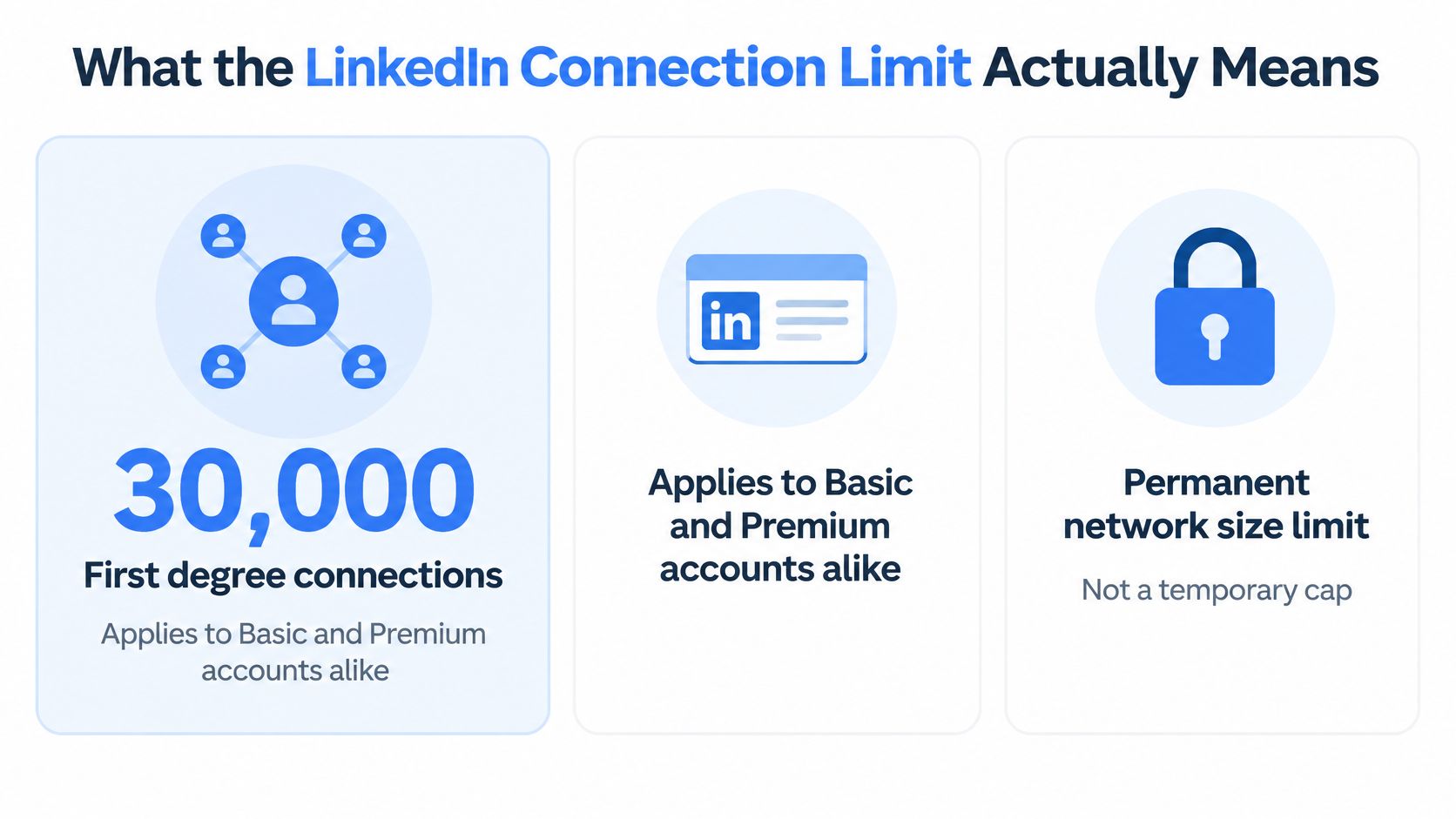
Every LinkedIn member can have up to 30,000 first degree connections, including members with Basic and Premium accounts. This is a permanent network size ceiling, not a monthly or annual allowance, and reaching it prevents you from sending or accepting further invitations unless you remove existing connections, according to LinkedIn's network size rule.
Waiting won't create more room. Neither will buying a different subscription. A full network needs a decision about who belongs in it, not a reminder to check again next Monday.
The graphic below shows the hard capacity limit.
Connections and followers serve different purposes
At the ceiling, LinkedIn makes Follow the default profile action. People can still receive your public posts without becoming direct connections, and LinkedIn describes both followers and the people you can follow as unlimited in its guidance on connections and followers.
That distinction changes how you should plan growth. A connection belongs to your direct professional network. A follower belongs to your public audience. Those groups can overlap, but you shouldn't manage them as though they're interchangeable.
For a founder, the practical question is whether a person needs a direct relationship or wants to read what you publish. For a salesperson, it's whether there's a credible reason to start a conversation. For a creator, accepting every interested reader as a connection can use capacity that would be better reserved for collaborators.
Treat connection space as something to allocate, not something to fill.
A full network calls for selection
Removing connections creates an awkward trade off. You gain room for new relationships, but you may discard people whose relevance isn't obvious from their current job title. Don't turn network maintenance into a speed contest.
Review the reason for keeping someone. Past work, useful conversations, shared interests, referrals, and current collaboration are better criteria than whether the person looks impressive on a spreadsheet.
Avoid removing people just to make the counter move again. That replaces a capacity problem with a habit of collecting names.
The LinkedIn connection limit restricts direct relationships, while your publishing strategy can serve a broader audience. Plan those activities separately. Otherwise, you'll judge a useful audience by the wrong counter and spend time chasing invitations that your business doesn't need.
How Invitation Limits and Temporary Restrictions Work
Invitation restrictions affect your ability to send requests. You can run into them without having a full network. Available connection space doesn't mean you have permission to send invitations at any pace you choose.
LinkedIn uses an anti abuse system, with invitation limits applying to Basic and Premium members. Its official restriction guidance identifies rapid sending, pending or ignored invitations, spam reports, and prohibited automation as risk signals.
What can get sending restricted
Sending many invitations quickly is an obvious problem. A prospect list may look carefully selected in your planning document, but sending it in a sudden burst still creates the activity pattern LinkedIn warns about. Your preparation doesn't cancel out your sending behavior.
Pending and ignored requests deserve attention too. They show that a request hasn't turned into a connection. They don't prove why someone didn't accept, so don't invent a diagnosis about every recipient. Look for patterns across the people you're targeting and the context you're using.
Spam reports are a more direct signal that someone didn't welcome the approach. A request that feels reasonable to your sales team may feel intrusive to the recipient. Your internal approval process doesn't get the final vote.
Prohibited automation adds a separate compliance problem. Software doesn't become acceptable just because its settings include a button labeled “safe.”
Operating rule
Judge outreach by relevant relationships formed, not by how quickly you can empty a prospect list.
What happens after a restriction
A sending restriction typically lasts about one week, and withdrawing invitations doesn't lift an active restriction. LinkedIn says support can't shorten that wait, as stated in the restriction guidance linked above.
That leaves a fairly dull answer. Stop sending and wait. Dull is cheaper than repeatedly testing whether the warning still means what it says.
Use the pause to review targeting and request quality. Don't treat it as spare time to prepare a larger batch for the moment sending returns. If your method caused trouble, resuming the same method with more enthusiasm isn't much of a fix.
Personalization doesn't override volume controls
LinkedIn handles standard invitations and personalized invitation messages through separate limits, as explained in that same guidance. Adding a thoughtful note doesn't exempt the request from connection volume controls.
Personal context still has a purpose. It helps explain why you want to connect. But there's a difference between helping someone make a decision and earning extra sending capacity.
Don't promise your team that better notes will produce a higher allowance. LinkedIn doesn't publish a formula that supports that promise. Aim for acceptance and relevance, and treat any claim of guaranteed restriction avoidance with suspicion.
Edge Cases That Catch Experienced Users
The confusing cases usually start with a sensible action followed by an unexpected result. You clean up invitations, buy Premium, or follow a widely repeated sending rule. Then the account still won't do what you expected.
The useful response is to identify the specific obstacle. Randomly changing several things at once makes it harder to understand what happened.
You withdrew a request and can't send it again
Suppose you withdraw an old invitation because the original note feels weak. You rewrite it with better context, then discover you can't invite that person again.
LinkedIn says withdrawal can prevent another invitation to the same recipient for up to three weeks, under the restriction guidance cited earlier. The plain answer is to leave that person alone during the waiting window. Withdrawing a request isn't an editing feature.
Record the withdrawal date if the relationship matters. Don't depend on memory, and don't ask someone else on your team to keep poking the same person. An administrative mistake doesn't need a group project.
Your restriction lasts longer than expected
An account with excessive outstanding invitations can face a wait of up to one month, according to that same LinkedIn guidance. That explains why the typical restriction period shouldn't be treated as a universal deadline.
The symptom is continued inability to invite. The issue may be the outstanding invitation restriction rather than the shorter sending pause you expected. Read the account notice before deciding that the platform is broken.
A typical waiting period is useful context. The notice on your account is the thing you need to act on.
Your paid plan doesn't remove the obstacle
Premium members remain subject to invitation limits. Paying for a plan doesn't exempt an account from the controls discussed above.
The same caution applies to advice borrowed from another account. Someone else's sending experience doesn't establish your allowance. Account behavior and history can affect the actual limit, so a colleague's successful routine is an observation, not permission.
If you're comparing software, use the LinkedIn automation tools guide to frame your questions about what a tool does. Separate content preparation from software that performs account actions. Those are different decisions.
Ask the vendor which actions it takes, what access it needs, and how those actions fit LinkedIn's rules. Don't accept a friendly adjective as a compliance answer.
The practical lesson across these cases is simple. Match the remedy to the restriction. A withdrawn invitation needs time. An outstanding invitation problem needs review. A paid subscription doesn't turn either into an exception.
Managing Invites to Avoid Restrictions
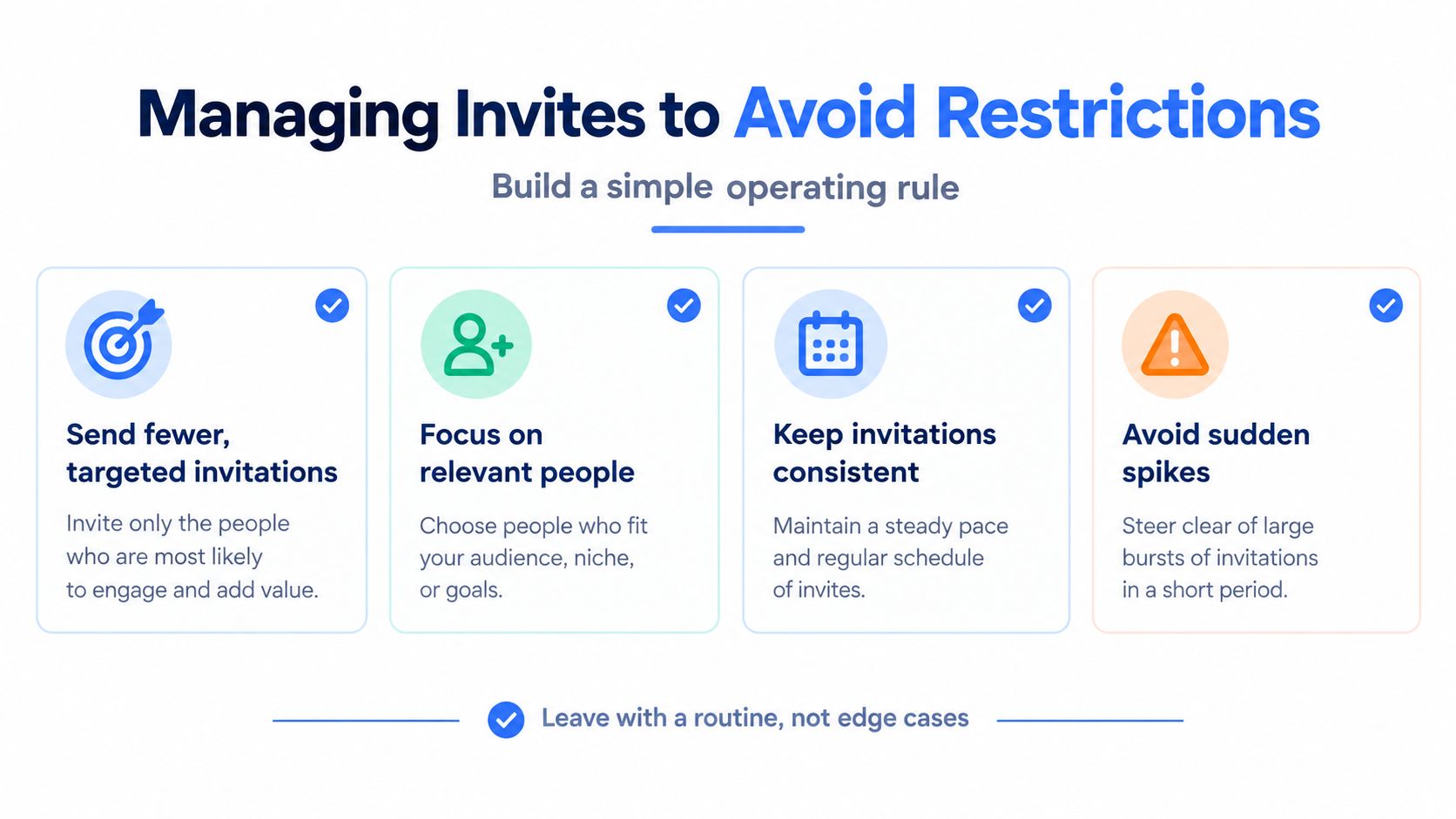
Use a routine that makes poor requests harder to send. Don't build one around guessing the largest batch you might get away with. There's no published safe allowance you can paste into a spreadsheet and forget.
Start with a small, relevant prospect queue. Review it before sending. If you can't explain why someone belongs there in plain language, remove them from the queue.
Keep these operating habits visible during outreach.
Select people before writing messages
Group prospects by a real reason for contact. That might be a shared project, a relevant post, a previous conversation, or a clear professional overlap. Job titles alone are a weak explanation for a direct relationship.
Then write the request around that reason. Mention the relevant detail without pretending you know the person better than you do. A stranger's first name pasted into a sales pitch is mail merge wearing a name tag.
For help with the mechanics, use this guide to requesting a connection on LinkedIn. Keep the decision to contact someone separate from the wording. A polished request can still be irrelevant.
Teams writing in Spanish can use Ploot's plantillas para conectar con clientes en LinkedIn as a starting point for phrasing. Adapt any template to the actual relationship. Don't copy a claim of familiarity that isn't true.
Review pending requests before adding more
Set a recurring review time. Check which requests remain unanswered, how old they are, and whether the original reason for connecting still makes sense.
Use what you find to change your targeting. If a particular group keeps leaving requests unanswered, reconsider that group before rewriting every note. Better punctuation won't rescue a weak reason for contact.
Withdraw requests selectively when they no longer serve a purpose. Keep a record of withdrawals that matter, and respect the waiting window described earlier. Cleanup is maintenance, not a reset button.
For a separate video explanation of the topic, watch below.
Keep a short weekly checklist
Use the review to connect your actions to LinkedIn's stated risk signals. Avoid bursts because rapid sending matters. Revisit targeting because ignored requests and spam reports matter. Remove prohibited automation because account compliance matters more than convenience.
- Review relevance. Keep only prospects with a clear reason for contact.
- Check pending requests. Look at age and patterns, not just the total.
- Record withdrawals. Note who needs to remain outside the sending queue.
- Inspect account notices. Pause activity when LinkedIn tells you to.
- Check tools. Remove prohibited account actions from the workflow.
- Choose the next adjustment. Change targeting, wording, or volume deliberately.
This routine can reduce avoidable mistakes. It can't guarantee an unrestricted account. Anyone selling certainty about an unpublished system owes you a better explanation.
Comparing Connection and Follower Growth Strategies
Choose the growth path based on what you want from the person. A potential collaborator may deserve a direct request. Someone who finds your posts useful may only need a way to follow your work.
Trying to turn every reader into a connection creates unnecessary administration. Publishing for everyone and building relationships selectively is a more practical division of effort.
Connections Versus Followers
| Factor | First degree connections | Followers and follows |
|---|---|---|
| Capacity | Subject to the hard network ceiling explained above | Unlimited under LinkedIn's follower guidance cited earlier |
| How the relationship starts | An invitation must be accepted | Following doesn't require an accepted connection request |
| Primary purpose | A direct professional relationship | Receiving public content |
| Useful measure | Relevant conversations and relationships | Audience interest and engagement |
| Main trade off | Requires selective use of network space | Doesn't imply a personal relationship |
| Sensible use | Partners, collaborators, relevant prospects | Readers, industry peers, interested audiences |
The difference between following and connecting is worth making explicit in your team's reporting. Don't reward a salesperson for accumulating names while ignoring whether conversations happen. Don't judge a creator's audience solely by direct network size.
Choose based on the job
Founders should reserve requests for people they want to know. That could include customers, peers, partners, and people whose work overlaps with theirs. Public posts can address the broader audience without making every interested reader part of a direct networking exercise.
For sales teams, a request should have a credible relationship purpose. Being in your target market isn't, by itself, a reason someone should want you in their network. Publish useful answers to recurring buyer questions while keeping direct outreach selective.
Creators need a different balance. A reader can appreciate your work without wanting personal contact. Make room for that. Attention isn't an obligation to accept an invitation.
Send a request when there's a person you want a relationship with. Publish when there's an idea worth sharing with a wider audience.
Support the publishing work
For the content side, ViralBrain is an option alongside manual drafting and a content calendar. It analyzes high performing posts from creators, surfaces hooks and calls to action, and generates drafts suited to a topic and voice. Manual posting is supported today.
That places it in content preparation, not invitation management. A drafting tool doesn't change the networking rules.
Use a separate planning process to plan your LinkedIn content calendar with Social Media Scheduler if you need help organizing topics. Keep the schedule tied to useful material you can produce.
The choice doesn't need to be exclusive. Maintain direct relationships where they matter, then publish for people who want your ideas without a personal introduction.
Your Next Step Within the Limit
Review pending invitations before sending anything new. That gives you something concrete to fix without guessing at an invisible allowance. Another batch won't tell you whether the existing queue was worth sending.
Open a simple document and record the account's current position. Keep observations separate from assumptions. “Still pending” is an observation. “They must have missed it” is a story.
Build an account audit you can use
Record the current first degree connection count and compare it with the hard ceiling established earlier. Note whether network capacity is an immediate constraint or a distant planning issue.
Next, count pending invitations and record their age. Add the original reason for contact where you can. If you can't reconstruct that reason, treat it as a sign that your selection process needs work.
Keep withdrawn invitations in a separate record when you still intend to contact the person later. Include the withdrawal date and any account notice relevant to sending again. That prevents you from recycling people into the queue too soon.
| Audit area | What to record | What you're deciding |
|---|---|---|
| Network space | Current connection count | Whether capacity needs attention |
| Pending requests | Age and reason for contact | Whether the queue remains relevant |
| Withdrawals | Date and intended next action | Who should stay out of outreach |
| Account notices | Current restriction message | Whether sending must remain paused |
| Publishing | Topics ready for a public post | Where effort can move productively |
Make a change you can evaluate
Pick a focused adjustment for the coming week. Reduce outbound activity if you've been sending in batches. Narrow the audience if your reason for contact is vague. Move effort into public posts if broader awareness is the actual goal.
Don't rewrite messages, change audiences, switch tools, and increase activity at the same time. You'll struggle to tell which decision helped. Choose a change you can describe plainly, then record what happened without claiming more than the evidence supports.
Keep the review tied to outcomes you care about. A relevant conversation matters more than a busy sending log. A useful exchange with an existing connection may deserve your time more than another request to a stranger.
Start with the queue you already have
There's no prize for using every bit of possible sending capacity. The point is to build relationships without wasting your attention or someone else's.
Review the oldest pending requests first. Decide which still have a valid reason behind them, withdraw those that no longer do, and record any waiting periods that follow. Finish that review before you send the next invitation.
ViralBrain helps you turn creator post patterns into drafts suited to your topic and voice. Use it to develop the publishing side of your LinkedIn strategy while keeping connection requests selective. Visit ViralBrain and draft a public post that answers a question your intended audience asks.
Grow your LinkedIn to the next level.
Use ViralBrain to analyze top creators and create posts that perform.
Try ViralBrain free