
LinkedIn Post Analytics: What They Actually Mean
LinkedIn Post Analytics. Stop guessing with your LinkedIn content. Learn how to read post analytics accurately and use data to grow your audience instead
Grow your LinkedIn to the next level.
Use ViralBrain to analyze top creators and create posts that perform.
Try ViralBrain freeLinkedIn impressions per post fell 23% in 2025, while engagement rate rose 11%. That split shows why reach alone no longer tells you whether your content is working.
A post can appear fewer times yet attract more useful reactions from the right people. It can reach outside your network, send viewers to your profile, start serious conversations, or do none of those things despite a large number on the screen. LinkedIn post analytics are useful when you treat them as evidence, not applause.
Why High Impressions Can Mean Low Growth
High impressions can coexist with weak growth. Impressions record how often LinkedIn displayed a post, which says nothing about what viewers did next. LinkedIn describes the metric as an estimate, so it should support analysis rather than serve as a precise count (views versus impressions).
An analysis of 39.8 million social posts found that LinkedIn impressions per post declined 23% in 2025, from 1,057 to 813, while engagement rate increased 11%, from 1.57% to 1.74% (Metricool analysis cited by Sona). The two measures can move in opposite directions. Distribution may shrink while the remaining audience responds more often.
For B2B teams, network composition determines whether reach has commercial value. A post shown to people with relevant roles may generate profile visits, qualified conversations, or useful comments. A larger passive audience may produce little business value. The impressions total cannot distinguish those outcomes.
A practical approach to how to analyze content results separates distribution, audience quality, and response. Compare views with impressions, then examine the actions that followed the display. Profile visits, comments from relevant professionals, and conversation starts provide stronger evidence of intent than reach alone.
Practical rule: Judge a post by who saw it, what they did, and whether that action matched the post's job.
An awareness post should reach suitable people beyond the existing network. A sales post should move relevant viewers toward a profile visit or conversation. A community post should produce thoughtful replies. Each objective needs its own success signal, so one headline number cannot evaluate all three.
The useful question is: “What did the right people do after seeing it?” That question turns impressions from a vanity measure into the first step of a decision framework.
The Core LinkedIn Metrics Explained
A post can collect visible activity while producing little useful intent. Read each metric as a different measurement problem: distribution, response, and the quality of the action that follows.
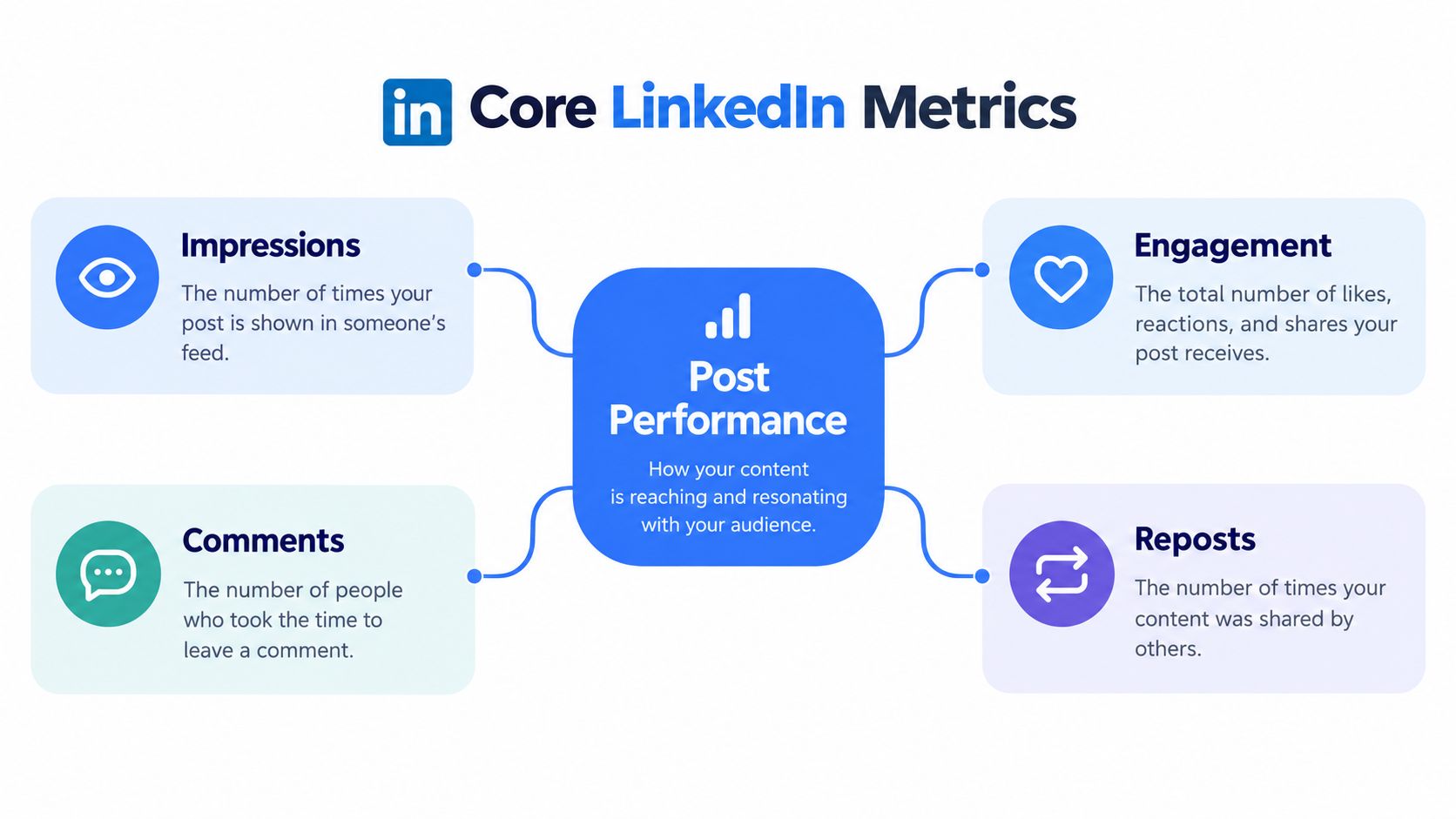
Impressions count displays. Engagements count measurable interactions. Engagement rate compares those interactions with displays. Comments and reposts show public responses, but neither proves that the responder is a relevant prospect. LinkedIn's metric definitions distinguish these measures and specify which interactions its post analytics include.
LinkedIn's combined engagement count includes reactions, comments, saves, sends, and reposts, after removed interactions are subtracted. Its common organic formula uses reactions, reposts, and comments divided by impressions, multiplied by 100. The formula is useful for comparison only when the inputs and reporting period remain consistent.
The arithmetic is straightforward. 150 reactions, comments, and reposts from 10,000 impressions equals a 1.5% engagement rate. LinkedIn also gives an example with 1,000 impressions and 50 interactions, producing a 5% engagement rate in its engagement rate explanation.
| Metric | What it tells you | What it cannot prove |
|---|---|---|
| Impressions | How often LinkedIn displayed the post | Whether people read it |
| Engagement rate | How often displays produced measurable action | Whether the action had business value |
| Comments | Whether people responded publicly | Whether replies show buying intent |
| Reposts | Whether people passed the post to another audience | Whether that audience fits your target |
Clicks, saves, and sends add diagnostic detail. A click shows movement, a save may signal future use, and a send may indicate private sharing. None identifies commercial intent alone. A click on “see more” is not equivalent to a qualified sales conversation.
Use the metrics as a decision sequence. Impressions describe distribution, engagement rate describes response density, and comments or reposts reveal the form of response. Then inspect who engaged and whether the action matched the post's purpose. To find what works on LinkedIn, compare posts by objective, topic, and format rather than relying on one universal benchmark. A stable internal baseline gives that comparison more value.
How to Read Your Native Post Analytics Dashboard
LinkedIn's native dashboard gives you two useful views. One ranks content by impressions. The other ranks it by engagements. The switch changes both the trend graph and the posts shown as top performers (LinkedIn's creator analytics instructions).

Use the views for different decisions:
- Impressions: Study distribution. Look for posts that travelled beyond the account's usual audience.
- Engagements: Study response. Find posts that generated action, even when their audience was smaller.
- Date range: Keep the comparison consistent. LinkedIn offers selectable periods, with the past 7 days as a default view.
- Export: Download the analytics to an XLSX file when you need longer comparisons or grouping outside LinkedIn.
The native screen is fine for inspection. It becomes weak when you need memory. Export weekly, label each post by topic and format, then record the primary outcome you wanted. A spreadsheet won't write your strategy for you, but it will stop you from relying on whatever post you happened to notice that morning.
Use impressions when you ask, “How far did this travel?” Use engagements when you ask, “Did people respond?” Don't let a high reach post outrank a smaller post when your goal is conversation or demand.
LinkedIn describes its post data as best effort rather than billing grade data. That matters because a small change may reflect reporting noise, repeated exposure, or a real shift in audience response. The answer is not to ignore the data. It's to avoid treating every movement as a verdict.
The dashboard becomes more useful when you keep a simple record of:
- The topic and format
- The chosen primary metric
- The network split
- Profile viewers
- The quality of comments
- Any later conversation linked to the post
Here is a visual walkthrough that places the dashboard view in context.
That weekly habit creates a record you can inspect later. Native analytics show activity. Your own labels explain why the activity may have happened.
Tracking Out of Network Reach and Profile Visitors
Audience origin changes the meaning of reach. LinkedIn separates in network impressions, generated by people connected to or following the author, from out of network impressions, generated outside that existing audience (LinkedIn's combined post analytics).
A post dominated by in network impressions mainly circulated among people already close to the account. That can be useful for nurturing trust. A high out of network share shows distribution beyond the established audience. That can support discovery, but it doesn't prove that the new viewers are suitable prospects.
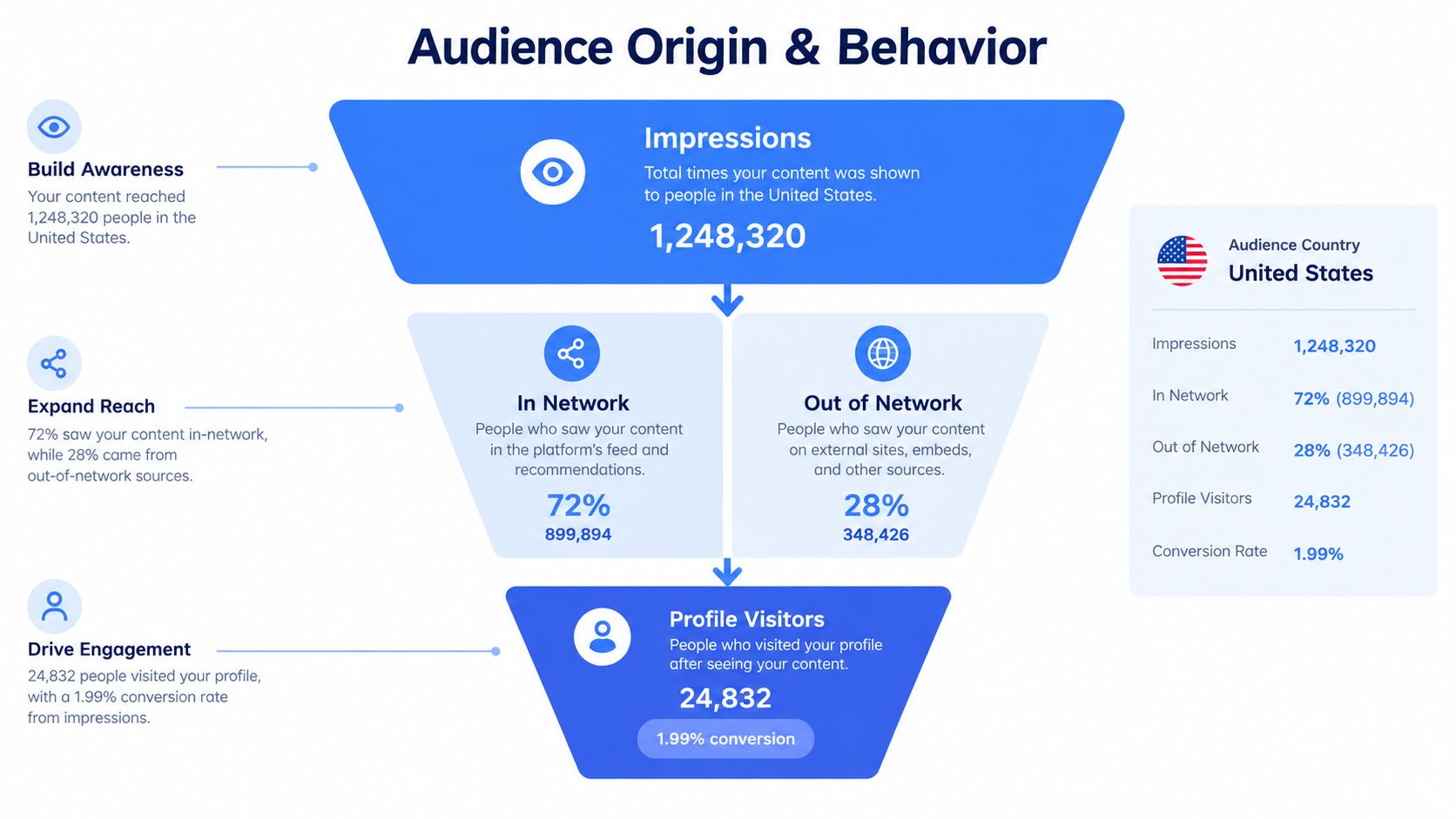
The split should sit beside a downstream measure. LinkedIn reports profile viewers from a post as distinct members and Page admins who viewed the profile from that post. That is different from impressions because it records a specific next step (LinkedIn's profile viewer definition).
For personal brands and sales content, calculate profile viewers per 1,000 impressions:
Profile viewers per 1,000 impressions = profile viewers ÷ impressions × 1,000
LinkedIn provides an example where 12 profile viewers from 2,000 impressions equals 6 viewers per 1,000 impressions. The arithmetic is less important than the comparison. A smaller post that moves more people to the profile may be doing more useful work than a broad post that produces no next step.
| Signal | Useful question |
|---|---|
| In network impressions | Did existing followers respond? |
| Out of network impressions | Did distribution reach beyond the current audience? |
| Profile viewers | Did viewers seek more information? |
| Comments and replies | Did the post create a relevant conversation? |
Track the network split with profile visits, follows, and comment quality. A high out of network share paired with no profile movement may indicate curiosity without fit. A modest out of network share paired with strong profile movement may point to better targeting.
The same logic applies to audience reporting discussed in LinkedIn analytics for profile performance. Reach tells you where the post travelled. Profile movement tells you whether someone cared enough to continue.
A post earns its place in a sales report when it moves a suitable person beyond the feed.
Likes still have a role. They just shouldn't be allowed to impersonate intent.
The Limits of Native Analytics and Attribution
Native analytics can report what happened around a post. They can't reliably prove what caused it. That distinction disappears in many content reports because correlation looks cleaner than uncertainty.
A large analysis of 438,413 LinkedIn posts found that impressions, members reached, and profile views were available for only 8,376 posts, about 1.9% of the dataset (SocialPilot analysis). Any broad benchmark built from that limited visibility needs caution. A large sample doesn't repair missing fields.
A post may receive more comments because it appeared at a useful time, the author already had a strong network, a news event made the topic timely, employees amplified it, or paid activity supported distribution. The hook may have mattered. The available data rarely isolates that factor.
What a stronger test looks like
Start by choosing one primary outcome before publishing. That might be qualified profile visits, relevant comments, or inbound conversations. Then compare similar posts across comparable audiences while changing one meaningful element, such as the opening, format, or call to action.
Useful controls include:
- Comparable audiences: Avoid comparing a niche post with a post amplified by a much larger account.
- Predefined outcomes: Decide what success means before the numbers arrive.
- Lagged tracking: Watch profile visits and inbound conversations after publication, not only immediate reactions.
- Holdout periods: Keep some periods free from a new tactic when that comparison is practical.
- Uncertainty notes: Record timing, news events, employee sharing, and paid support.
LinkedIn prospects may see several posts before they search for a person, subscribe, or begin a sales process. That makes last touch attribution especially weak. A post can influence a decision without receiving the final visible action.
Teams that need a broader way to think about Exerta's attribution playbook should still treat any model as an estimate. Attribution can organise evidence. It can't turn incomplete platform data into certainty.
Measurement rule: Report what the post shows, what it suggests, and what it cannot establish.
That phrasing may sound less impressive in a meeting. It is much more useful.
Manual Tracking versus ViralBrain for Faster Insights
A spreadsheet works when the reporting need is small. You export data, clean columns, calculate rates, label posts, then rebuild the comparison each week. The work is manageable until the team needs a quick answer about hooks, formats, calls to action, and audience response at the same time.
Manual tracking gives you control. It also gives you repetitive chores. Native exports show results, but they don't explain the content patterns behind those results.
ViralBrain combines LinkedIn analytics with pattern research from high performing creators. It can surface hooks, structures, and calls to action for comparison, while keeping the workflow focused on drafting and iteration. That can reduce the gap between seeing a result and deciding what to test next.
The choice depends on workload:
| Method | Best fit | Main drawback |
|---|---|---|
| Spreadsheet | Small volume and custom reporting | Manual cleaning and repeated calculations |
| Native dashboard | Quick post inspection | Limited context for why patterns appear |
| Integrated tool | Faster research and iteration | Still needs human judgement about business value |
ViralBrain isn't a substitute for controlled measurement. It helps organise the work around patterns and content decisions. You still need to define the outcome, record the audience context, and check whether a response led to a useful action.
Teams comparing workflows can use this guide to compare LinkedIn content tools. Choose the lightest system that your team will maintain. A complex dashboard that nobody updates is just an expensive screensaver.
A Practical LinkedIn Analytics Decision Framework
Assign one primary metric to each post type. Keep supporting metrics beside it, but don't let every number compete for the title of “winner.”
- Awareness: Use out of network impressions as the lead signal. Check whether profile visits followed.
- Conversation: Prioritise substantive comments and reply depth. Impressions provide context, not the verdict.
- Personal brand or sales: Track profile viewers per 1,000 impressions, then inspect whether suitable people continued the conversation.
- Pipeline influence: Record qualified inquiries and later sales activity. Treat the post as one touch in a longer path.
The framework works because it separates distribution, attention, conversation, and commercial impact. LinkedIn's own metrics can show impressions, reactions, comments, reposts, saves, sends, clicks, profile views, and follower gains. They don't decide which outcome matters to your business.
Use the same formula, reporting window, labels, and decision rule across your reports. Change one major content variable at a time when you test. Keep notes about timing, amplification, and unusual events so your future comparisons don't mistake circumstance for content quality.
A large audience can be useful. A responsive audience can be more useful. Your reporting should make that difference visible.
ViralBrain helps teams study LinkedIn post analytics, compare content patterns, and turn useful findings into drafts without rebuilding the research process each week. Visit ViralBrain to review the tools and decide whether they fit your reporting and publishing workflow.
Grow your LinkedIn to the next level.
Use ViralBrain to analyze top creators and create posts that perform.
Try ViralBrain free