
LinkedIn Post Writer: Hiring Humans vs AI
Find the right LinkedIn post writer for your brand. Compare human freelancers and AI tools like ViralBrain with honest pricing and format data.
Grow your LinkedIn to the next level.
Use ViralBrain to analyze top creators and create posts that perform.
Try ViralBrain freeMost advice about hiring a LinkedIn post writer starts with the wrong problem. It tells you to find someone who can write polished text. That made sense when a text update was the default format. It makes less sense now, when native documents, carousels, images, and video can change how people consume the same idea.
A weak writer can produce clean paragraphs. So can a general AI tool. The costly mistake is paying a human retainer for work that stops at clean paragraphs. Your brand needs judgment, structure, format choice, and a repeatable publishing system. The words matter. The packaging often decides whether anyone sees them.
What You Actually Pay For With LinkedIn Content
Many buyers searching for a LinkedIn post writer are paying to escape a blank screen. They expect a freelancer to turn scattered thoughts into a personal brand. Often, the freelancer pastes your bullet notes into ChatGPT, lightly edits the output, and invoices you for a text post you could have generated in 5 minutes. You are paying for access, not judgment.
That is a poor deal when the deliverable is plain text with a familiar hook, three tidy paragraphs, and a weak call to action. LinkedIn has more than 1 billion members across 200 plus countries and regions, according to LinkedIn audience statistics from Buffer. Your post competes inside a huge professional network. Clean writing alone will not make it strategic.
The core question: Are you paying for judgment or just for typing?
Formatting deserves scrutiny before you sign a retainer. Benchmark data covering 1.3 million posts reports average engagement rates of 7.00% for native documents, 6.45% for multi image posts, 6.00% for video, 5.30% for images, 4.50% for text only, 4.20% for polls, and 3.25% for link posts. The figures come from LinkedIn content format benchmarks.
Those figures expose the hidden cost of bad formatting. A writer who delivers text by habit may force a process lesson into a caption when the idea belongs in a document. You then pay for writing, editing, design, and attention that never arrives. The cost stays invisible on the invoice. It appears in posts that consume your time without building recognition.
Buy a system that turns one idea into the right native format. If your wider goal is to drive revenue through social AI, audit what your provider produces. Ask where the ideas come from, why each format was chosen, how revisions work, and whether the portfolio proves strategic thinking rather than attractive copy.
What a LinkedIn Post Writer Actually Does
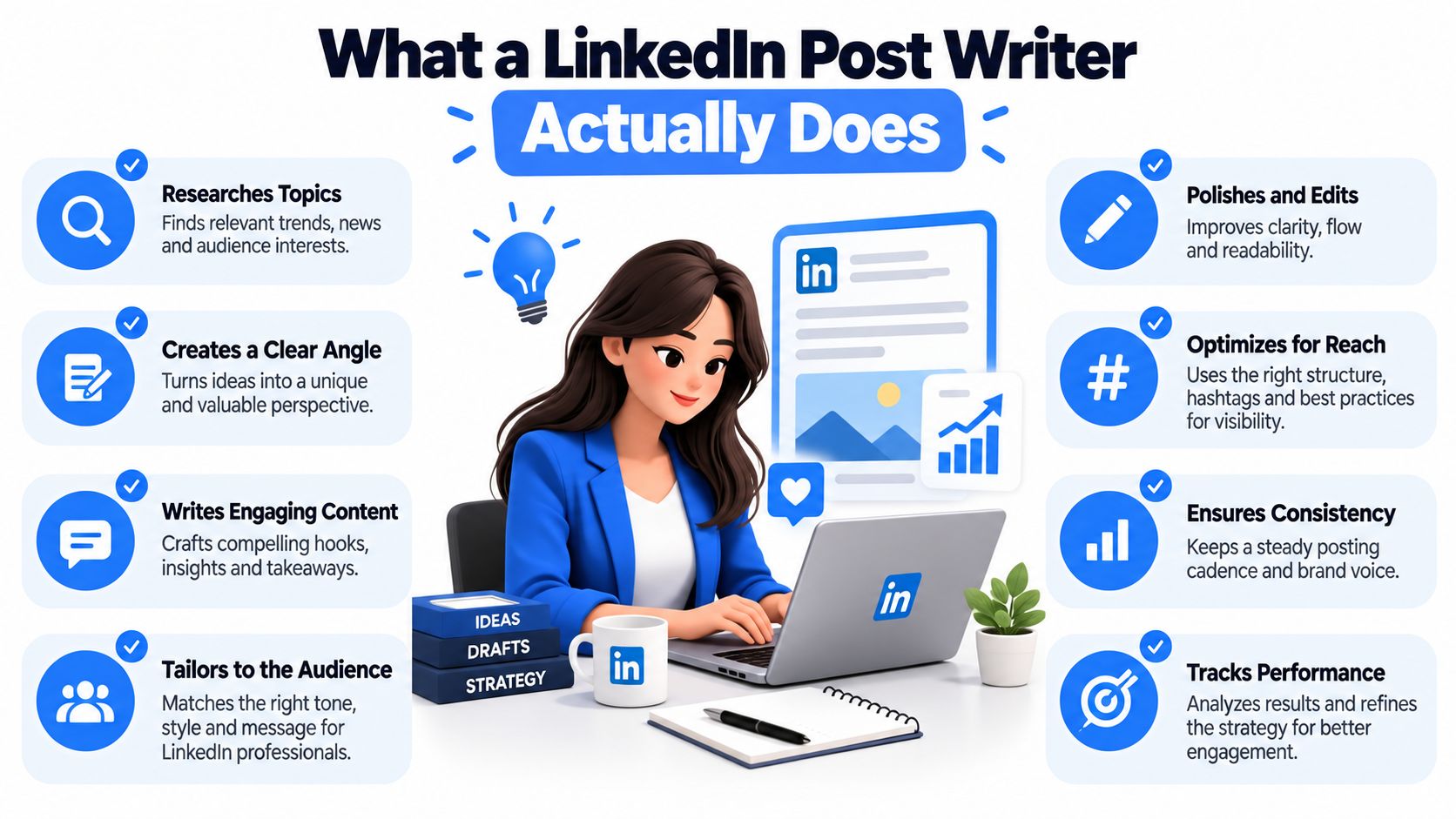
A competent LinkedIn post writer does more than arrange sentences. They study your expertise, audience, past posts, sales conversations, and opinions. Then they decide what deserves publication and how readers should experience it in the feed.
The first job is idea selection. “Leadership” is a topic. “Our best managers stopped giving advice during weekly one to ones” is an idea. The second has tension, a point of view, and a path to a useful lesson. No tool can rescue a post that starts with a vague subject and no real observation.
Strategy before sentences
A good writer reviews previous posts for patterns. They look for topics that attract thoughtful responses, formats that hold attention, and language that sounds like you instead of a content intern. They also remove ideas that belong in a sales page, internal memo, or private conversation.
The next task is audience fit. A founder speaking to buyers needs a different angle from a recruiter speaking to candidates. A sales leader can write about objections, while a technical leader may explain a hard trade off. The writer's value lies in selecting the detail that proves experience without exposing confidential information.
Hook writing comes after that. One 2026 benchmark found that hooks under 60 characters achieved 2.2 times more engagement, while another analysis found first lines under 40 characters reached a 2.61% median engagement rate, compared with 2.08% for openings over 200 characters. See the LinkedIn post length analysis for the benchmark details.
Format is part of the job
A strong writer chooses the format before polishing the copy. One opinion may work as text. A process belongs in a document. A personal event may need a photograph. A dense lesson may need several slides, each carrying one idea.
That choice is strategic. It prevents the common failure where a writer creates a long caption, then adds a decorative image because the post looks empty. The visual should carry meaning. Otherwise, it's just furniture.
The daily work usually falls into four areas:
- Research: Collect customer language, objections, lessons, and proof from real work.
- Writing: Create hooks, bodies, transitions, and calls to action in the client's voice.
- Translation: Adapt one idea into text, document, image, or video structure.
- Review: Remove vague claims, unsupported opinions, awkward phrasing, and accidental sales copy.
If a freelancer only handles the second item, you're buying a copy editor. That may be useful. It isn't the same as hiring a content strategist.
Human Freelancers Versus AI Writing Tools
Humans still have a clear advantage when the work depends on personal experience. A sharp strategist can notice the story behind a founder's comment, challenge a safe opinion, and ask for the detail that makes a post credible. They can also understand sensitive context that a tool won't infer from a short prompt.
The weakness is throughput. A human has limited attention, may juggle several clients, and can become inconsistent when the brief changes. The best freelancers solve that with a strong process. The average one solves it with recycled templates and a fresh invoice.
Specialized AI tools take the opposite position. They generate quickly, compare patterns, adapt formats, and reduce the friction between an idea and a draft. They struggle when your content depends on an anecdote that hasn't been documented or a point of view that needs confrontation. They also produce bland work when the input is bland. Garbage still travels fast when you automate it.
| Feature | Human Freelancer | AI Tool, ViralBrain |
|---|---|---|
| Strategic judgment | Strong when the writer understands your market and asks useful questions | Useful for pattern analysis, but depends on your inputs |
| Speed | Limited by research, workload, and revision cycles | Fast draft generation and rapid variations |
| Voice | Can capture subtle personal habits through interviews and repeated work | Can tailor drafts through tone personalization and selected writing patterns |
| Format work | Depends on the writer's design and platform skills | Can help translate ideas into different LinkedIn formats |
| Personal stories | Better at finding meaning in lived experience | Needs supplied details and clear context |
| Consistency | Varies by person, brief, and workload | Repeatable process across drafts |
| Best use | Founder positioning, sensitive thought leadership, original narrative | Volume, testing, repurposing, and format variation |
The smart comparison isn't human versus machine in the abstract. It's high judgment versus repeatable production. You may need both, but you don't need to pay a strategist to perform mechanical drafting.
For a grounded discussion of the trade offs, read Samuel Woods on copywriting AI. The useful lesson is simple. Automation handles patterns well. People still own the experience, taste, and final responsibility.
A human should supply the raw material. That means customer language, real mistakes, strong opinions, and evidence you can stand behind. The tool can then turn that material into several drafts. A person should approve the final claim. Your reputation shouldn't be outsourced to a button.
How to Evaluate Candidates and Software
Don't hire from a portfolio alone. A portfolio shows what someone wants you to see. It doesn't show how they think when your brief is vague, your topic is dull, or your preferred format is wrong.
Give a candidate one short test assignment. Provide a real audience, one business goal, a rough idea, and a few examples of your natural writing. Ask for a text post, a document outline, three hook options, and a short note explaining the chosen format. Keep the test small. You're evaluating judgment, not trying to extract free campaign work.
The human test
Grade the submission against practical standards:
- Specificity: Does it use a real detail, or could any consultant publish it?
- Voice: Does it sound like your company, or like a motivational poster?
- Structure: Does every paragraph support one clear point?
- Format choice: Does the writer explain why text, document, image, or video fits?
- Editing: Did they remove filler, inflated claims, and obvious sales language?
- Revision skill: Can they improve the draft after one clear piece of feedback?
Watch for competitor imitation. A lazy writer copies surface patterns, such as short lines and numbered advice. A serious writer extracts the underlying structure, then builds from your own evidence.
The software test
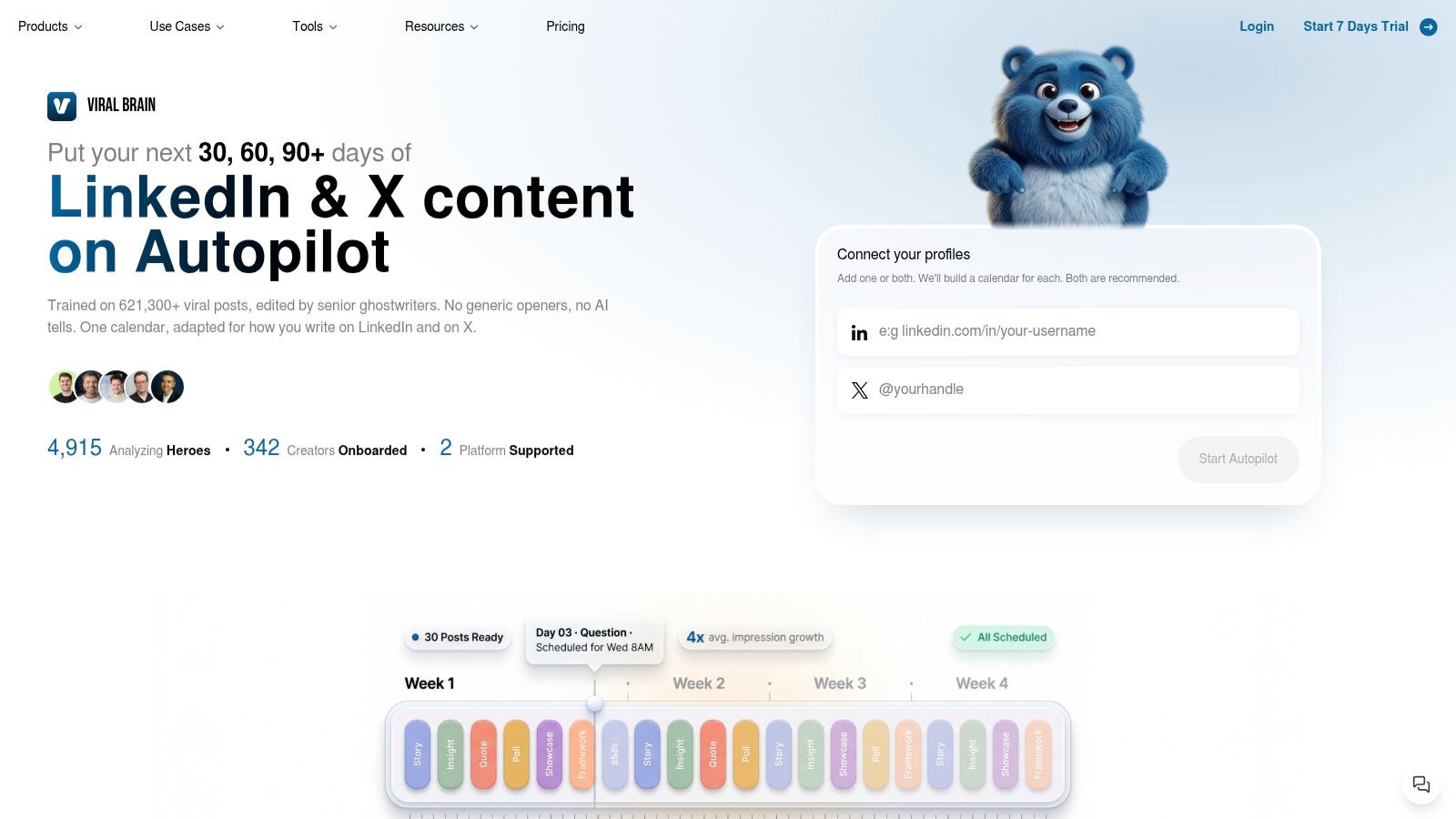
Software deserves the same scrutiny. Look for tone personalization, pattern translation, format support, draft iteration, content reuse, and analytics. A large template library doesn't matter if every result sounds interchangeable.
You should be able to inspect the source idea, change the hook without losing the point, and create a document outline from the same material. You should also be able to edit the final post before publication. Convenience is useful. Invisible automation is risky.
Use the LinkedIn post creator guide to compare the workflow against your actual publishing needs.
A short product walkthrough can reveal whether the tool supports real work or only produces attractive first drafts.
Don't buy software because it promises volume. Buy it because it helps you make better choices faster. If the output needs a full rewrite every time, you haven't bought an advantage. You've bought another inbox.
The Data Behind Post Length and Links
Hook length matters because the opening controls the preview. Keep the first line short enough to create curiosity before the reader taps “see more.” The benchmark evidence is consistent on that point, even though the ideal body length depends on the idea.
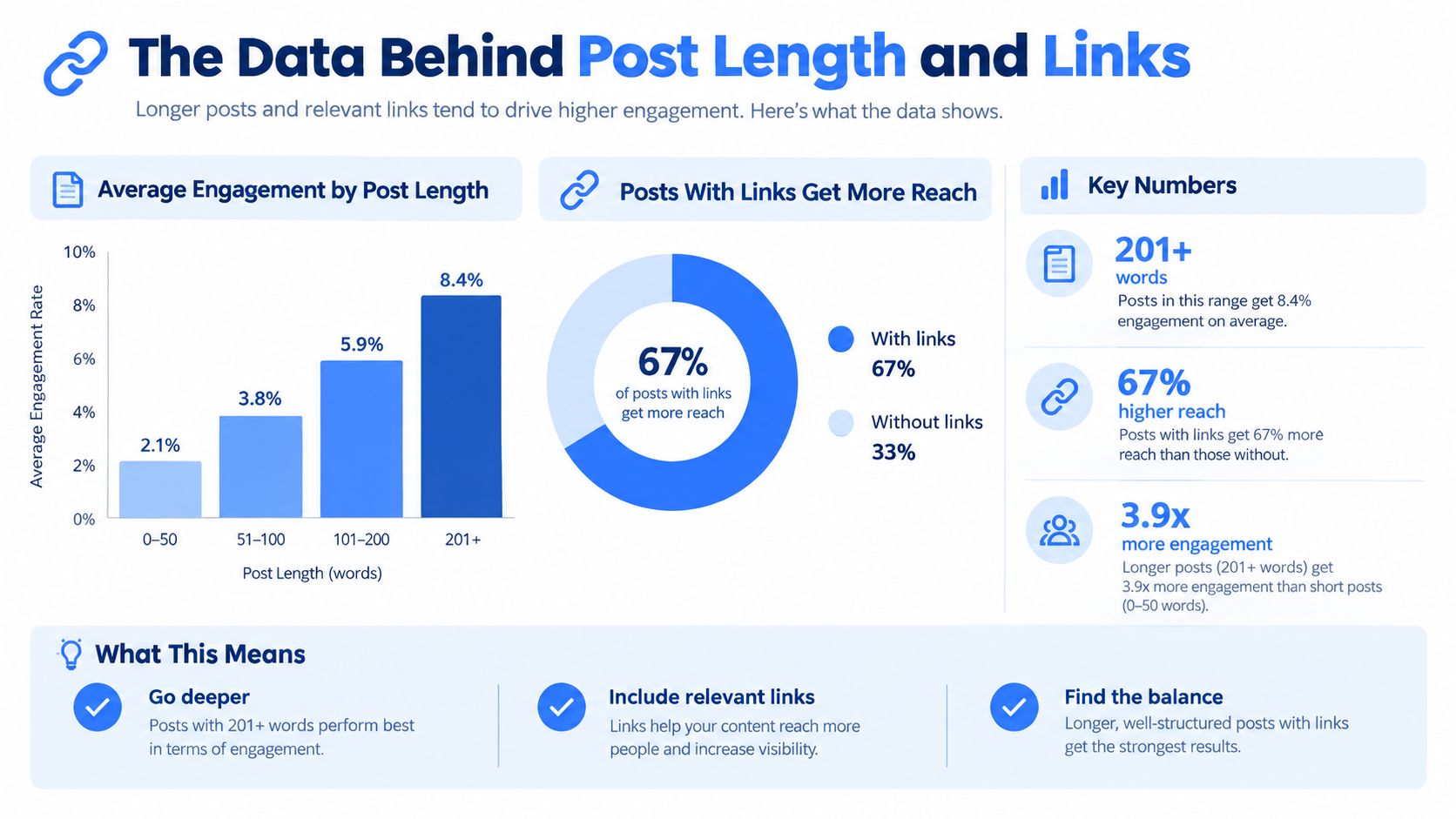
One benchmark of 100,000 real posts found that plain text posts between 900 and 1,299 characters had the highest median engagements at 17. The same source found that median engagement rate continued rising until posts reached 2,200 characters or more, where it reached 2.77%. Those figures appear in LinkedIn engagement benchmarks from ContentIn.
Another dataset found a peak around 2,001 to 2,500 characters at a 2.67% median engagement rate, while a separate analysis observed a 1,000 to 1,800 character sweet spot. The useful rule is not to chase one magic length. Give one argument enough room to develop, then cut every sentence that changes the subject.
Links need judgment
The anti link rule is too lazy. A 2025 analysis of 577,180 LinkedIn posts from 47,735 pages found that posts with external links received 4.9% more impressions and 13.57% more interactions than posts without links. The study also reported that carousel and document posts produced the highest engagement at 45.85%. See the 2025 LinkedIn trends analysis.
That doesn't mean every post needs a link. It means the format and the reason for the link matter. Use an external link when the reader needs the full resource, research, tool, or explanation. Don't add one merely because you want to feel productive.
A practical workflow looks like this:
- Short opening: State the tension, result, or unpopular view in a compact first line.
- Focused body: Develop one idea with short paragraphs and concrete details.
- Native packaging: Use a document for a framework, a visual for proof, and text for a sharp opinion.
- Relevant link: Include the destination when it adds real value, then make the post useful without relying on the click.
For teams that need more context from LinkedIn posts before creating content, Fetchin for LinkedIn post enrichment can support research workflows. Use collected material to inform your ideas, not to clone somebody else's voice.
Proven Post Templates You Can Steal
Templates help when they create structure. They hurt when every post sounds like the same rented personality. Use these as skeletons, then replace the generic parts with a real observation from your work.
Text post template
Opening
“I stopped doing [common practice]. It was creating [specific problem].”
Context
Many teams use [practice] because [reasonable belief]. I used it because [your former belief].
Turning point
“Then [specific event, customer comment, failed result, or decision] showed me the flaw.”
Lesson
“The better approach is [clear principle]. It works because [plain explanation].”
Application
“Try this on your next [meeting, campaign, hiring decision, or project]. First, [action]. Then, [action]. Finally, [action].”
Close
“What have you changed after seeing the same problem?”
The hook creates tension. The middle earns attention with a real detail. The ending invites relevant discussion instead of begging for engagement. Keep the post focused on one lesson. If you have another lesson, save it for another draft.
Document carousel template
Slide 1: One blunt claim.
Slide 2: The common mistake.
Slide 3: Why people make it.
Slide 4: The cost of keeping it.
Slide 5: The better process.
Slide 6: A practical example.
Slide 7: A short checklist.
Slide 8: One action for this week.
Make every slide readable without the caption. Use the caption to frame the lesson, not to repeat every slide. Native documents led engagement in the format benchmark cited earlier, so use them for ideas that benefit from sequence and deliberate reading.
You can find additional LinkedIn post examples when you need models for different angles. Study the structure. Don't borrow the personality. Your audience can smell borrowed confidence.
Making the Final Decision for Your Brand
Hire a human strategist when the work depends on founder experience, sensitive positioning, original stories, or a point of view that needs pressure testing. A strategist should interview you, challenge weak ideas, shape the editorial direction, and decide what deserves your name.
Use software when you already have expertise to share, need regular production, want multiple formats, or spend too much time turning one idea into a publishable draft. A specialized platform can handle repeatable work while you keep control of the claims and final voice.
Avoid a freelancer who sells only captions. Avoid a tool that produces only captions. LinkedIn rewards format aware publishing, and your process should reflect that.
The blunt recommendation is simple. Buy judgment when you lack a point of view. Buy production when you already have one. If you need both, let a human define the strategy and let software handle the repetitive drafting. That arrangement respects your budget and your audience.
The next step is practical. Gather several real customer questions, lessons, or strong opinions. Turn each into a hook, choose the format before polishing the body, and review the finished draft as a reader would. If the post still sounds like everyone else, the problem is probably the idea, not the punctuation.
ViralBrain helps you turn proven LinkedIn patterns into drafts matched to your topic and voice, with support for hooks, formats, repurposing, and review. Visit ViralBrain, test the workflow on your next real idea, and stop paying human rates for mechanical typing.
Grow your LinkedIn to the next level.
Use ViralBrain to analyze top creators and create posts that perform.
Try ViralBrain free