
LinkedIn Recommendation Request Templates That Actually Work
Get LinkedIn recommendation request templates that get fast replies, with timing tips, personalization rules, and follow-up scripts that don't feel awkward.
Grow your LinkedIn to the next level.
Use ViralBrain to analyze top creators and create posts that perform.
Try ViralBrain freeThe most popular advice for a LinkedIn recommendation request is also the least useful: click LinkedIn's blue button, add “Would you recommend me?”, then wait. That works about as well as putting a blank sheet of paper on someone's desk and calling it a brief.
A recommendation is a small favor competing with a crowded inbox. Your contact may like you, respect your work, and still ignore a vague request because they don't know which role, project, or skill to mention. LinkedIn lets you request recommendations repeatedly across your career, but only one recommendation can be requested or given for the same position from the same connection. Recommendations are date stamped, shown in reverse chronological order, and only the newest ones appear by default on a profile, according to LinkedIn's recommendation rules.
The fix is simple. Treat the request as a small campaign with a warm up message, a formal request, and a follow up. Each message has one job. Together, they give the other person enough context to write something specific without making the exchange feel like paperwork.
Why Most LinkedIn Recommendation Requests Sit Unanswered
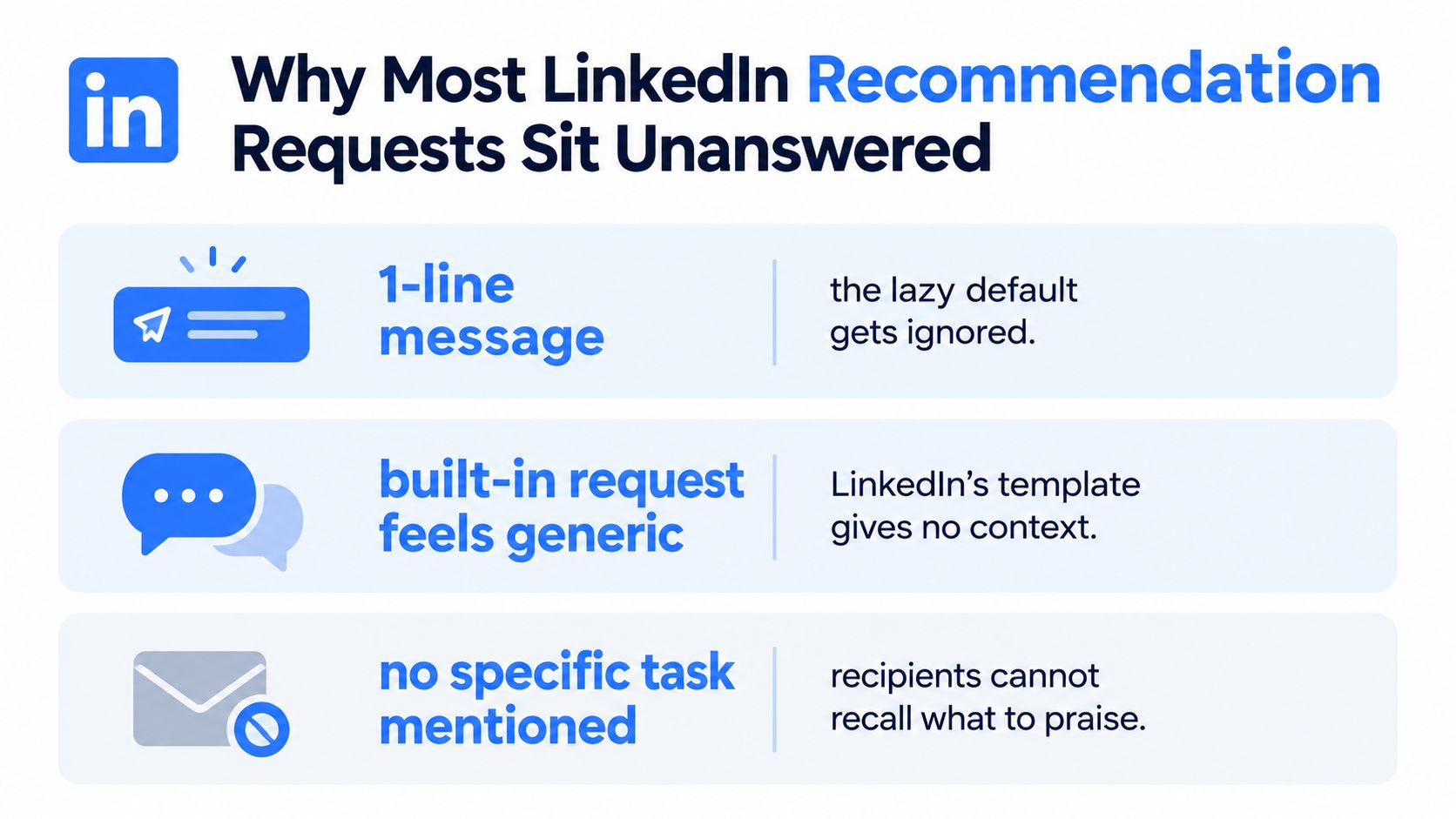
A LinkedIn recommendation request fails when it turns your contact into the researcher, editor, and ghostwriter. They must remember your work, choose the right role, identify something worth praising, and draft language that sounds genuine. A request that supplies none of that context is easy to postpone.
The weak point is usually specificity. Include who you were to each other, which role the recommendation should support, what project you shared, and which skill you want visible. “You were great to work with” offers no usable starting point. It asks for goodwill while providing no material to work with.
The request carries the quality
Vague prompts tend to produce vague recommendations. “Hard worker” and “great team player” fill space but tell profile visitors little about how you operate. A recommendation should point to behavior, work, or results the writer personally observed.
Send a short briefing with the request. Name the project, remind them of the outcome, and suggest two or three talking points. You are not scripting their endorsement. You are removing the blank-page problem.
Practical rule: If the recipient could send your request to five other contacts without changing a word, personalize it further.
Treat recommendation requests as a small campaign, not one click. Use a warm up message when the relationship has gone quiet, a formal request with the relevant context, and a follow up that makes replying easy. The right sequence depends on whether you are asking a manager, peer, client, or former collaborator. After submission, thank the writer and review how the recommendation appears on your profile.
Recommendations can support hiring decisions. A LinkedIn survey reported that 41% of hiring managers consider recommendations when evaluating candidates, while guidance cited in this overview of LinkedIn recommendations says users with recommendations are three times more likely to receive relevant offers and inquiries through LinkedIn searches.
Public endorsements also call for honest handling. Keep requests voluntary, specific, and based on real experience. These customer review compliance tips provide useful guardrails, although LinkedIn recommendations are not customer reviews.
Picking the Right People and the Right Moment
Start with the person, not the template. A useful mix includes managers, peers, direct reports, and a client or cross functional partner when that relationship is real. A senior title doesn't compensate for weak working knowledge. Someone who watched you solve a hard problem recently can write more useful praise than a former executive who barely remembers your role.
Recency matters because memory is lazy. Prefer people who worked with you in the last few years and can speak to the skills you want associated with your current direction. LinkedIn's own guidance makes the same broader point through its display rules: newer recommendations surface first, so fresh evidence gets more attention by default.
Prepare before you message
Keep a private note with the role, working dates, project names, outcomes, and one skill to emphasize. Don't send a memory test to someone who already has a full calendar.
Ask after a win, a completed project, a positive review, or a public moment of recognition. Avoid launch week, a known crunch, or any moment when the person is dealing with an obvious emergency. The best timing guidance places the request one to three months after a successful project, with a polite follow up after seven to ten days if needed, as outlined by Distinctive Web's LinkedIn recommendation guidance.
Check whether the person still uses LinkedIn. A dormant account won't answer a perfectly written message. Start with a warm note, not the formal request. Mention the shared work, ask how things are going, and only then raise the recommendation.
Reciprocity helps when it stays voluntary. In a 160 profile analysis, recommendations given and received followed an average ratio of roughly 3 to 2. The same analysis found that 43 of 160 profiles had given more recommendations than they received. The lesson isn't to trade praise like baseball cards. People who contribute thoughtfully tend to build stronger recommendation histories over time. The figures come from this analysis of LinkedIn recommendation mistakes.
Matching Your Ask to the Relationship
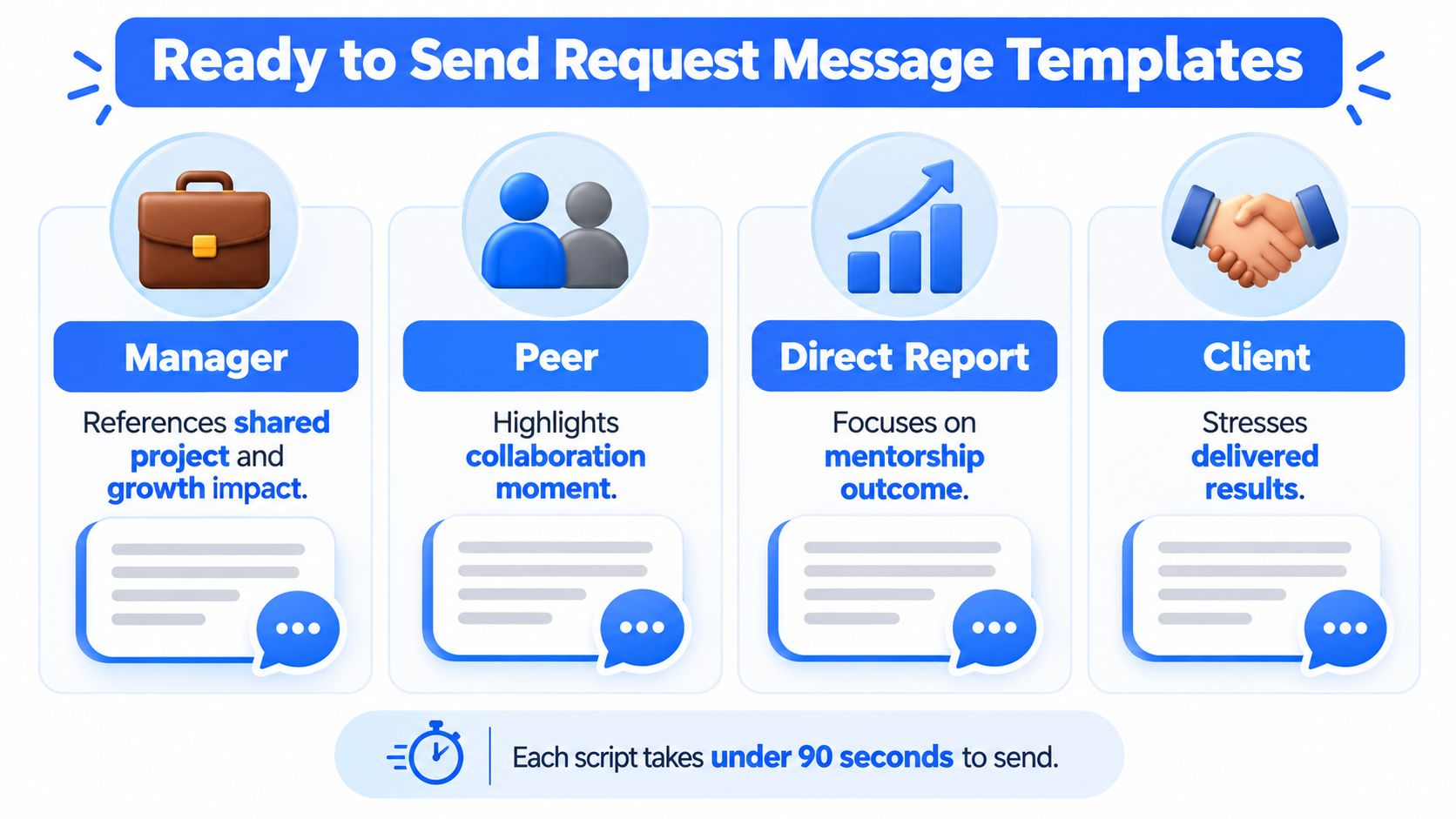
The same request sounds different depending on who receives it. A manager can speak about growth and judgment. A peer can describe how you handled shared work. A direct report can discuss your leadership in practice. A client can validate the result without pretending to know your internal process.
Use the table as a quick filter before you write. The personalization cue is the detail that stops the message from sounding mass produced.
| Relationship | Lead With | Anchor The Request On | Personalization Cue |
|---|---|---|---|
| Manager | A project where their guidance shaped your work | Growth, judgment, ownership | Name the decision or feedback that changed your approach |
| Peer | Shared context and a result you delivered together | Collaboration, reliability, problem solving | Mention the moment you solved a specific obstacle |
| Direct report | What their progress made possible | Mentorship, clarity, team leadership | Point to a change you helped them make |
| Client | The business problem and delivered result | Trust, execution, communication | Name the outcome they cared about most |
Manager or former manager
Lead with respect, but don't grovel. “You backed the rebrand when it was falling apart” has useful texture. “You were a great leader” is wallpaper. Ask them to focus on the skill you want associated with your next role, such as strategic thinking, coaching, or handling pressure.
Peer
Use shared language. Talk about the work you shipped together, the problem you untangled, or the deadline you met. A peer request should sound like a professional reflection, not a request for a character reference.
Direct report
Avoid asking them to praise your authority. Ask about what they saw you do. Did you give useful feedback, create room for ownership, clarify priorities, or help them grow? Those details make leadership credible.
Client or external partner
Put their business first. Mention the problem, your contribution, and the result. A client has limited interest in your personal branding project, so explain why their perspective matters and offer to support their own professional credibility in return.
For a broader set of ways to restart a quiet conversation, these LinkedIn conversation starters can help. Use them to warm up a relationship, not to disguise a cold pitch.
Ready to Send Request Message Templates
These scripts are short by design. Replace the brackets, keep the structure, and remove anything that isn't true. The recipient should know why you're asking, what they might mention, and how to decline without drama.
For a manager
Hi [Name], I've been thinking about our work on [project], especially the point when [specific challenge]. Your feedback on [skill or decision] changed how I approach that kind of work.
Would you be open to writing a LinkedIn recommendation for the [role] position? If useful, you could mention [outcome], [skill], and what you saw me take ownership of. No pressure if the timing isn't right. I appreciate your considering it.
The opener restores context. The second paragraph gives them a usable brief. The final sentence removes the awkward pressure that makes senior contacts postpone the task.
For a peer
Hi [Name], I enjoyed working with you on [project]. I still remember when we [shared moment], and I appreciated how we handled [problem] together.
Would you be open to a LinkedIn recommendation focused on our collaboration and the result we delivered? You could mention [specific contribution] if it feels accurate. No worries if you're too busy.
This works because it uses mutual memory. Don't write “you were dependable on the team” when you can name the meeting, deadline, or problem that proved it.
For a direct report
Hi [Name], I've been proud to see you take ownership of [area or project]. Your progress on [specific example] made it possible for the team to [outcome].
Would you feel comfortable writing a LinkedIn recommendation about my approach to coaching, clarity, or team leadership? Please write only what reflects your experience. I completely understand if you'd rather not.
This version avoids a power imbalance. The request gives them control over both the content and the decision.
For a client
Hi [Name], I appreciated working with you on [engagement]. The result we were aiming for was [client outcome], and your input on [specific point] helped us get there.
Would you be open to writing a LinkedIn recommendation about the work and the result? I can send two or three talking points to make it quick. No pressure if you'd prefer not to.
The client sees their own success in the message. That matters. A request about your profile becomes easier to answer when it accurately reflects the value they received.
A fallback for a distant contact
Hi [Name], I'm updating the recommendations on my LinkedIn profile and thought of our work on [project or role]. If you feel you can speak honestly about my work on [skill], would you be open to writing a short recommendation? I can send a few reminders, and there's no pressure if you don't have enough context.
Change two variables before sending. Use a recent win to make the note timely. Use shared context to make it personal. For more help with the first message, compare the structure with this guide to a LinkedIn connection message.
Follow Up Without Feeling Desperate
Silence usually means the request lost a fight with the rest of the inbox. Treat it that way. A follow up should make the task easier, not punish the person for missing it.
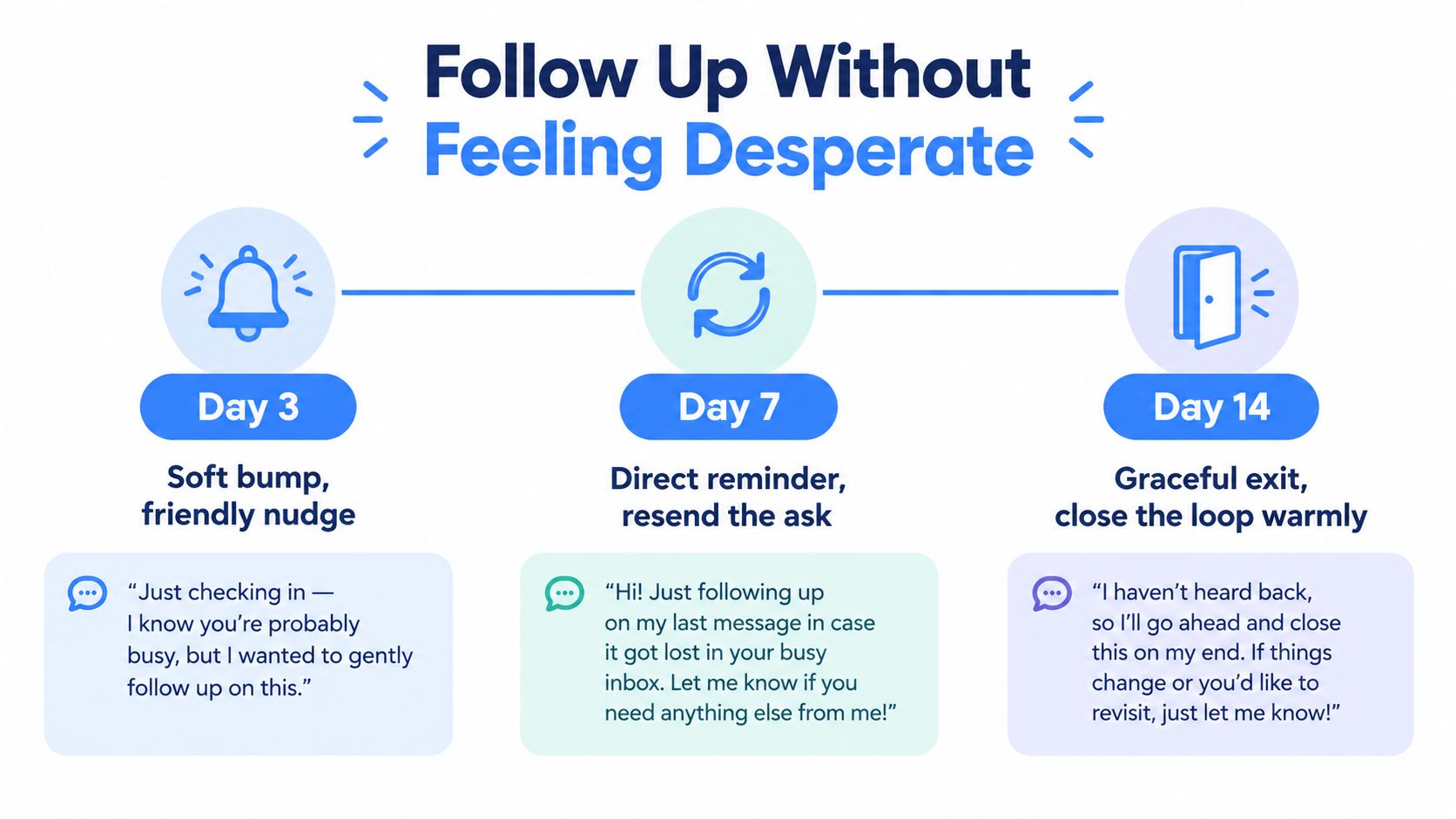
Use a simple timing map. Send a soft bump on day three, a direct reminder on day seven, then close the loop on day fourteen. One guide recommends a single polite follow up after seven to ten days, so the exact day matters less than the rule behind it: remind once, don't hover.
Copy that doesn't sound annoyed
Day three
Hi [Name], just bringing this back to the top of your inbox. I know things get busy. The main points are [project], [outcome], and [skill]. No rush if you need more time.
Day seven
Hi [Name], checking once more on the LinkedIn recommendation request for my [role] position. If you're open to it, those three points should be enough to get started. If now isn't a good time, no problem at all.
Day fourteen
Hi [Name], I'm going to close the loop on this so it doesn't sit on your list. Thanks again for the work we shared on [project]. I'd be glad to reconnect later if the timing becomes better.
The day three message assumes busyness. The day seven message gives a clear decision. The day fourteen note protects the relationship and your dignity. For broader help refining a follow up, use this guide to polish your follow up message.
Handle the two common replies
If they say, “I forgot, I'll send it this week,” answer with a brief thanks and resend the talking points. If they ask for a short call, offer a clear time window and send the project summary before the call. Don't turn a recommendation into an unpaid discovery workshop.
If they agree but stall for a month, release them politely.
I know priorities change, so please don't worry about this request. I'll close it for now. Thanks for being willing to help, and I'll reach out another time if the timing makes sense.
The rule is one reminder, one release, then move on. A recommendation written under pressure isn't worth much.
What Happens After They Hit Submit
The request isn't finished when the other person writes the recommendation. LinkedIn says the recipient can accept, dismiss, or ask for a revision, and a recommendation can sometimes be missing after submission. That post submission stage deserves its own process because a rushed reaction can make a generous contact regret helping.
Suppose Maya receives a recommendation from a former manager. She reads it, accepts it, and notices one sentence names the wrong project. She doesn't send a blunt correction. She replies with a narrow edit request.
Thanks for writing this. I really appreciate the point about my project leadership. Would you be open to changing the project name to [correct name]? That would align it with the role shown on my profile.
Specific edits are easier to accept than “Can you make it stronger?” If the recommendation is useful but not relevant to the position shown, Maya can dismiss or hide it rather than display weak evidence. LinkedIn's guidance on the request and response process is covered in this recommendation help article.
The awkward technical detail
LinkedIn says a hidden recommendation can still count toward the 90 day cooldown, which surprises people who assume hiding it resets the process. Plan the request carefully before sending it. LinkedIn also says the relationship and position fields are fixed after a request is sent. If you chose the wrong role, the connection must delete the request before you can send a corrected one, as explained in LinkedIn's request instructions.
Thank the person as soon as you accept the recommendation. Mention the exact line you valued. Then offer a concrete reciprocal action, such as a recommendation you can write based on a project you directly observed. You can find practical guidance on writing recommendations on LinkedIn if you need a clean starting point.
A good thank you sounds like this:
I've accepted the recommendation. The line about how I handled the launch pressure was especially meaningful because you saw that work up close. I'd be happy to write one for you based on our work on [project], if that would be useful.
Don't promise praise you can't support. Reciprocity works when both recommendations are honest.
Keeping Your Recommendations Fresh Over Time
Treat recommendations as a working portfolio, not a trophy cabinet. A profile can look complete while its strongest evidence describes an old role, outdated tools, or work that no longer fits the jobs or clients you want.
Set a recurring review and inspect your top three recommendations. Label each one relevant, stale, or misaligned. Rebalance the set after a new job, promotion, major project, or meaningful skill change. LinkedIn displays recommendations by position and date, so recent, relevant proof has a better chance of appearing first under its profile guidance.
Keep a private record
A simple note is enough. Track:
- Recommender: Who wrote it and how you worked together.
- Date received: When the recommendation became available.
- Skill or outcome: What evidence it provides.
- Role connection: Which position it supports.
- Next action: Keep it, request an update, or seek another perspective.
Review that record before sending another request. It prevents five people from describing the same strength while nobody covers the skills your next role requires. It also gives you a sharper brief when your direction changes, which improves the odds of receiving specific evidence instead of recycled praise.
Fresh recommendations strengthen profile credibility, but they cannot replace visible work. Align your posts with the skills your recommendations describe. This guide to boost LinkedIn engagement offers a practical content angle.
ViralBrain helps founders, marketers, sales professionals, and creators study high-performing LinkedIn posts, adapt proven structures, draft content in a selected voice, and review analytics before publishing manually. Visit ViralBrain to turn the skills mentioned in your recommendations into a steady stream of visible work.
Grow your LinkedIn to the next level.
Use ViralBrain to analyze top creators and create posts that perform.
Try ViralBrain free