
What Is Content Batching and How It Saves You Hours
What is content batching? Learn how batching cuts creation time, reduces switching, and keeps your LinkedIn feed consistent without burnout.
Grow your LinkedIn to the next level.
Use ViralBrain to analyze top creators and create posts that perform.
Try ViralBrain freeContent batching means grouping ideation, writing, editing, and scheduling into one focused session. A widely cited 2026 guide reports that the method can cut weekly production time from 15 to 20 hours to 6 to 8 hours, a 50 to 70 percent reduction. Content batching guidance
You know the routine. A post is due today, so you stop client work, think of a topic, write a draft, make a graphic, edit the caption, then remember you still need to schedule it. Tomorrow, you do the whole little circus again.
The problem usually isn't a shortage of ideas. It's the constant gear shifting. Content batching moves similar work into focused blocks, so you can create several pieces while your brain is already in the right mode. The method can help solo creators, founders, B2B marketers, and small social teams publish steadily without treating every post like a fresh emergency.
Introduction to Content Batching and Why It Matters Now
A daily content routine looks manageable until every platform asks for something different. You open LinkedIn to write a thought leadership post, switch to a design tool for a visual, check a comment, open a research tab, then return to the draft with no idea where you left off. The post still isn't finished. Your afternoon is.
Content batching changes the unit of work. Instead of creating one post from start to finish each day, you group ideation together, writing together, editing together, and scheduling together. You might spend one focused session planning a series, another drafting the copy, then a final block polishing and queuing the posts.
A widely cited 2026 guide describes a reduction from 15 to 20 hours of weekly production to 6 to 8 hours, which it presents as a 50 to 70 percent reduction for creators who use the system consistently. It also reports a shift from 8 to 12 daily context switches to 1 to 2 when work is organized by stage rather than by post. The guide explains the time and switching figures.
Those figures aren't a promise for every team. Your results depend on your process, approval speed, content type, and ability to protect the batch from interruptions. Still, the logic is solid. Fewer switches leave more attention for thinking, writing, and quality control.
The daily scramble has a hidden cost
Daily creation feels responsive, but it often makes strategy harder. You choose whatever idea is easiest under pressure. Themes disappear. Useful research gets turned into one post instead of a connected set. Your voice changes because you write in whatever mood the calendar creates.
Batching gives you a wider view. You can see whether several posts repeat the same hook, whether a topic needs a different format, and whether the week has a sensible mix of education, opinion, proof, and conversation.
Practical rule: Batch the work that benefits from concentration. Keep the work that depends on live events flexible.
A tidy workspace helps here. If your ideas, references, drafts, and visual notes are scattered across tabs, notebooks, and chat threads, the batch starts with a scavenger hunt. These creative workspace tips can help you arrange the raw material before the writing block begins.
The point isn't to fill every day with scheduled posts. It's to stop rebuilding the same production system every morning. You want a steady publishing rhythm, plus enough open time to respond to people and react when the conversation changes.
What Content Batching Really Means in Simple Terms
Task batching is the broad idea. You gather similar tasks and do them in one block instead of scattering them across the day. A Syracuse University handout defines batching as gathering similar tasks and doing them all at once.
Content batching applies that mechanic to publishing. You group research and ideas, draft several pieces, produce related visuals, edit the set, then schedule the finished work. The content can target one platform or several, but the work is organized by stage.
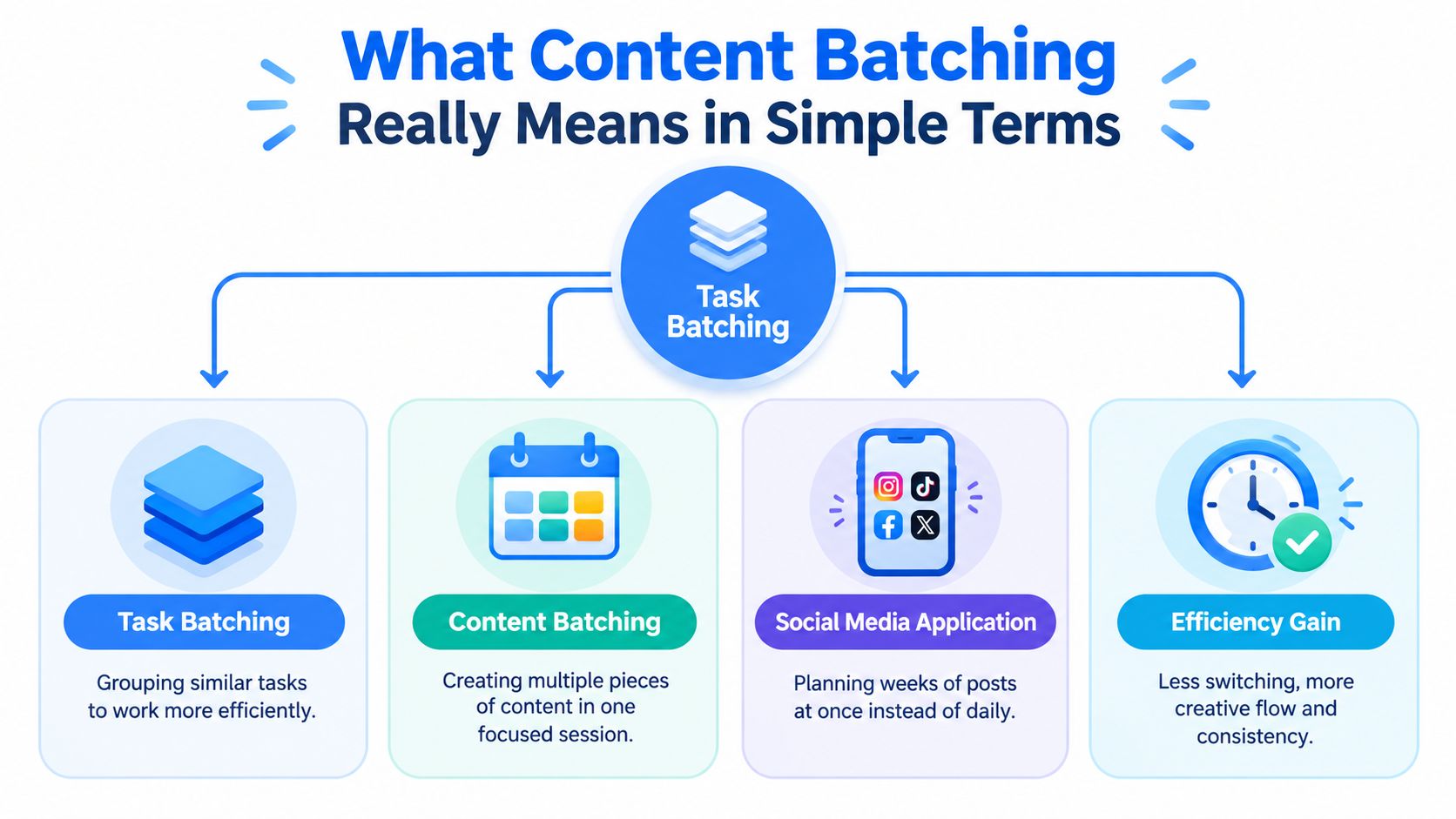
Think about cooking. Making one meal from scratch every time means finding ingredients, chopping, cooking, cleaning, then repeating the process later. Batch cooking lets you prepare related ingredients together. You still make different meals, but you don't keep washing the same knife for every carrot.
Content works the same way. You don't need to publish the same post repeatedly. You need to avoid repeating the expensive setup work.
What gets grouped
A social batch might contain:
- Ideas: Collect several topics around one audience problem.
- Drafts: Write the posts while your voice and subject knowledge are active.
- Assets: Record related videos or create visuals in one production block.
- Edits: Proof captions, check facts, and adjust formatting together.
- Scheduling: Load approved posts into the calendar in one sitting.
The grouping matters. Creating one post completely, then moving to the next, still forces you to switch from research to writing to design to scheduling over and over. A stage based batch keeps you in one mental mode for longer.
A Sprout Social guide describes social content batching as grouping ideation, creation, editing, and scheduling to reduce switching. That definition works for LinkedIn, Instagram, newsletters, and other channels, with one adjustment. Each platform still needs its own format and voice. Batching doesn't excuse lazy copying.
Content batching means creating several pieces of content by grouping similar stages of work into focused sessions, then reviewing and scheduling the finished set.
For LinkedIn, this could mean researching one business problem, drafting several angles, turning the strongest idea into a document post, then writing related comment prompts. The source idea stays connected. The final pieces don't need to sound identical.
Why Batching Works and Where It Falls Short
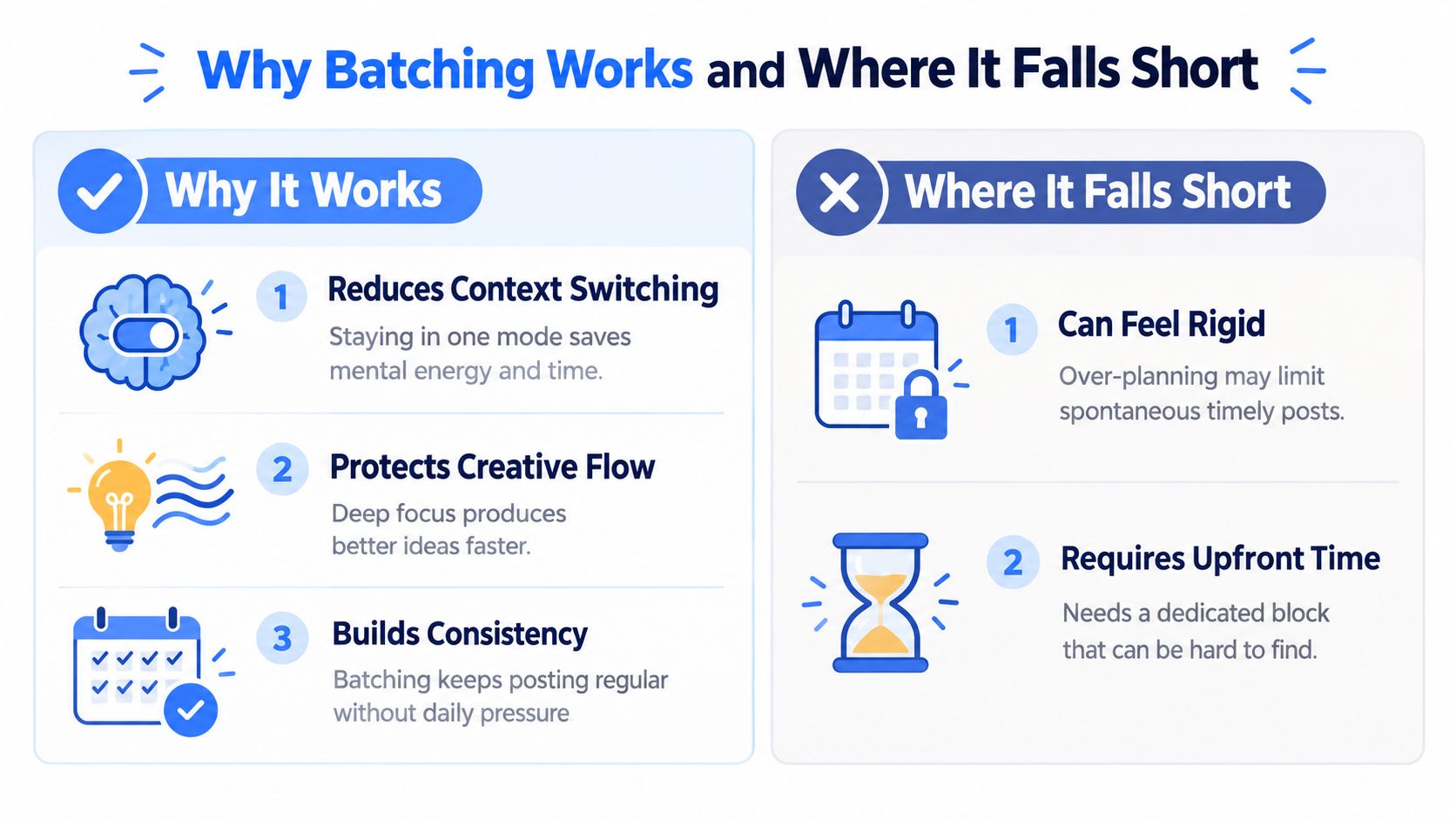
A creator who writes, designs, answers messages, and checks notifications in the same hour pays a restart cost each time attention moves. The task may look small, but the brain must reload the audience, argument, tone, and unfinished sentence. Repeated interruptions turn that reload into real labor. The context switching explanation is discussed in this research summary
Batching keeps related decisions active. A creator can draft several LinkedIn posts while the topic, audience, and supporting evidence are still in working memory. The set becomes easier to connect, compare, and edit. Repetition also shows up sooner, before identical points fill the calendar.
The efficiency case
A 2026 industry guide reports that organizing work by stage can reduce daily switching from 8 to 12 switches per day to 1 to 2. Independent workflow guidance estimates that weekly batching can cut social media management time by 60 to 70 percent, mainly by standardizing planning, drafting, production, and scheduling blocks. The workflow guidance explains that estimate.
The narrower lesson matters more than “batching makes you faster.” Batching removes repeated setup around content. It does not remove research, judgment, editing, or feedback. AI can produce drafts quickly, so the bottleneck often shifts to quality control: checking facts, avoiding recycled phrasing, and deciding whether a post still deserves attention.
The tradeoff nobody should hide
Batching can make a team efficient while making its content late. A scheduled post about a pricing change is dead on arrival if the pricing changes the day before it publishes. A carefully planned opinion post can also feel stale when the audience has moved to another discussion. Efficiency saves attention only when the batch still matches the moment.
Communication batching shows the same tradeoff. An MIT study found that longer email sessions were linked to higher rated productivity, but found no evidence that batching reduced stress. The MIT study covers productivity and stress in email batching.
A tidy calendar does not automatically create a calmer person. An oversized batch moves the pressure into one large session. Use batching to protect attention, not to worship the calendar. Live conversations still deserve live judgment.
Rebatch when the topic, hook, format, or audience response changes. Keep room for timely posts. The right system balances throughput with freshness.
Common Batching Workflows and Real Examples for LinkedIn
Daily creation and batched creation solve different problems. Daily work gives you maximum responsiveness, but it makes every post a small production project. Batched work gives you concentration and a connected set of ideas, but it needs a freshness check.
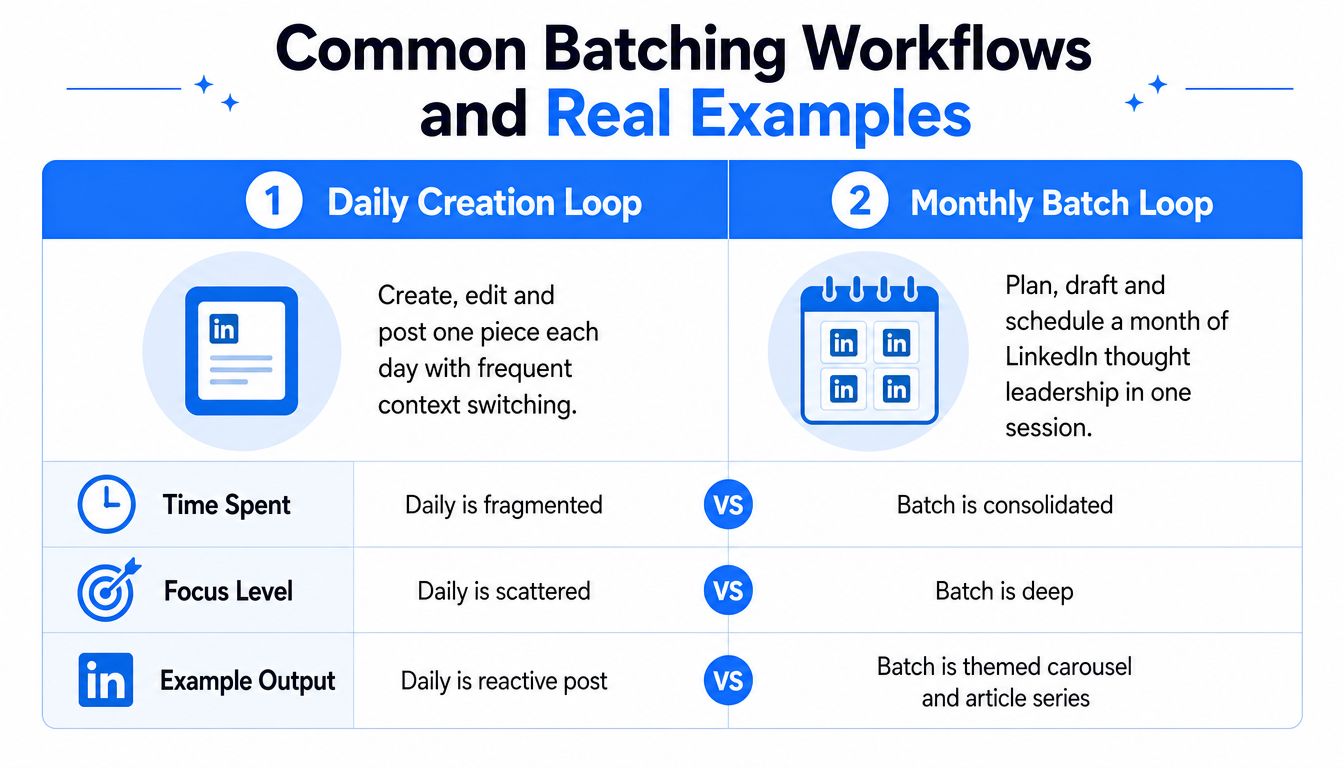
| Daily creation loop | Monthly batch loop |
|---|---|
| Find an idea when the post is due | Choose themes before drafting |
| Write one post | Draft a connected set |
| Switch into design or formatting | Produce related assets together |
| Edit under deadline pressure | Review the group for voice and repetition |
| Publish and start again | Schedule approved posts, then monitor live signals |
A founder might read one research report about onboarding problems. The daily approach turns that research into one hurried LinkedIn post. A batch approach can develop the same source into several distinct angles, such as a personal observation, a practical checklist, a short contrarian argument, and a question for operators. The founder can then choose the formats that fit each idea.
One idea, several useful forms
A B2B team can batch hooks before it drafts full posts. The team writes multiple openings for the same customer problem, selects a few with different perspectives, then develops the strongest versions. This creates room for testing without asking a writer to invent a new subject every morning.
Repurposing works best when the central insight stays intact while the delivery changes. These Rooy Development repurposing tips offer a useful reference for turning one source into different content forms. You can find more guidance on content repurposing when a single idea needs to support a broader publishing plan.
Don't confuse reuse with duplication. A LinkedIn text post can become a carousel, a short video script, or a comment prompt, but each version should earn its place. Change the entry point, example, or action. Otherwise, your audience gets the same sandwich in different packaging.
The workflow below shows how the same logic can look in practice.
For a founder, the useful batch may be small. Research one topic, draft several posts, create one visual format, then leave open space for timely commentary. For a larger B2B team, separate hook writing, drafting, design, approvals, and scheduling across owners. The principle stays the same. Group similar work, then inspect the finished set as a reader would.
How to Implement Content Batching Without Overcomplicating It
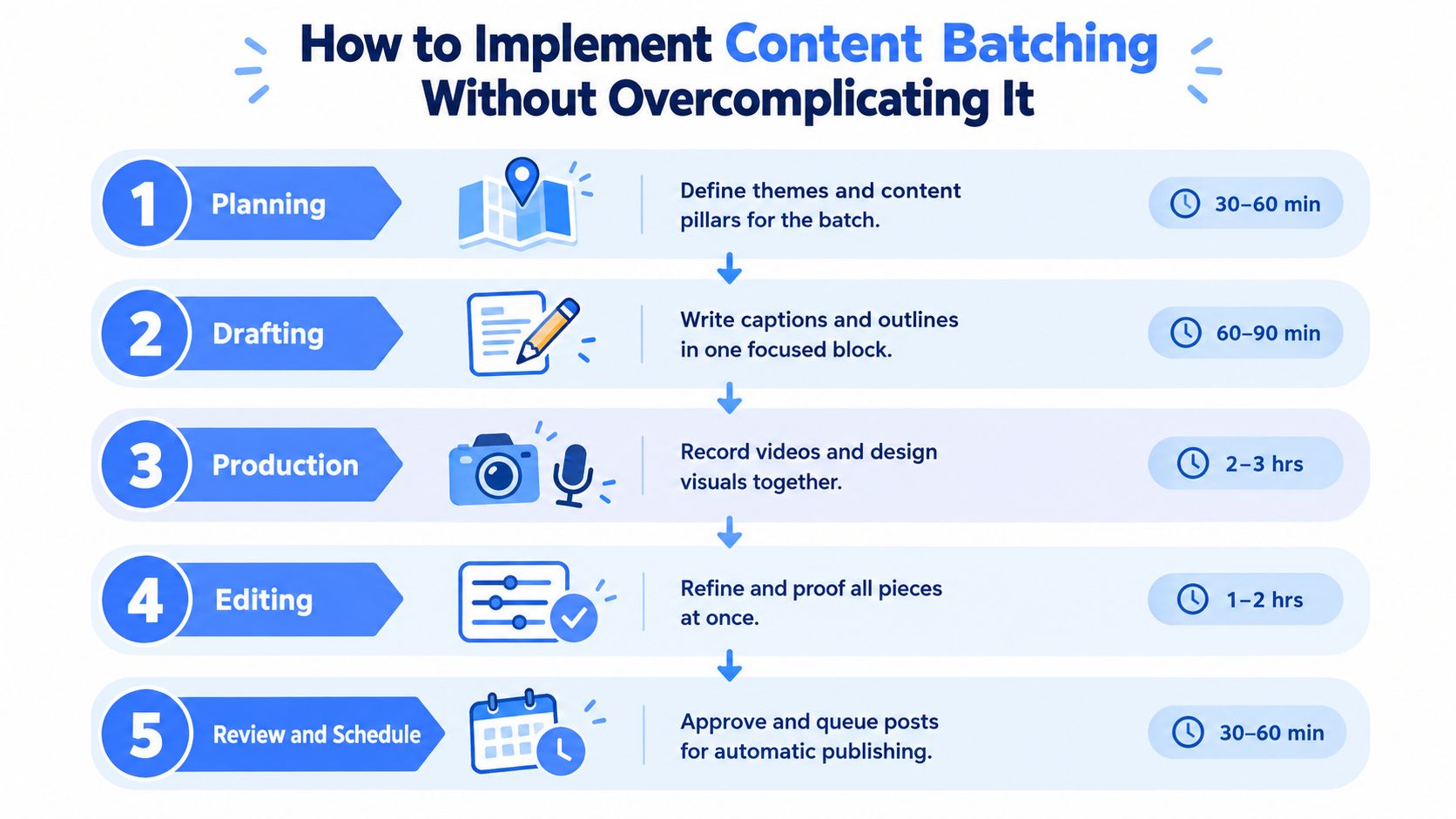
A practical batch has five stages. One independent workflow guide assigns 2 to 4 hours to planning and research, 4 to 6 hours to drafting, 4 to 8 hours to production, 4 to 6 hours to editing, and 2 to 3 hours to review and scheduling. The five stage workflow and time blocks are detailed here.
Those blocks describe a full system, not a rule for every creator. Start with the stage that causes the most repeated work. If writing is slow, batch drafts first. If approvals cause the queue to stall, fix review before producing more assets.
Plan and draft
Planning and research comes first. Pick a small set of themes tied to real audience problems. Gather source material, note the point of each post, and decide which ideas need text, visuals, video, or a comment led format. A simple theme list beats a heroic spreadsheet nobody opens.
Drafting should happen without design interruptions. Write hooks, body copy, examples, and calls to action in one block. Leave placeholders for visuals if needed, but don't keep jumping into Canva to choose a font while the argument is still half formed.
Produce and edit
Production is where you record videos, create graphics, or prepare document posts together. Templates help when they reduce decisions. They hurt when every post starts to look like its siblings.
Editing needs a different brain from drafting. Check facts, remove repeated phrases, read the post aloud, and compare the batch side by side. Look for the same opening pattern appearing everywhere. Your audience may not know you wrote all the posts in one sitting. They can still smell the assembly line.
Review and schedule
Review and scheduling closes the loop. Confirm owners, approvals, links, dates, and platform formatting. Schedule only what still makes sense. A calendar is a queue, not a legal contract.
A weekly batch can cover the next publishing cycle. A longer batch can support a broader theme, but it needs more frequent checks for changes in the conversation. Keep one unscheduled slot for timely material. That small gap can save the whole system from sounding like it was written in a basement before the news happened.
For a more detailed process, see this content creation workflow. Keep the first session modest. You're building a habit, not auditioning for a productivity documentary.
Mistakes That Make Batched Content Feel Stale and How to Fix Them
The biggest batching mistake is assuming more advance planning always means better planning. It doesn't. A long queue can protect your schedule while disconnecting your posts from current audience concerns.
The fix is a freshness review. Before publishing, check whether the claim, example, hook, and format still fit the conversation. If the topic has shifted, edit the post or move it back into the idea bank. Scheduled does not mean sacred.
The sameness problem
Batching exposes repeated structures. You may write every post with the same hook, the same three point body, and the same closing question. AI can make this worse because it produces clean variations that still share the same skeleton.
A 2025 to 2026 industry estimate says about 40 percent of content creators had adopted multi format batch production. The estimate and its context appear in this industry guide. More adoption makes quality control more useful, not less. If many teams use similar production systems, distinct thinking matters more.
Use a diversity check before approval:
- Hook variety: Mix observations, stories, objections, examples, and direct advice.
- Format variety: Combine text, carousels, short video, and discussion prompts where they fit.
- Voice variety: Keep the same brand voice without making every post use the same rhythm.
- Angle variety: Let one topic support agreement, tension, instruction, and lived experience.
Where AI should sit
AI is useful for idea expansion, outlines, and controlled variants. It shouldn't get an automatic pass on final copy. The review bottleneck becomes originality, accuracy, voice, and pattern reuse.
Batch ideas first when you need breadth. Batch drafts next when the topic and audience are clear. Batch final variants only after a person has chosen the angle and checked the source. That order keeps volume from outrunning judgment.
Quality check: Ask whether a reader could identify the same template behind several posts. If yes, change the structure before you change the wording.
Measuring Results and Tools That Make Batching Stick
A batch should earn its place in your calendar. Track the hours spent, the number of finished posts, and which hooks or formats receive useful engagement. You don't need a giant dashboard. A simple record can show whether the process is getting lighter or merely moving work into one crowded afternoon.
Review the batch after publication. Note which ideas created conversation, which formats felt natural, and which posts needed last minute changes. Rebatch when platform signals, audience questions, or topic conditions shift. The best cycle has a schedule plus an escape hatch.
Useful tool categories include:
- Idea storage: Keep research, audience questions, and rough hooks together.
- Drafting space: Use templates for structure, not for personality.
- Asset production: Store reusable visual elements without forcing every post into one design.
- Approval tracking: Make ownership and review status visible.
- Scheduling: Queue approved posts while keeping timely slots open.
- Measurement: Compare effort, output, and response by content angle.
For broader research on tools for AI visibility and content optimization, focus on systems that help you inspect quality, not tools that merely increase output. An AI content calendar generator can help organize ideas into a repeatable schedule, but a human still needs to decide what deserves publication.
ViralBrain offers LinkedIn pattern analysis, draft generation, repurposing, a content calendar, a hook library, and analytics in one workspace. Use it as one part of a batch system, then keep the final review firmly human.
Start with one focused session and build a small LinkedIn batch around a single audience problem. Visit ViralBrain to turn proven post patterns into drafts, organize them in a calendar, and review each piece before you publish.
Grow your LinkedIn to the next level.
Use ViralBrain to analyze top creators and create posts that perform.
Try ViralBrain free