
What Is LinkedIn Profile Optimization, and Why It Matters
What Is LinkedIn Profile Optimization. Learn what LinkedIn profile optimization is, why it changes discovery and credibility, and the specific fields that move
Grow your LinkedIn to the next level.
Use ViralBrain to analyze top creators and create posts that perform.
Try ViralBrain freeLinkedIn profile optimization is the deliberate alignment of every profile field so the right people can find you through search, understand what you do in seconds, and trust you enough to click, connect, or reach out. LinkedIn launched on May 5, 2003, reached roughly 1 million members in 2004, more than 10 million by 2006 to 2007, and over 300 million by 2014, so your profile now competes with a very large professional audience.
That creates a counterintuitive problem. A profile can appear in search results often and still fail because nobody clicks. LinkedIn separates appearances from views, so visibility alone proves very little. The useful question is whether the right people find you, understand your value, and see enough proof to act.
What LinkedIn Profile Optimization Actually Means
Two professionals can have similar experience, similar job titles, and similar skills. One appears when a recruiter searches for lifecycle marketing. The other writes “growth enthusiast” and stays buried. The difference usually isn't talent. It's whether the profile uses clear language that matches the search.
LinkedIn profile optimization means improving the profile as one connected system. The headline, About section, experience entries, skills, photo, recommendations, and Featured area must support the same professional position. Each field serves LinkedIn's search system. Each field also faces a human reader who scans quickly and decides whether the person looks relevant.
LinkedIn's Search Appearances feature shows how many people found your profile through search and other platform surfaces, which makes discoverability measurable rather than decorative. You can also compare appearances with profile views. If appearances rise but views stay flat, your keywords may be working while your headline or photo gives people no reason to click. The distinction is covered in LinkedIn's guidance on profile appearances and profile views.
Optimization is not decoration
A nicer banner won't rescue vague positioning. A long list of skills won't repair experience entries that contain no proof. A polished photo can't explain who you help.
A useful profile answers three questions quickly:
- Who are you useful to?
- What problem do you solve?
- What evidence supports that claim?
LinkedIn grew from a small networking service into a searchable professional identity platform. Your profile is no longer a résumé sent only to people you already know. Recruiters, prospects, partners, clients, and creators can discover it through terms you use across the page.
For a practical reference, use this guide on how to optimize your LinkedIn profile. Then compare the advice with your own LinkedIn profile views strategy.
Practical rule: If your headline, About section, and experience entries sound like three different people wrote them, your profile isn't optimized. It's three loose documents wearing the same profile photo.
The Two Layers Every Optimized Profile Has to Win
An optimized profile has to satisfy two systems in sequence.
The first is machine retrieval. LinkedIn reads terms in your headline, About section, experience descriptions, skills, job titles, summaries, and work history. Its Talent Insights documentation says the platform standardizes skills into a searchable taxonomy and identifies them across several profile signals, not only the Skills section. Your wording helps determine whether the profile matches a query.
The second is human credibility. A recruiter or buyer opens the page and decides whether the match is real. Research using a think aloud protocol with recruiters found that smiling and eye contact in profile photos improved perceived credibility. Related research found that profiles with a photo were viewed as more socially attractive and competent than profiles without one. The machine can retrieve you. The human decides whether you're worth contacting.
The failure usually sits between fields
A profile may rank for “demand generation” because the phrase appears in the headline. The About section then says “brand storyteller,” while experience entries list unrelated campaign tasks. LinkedIn receives mixed signals. The human receives an even worse signal: the person may be capable, but the page makes the capability hard to verify.
Use this chain:
- Accurate terms increase the chance of appearing for a relevant search.
- Specific evidence lets the viewer confirm that relevance.
- Credible presentation lowers uncertainty about contacting you.
The profile photo matters, but it is not the whole credibility layer. Recommendations, Featured work, certifications, portfolio links, and clear achievement bullets should corroborate the capability named in the headline.
Run this quick diagnostic
Read only your headline. Write down the audience, specialty, and outcome it suggests. Then read the first lines of your About section and the most recent experience entry.
If the same capability appears in all three places, you have alignment. If one field uses “growth,” another uses “demand generation,” and the third lists only “social media,” decide whether those terms describe one offer or several unrelated ones. A profile isn't a junk drawer. Stop throwing words into it and hoping LinkedIn sorts them out.
The Fields That Carry Real Weight, and What to Write in Each
Every field has a job. Most profiles fail because the owner fills fields rather than assigning them work.
Start with the headline
LinkedIn's guidance gives the headline and job titles roughly 60 percent of the platform's search algorithm weight, according to LinkedIn keyword prioritization guidance. Put the searchable role first. Add the audience, capability, or outcome after it.
Weak: “Growth Hacker | Passionate Builder | Coffee Enthusiast”
Stronger: “B2B SaaS Demand Generation | Lifecycle Marketing | HubSpot”
Delete vague labels, internal job titles, and personality claims that don't help the right person find you. If your first line tries to appeal to everyone, it will sound useful to nobody.
For a focused treatment of the visual and written header, see this guide to the LinkedIn profile header.
Make the About section do sales work
Your About section should explain who you help, what problem you solve, how you work, and what proof supports the claim. It shouldn't repeat your résumé in paragraph form.
A simple structure works:
- Audience: “I help B2B SaaS teams…”
- Problem: “when pipeline is inconsistent…”
- Method: “through demand generation and lifecycle systems…”
- Proof: name revenue influenced, pipeline generated, customers acquired, costs reduced, team size, markets served, or projects delivered.
- Next step: tell the reader whether to message you, view your work, or follow your content.
Replace “I'm a results driven professional” with evidence. Adjectives are cheap. Scope is harder to fake.
Turn experience into proof
Experience entries should show a problem, an action, and a result. “Managed marketing campaigns” tells the reader what you were assigned. “Restructured paid search to cut CAC 18 percent” shows what changed. The second example uses a metric from the verified guidance and should only be used when it reflects your actual work.
Keep the job title accurate. Add relevant terms naturally in the description. Attach work in Featured or experience media when it supports the claim.
Pick high intent skills
Choose 5 to 10 high intent skills tied to the market you want. Cranfield University reports that LinkedIn treats skills as keywords in search and cites LinkedIn's finding that members listing five or more skills may be contacted up to 33 times more by recruiters and other members. Read the LinkedIn search ranking guidance for the context, then choose skills you can prove.
Use Featured as evidence
Featured isn't a trophy shelf. Pin a case study, portfolio item, article, talk, product page, or useful resource that supports the promise in your headline. Remove items that create a different impression.
Your photo should be current and professionally clear. Your banner should explain your position or show one proof point. Recommendations should mention a project, capability, or result rather than saying you were “great to work with.” Generic praise is pleasant. Specific praise is useful.
One Profile, Multiple Intent Types
Most profile advice assumes one goal, getting hired. That assumption breaks for founders, consultants, sales professionals, creators, and B2B marketers. One profile may need to support recruiter discovery, qualified inbound leads, partnership requests, speaking opportunities, and audience growth.
Trying to give every goal equal space produces a profile that sounds like a committee wrote it during a fire drill. Pick a primary intent. Support secondary intents through separate message layers.
- Headline and experience: searchable positioning.
- About and Featured: buyer focused proof.
- Posts and comments: ongoing validation of the promised expertise.
LinkedIn says public profiles can appear in external search engines, while internal search can use fields such as name, company, and other profile attributes. That means your wording has a life beyond the profile page. Choose terms people actually use.
Match the message to the intent
| Field | Job seeker | Founder or consultant | Creator or educator |
|---|---|---|---|
| Headline | Target role and core capability | Audience, problem, and offer | Topic, audience, and teaching angle |
| About | Evidence of fit for the next role | Proof of solving a buyer's problem | Point of view, subjects, and useful outcomes |
| Featured | Portfolio, case study, or work sample | Offer, case study, or booking path | Best posts, newsletter, course, or talks |
| Experience | Results that match target roles | Business outcomes and client value | Work that supports authority on the topic |
Personal profiles outperform company pages on engagement in analysis of 673,658 LinkedIn posts from 63,108 accounts, while links on personal profile posts were associated with lower impressions and interactions. The lesson isn't to avoid links forever. It's to make the profile strong enough that content can validate your position, even when an outbound link reduces distribution.
A sales professional should make the profile useful before sending a message. This guide for SDR teams on LinkedIn prospecting is a useful reference for that broader process. Your profile should answer the prospect's unspoken question: “Why should I continue this conversation?”
Don't force every audience into the headline. Put the clearest searchable category there. Let the About section explain the broader context. Let content prove that your stated expertise isn't assembled from spare buzzwords.
Why Keyword Stuffing Quietly Backfires
More keywords can make a profile less useful. LinkedIn's search system needs consistent signals, while people need a clear reason to trust you. A profile packed with unrelated skills satisfies neither.
LinkedIn members have added 787 million skills to profiles, a 56 percent year over year increase, while nearly half of LinkedIn hirers explicitly use skills data to fill roles, according to LinkedIn Talent Insights documentation. The skills pool is crowded. Volume no longer looks like competence by itself.
Use entity and evidence alignment
Choose the capability terms that matter to your target market. Use them consistently across the headline, About section, experience entries, and Skills section. Then attach evidence to each one.
For example, “growth” is vague. “B2B SaaS demand generation,” “lifecycle marketing,” and “HubSpot” signal different search intent. If you claim demand generation, show the pipeline, campaigns, channels, markets, or systems connected to that work. If you claim leadership, show team size, scope, budgets, or decisions made.
Two profiles can contain the same keywords and produce different outcomes. One may list “SEO, content, growth, marketing, strategy” without context. The other may say, “B2B SaaS demand generation, lifecycle marketing, HubSpot. Built programs that influenced pipeline across mid market accounts.” The second gives LinkedIn a clearer entity set and gives the reader a reason to believe it.
Use this LinkedIn keyword optimization guide as a prompt to audit relevance, not as an excuse to paste every adjacent skill into your profile.
“Top expert” is a claim. “Managed a demand generation team across multiple markets” is evidence. Use the second.
Unsupported superlatives should go. Replace “industry leader” with the work, scale, or result that makes the claim unnecessary. A profile earns trust when the reader can verify its meaning without translating inflated language.
Data Driven Optimization With ViralBrain
Manual rewriting works when you already know your audience, offer, search terms, and proof. It fails when you're guessing what your market responds to or when your profile and content use different language.
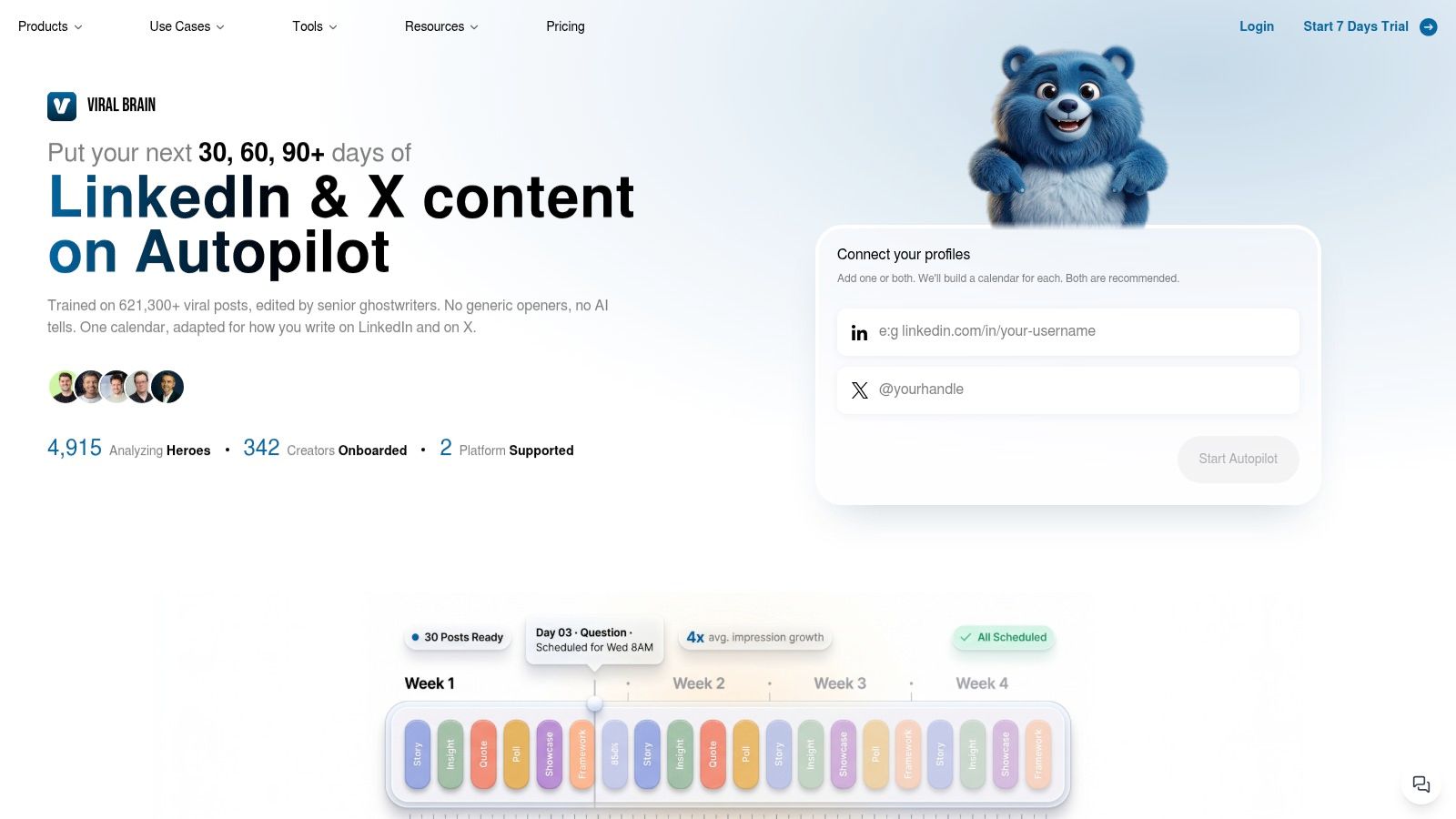
ViralBrain analyzes high performing LinkedIn posts from selected creators, called heroes, to identify recurring hooks, structures, and calls to action. That pattern data can inform profile work. You can identify the language used by strong creators in your niche, map relevant capability terms to your headline, About section, and experience entries, then use tone personalization to keep the copy aligned with your existing content.
A practical workflow
Start by defining the audience and offer. Then find creators whose posts attract the kind of attention you want. Look for repeated language around problems, outcomes, tools, and audience identity. Do not copy their claims. Extract the terms that help your market describe the work.
Map those terms to your profile:
- Headline: category and core capability.
- About: audience, problem, method, proof.
- Experience: evidence tied to the capability.
- Featured: material that lets a viewer check the claim.
Smart Suggestions can flag wording improvements while you edit. The profile optimizer can help identify weak sections. The same platform can turn the positioning into posts that reinforce the profile promise through repeated, varied examples.
That process is faster than starting from a blank page, but it doesn't replace judgment. ViralBrain can't decide whether a result is material, whether a claim is defensible, or whether a capability belongs in your positioning. You still need real evidence. Otherwise you get polished nonsense, which is still nonsense, just wearing better shoes.
Your 30, 60, and 90 Day Optimization Plan
A profile rewrite needs a measurement cycle. Give each phase one job.
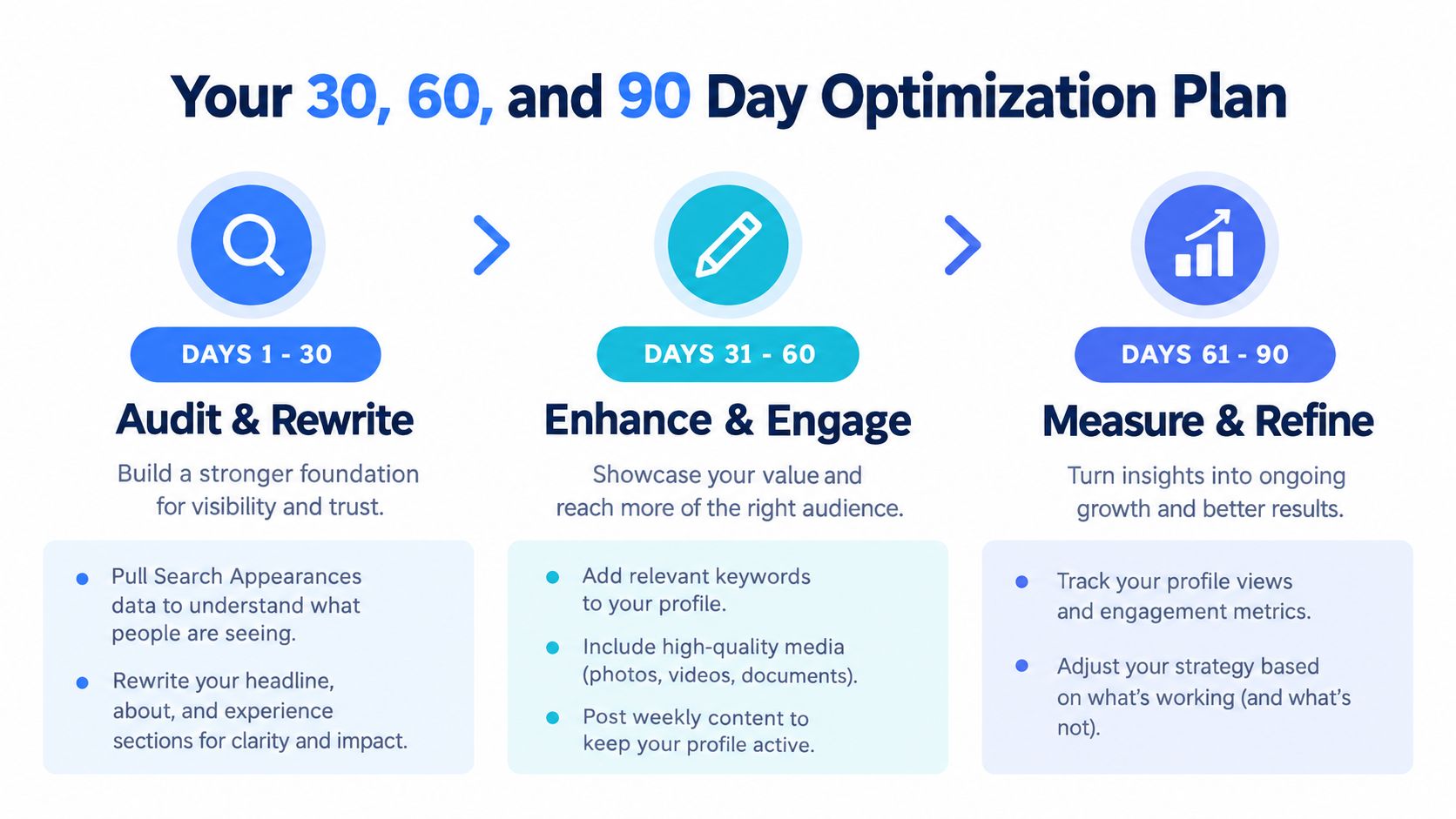
Days 1 to 30, audit and rewrite
Pull your Search Appearances and profile views before changing anything. Rewrite the headline with terms used by your target roles, buyers, or market. Restructure the About section around audience, problem, method, and proof. Convert the latest experience entry into problem, action, and result statements.
Cut unrelated skills and remove claims you can't support. The first month is about clarity, not decoration.
Days 31 to 60, add evidence
Use Featured to support the headline. Add a case study, portfolio item, relevant post, presentation, or other proof. Request recommendations that mention a specific capability or project. Publish two to three posts that reinforce the new position, such as a lesson, breakdown, or opinion tied to your target expertise.
For founders and B2B marketers, use hero pattern data to compare your profile language with the language used by respected creators in your niche. Keep the ideas yours. Use tone personalization to avoid making the profile sound like a borrowed template.
Days 61 to 90, measure and refine
Compare Search Appearances and profile views with your baseline. If appearances rise but views remain flat, test a clearer headline or stronger photo. If views rise but connection quality remains poor, tighten the audience and proof.
Prune any skill or experience entry that doesn't support the position. Review the profile on a regular cycle because your target role, market, tools, and evidence change.
For practical ways to turn employee profiles into a wider visibility channel, see these employee advocacy tips.
What Optimization Really Is, and What to Do This Week
LinkedIn profile optimization is an ongoing discipline tied to content strategy. Your profile makes a promise. Your posts, comments, work samples, and recommendations either support that promise or weaken it.
Track Search Appearances separately from profile views. Rising appearances with flat views usually point to a conversion problem in the headline, photo, or first lines of the About section. More visibility won't fix unclear positioning.
The silent failure is attention without useful conversations. A profile can attract clicks, reactions, and connection requests while leaving the visitor unsure about your audience, problem, or proof. That creates activity without commercial value.
This week, make three edits:
- Rewrite the headline using the language your target market searches.
- Replace one unsupported adjective in the About section with scope or a real metric.
- Pin one Featured item that proves the headline's promise.
Do those edits before touching the banner. A prettier profile with a vague message is still vague.
ViralBrain helps you study proven LinkedIn post patterns, refine profile language, and turn your positioning into content that supports it. Visit ViralBrain to review your profile and build a clearer publishing workflow.
Grow your LinkedIn to the next level.
Use ViralBrain to analyze top creators and create posts that perform.
Try ViralBrain free