
10 Examples of LinkedIn Posts That Work
Study 10 examples of LinkedIn posts with hooks, formats, CTAs, templates, rewrites, and practical lessons for your audience.
Grow your LinkedIn to the next level.
Use ViralBrain to analyze top creators and create posts that perform.
Try ViralBrain freeA good LinkedIn post doesn't exist to fill a content calendar. It has a job. It must name a real problem, teach a useful idea, show credible proof, or make a sharp observation worth discussing.
That challenges the most popular advice about examples of LinkedIn posts. Copying a viral hook won't give you the creator's experience, evidence, or audience. It gives you a costume. The examples below are patterns to adapt, not scripts to paste into your feed.
Format matters, but format isn't the whole post. Document posts delivered 39% more reach and 30% more engagement than the average LinkedIn post in a 2025 to 2026 analysis of 3 million personal profile posts, while making up only 4.88% of the sample, according to LinkedIn format analysis from AuthoredUp. The useful lesson is simple. Strong posts package a clear idea well.
Each example is judged by its hook, structure, tone, proof, CTA, audience fit, and rewrite path. Use the templates as scaffolding. Then add your own failure, observation, result, or point of view. Generic advice is cheap. Specific experience is the part people can trust.
For more help shaping the opening line, compare your draft with this LinkedIn writing prompt builder.
1. The Problem Statement Hook
Start with the pain your reader already feels. Don't warm up with “I'm excited to share” or a paragraph about the weather in your industry. Name the friction plainly, then show what you learned while dealing with it.
A founder could write:
We spent $40k on tools nobody used. Here's what changed that.
A marketer could write:
Most email campaigns get 2% open rates. Ours hit 34%. One thing made the difference.
Those examples work because the problem arrives before the lesson. The reader knows what happened, why it matters, and why staying could be useful. The number makes the situation concrete, but only use a number you can prove.
Build the post around one bottleneck
Keep the opening to one or two sentences. Then explain the cause, the action you took, and the result. Your tone should sound factual, not smug. A failure can earn more trust than a polished victory lap.
Use this template:
We struggled with [specific problem].
We changed [specific action].
Here's what happened:
- [Step]
- [Step]
- [Lesson]
If you're dealing with [same problem], start with [practical action].
For a founder, focus on wasted time, unclear priorities, or a decision that created drag. A marketer can focus on a weak campaign or poor positioning. A sales professional can describe stalled deals. A job seeker can name a search problem, such as applying widely without getting useful feedback.
The CTA should invite relevant experience, not applause. “What bottleneck have you fixed recently?” gives people something to answer. Use this guide to writing a strong LinkedIn hook to test whether the first line earns the next one.
2. The Contrarian Take
Contrarian posts attract attention because they challenge a belief people recognize. They fail when the writer confuses disagreement with insight. Saying “everyone is wrong” isn't evidence. It's a very small megaphone.
Start by stating the common advice. Then explain where it breaks. Your proof can come from a documented result, repeated work experience, customer conversations, or a clear example from your own career.
A growth marketer might write:
Viral growth doesn't come from virality. It comes from retention.
A recruiter might write:
Your personal brand matters less than your network's view of you.
The strongest version doesn't insult people who disagree. It gives them a better model. That makes the post useful, rather than merely noisy.
Use disagreement with restraint
Try this structure:
Most people say [popular belief].
That advice misses [specific limitation].
In my work, [evidence or experience].
The better rule is [clear replacement].
Where has this held true for you?
Founders can challenge a common startup habit. Marketers can question a familiar channel tactic. Sales professionals can examine a script or qualification rule. Job seekers can challenge advice about resumes, networking, or personal branding.
The CTA should invite debate without turning the post into a courtroom. Ask for a different experience. Don't ask a fake question where your conclusion is already locked. A sharp opinion with no proof is just a hot take wearing office clothes.
3. The Before and After Results Post
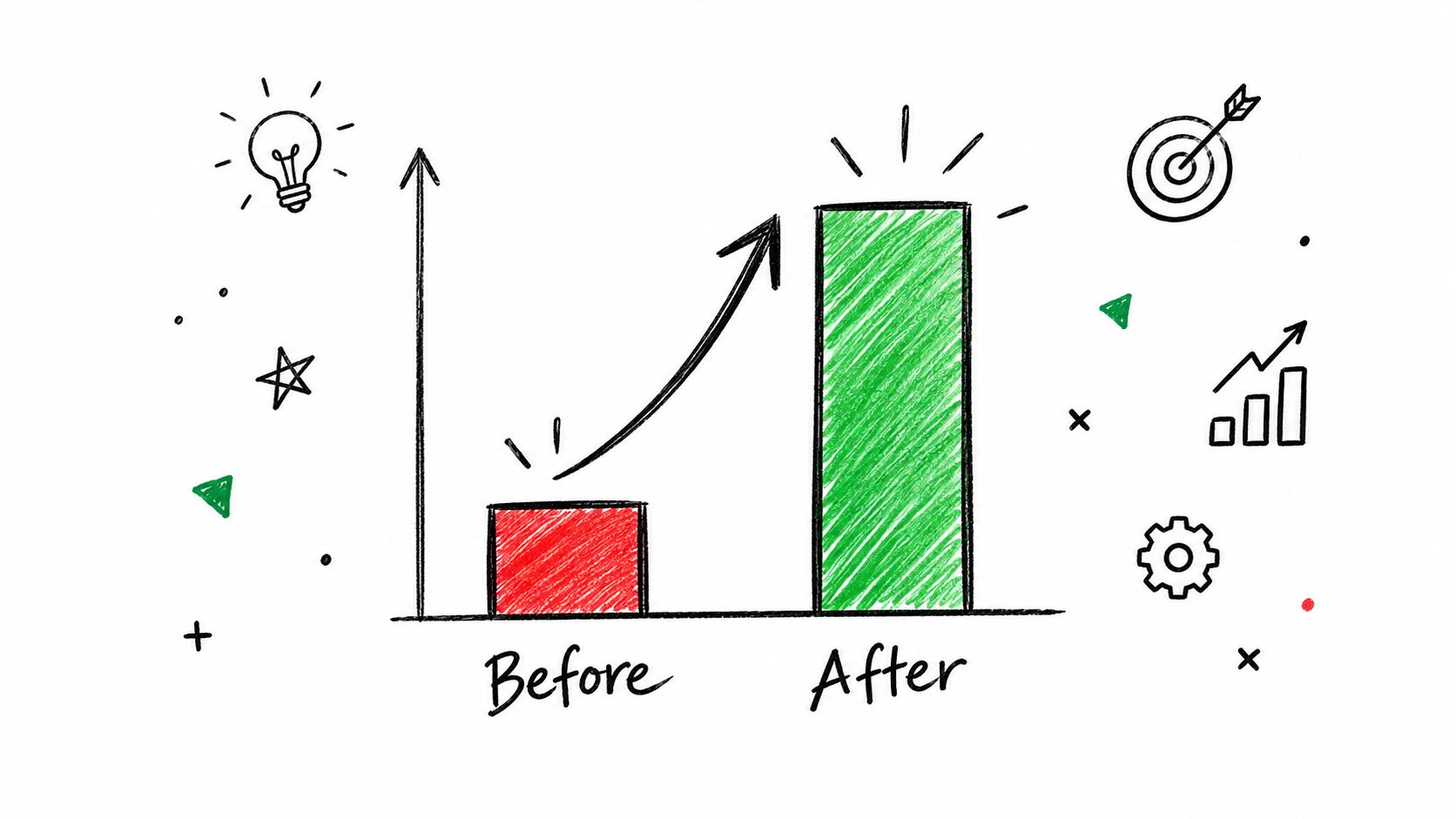
Results posts earn attention when they explain the work behind the result. “We grew fast” says almost nothing. A useful post shows the starting point, the change, the time involved, and the method.
Use only evidence you can verify. The brief examples include open rates moving from 8% to 23% and pipeline moving from $500k to $2.1m in six months, but those figures belong to hypothetical post examples. Treat them as structures, not claims about your own work.
A better template looks like this:
Before: [measurable starting point]
We changed [specific process].
We tested [approach that failed or was rejected].
After [time period]: [measurable result]
The three changes:
• Change one: [what you did]
• Change two: [why it mattered]
• Change three: [how someone else could repeat it]
Show the mechanism, not just the trophy
A founder should explain the operating change behind the result. A marketer should show the campaign decision, audience shift, or creative test. A sales professional should explain the process change behind the pipeline movement. A job seeker can compare applications, interviews, or portfolio revisions, provided the numbers are real and relevant.
A visual can help, but don't mistake decoration for proof. Independent data from 12,988 LinkedIn posts found that images appeared in 40.3% of weaker posts and 30.7% of strong posts, according to Growtempo's text versus image analysis. An image isn't a magic wand. A clear chart with a clear story beats a glossy graphic with no explanation.
4. The Counterintuitive Insight
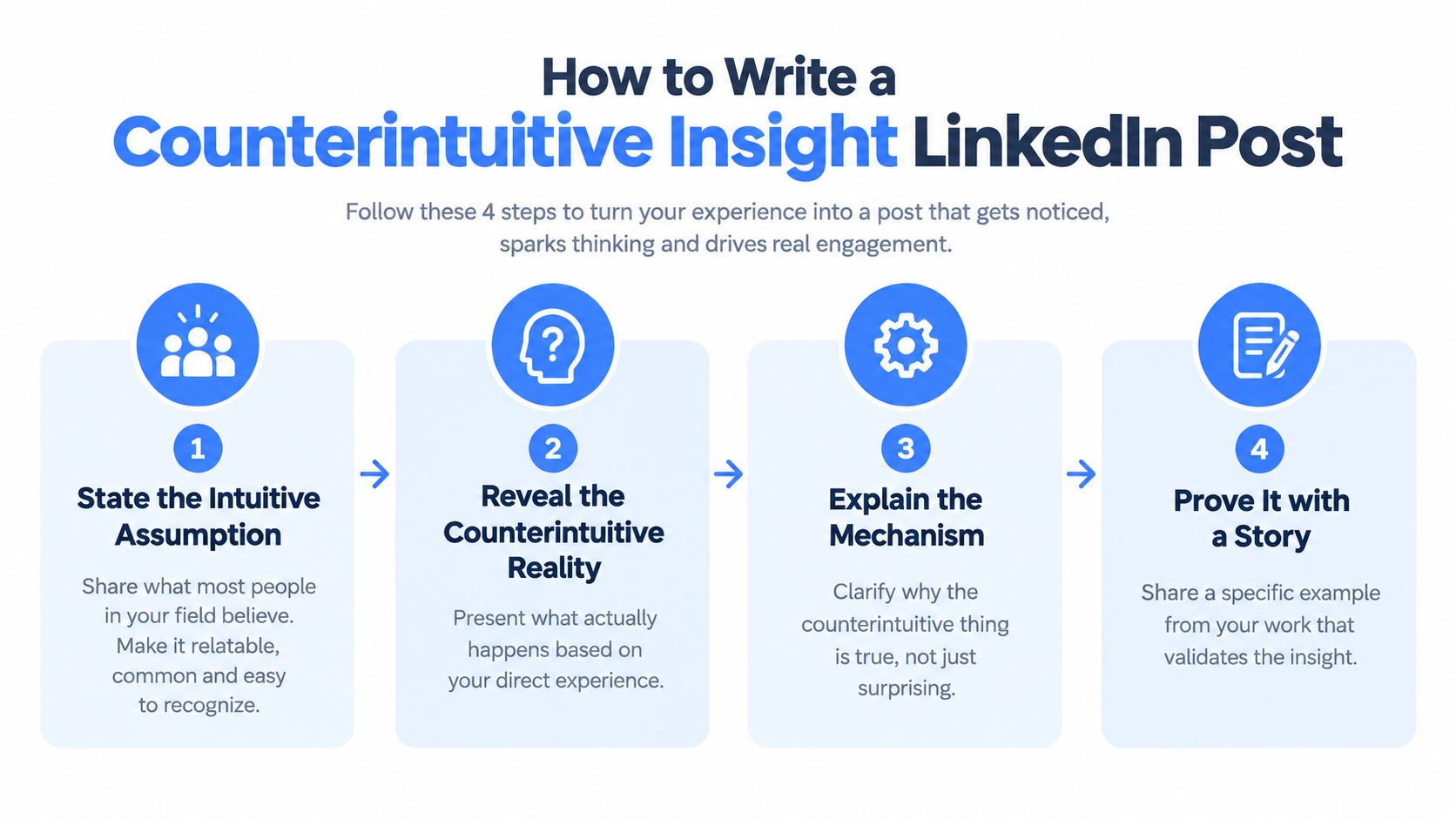
A counterintuitive post begins with an assumption that feels sensible. Then it explains why the actual outcome differs. The surprise gets the click. The mechanism earns the save.
A product leader might write:
Most companies add features. The fastest growing ones remove them.
A hiring manager might write:
I stopped asking about experience. I started hiring for trajectory.
Those lines need a story behind them. Without one, they sound like motivational posters with better punctuation.
Explain why the surprise makes sense
Use this pattern:
Most people expect [obvious outcome].
We saw [different outcome].
The reason was [specific mechanism].
We changed [action].
Apply this when [clear audience situation].
Founders can discuss a product decision, a hiring choice, or a pricing lesson. Marketers can show why a smaller audience or simpler message worked better. Sales professionals can explain why fewer calls or slower qualification improved deal quality. Job seekers can share why a focused search beat a broad one.
The proof may be a project story, a customer conversation, or a repeated observation. Don't present a personal experience as a universal law. Say what happened, what you think caused it, and where the lesson may apply.

End with an application CTA, such as “Where could you remove friction this week?” That's stronger than asking people whether they agree with a slogan.
5. The Tactical How To Post
A how to post should let the reader act without sending a follow up message asking what you meant. Theory has its place. A LinkedIn feed is rarely where people want a lecture.
Document posts are especially useful for this format. Native document posts averaged a 7.00% engagement rate in the cited 2025 and 2026 benchmark data, the highest rate among common formats, according to Socialinsider's LinkedIn benchmarks. Use the format because the idea benefits from steps, not because every thought needs a carousel.
Try this template:
How I [achieve a specific outcome]
Step one: [small action]
Step two: [tool or decision]
Step three: [quality check]
Step four: [follow up]Start with [minimum viable effort]. Avoid [common mistake].
Save this if you're working on [specific task].
Make each step verifiable
A founder can explain how they interview customers. A marketer can show a campaign review process. A sales professional can describe account research before outreach. A job seeker can outline a portfolio review or networking routine.
The problem solution post format can keep the sequence tight. State the problem, show the steps, then connect the solution to a real use case. Don't hide the actual tool or decision behind vague language such as “optimize your process.”
A simple flow graphic can make the sequence easier to scan.
If video demonstrates the action better than text, add a short walkthrough. Keep the post useful without requiring the viewer to watch it. You can inspect the structure of a published post with this LinkedIn post detail extraction guide.
6. The Mistake or Failure Confession
Failure posts work because they contain a cost. The writer made a wrong call, saw the consequence, then changed behavior. A vague confession about “learning to trust the process” has no teeth. It also sounds like it was approved by a committee.
A manager might write:
I hired for credentials, not fit. We lost our best project after the hire failed to work with the team.
A founder could write:
We chased the wrong metrics for a year. We only noticed when customers stopped using the product.
Keep the story specific. Explain what you expected, what happened, and what you do differently now.
Make the lesson transferable
Use this structure:
I thought [belief].
I did [decision].
The cost was [specific consequence].
The evidence changed my mind when [turning point].
Now I [new practice].
Founders can discuss hiring, product decisions, or customer research. Marketers can discuss a campaign that attracted attention without useful action. Sales professionals can explain a qualification mistake. Job seekers can describe a search strategy that produced activity without progress.
The tone should be calm. Don't over apologize. Don't turn the post into a public therapy session. The reader needs the lesson more than your regret.
Useful test: If the post only makes you look vulnerable, edit it. If it helps someone avoid the same mistake, publish it.
Your CTA can ask, “What mistake changed how you work?” That invites useful stories without demanding a confession.
7. The Pattern Recognition Post
Pattern posts connect separate observations into one useful idea. They help readers name something they've noticed but haven't organized. That value disappears when the pattern is based on one anecdote dressed up as research.
A market analyst could write:
Every successful B2B startup I've tracked chooses one buyer persona and ignores everyone else at the start.
A recruiter might write:
The strongest people I've hired changed jobs for learning, not money. That changed how I think about retention.
The post needs examples from your own work. Give two or three observations, then explain the possible reason behind them. Don't claim certainty if you only have a working hypothesis.
Turn observations into a useful model
Try this template:
I've noticed a pattern across [projects, customers, or teams].
Pattern: [plain statement]
I've seen it in [example one], [example two], and [example three].
The likely reason is [mechanism].
If you're [audience situation], watch for [signal].
A founder can connect customer behavior with product choices. A marketer can compare campaigns that attracted the right audience. A sales professional can identify common traits in qualified accounts. A job seeker can describe what successful interview processes had in common.
Proof doesn't require a dramatic chart. It can be a clear record of work, provided you separate observation from conclusion. “I saw this repeatedly” is honest. “This always happens” needs much stronger evidence.
End with a practical invitation, such as “What pattern keeps showing up in your work?” That creates a conversation around the idea instead of asking for empty agreement.
8. The Audience Question or Poll
Questions work when the answer changes what you'll do next. Polls fail when they ask the network to decorate your dashboard. A question about a real decision gives people a reason to contribute.
A product manager could ask:
When you choose a new tool, what matters most: the feature set, the price, or the ease of switching?
A founder might ask:
I'm testing two pricing models. Which would you choose, a flat fee or usage based?
Give context before asking. Explain who you're asking, what decision you're making, and how you'll use the responses. Then return with what you learned. Otherwise, the post becomes a tiny unpaid survey.
Match the question to the audience
Use this template:
I'm deciding between [option one] and [option two] for [specific audience].
The trade off is [short explanation].
Which would you choose, and why?
I'll share what I learn after reviewing the responses.
Founders can test product priorities or buying preferences. Marketers can ask about content formats or research habits. Sales professionals can ask buyers about evaluation friction. Job seekers can ask hiring professionals about portfolio signals or interview preparation.
The evidence here is the response quality, not the raw vote count. Independent analysis notes that polls can produce reach with much lower engagement, making them a poor default for growth, according to LinkedIn trend analysis from AuthoredUp. Use a poll when you need input. Don't use one because you ran out of ideas.
For more prompts, browse these LinkedIn engagement post ideas.
9. The Industry Observation Post
An industry observation gives readers language for a shift they can already feel. It should describe what changed, show evidence, then explain the practical consequence. Predictions without evidence are just weather reports from people who don't own a window.
A recruiting leader might write:
Remote work changed who gets seen for promotion. People who rely on office visibility now need a different way to show impact.
A marketing director could write:
Buyers use social platforms to research before they speak to sales. A product page can't carry the whole argument anymore.
Those examples need supporting detail from customer conversations, internal records, published research, or direct work. Avoid broad claims such as “nobody uses search anymore” unless you can prove them.
Give the reader an adjustment
Use this structure:
I've noticed [specific change] across [source of observation].
The old assumption was [old model].
Now [new behavior].
This matters because [business or career consequence].
Teams should adjust by [practical action].
A founder can discuss buying behavior or product expectations. A marketer can explain a shift in content discovery. A sales professional can identify changes in evaluation or outreach. A job seeker can discuss how hiring signals are changing.
Good observation posts stay open to correction. Say what would change your mind. Update the post when new evidence contradicts your view. That small act separates analysis from performance.
10. The Personal Challenge or Experiment Post
An experiment post gives readers a front-row view of a test. It needs a clear starting point, a defined action, and a result that can go against you. If the outcome is guaranteed, it reads like a campaign in a lab coat.
A writer could post:
I wrote one LinkedIn post per day for 30 days. The results surprised me, and here is what I would change next time.
A manager might write:
I changed how I ran one-to-ones. People became more direct, and our meetings took less time. I think the shift came from tighter agendas and clearer follow-up.
Both examples need real records. Do not clean up the story so much that it stops being believable.
Share the test, not only the outcome
Use this template:
I tested [specific change] for [defined period].
Hypothesis: [what you expected]
Method: [what you did]
Signal: [what you measured]
Result: [what happened]
Next test: [what you'll change]
Founders can test a product workflow or customer interview method. Marketers can test a format, hook, or distribution choice. Sales professionals can test an outreach process. Job seekers can test a portfolio format or networking approach.
Track meaningful signals. A benchmark of 100,459 LinkedIn posts from 1,054 accounts found a median of 10 engagements and 412 impressions, with a typical engagement rate of 2.29%, according to ContentIn's LinkedIn benchmark study. Those figures give context, not a goal. The consequence for your audience is that the experiment should measure the action that matters, such as qualified replies, saves, conversations, or interviews.
10 LinkedIn Post Examples Comparison Guide
| Example | Implementation Complexity | Resource Requirements | Expected Outcomes | Ideal Use Cases | Key Advantages |
|---|---|---|---|---|---|
| The Problem Statement Hook | Low–Medium | Audience insight, specific examples, relevant metrics | Immediate relevance, engagement, actionable discussion | Addressing customer pain points, sharing lessons, niche marketing | Broad applicability, strong relatability, natural comment trigger |
| The Contrarian Take | Medium–High | Strong conviction, evidence, industry knowledge | Debate, shares, independent positioning | Challenging industry advice, presenting alternative strategies | Differentiates content, encourages discussion, increases visibility |
| The Before and After Results Post | Medium | Verified results, metrics, screenshots, performance data | Credibility, engagement, demand for the method | Growth reports, campaign results, process improvements | Tangible evidence, visual appeal, easy repurposing |
| The Counterintuitive Insight | High | Original insight, explanation, supporting story or data | Strong attention, memorability, resharing | Explaining unexpected outcomes, complex B2B topics, strategic content | Challenges assumptions, creates learning value, builds authority |
| The Tactical How-To Post | Medium–High | Practical expertise, tools, templates, detailed process | Saves, shares, implementation, practical feedback | Tutorials, playbooks, operational guidance, professional education | High utility, reproducible, demonstrates practical expertise |
| The Mistake or Failure Confession | Medium–High | Genuine vulnerability, specific details, clear lesson | Trust, authentic discussion, stronger connection | Leadership lessons, career development, public learning | Builds credibility, encourages honest conversation, highly relatable |
| The Pattern Recognition Post | High | Multiple observations, data, research, analytical ability | New frameworks, shares, in-depth discussion | Market analysis, industry trends, strategic insights | Demonstrates depth, connects ideas, helps audiences interpret experience |
| The Audience Question or Poll | Low–Medium | Relevant question, audience context, time for responses | Comments, feedback, community participation | Product research, pricing tests, audience discovery | Generates direct insight, encourages participation, informs decisions |
| The Industry Observation Post | Medium–High | Current data, field observations, industry knowledge | Authority, citations, shared understanding | Trend analysis, market commentary, strategic updates | Provides useful framing, establishes expertise, encourages resharing |
| The Personal Challenge or Experiment Post | Medium–High | Defined hypothesis, time, tracking method, follow-through | Anticipation, credibility, follow-up engagement, practical learning | Testing workflows, productivity methods, marketing tactics | Shows real-world validation, supports serialized content, transparent results |
Turn One Pattern Into Ten Posts
Don't create ten unrelated posts from scratch. Choose one real event, then change the angle. A failed launch can become a problem statement, a failure confession, a tactical guide, a counterintuitive insight, or an industry observation. The facts stay stable. The reader's reason for caring changes.
Start with the audience problem. A founder may need to explain a product decision. A marketer may need to teach a campaign lesson. A sales professional may need to remove buying friction. A job seeker may need to show judgment rather than list responsibilities. The same experience can serve each audience if the proof and CTA change.
Then choose the format. A document suits a framework, process, or case study. A text post suits a sharp observation or personal lesson. A poll suits a real decision that needs outside input. A video suits an action that is easier to demonstrate than describe. Don't force every idea into a carousel because documents perform well. Format should serve the idea.
LinkedIn caps a standard post at 3,000 characters, including spaces, emojis, and line breaks, according to LinkedIn's post length guidance. That makes editing part of the work. Remove the second lesson. Cut the throat clearing. Keep the one idea people can remember.
Plain text can still work when it has substance. An analysis of 372,126 LinkedIn posts found that plain text posts between 2,001 and 2,500 characters reached a 2.67% median engagement rate, while posts under 400 characters reached 2.10%, according to AuthoredUp's LinkedIn character analysis. Longer isn't automatically better. The useful point is that a complete argument may beat a thin sentence.
Before publishing, check five things:
• Hook: Does the first line name a problem, tension, result, or useful surprise?
• Proof: Can you show where the claim came from?
• Structure: Can a busy reader follow the point without rereading it?
• Audience fit: Does the example matter to a founder, marketer, seller, or job seeker?
• CTA: Does the response help you learn, start a conversation, or move a relevant person forward?
Track comments, saves, shares, replies, qualified profile visits, and conversations. Empty reach can flatter you while doing nothing useful. Link posts can be worth testing when traffic matters. One large analysis found that LinkedIn posts with links increased interactions by 13.57% and views by 4.90% compared with posts without links, while carousel and document posts produced the highest engagement rate at 45.85% and 206.33% more reach than average posts, as reported by Search Engine Journal's LinkedIn study. Treat those results as evidence for testing, not a promise about your account.
ViralBrain can help you study high performing patterns, adapt hooks, personalize tone, and review drafts before manual posting. You can use it alongside your own judgment, especially when the raw material is a real customer conversation, project result, mistake, or experiment. For more ideas, browse this LinkedIn content inspiration guide from WaveGen.ai.
The practical workflow is short. Pick one format. Define one audience problem. Add proof. Write a direct CTA. Rewrite the post for the person you want to reach. Then publish the version that says one useful thing clearly.
ViralBrain helps you study proven LinkedIn patterns, adapt hooks, personalize drafts, and review posts before you publish them manually. Use it to turn the ten formats above into practical drafts for founders, marketers, sales professionals, or job seekers, then visit ViralBrain to start refining your next post.
Grow your LinkedIn to the next level.
Use ViralBrain to analyze top creators and create posts that perform.
Try ViralBrain free