
How to Make a Business Profile on LinkedIn
Learn how to make a business profile on LinkedIn that actually drives B2B growth. Get the exact setup steps and content strategy to build a real asset.
Grow your LinkedIn to the next level.
Use ViralBrain to analyze top creators and create posts that perform.
Try ViralBrain freeMost advice on how to make a business profile on LinkedIn starts with “add your logo and company name.” That advice is incomplete. A LinkedIn Company Page is not a digital business card that you set up once and abandon. It is a B2B discovery and conversion asset. If the page looks empty, vague, or neglected, people notice.
By 2026, LinkedIn statistics sources reported more than 69 million company pages on the network, while LinkedIn's business data said more than 17,000 full time employees support the platform across more than 30 cities worldwide. That scale changes the standard. Your page doesn't need corporate theatre. It does need to look alive, useful, and credible. (LinkedIn statistics and company page data)
Why Most Company Pages Fail
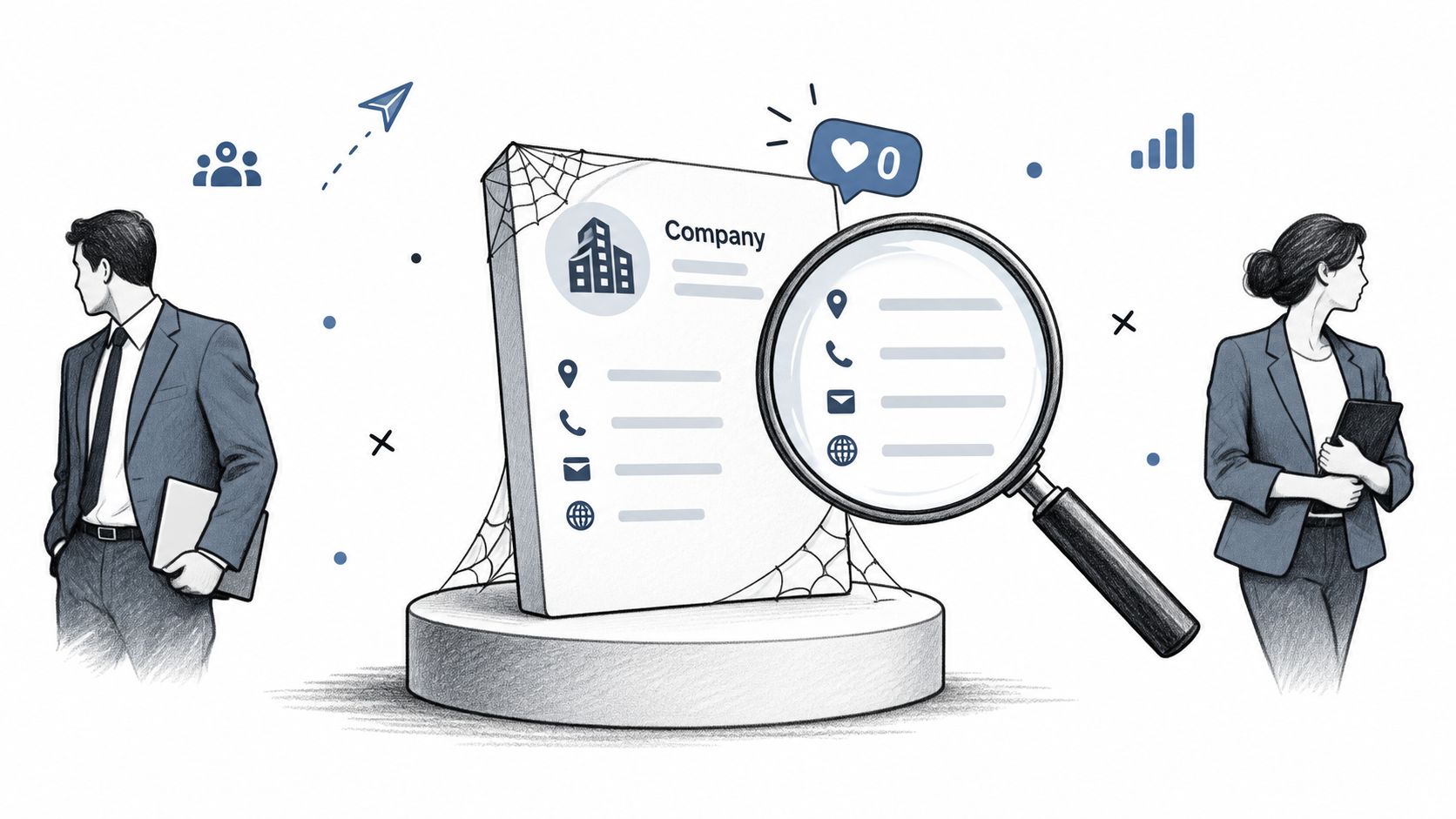
The most common mistake is treating the page as a directory listing. A founder adds the company name, uploads a logo, writes “We help businesses grow,” then disappears. That profile may technically exist, but it gives visitors no reason to trust the company, follow it, contact it, or apply for a role.
A serious page answers three questions fast. What does the company do, who does it help, and why should anyone care? Buyers may check the page before replying to sales outreach. Candidates may review it before accepting an interview. Partners may use it to judge whether the business has a real point of view. A blank page answers all three questions badly.
Completeness comes before cleverness
LinkedIn reports that complete Pages receive 30% more weekly views than incomplete Pages. The source recommends filling in the company name, industry, website, logo, cover image, description, and contact details before publishing. (LinkedIn Pages setup and optimization guidance)
That is the baseline, not the strategy. Your description should use the terms your buyers search for. If you sell technical SEO for SaaS companies, say that. If you provide demand generation for B2B software teams, use those words. “We create meaningful business solutions” belongs in the bin with expired conference lanyards.
The page should support the company's wider presence, not compete with it. A founder profile builds personal trust and opinion. The Company Page gives those ideas a stable home for the wider team, customer proof, hiring updates, product education, and company news. The difference matters, as this guide on LinkedIn personal branding versus a company page explains.
Practical rule: If someone follows the page for three months, they should know what you sell, who you serve, and what your team believes.
Clearing The Technical Blockers
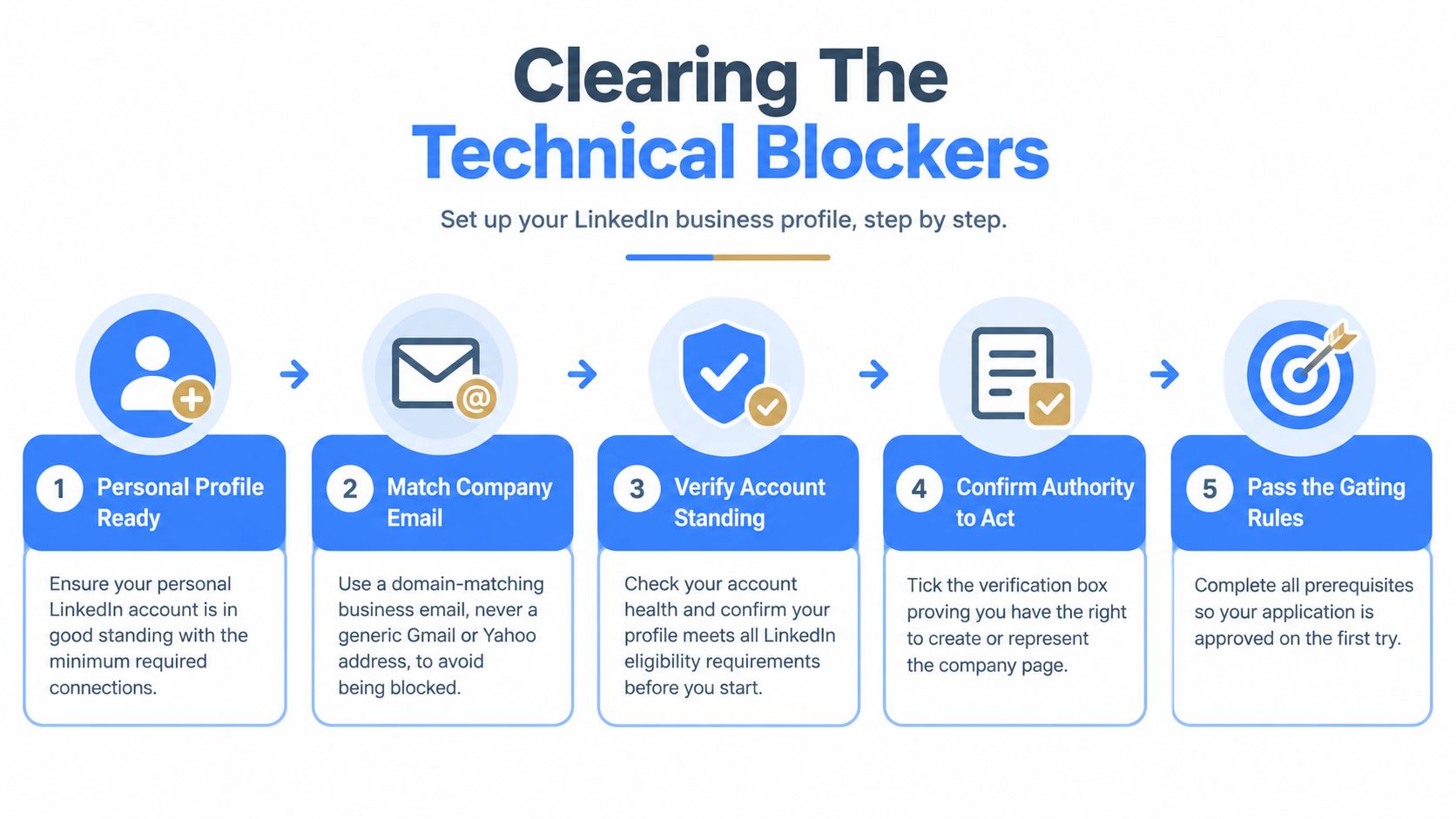
You can't create a LinkedIn Page from thin air. LinkedIn requires an existing personal account, and the account must meet its eligibility rules. You also need to confirm that you have the right to act for the organization. The platform asks you to tick a verification box for that reason. (LinkedIn's official Page creation requirements)
Small teams often hit the wall before they write a single line of company copy. The usual causes are a personal profile in poor standing, too few connections, or an email address that doesn't match the company domain. A generic Gmail or Yahoo address can make the request harder to approve because it doesn't establish a clear link to the organization.
Prepare the person creating the Page
Use a real personal profile with accurate information and normal activity. Check that the account is in good standing. Meet LinkedIn's minimum connection and account conditions before starting. A branded company email should be available for verification.
The email doesn't replace your personal profile. It supports the connection between you and the company you claim to represent. If you're an agency creating a Page for a client, agree in advance who owns the Page and who will remain an administrator. Don't let the only admin be a freelancer who may vanish after the first invoice dispute.
Confirm authority before you submit
Have the legal company name, website, industry, contact details, and approved description ready. Make sure the person creating the Page has permission to represent the organization. Then tick the verification box only if that statement is true.
A 2026 guide on LinkedIn Company Page eligibility and setup blockers covers the account and email conditions that often stop founders at the first step. Read it before you begin, especially if your startup doesn't yet use a branded email domain.
Do the eligibility check first. Writing a perfect description for a Page you can't create is a strangely efficient way to waste an afternoon.
Executing The Setup Sequence
Start from your personal LinkedIn account. Open the For Business menu, select Create a Company Page, then choose the type that matches the organization. LinkedIn offers a Company Page, a Showcase Page, or an Educational Institution option. A standard Company Page is the right choice for most businesses. A Showcase Page suits a distinct brand, product, or initiative that needs its own audience while remaining connected to the main organization. (LinkedIn Page types and creation flow)
Fill the fields in the right order
Begin with identity. Use the company name, the correct industry, the website, and the company size or related business details requested by LinkedIn. Upload the logo and cover image, then write the description while the business is still fresh in your mind.
Your description should make the offer clear in the opening lines. State who you serve, the problem you solve, the main service or product, and the proof or point of difference you can defend. Add contact information so a visitor doesn't have to hunt through three tabs to find a way to speak with you.
Then complete optional fields. They may feel less urgent, but incomplete information weakens trust and can reduce discoverability. Check every field before publishing. A Page that says “coming soon” for six months is not creating anticipation. It is creating doubt.
Use search language without stuffing
Write for humans first, then check whether the language matches your market. Include the category a buyer would use, the audience you serve, and the work you deliver. Don't fill the description with every possible keyword. That makes the company sound nervous and usually makes the copy worse.
After the Page is live, connect the right admins and review the public view. A useful resource for turning the Page into a prospecting channel is this LinkedIn prospecting playbook by Eludic. It gives the setup a commercial purpose instead of leaving you with a polished but idle profile.
Nailing The Visuals And URL
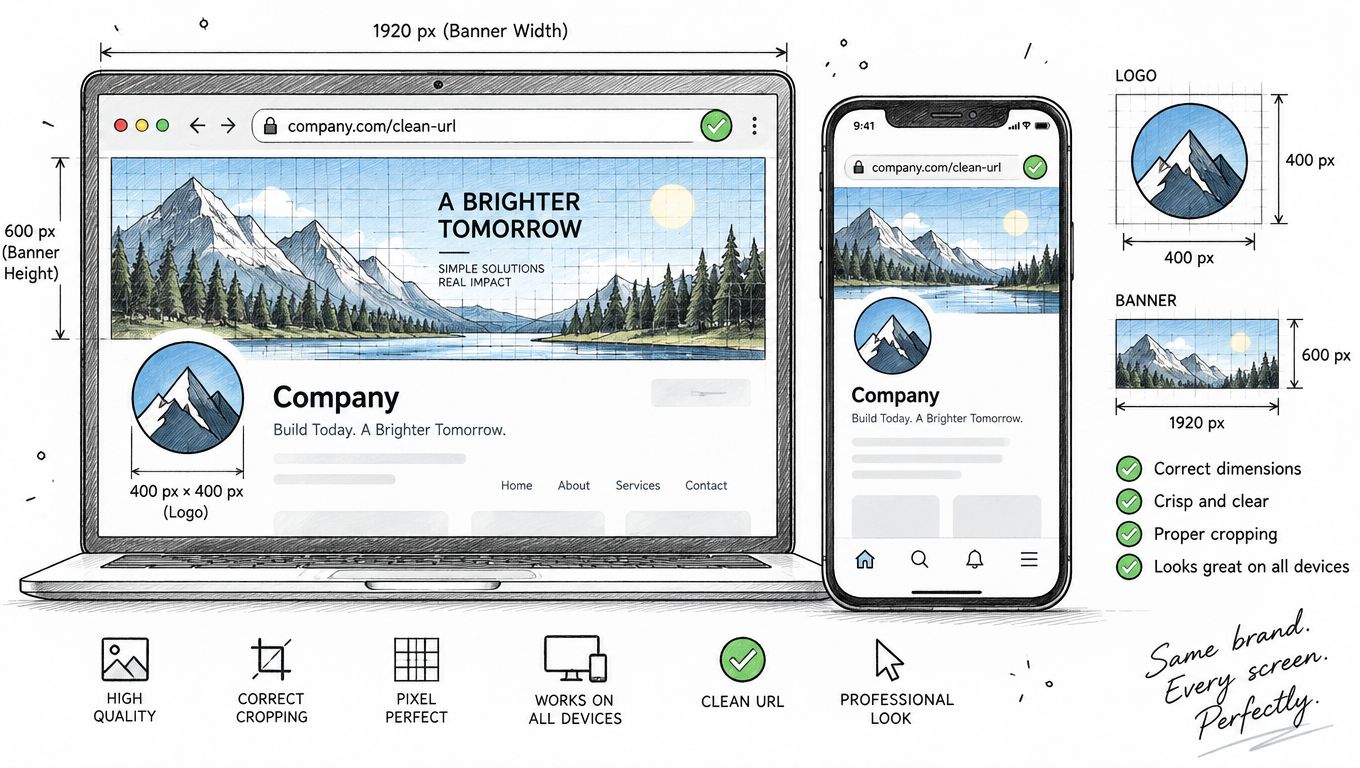
Poor visuals make a legitimate company look careless. A blurry logo, a stretched cover image, or a random stock photo tells visitors that nobody owns the details. Use a clean logo, a readable cover image, and colors that match your website. Keep text on the cover short enough to read on a small screen.
LinkedIn's profile photo guidance gives a useful quality benchmark for personal images. It recommends a clear, high resolution head and shoulders image with good lighting and a neutral background. The face should cover 40% to 60% of the frame, and LinkedIn says the image should be at least 1000 by 1000 pixels. (LinkedIn profile photo guidance) That guidance applies to the people representing the company, while your Company Page logo and cover should follow LinkedIn's current upload specifications inside the Page editor.
Choose the URL before you publish
LinkedIn Page URLs use the format linkedin.com/company/your-company-name. The URL must contain at least one non numeric character. It can't use uppercase letters, more than one consecutive hyphen, or a hyphen at the beginning or end. Lowercase letters, numbers, hyphens, and CJK Unicode characters are allowed. (LinkedIn Page URL rules)
Use a short version of the brand. Avoid adding a location unless the location is part of the official name. Don't cram keywords into the URL. A clean address is easier to share, easier to remember, and less likely to look like a rushed workaround.
For more context on matching brand, audience, and content, use this practical B2B LinkedIn marketing guide from Big Moves Marketing. The page should look like the same company visitors see on your site. Consistency does more work than decoration.
Building A Content Engine
An empty Page is worse than a basic Page because it shows that the company stopped caring. Set up a small publishing system before launch. Decide who owns the calendar, what subjects the company can speak about, and which formats the team can produce without turning every post into a committee meeting.
LinkedIn states that companies posting weekly see a 2x lift in engagement. It also says image posts receive 2x more comments, while video drives 5x more engagement. (LinkedIn Company Page best practices) Those figures don't mean every video will work. They do mean text only should not be your default forever.
Use formats with a job
A useful content mix gives each format a purpose. A short text post can state a sharp opinion. An image can explain a process or show a product detail. A video can demonstrate a workflow. A native document can teach a complete concept without forcing people to leave the feed.
Independent benchmarking reported the following engagement rates by format and platform context. Treat them as directional benchmarks, not promises.
| Content Format | Engagement Rate |
|---|---|
| Native documents | 7.00% |
| Overall LinkedIn average | 5.20% |
The figures come from the LinkedIn statistics and format benchmarks. Compare your results with Pages of a similar size and type. Platform wide averages hide too much. Track engagement by format, topic, and cadence, then change one thing at a time.
Build from repeatable subjects
Use a small set of recurring themes. Teach buyers how to solve a problem. Show how your team works. Explain a product decision. Share a customer lesson only when you have permission and real detail. Respond to a common objection. Avoid turning every post into a press release about an award nobody outside the company understands.
A page can start with one useful post each week. Consistency matters more than frantic bursts followed by silence. The guide on moving pipeline with content from Sprints & Sneakers is useful when you need to connect editorial topics with commercial intent. For more prompts, use these LinkedIn post ideas for companies.
Positioning For Long Term Trust
A page needs a clear answer to one strategic question. If a buyer follows it for three months, what should they think about the company? “They post company updates” is not a useful answer. “They understand demand generation for SaaS teams and share practical lessons without hiding behind jargon” is much stronger.
Pick the audience before you pick the content. Founders may want a page that supports authority and hiring. A sales team may need proof, use cases, and clear answers to buyer concerns. A recruiting team may focus on the work, the people, and the standards behind the product. One Page can serve several groups, but it needs a primary reader.
Give the Page a point of view
Generic content creates generic followers. State what your company believes about the problems it solves. Explain what you would do differently. Show the decisions behind your product and the lessons behind your results. Keep the tone professional, but remove the padded language that makes every software company sound identical.
The Company Page should support founder content without copying it. A founder can share a personal lesson, then the company can turn the underlying idea into a practical framework, product explanation, or team perspective. That creates a connected presence. It doesn't create duplicate posts wearing different hats.
Make trust visible
Keep the description current. Refresh the cover when the offer changes. Answer comments like a real team instead of dropping links and disappearing. Measure follower growth, engagement, clicks, and the topics that bring qualified attention. Numbers are useful only when they change what you publish next.
A page becomes valuable through repeated evidence. The evidence can be useful teaching, clear opinions, visible expertise, or proof of how the company works. Build that record patiently. Dead followers don't create pipeline, but a trusted page can make every later conversation easier.
ViralBrain helps founders, marketers, and growth teams turn proven LinkedIn post patterns into drafts matched to their topics and voice, with tools for hooks, content ideas, repurposing, profile checks, and analytics. Visit ViralBrain to build a more consistent company presence instead of leaving your new Page empty.
Grow your LinkedIn to the next level.
Use ViralBrain to analyze top creators and create posts that perform.
Try ViralBrain free