
How to Repurpose Content Without Creating Busywork
Learn how to repurpose content into LinkedIn posts, threads, articles, short video, and newsletters using a practical workflow, templates, tools, and metrics.
Grow your LinkedIn to the next level.
Use ViralBrain to analyze top creators and create posts that perform.
Try ViralBrain freeThe usual advice says to turn every webinar into a pile of posts. That's how teams get a pile of posts nobody needs. Repurposing works when you make a fresh decision about each useful idea: who needs it, where they'll see it, what they should do next, and how you'll know it helped.
A strong source can support more than one useful conversation. But copying its opening, proof, and call to action into every channel is just photocopying with extra steps. Here's how to repurpose content without turning your calendar into a museum of repeated captions.
Why Most Content Repurposing Fails
Copying a webinar clip to LinkedIn, pasting its transcript into an email, then sharing the same caption on every other channel isn't a system. It's duplication. The source may be good, but each version still asks the audience to sit through the same opening, accept the same proof, and take the same action in a different place.
Take a founder interview about why customers delay a purchase. One useful answer could become a short video that introduces the problem, a LinkedIn post that explains the founder's point, an email that helps a prospect assess the risk, and a quote graphic that makes the insight easy to share. Each asset draws from the same interview. None has to do the same job.
That distinction matters because people consume content in different settings and for different reasons. Wyzowl reported that 91% of businesses used video as a marketing tool in 2024, while 89% of consumers wanted more video from brands in that year's video marketing findings. The useful lesson isn't to publish video everywhere. It's that durable source material deserves more than one route to an audience.
The rule: Keep the source's truth. Change the way each asset earns attention.
Extract ideas, not leftovers
A strong source can yield seven useful kinds of material: claims, evidence, examples, objections, expert explanations, memorable phrases, and next actions. Don't assume every sentence deserves a new post. Pull out the parts that can stand on their own, then add enough context to make each one accurate and useful.
A clip with a sharp line but no explanation may get attention and still mislead people. A quote graphic with no clear point may look polished while saying nothing. If an asset needs the full interview to make sense, it isn't ready to travel alone.
Spot the busywork
A content operation can look productive while losing trust. Watch for the same hook appearing everywhere, a generic call to action on every asset, and performance reports that count output but don't show what the audience did.
Repurposing should make a good idea easier to find and use. It shouldn't make a brand sound like it has one sentence and a scheduling tool.
Build a Source to Asset Workflow
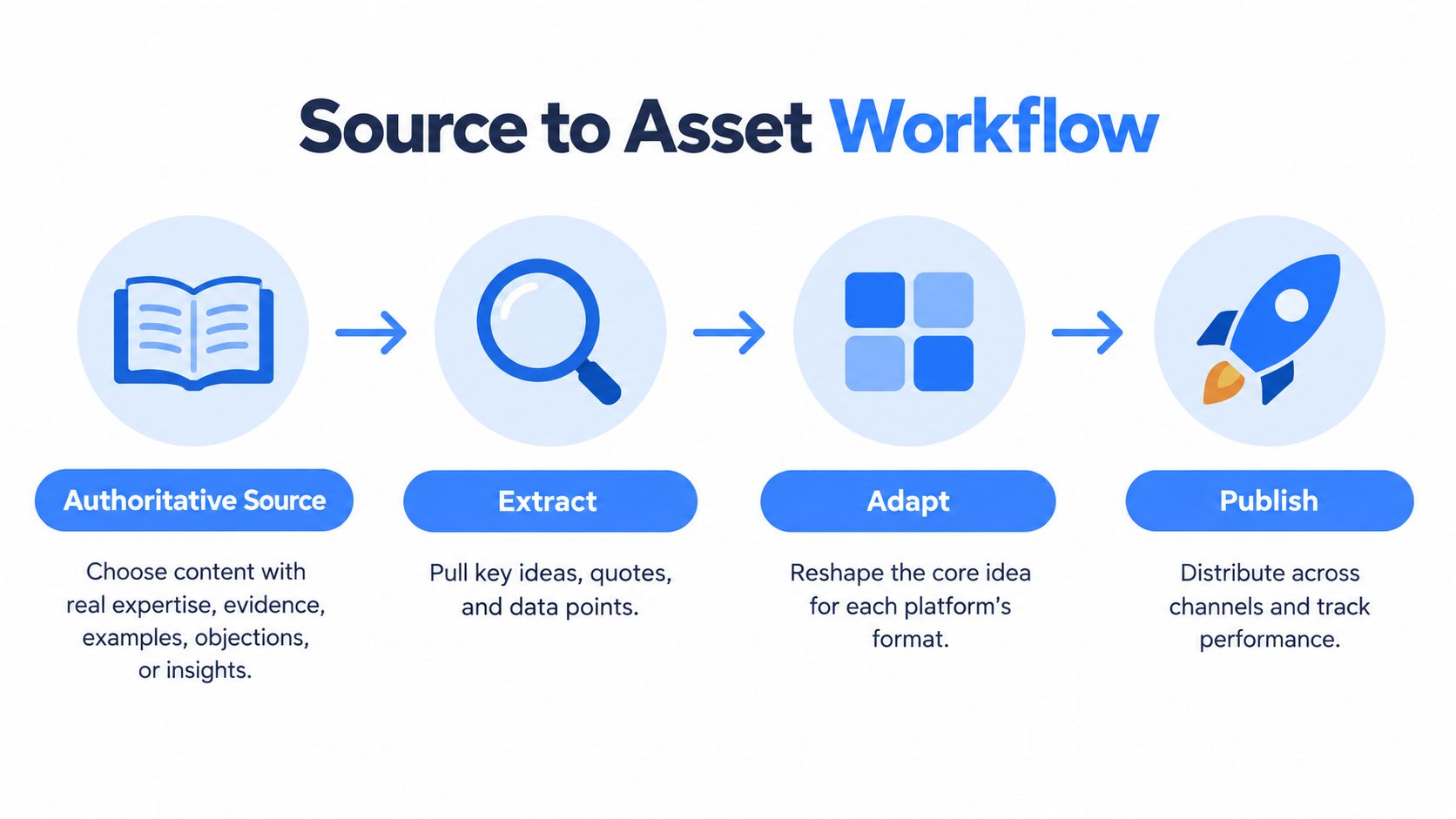
Start with a source that earns reuse. Choose a webinar, customer interview, research report, or article with real expertise, evidence, examples, objections, or a clear point of view. A long recording isn't automatically a strong source. If the useful idea is buried under filler, fix the source before asking your team to produce derivatives.
There's a real production problem here. 48% of surveyed B2B marketers identified insufficient repurposing as a constraint on scaling production, while 60% said they reused content between two and five times, according to this report on repurposing and production. Reuse can help teams get more from finished work, but only when there's a process for choosing what deserves another format.
Record what the source actually says
Create a source sheet with the core claim, proof, example, objection, useful quote, and next action. Add names, dates, product details, and any limitations that a writer needs to preserve. This gives reviewers one place to check facts instead of asking them to reconstruct a conversation from memory.
Suppose a webinar explains that buyers hesitate because they can't tell how long implementation will take. Record the exact explanation and supporting example. Don't turn that into a stronger promise than the speaker made. A catchy post is not worth an invented guarantee.
Assign each idea a job
For each source idea, choose one audience, one buyer stage, one destination, one call to action, and one success metric. A buyer objection might support a LinkedIn post for founders who are learning about the problem. A short video could introduce the same objection to a wider audience. A newsletter paragraph could help existing prospects decide what information to ask a vendor.
| Source idea | Destination | Audience stage | Call to action | Success metric |
|---|---|---|---|---|
| Buyers need a clear implementation timeline | LinkedIn post | Awareness | Share a rollout concern | Meaningful comments |
| A customer explains what eased that concern | Short video | Evaluation | Watch the full explanation | Qualified video engagement |
| A practical way to assess rollout risk | Newsletter | Consideration | Review the planning guide | Click through rate |
For more on the thinking behind turning one idea into many assets, look for guidance that treats each version as its own piece of communication, not a resized original. Your content creation workflow should leave room for source review, adaptation, and approval before anything gets scheduled.
Review before you multiply
Use a transform, don't duplicate check. Does the asset have a channel appropriate opening? Does it keep the source meaning intact? Does it give this audience a reason to act? If the answer is no, revise it or stop.
More drafts aren't automatically useful drafts. Production should fit the team's ability to review and publish. A small set of clear assets beats a sprawling queue of posts nobody has time to check.
Choose the Right Format for the Job
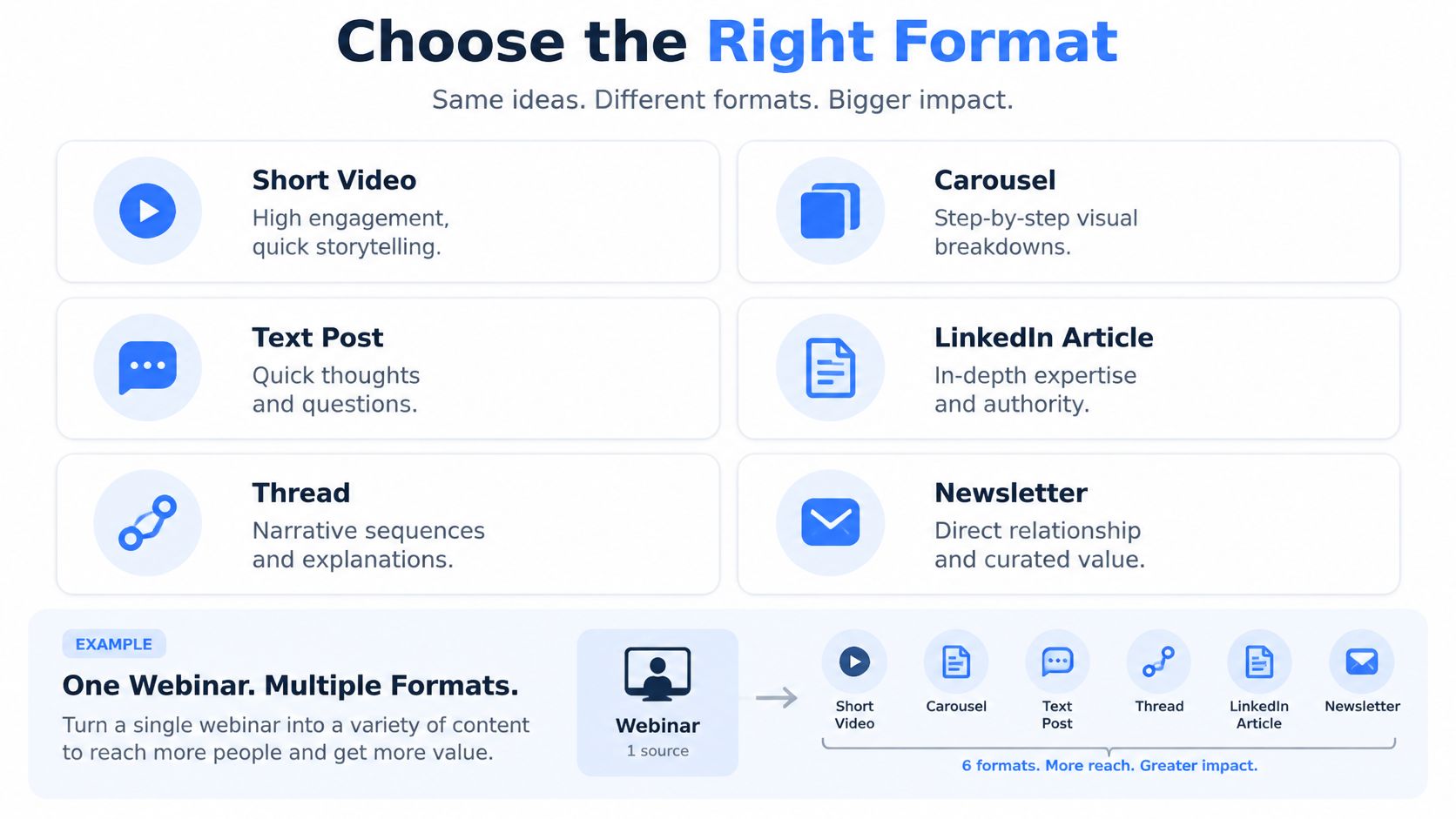
Choose a format after you've decided what the audience needs to do. A short video can introduce an idea through a person's voice and expression. A carousel can break a process into visual steps. A text post can make one focused argument. An article can develop a case with context and evidence. A thread can unfold connected points. A newsletter can give readers a direct follow up with more room for interpretation.
A webinar about rollout delays can serve all those jobs. A short clip might surface the buyer's concern. A carousel could show how to assess the plan. A text post could invite practitioners to share what slows launches down. An article could examine the tradeoffs, while a newsletter gives current prospects a practical next action.
Match the metric to the format
One format can win attention while another earns interaction. Buffer's analysis of Instagram posts found that Reels earned 36% more reach than carousels and 125% more than single image posts, while carousels generated 12% more engagement than Reels and 114% more than single images in the published comparison.
That's a reason to match the measure to the job, not to declare one format the winner. If the goal is discovery, check reach among the intended audience. If the goal is a useful discussion, look at meaningful comments. If the goal is helping someone consider a solution, clicks and qualified follow up may matter more than views.
| Content job | Best fit | Why it fits | Primary metric |
|---|---|---|---|
| Introduce a person or problem | Short video | Voice and visuals can make the point quickly | Relevant reach |
| Explain a process | Carousel | Each slide can handle one part of the argument | Saves or shares |
| Invite a response | Text post | A concise claim gives readers something to answer | Meaningful comments |
| Develop a detailed case | LinkedIn article | More room for evidence and context | Qualified reads |
| Unfold connected points | Thread | The sequence can build an explanation | Replies or completion |
| Follow up directly | Newsletter | The writer can add context and a clear next action | Click through rate |
Test native shape, not just platform presence
A format's performance depends on the topic, audience, account, and execution. A webinar transcript doesn't become an effective short video just because someone added captions. Use the channel's natural shape, then compare results for the intended job. If the asset reaches the wrong people or attracts empty clicks, its headline number won't rescue it.
Before production, write down the action you want and the measure that indicates progress. That small decision prevents a familiar mistake: judging a lead generation email by likes or a discovery video by sales calls.
Adapt Templates for Each Platform
Use one customer interview as the source. Say the customer struggled to estimate implementation effort, then found it easier to plan once responsibilities were clear. Keep that account faithful to what the interview supports. The templates below change the entry point and structure, not the story.
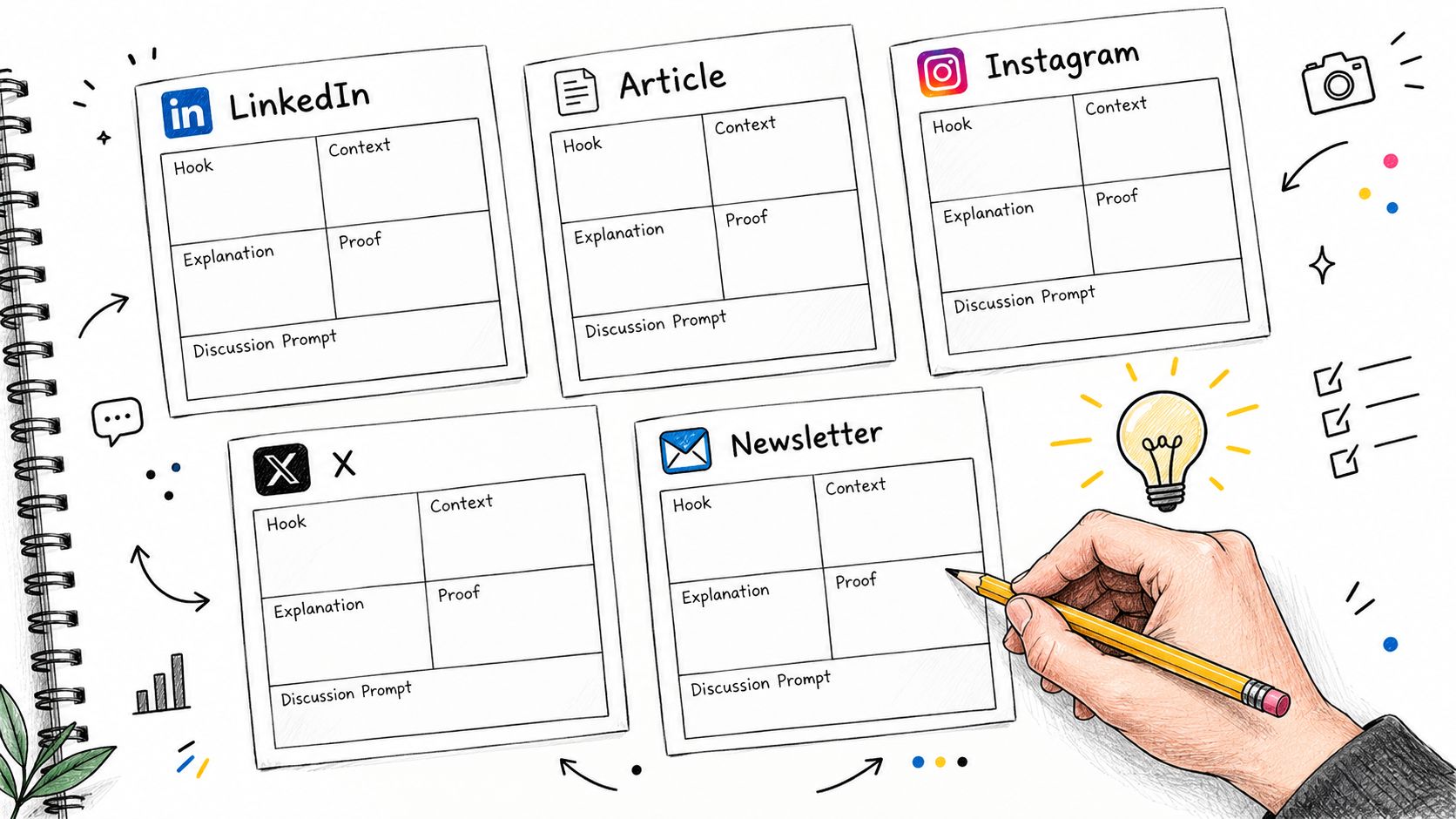
LinkedIn post
Hook: State a specific tension.
Context: Explain who faces it.
Point: Share the lesson.
Proof: Include the customer detail the source supports.
Prompt: Invite a useful response.
Example: “Implementation plans fall apart when nobody knows who owns each task. A customer told us the work became easier to estimate after responsibilities were made clear. The lesson for founders is simple, define ownership before you promise a timeline. Which handoff causes the most confusion on your team?”
Keep the customer description accurate and get approval when the material is sensitive. A discussion prompt should invite a real answer, not beg for generic agreement.
Article
Thesis: Make the main claim.
Promise: Tell readers what they'll learn.
Proof: Give the interview example and its limits.
Objection: Address why the advice might not fit every team.
Next action: Offer a practical way to apply it.
For example, an article can explain how unclear ownership complicates rollout planning. It can show how one team clarified tasks, then discuss why a small team may need a different process from a larger one. Cut details that don't support the argument. A transcript is source material, not a draft with better manners.
Thread and short video
A thread needs a sequence where each post makes sense on its own while contributing to the larger point. Start with the planning problem, explain why ownership matters, share the customer lesson, then close with a practical question. Don't chop one paragraph into fragments and pretend the breaks created a story.
For a short video, write the spoken promise first, then show relevant proof on screen. Add captions that preserve what the speaker says and close with one next action. If the source needs careful qualification, include that context in the video or choose a format with more room.
Newsletter
Give the reader the situation, your interpretation, one useful customer detail, and a single next action. A founder might explain why responsibility should be clear before estimating a rollout, then invite the reader to review their own plan. Don't cram in every interesting answer from the interview. A newsletter is not a transcript warehouse.
Reusable content templates that save time can keep production consistent, provided writers still adapt the message. The content creation templates can help teams make that structure repeatable without asking every writer to start with a blank page.
Platform results can challenge your assumptions. A 2025 study reported 100 average interactions for text posts on X compared with 60 for image posts in its sample, while cautioning that this wasn't a universal benchmark. The study's results are a reason to test the native form, not to declare that text always wins.
Keep the Insight Without Copying
Some parts of a source must stay fixed. Facts, names, evidence, and the core point of view can't change just because a new hook sounds better. Other parts should change when the audience or format changes, including the opening, narrative order, reading level, examples, visuals, and call to action.
Return to the customer who found implementation easier to estimate once responsibilities were clear. A founder post can focus on setting expectations before a commitment. A practitioner post can focus on assigning owners to tasks. A sales enablement note can help a seller ask how a buyer currently handles handoffs. Those versions use the same underlying lesson, but they don't address the same person or ask for the same action.
Make the invariant explicit
Keep a fact sheet beside the working drafts. Record the approved claim, supporting evidence, customer permissions, product terms, and any caveats. Writers can then adapt the story without strengthening it. If the interview only says planning became easier, don't claim the process eliminated delays.
The need to stand apart is not theoretical. Technology marketers reported that 43% struggled with content differentiation, 58% cited resource constraints, and 61% of B2B marketers expected to increase video investment in 2025, according to Content Marketing Institute research. More video and fewer resources make clear editorial decisions more useful, not less.
Keep the evidence steady. Rebuild the presentation for the person who needs it.
Use AI for assistance, not authority
AI can help collect ideas, locate relevant passages, suggest structures, and produce an early draft. A human still needs to check facts, context, voice, local terminology, and customer sensitivity. A machine can make a thin clip faster. It can't make the missing context less important.
Common failures are easy to spot. A short clip starts after the explanation that makes it credible. A translated post uses words that are technically correct but wrong for the local audience. A batch of AI drafts gives every brand the same tidy hook and familiar conclusion.
For global teams, review meaning, not just grammar. Check whether the example makes sense locally, whether a product term is used as intended, and whether the claim still matches the source. If the post sounds like it could belong to any company, adaptation has removed the details that made the insight worth sharing.
Batch Production With the Right Tools
Batching works when it reduces repeated setup, not when it turns writers into caption factories. Start with approved source material, collect excerpts in a source sheet, draft each asset for its channel, review facts and voice, then schedule approved work. Check results when there's enough information to make a fair comparison.
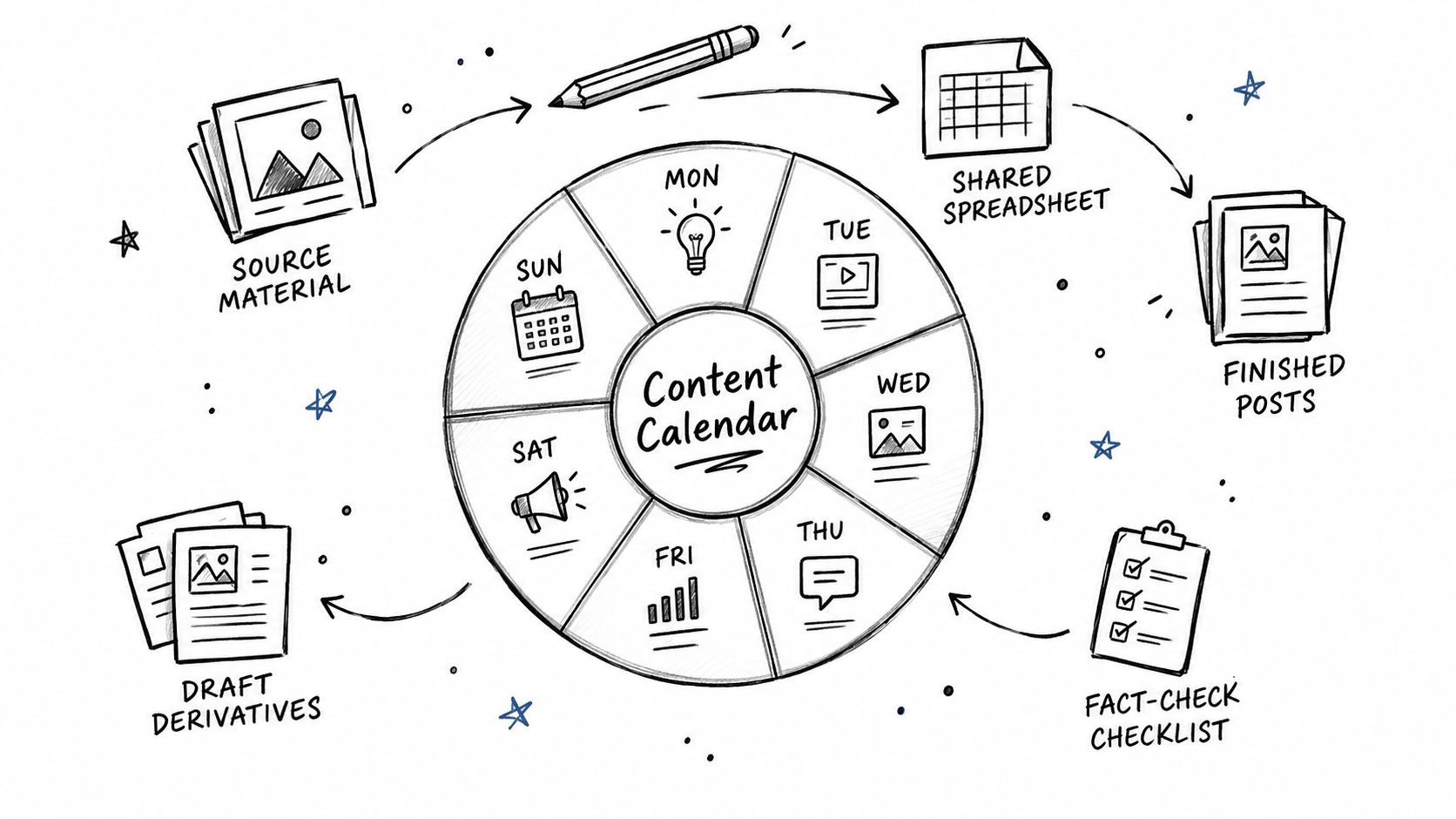
For a small team, aim for two or three adapted posts per week before increasing output. Metricool and HypeAuditor reported average Instagram account growth of 19% for accounts posting two to three times per week and 79% for accounts posting more than ten times per week, while warning that the analysis doesn't show frequency caused growth. The Instagram content analysis isn't a promise that posting more will produce the same result for your account. Check whether your team can maintain quality and whether the audience response justifies the work.
Keep the tool stack lean
Use a transcription tool to search interviews, a document tool for the source sheet, and a project board to track drafts and review status. Add a scheduler for approved assets and an analytics tool for channel results. Use an image generator only when a visual adds information or helps explain the idea. A new tool won't fix unclear decisions.
Here's a practical production rhythm. Collect approved material first. Draft several derivatives from selected ideas, but keep each brief tied to its audience, purpose, and metric. Review the drafts together for factual accuracy and repeated hooks. Then schedule only the versions the team can publish and assess.
One option for LinkedIn teams is ViralBrain. It analyzes high performing creator posts for patterns, supports creator research and hook discovery, and can tailor drafts to a user's voice. Its tools include Smart Suggestions, analytics, and drafts based on sources such as Reddit, YouTube, or news. Teams can review and preview their posts, then publish manually.
A focused walkthrough can help teams think through repurposing decisions before they add more steps to their process.
Batching should leave room for judgment. If the source is weak, don't turn it into a week of weak posts. If a draft repeats an existing asset without a new angle, send it back or drop it. Your calendar is a plan, not a quota that outranks your audience's patience.
Measure Results and Improve the System
Tag each derivative with its source, audience stage, format, hook, call to action, release date, and campaign identifier. Compare saves, meaningful comments, qualified engagement, click through rate, conversions, assisted outcomes, and production time with a relevant baseline. A post that earns attention but no useful next step may still serve awareness, but don't dress up reach as demand.
Change one major variable at a time, such as the opening, proof, audience, or call to action. Give a promising asset two to five iterations before retiring it or materially reframing it. Small businesses reported that 70% had repurposed content and 54% named time savings as the main benefit, while 49% estimated an engagement increase of only 11% to 25%, in this survey of content repurposing. Efficiency is useful. It isn't proof of business impact.
For a practical approach to measuring content performance, use a clear approval check before each asset goes live.
- Approve the source. Confirm the expertise, evidence, and permissions.
- Check the adaptation. Verify that the format and message fit the audience.
- Assign the measure. Pick a metric tied to the asset's job.
- Track attribution. Connect each derivative to its source and campaign.
- Decide what earns another round. Keep, revise, or retire it based on qualified results.
ViralBrain helps LinkedIn teams find post patterns, explore creators, and draft content from existing material in their own voice. If you want a clearer way to turn trusted source ideas into distinct LinkedIn posts, visit ViralBrain and review drafts before you publish them manually.
Grow your LinkedIn to the next level.
Use ViralBrain to analyze top creators and create posts that perform.
Try ViralBrain free