
LinkedIn Business Analytics Explained, Without the Fluff
LinkedIn business analytics demystified. Learn which metrics matter, how to track growth, and how ViralBrain turns raw data into a repeatable content strategy.
Grow your LinkedIn to the next level.
Use ViralBrain to analyze top creators and create posts that perform.
Try ViralBrain freeMonday morning arrives. You open LinkedIn analytics, see a spike in impressions, and start preparing an explanation before checking whether anyone useful clicked, commented, visited a profile, or entered a sales conversation. The dashboard has plenty of numbers. The hard part is knowing which ones deserve a decision.
The core task of LinkedIn business analytics is to connect content activity to audience attention, intent, qualified conversations, pipeline, and revenue. It should not act as a scoreboard for whoever collected the most likes over the weekend.
Why LinkedIn Analytics Matter for Real Business Decisions
LinkedIn has enough scale to make poor measurement look convincing. Microsoft reported that LinkedIn surpassed 1 billion members during fiscal 2024 and reached 1.2 billion members by fiscal 2025. Revenue increased by $1.4 billion, or 9%, in both fiscal years, across Talent, Premium, Marketing, and Sales Solutions, according to Microsoft's annual report.
That scale creates a useful data environment. You can study audiences by industry, job function, seniority, geography, company size, and engagement behavior. You can compare content formats, see which topics attract the right people, and connect professional content with hiring, sales, or brand goals.
It also creates a trap. Member totals aren't active audience totals. Impressions aren't guaranteed reach. Engagement volume isn't business value. A large platform gives you more slices of data, not automatic proof that your content caused a deal.
Practical rule: Every number in a report should answer a business question, not merely decorate a slide.
Start with the question. Do you want more qualified profile visits, stronger conversations, sales meetings, job applications, or brand awareness among a defined audience? Then choose the metric that sits closest to that outcome.
A useful hierarchy looks like this:
- Attention: impressions, unique reach, video views.
- Response: reactions, comments, reposts, saves, sends, clicks.
- Intent: profile viewers, qualified replies, account engagement.
- Commercial movement: leads, meetings, opportunities, pipeline.
- Business value: closed revenue, win rate, profitability.
Teams stop at the second rung because LinkedIn makes those numbers easy to see. That gives content teams feedback, but it gives leadership very little evidence about investment.
For a practical view of the platform's value for founders, a founder's guide to LinkedIn value offers useful context. The key point is simple: analytics matter because they help you decide what to publish, who to reach, and which activity deserves more resources.
A credible report may look less impressive than a vanity report. That is a feature, not a bug. If impressions rose but qualified conversations stayed flat, say so. If a post earned fewer reactions yet produced better profile visits, don't bury that result because the like count feels less flattering.
The Core Metrics Every LinkedIn Page Tracks
LinkedIn analytics gives you several ways to describe content performance. The trick is to know what each metric can support, then stop asking it to answer a question it can't handle.
Impressions and reach
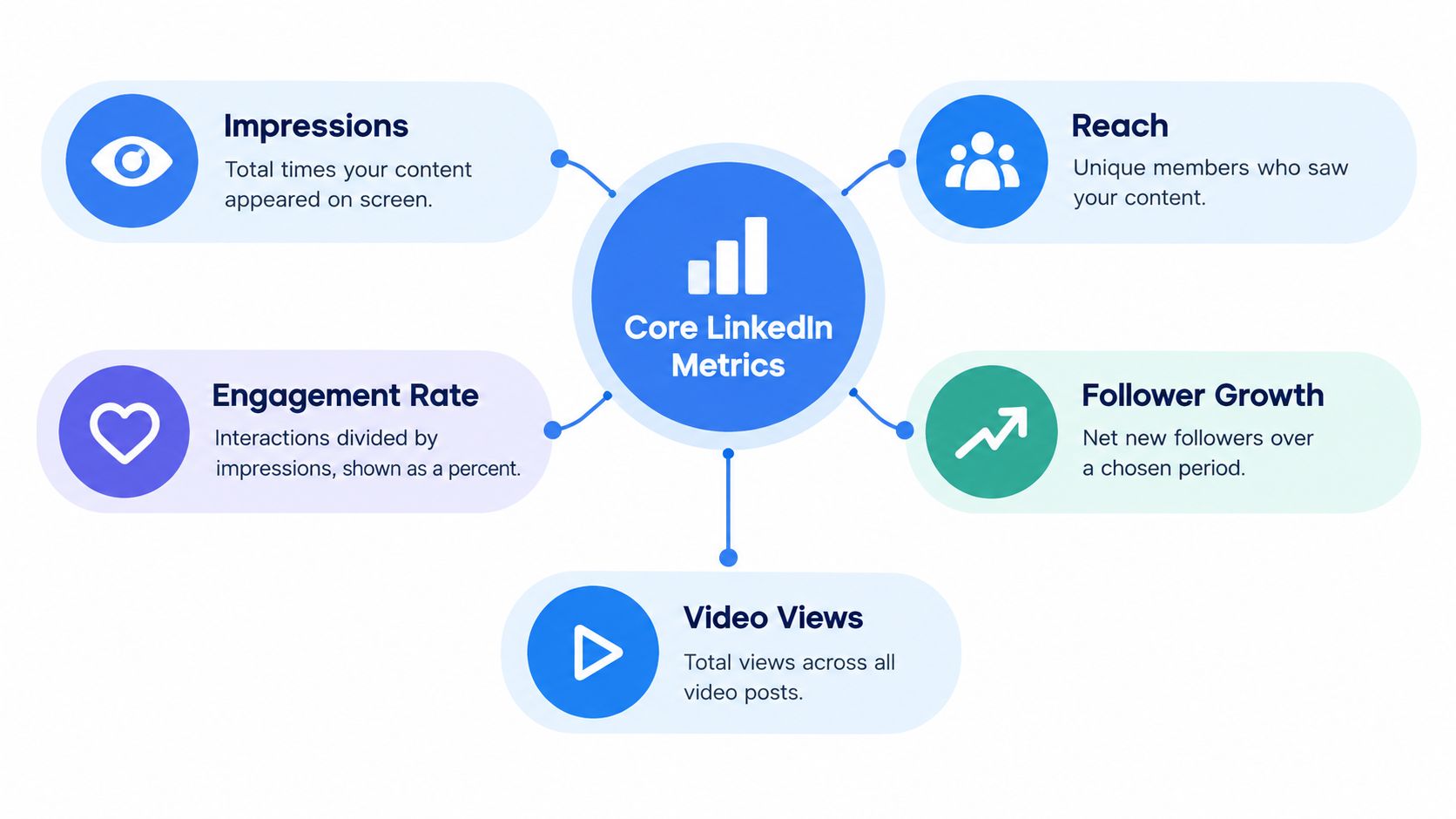
Impressions count how many times content appeared on screen. LinkedIn treats impressions as an estimate, so use them for direction and comparison, not laboratory precision. A person can generate more than one impression, which means impressions don't equal unique people.
Reach is the unique audience exposed to the content. It helps answer whether distribution expanded beyond your existing audience. LinkedIn separates in-network from out-of-network impressions, which gives you a useful diagnostic. Strong in-network activity often reflects existing audience affinity. Rising out-of-network distribution may indicate broader discovery.
There is a measurement break you need to document. Starting in April 2024, LinkedIn's displayed post impression total began including impressions from the original post plus impressions from reposts by other members, as described in LinkedIn's explanation of the impression count change. A long-term chart can therefore show movement caused partly by a counting rule, not audience growth.
Engagement rate and follower growth
LinkedIn defines engagement rate as interactions divided by impressions. Interactions include clicks, reactions, comments, and shares, according to LinkedIn's engagement rate definition. Treat the result as a directional signal. It can help compare similar posts, but it isn't the probability that a viewer will take action.
Follower growth shows whether your page or profile is gaining or losing followers over a chosen period. It matters for future distribution, but it doesn't prove that the new followers are relevant or likely to buy. A smaller group of suitable decision makers can matter more than a larger crowd with no connection to your offer.
Video views show consumption of video posts. Pair them with watch quality when available, clicks, comments, profile visits, and downstream actions. A view alone tells you that playback occurred. It doesn't tell you that the viewer understood the message or wants a sales call.
For a broader KPI structure, Social Cloud's KPI framework can help teams separate awareness signals from business outcomes. You can also see how profile visits fit between attention and intent in this guide to LinkedIn analytics for profile views.
Reading Engagement Beyond Likes and Reactions
A post can collect reactions all day and still produce no useful business signal. Reactions are public, familiar, and helpful for creative feedback, but they usually represent lightweight approval rather than buying, hiring, partnership, or meeting intent.
Comments deserve separate treatment. They require effort and put a professional opinion in public. LinkedIn's corporate communications update points to rising comment volume, so a comment count belongs in its own tracker column, not inside a blended engagement rate. Use it to assess whether a topic creates discussion, disagreement, or useful questions.
A 2025 peer-reviewed study examined a random sample of 991 LinkedIn posts using negative binomial regression. The researchers found that hashtags and tags significantly increased expected reactions, tags substantially increased comments, follower count had only a slight positive association, and post age had a negative relationship with reactions, comments, and reposts, according to the published LinkedIn post study.
The practical rule is simple: give each interaction a job. Do not combine signals that represent different stages of attention and intent.
| Signal | What it may indicate | Best use |
|---|---|---|
| Reactions | Lightweight approval | Creative comparison |
| Comments | Public discussion or disagreement | Conversation quality |
| Saves | Private future reference | Educational usefulness |
| Sends | Direct sharing to another person | Relevance to a specific peer |
| Reposts | Distribution beyond the original audience | Reach and advocacy |
| Profile viewers | Interest in the author or company | Prospecting, recruiting, visibility |
Saves and sends often expose quieter value. A reader may skip the comment box but keep a useful post or send it to a colleague. Reposts primarily measure distribution. They extend exposure, but they do not establish commercial value or agreement.
Read these signals as a hierarchy, from attention to possible intent. ViralBrain fits between the content layer and the measurement layer by helping teams identify recurring patterns, then connect those patterns to performance tracking. That keeps pattern discovery in the same workflow as reporting instead of treating analytics as a feature tour.
Profile visits provide a stronger intent signal than a reaction. LinkedIn's post analytics includes profile viewers from this post, counting distinct members and Page admins who viewed a profile after seeing the post, as explained in LinkedIn's profile viewer metric. Track profile viewers per 1,000 impressions. A post with fewer reactions but stronger profile interest may be performing better for sales, recruiting, or professional visibility.
Building a Weekly Reporting Habit That Compares Apples to Apples
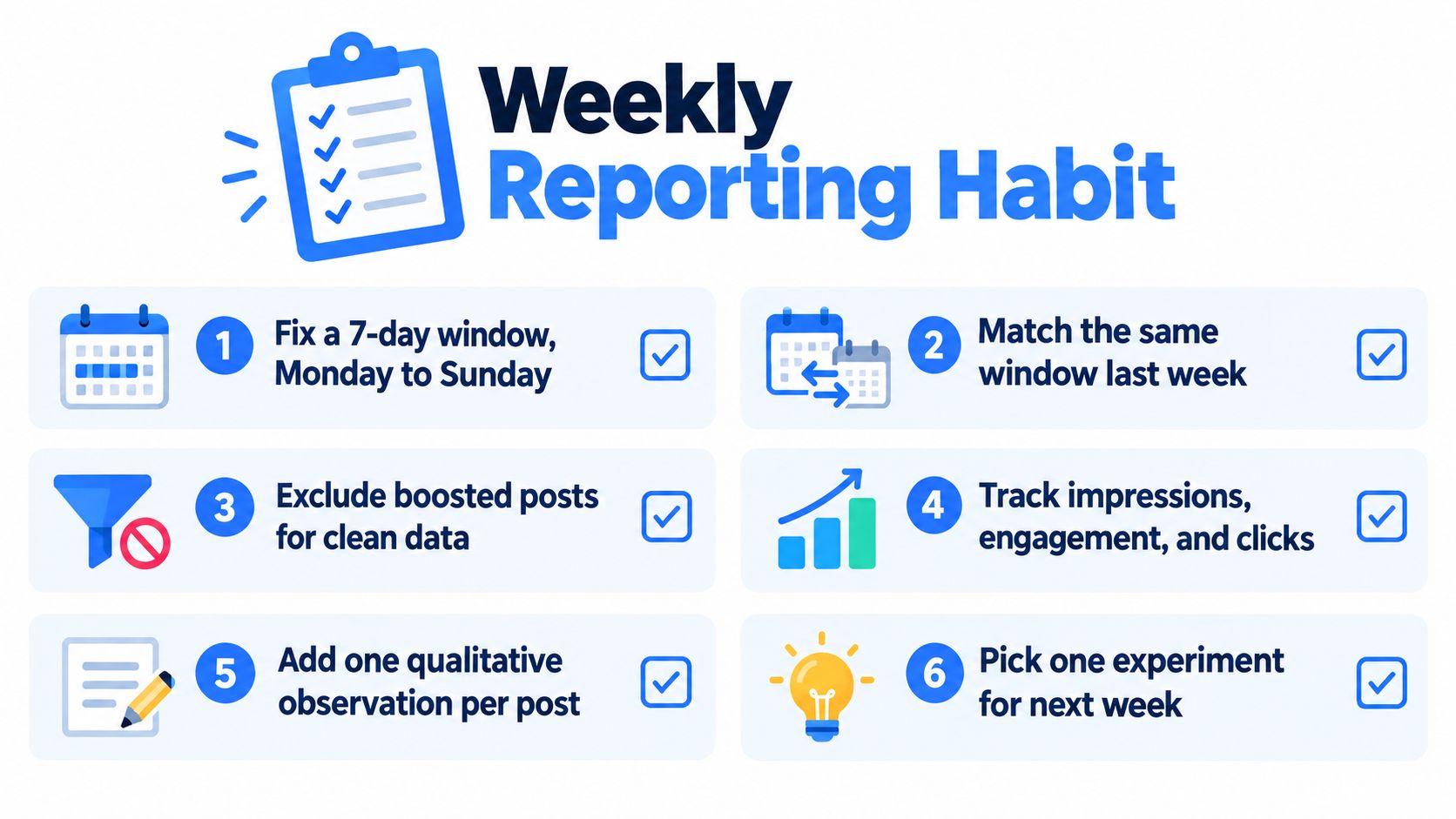
A weekly report should reduce noise, not create a new ritual for admiring noise. Fix the reporting window, preserve the same definitions, and compare posts with similar ages.
LinkedIn analytics can be reviewed across a 7 to 365 day range, with data available for export, according to LinkedIn's combined post analytics guidance. Pick a consistent window for routine reporting. Then record the post age at the time of measurement, because a post published yesterday hasn't had the same opportunity as one published weeks ago.
Build one clean tracker
Use a spreadsheet or exported report with columns for:
- Date and post age: Compare early performance with early performance, then mature performance with mature performance.
- Format: Separate text, image, video, poll, event, and article content.
- Topic and audience: Record the subject, target segment, industry, seniority, or account group.
- Hook and structure: Note the opening style, post length, examples, proof, and conclusion.
- Call to action: Mark whether the post asks for a comment, click, profile visit, message, or no action.
- Tags and hashtags: Log them because they can affect outcomes, but test them rather than treating them as magic seasoning.
- Results: Capture impressions, unique reach, interactions, clicks, comments, reposts, saves, sends, video views, follower change, and profile viewers.
Don't average individual engagement rates when posts have very different impression counts. A small post can produce a beautiful rate that deserves little influence in the overall picture. Use a weighted rate instead, total interactions divided by total impressions across the selected post set.
Reporting discipline: Keep early performance and mature performance in separate views. A young post isn't underperforming merely because time hasn't finished doing its work.
Add one qualitative observation per post. Write what happened in plain language, such as “specific customer problem drove comments” or “broad opinion earned reactions but no profile visits.” Qualitative notes stop the spreadsheet from becoming a graveyard of unexplained numbers.
For a ready structure, use this LinkedIn analytics report template. The report should end with one decision for the next week, not a collection of twenty observations nobody will use.
From Engagement to Pipeline and Revenue
Engagement is useful for improving content. It is not revenue.
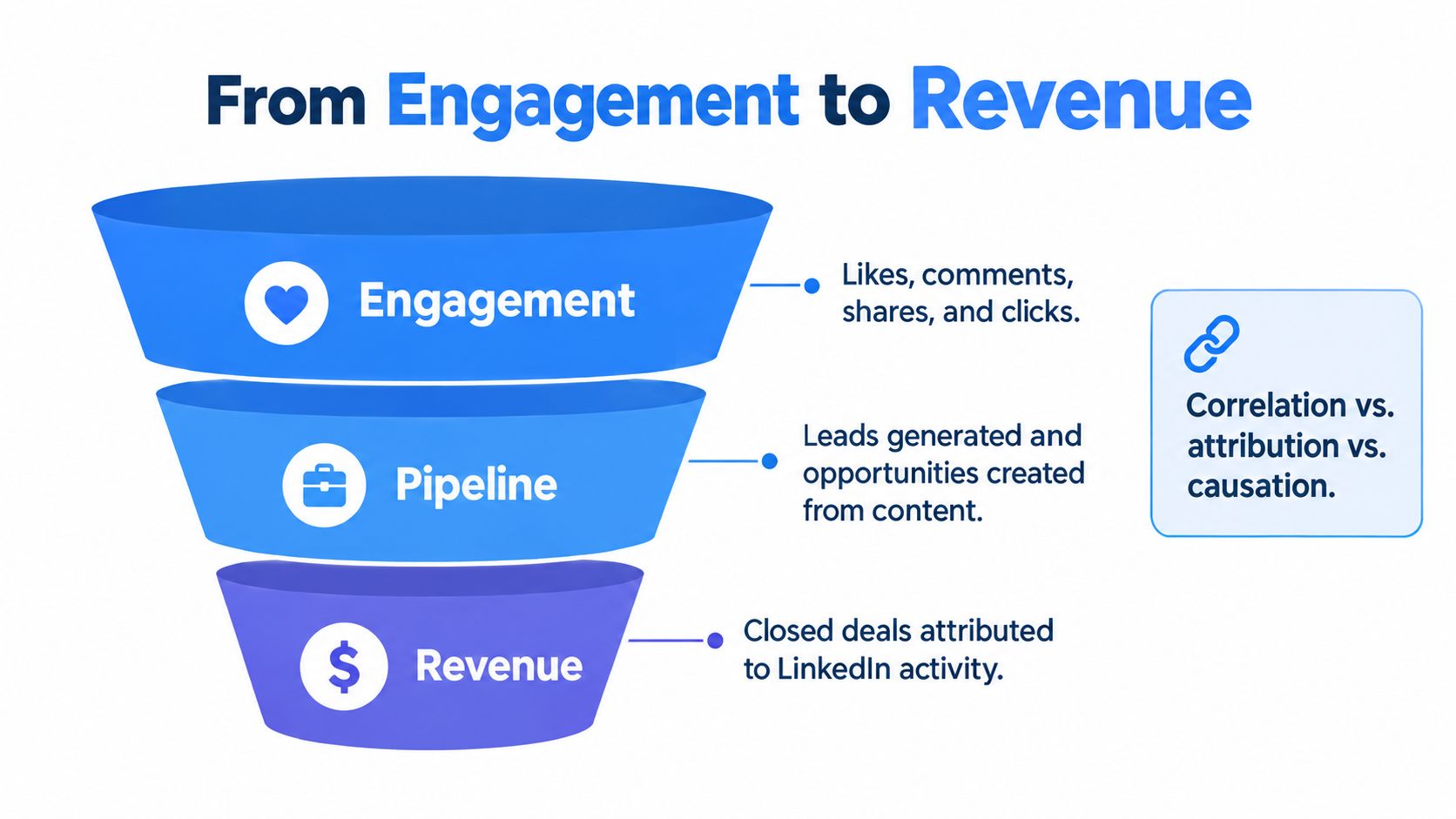
The difference matters because attribution assigns credit, incrementality estimates what marketing caused, and profitability measures business value. A person can see a post, click a profile, visit a website, join a sales call, and later buy after several other interactions. Giving the original post full credit may be convenient. It may not be true.
Use a hierarchy that makes the evidence visible:
- Content attention: impressions, reach, video views.
- Account engagement: activity from target companies or buying groups.
- Qualified conversations: relevant replies, messages, meetings, or applications.
- Pipeline influence: opportunities connected to engaged accounts or contacts.
- Closed revenue: won business linked to the account and supported by CRM records.
The first two layers help content teams optimize. The final layers support investment decisions. They need consistent campaign naming, CRM hygiene, account matching, and clear rules for what counts as influence.
A Forrester figure cited in industry coverage says roughly 64% of B2B marketing leaders don't trust the measurement methods used for decision making, as reported in this coverage of LinkedIn's B2B measurement guidance. More dashboards won't fix that problem. Better definitions will.
LinkedIn's Revenue Attribution Report can connect advertising activity with CRM outcomes such as leads, opportunities, pipeline, and revenue. That can improve attribution for paid activity. It doesn't prove causal return from organic posts, and it doesn't resolve private conversations that never enter the CRM.
Useful distinction: Put engagement metrics in the content review. Put pipeline and revenue evidence in the budget review. Mixing them makes both discussions worse.
For a broader treatment of multi touch measurement, this attribution guide for cold email offers helpful context. The same caution applies here: several touches can assist a deal without any single touch causing it.
How ViralBrain Turns Analytics Into a Pattern Library
A LinkedIn post can collect reactions, profile visits, or clicks while missing the business goal. The useful question is not whether a format looks popular. It is whether that format works for a specific audience, topic, author, and outcome.
Content teams often keep research, drafting, publishing, and reporting in separate places. Creator examples sit in one tool, drafts in another, LinkedIn stores performance data, and someone must connect the findings manually. That setup makes pattern discovery slower and weakens the feedback loop.
ViralBrain sits between the content layer and the measurement layer. Its product analyzes high-performing posts from top creators to surface hooks, structures, and calls to action. It provides a unified studio with specialized agents for pattern translation, trending topic discovery, image generation, and repurposing content from Reddit, YouTube, and news into LinkedIn posts.
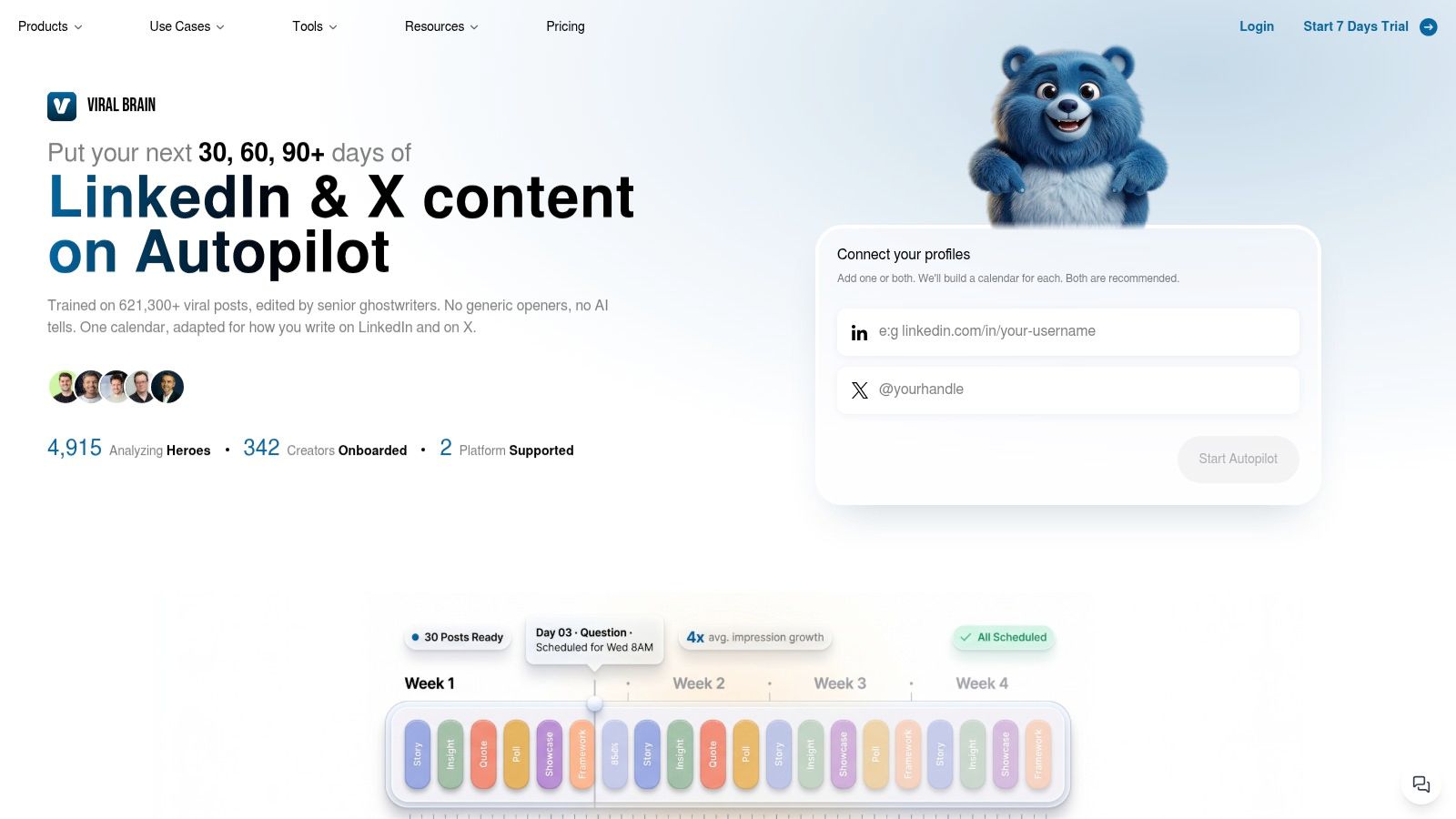
Use the workflow in sequence. Study relevant creator posts, identify the underlying pattern rather than copying wording, and draft a version that fits your topic and voice. Publish it, compare the result with posts of similar age and purpose, then keep, revise, or discard the pattern according to the outcome you need.
A reaction-heavy hook may fail to generate comments. A CTA that drives profile visits may produce no clicks. Let the relevant metric determine whether a pattern enters the library, rather than allowing one fortunate post to set the strategy.
ViralBrain connects pattern discovery with publishing and performance review. It does not establish attribution, profitability, or causal impact. The practical output is a testable rule: this format appears useful for this audience and goal, so test it again under similar conditions.
Common Reporting Mistakes Worth Killing This Quarter
Chasing a viral post turns an outlier into a strategy. A spike may come from timing, audience mix, or repost distribution. Review several comparable posts before promoting a pattern into your content system.
Treating follower count as proof confuses potential reach with buyer relevance. Track who engages, which accounts appear, and what those people do next.
Comparing posts at different ages makes recent posts look weak. Record each post's age and compare matching time windows.
Averaging uneven engagement rates can let low-impression posts dominate the report. Use a weighted rate across the cohort so distribution volume stays visible.
Confusing in-network engagement with distribution hides whether new people discovered the content. Check the split between in-network and out-of-network exposure.
Ignoring private intent leaves a blind spot. Direct messages and private sharing may not appear in public engagement data, so ask sales and customer-facing teams which conversations followed the post.
LinkedIn's profile viewer metric, covered earlier, gives you one practical bridge from attention to intent. Track it beside reactions, not beneath them. Use the result to judge whether a post attracted relevant interest, then connect that signal to pipeline review rather than treating it as revenue evidence.
Your LinkedIn Analytics Checklist for the Next 30 Days
Set a fixed 30-day reporting window. Record each post's age, format, topic, hook, CTA, tags, audience, and outcome so comparisons use the same inputs.
Review comments, profile viewers, saves, sends, and qualified conversations before celebrating reactions. Separate leadership metrics from content metrics, then compare a meaningful cohort before treating a pattern as reliable.
Use LinkedIn's 2025 corporate communications report as context, not as a substitute for your own tracking. Revisit the tracker after 30 days. Keep only metrics that changed a decision, and archive the rest. A checklist that survives a month is more useful than a dashboard that survives a day.
ViralBrain analyzes high-performing LinkedIn posts, surfaces hooks and structures, and connects content creation with performance review. Visit ViralBrain to build a repeatable workflow for turning LinkedIn data into better content decisions.
Grow your LinkedIn to the next level.
Use ViralBrain to analyze top creators and create posts that perform.
Try ViralBrain free