
LinkedIn Profile Header Guide
Build a better LinkedIn profile header. Get exact sizes, headline formulas and role templates to boost views.
Grow your LinkedIn to the next level.
Use ViralBrain to analyze top creators and create posts that perform.
Try ViralBrain freeMost LinkedIn profile advice starts with the headline. That's backwards. A clever headline won't save a profile with a default blue banner, a badly cropped photo, and text hidden behind LinkedIn's interface.
Your LinkedIn profile header has one job. Stop the scroll, explain who you are, and give visitors a reason to continue. It combines your photo, banner, headline, and first visual impression. Treat those parts as separate decorations and your profile looks unfinished. Build them as one message and the page starts doing useful work.
Why Most Headers Fail
The default blue banner says nothing. A job title like “Marketing Manager” says very little too. Together, they create a profile that looks technically complete but gives visitors no reason to trust it.
The top of your profile is often seen in search results, connection lists, and profile previews. People make a fast judgment before they read your About section or scroll through your experience. Your header needs to make that first judgment easy.
LinkedIn's own data, cited by ContentIn's profile picture guide, says profiles with a photo get 21 times more profile views and 9 times more connection requests than profiles without one. Those figures focus on the photo, not the banner alone. They still prove the larger point. The visual area at the top of your profile can affect discovery and outreach.
Practical rule: Your photo should look like you today, your banner should explain your value, and your headline should make the promise specific.
A complete header creates a stronger trust signal because the parts support each other. A clear face helps recognition. A relevant banner gives context. A sharp headline tells visitors what you do for whom. Remove one piece and the profile has to work harder.
That's why your header belongs in your LinkedIn personal brand work. It's not a mood board. It's a conversion surface. Founders use it to explain their offer. Sales professionals use it to establish relevance before outreach. Job seekers use it to clarify their role and target.
The lazy option is easy. Upload nothing, keep the blue default, write your title, and hope the rest of the profile carries you. That approach leaves the first impression to chance. Chance is a poor profile designer.
Banner Dimensions and Safe Zones
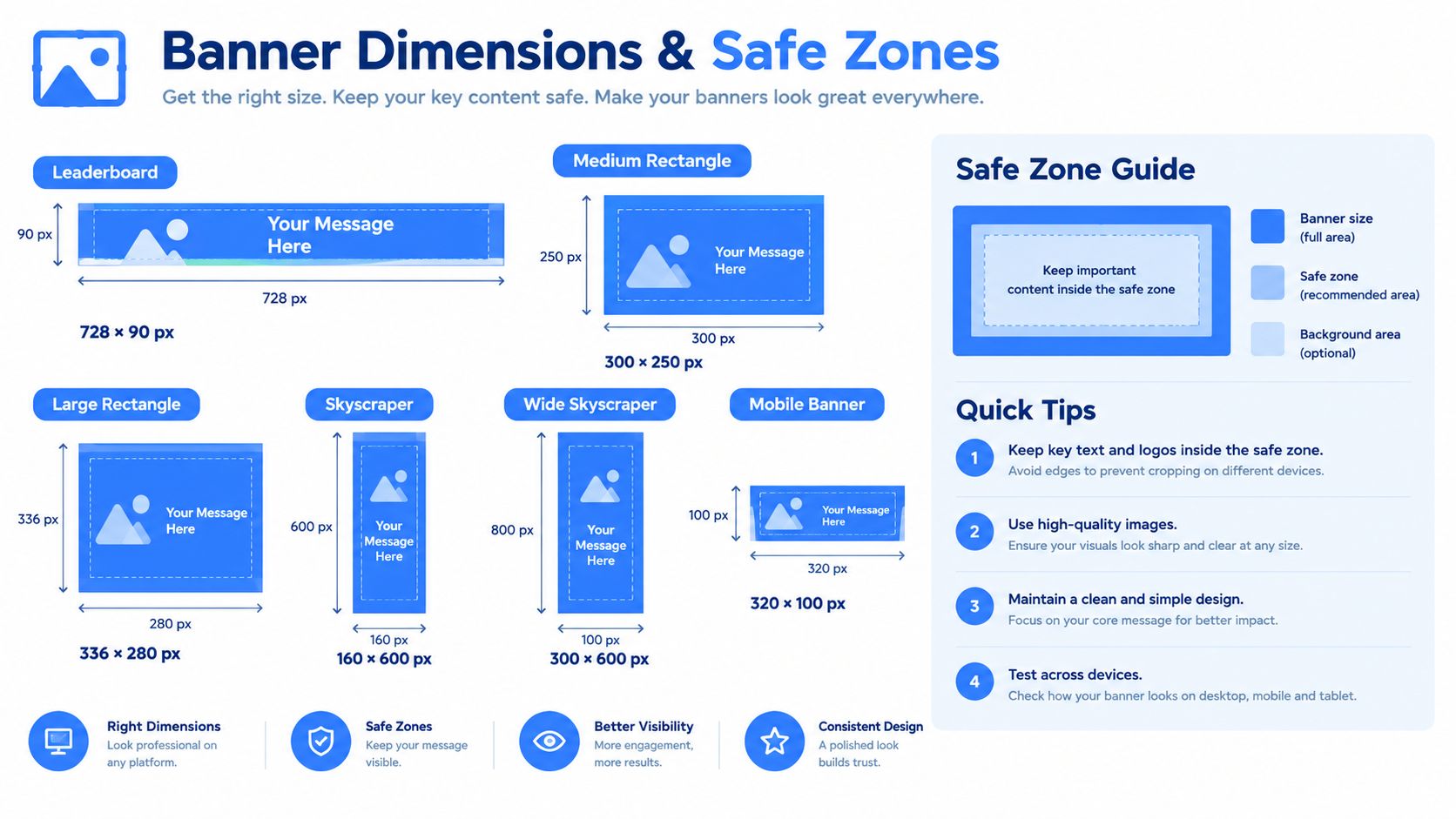
A LinkedIn banner needs to fit the platform before it can persuade anyone. Use 1,584 by 396 pixels, a 4 to 1 aspect ratio, and keep the file at 8 MB or less, as described in LinkedIn's image size guide.
That size gives you the correct canvas. It doesn't tell you where to put the message. Placement is the part most professionals get wrong.
Keep the message in the middle
Mobile cropping can remove roughly 22 percent of the height, so critical text and logos belong in the central safe zone, according to Briefcase Coach's LinkedIn best practices. Don't place your only value statement near the top or bottom edge. It may look fine in your design file and disappear on a phone.
Use a short phrase in the middle. Keep the logo close to that area too. Leave empty space around the message so the design still works when the crop shifts.
The profile photo overlaps the banner on desktop. It can cover content in the lower left area. A complete LinkedIn image guide from Melanie Goodman recommends keeping text or logos in the central band because the outer edges can be trimmed on smaller screens.
Check both screens before publishing
Design the banner at the correct size. Export it as a clean PNG or another supported format. Then inspect the profile on desktop and mobile. Don't trust the editor preview alone.
If your source file has the wrong proportions, use a tool to resize image for LinkedIn. Resize first, then place the text. Stretching a finished banner usually produces fuzzy type and awkward spacing.
Your banner needs one clear job. Show your offer, your audience, your point of view, or a simple brand cue. It doesn't need a paragraph. If a visitor needs to zoom in, the design has failed.
Writing Headlines for Search or Sales
LinkedIn gives you a hard limit of 220 characters on desktop and 240 characters on mobile, according to Derrick's LinkedIn headline guide. That doesn't mean you have a useful 220 character canvas. Only about 70 characters may appear in mobile previews and search results, so the opening words carry the most weight.
Put your role, audience, or outcome first. Save the clever phrase for later, if it earns its place at all.
A recruiter search and a buyer visit are different situations. A recruiter wants role terms, skills, and industry language that match a search. A buyer wants quick proof that you understand a problem and can help solve it. One headline can support both goals, but one goal must lead.
Choose the job your headline must do
A job seeker should lead with the role they want and the terms recruiters use. “Senior Product Designer, SaaS, UX Research” gives search systems and human readers useful context. “Designing better futures” gives them a small headache.
A founder selling to buyers should lead with the audience and result. “I help B2B SaaS teams turn product traffic into qualified pipeline” makes the commercial purpose clear. It tells the right visitor to keep reading.
A sales professional should lead with the people they serve and the problem they handle. “Helping revenue teams reduce manual prospecting” is more useful than “Account Executive at Company Name.” The company matters, but the buyer's problem matters first.
LinkedIn profile keywords deserve careful use here. Add terms people search for. Don't turn the headline into a storage box for every skill you've ever touched.
Put the strongest words first
Write the full version, then cut it down. Move the key role, audience, or result to the opening. Remove filler such as “passionate,” “experienced,” and “dedicated” unless the words add information. Most profiles use those terms as decoration.
Compare these two versions.
Passionate growth leader helping ambitious companies achieve sustainable success through creative marketing.
“Growth marketer for B2B SaaS, turning content into qualified pipeline.”
The second line names a role, an audience, and an outcome. It gives a visitor something concrete to assess. It also survives mobile truncation better because the useful words appear early.
Your banner and headline should not repeat the same sentence. Let the headline state the promise. Let the banner reinforce it with a visual cue, service phrase, or audience reference. Repetition wastes limited attention.
Headline Formulas and Role Templates
A formula helps you write faster. It doesn't replace judgment. Pick the structure that matches the reason people visit your profile, then delete anything that sounds like a corporate screensaver.
Start with the role and audience
For a founder, use this pattern.
I help [audience] achieve [result] through [method or offer]
Example
I help B2B SaaS founders turn expert knowledge into a consistent LinkedIn presence
This works when the founder wants buyer conversations. It leads with the audience and gives the visitor a clear reason to care.
For a growth marketer, use this pattern.
[Role] helping [audience] get [result] with [specialty]
Example
B2B growth marketer helping SaaS teams build demand with SEO and LinkedIn content
The role comes first. The audience follows. The specialties give the headline useful search language without turning it into a keyword pile.
For a sales professional, use this pattern.
I help [buyer type] solve [pain] with [category or service]
Example
I help revenue leaders replace manual prospecting with practical sales automation
The wording stays plain. That's a feature. Buyers don't need a slogan. They need to know whether you understand their problem.
Match the wording to the goal
| Role | Formula | Example |
|---|---|---|
| B2B founder | I help audience achieve result through offer | I help B2B teams turn expertise into qualified conversations |
| Growth marketer | Role helping audience get result with specialty | Growth marketer helping SaaS teams grow demand with SEO and content |
| Sales professional | I help buyer solve pain with category | I help revenue leaders reduce manual prospecting with sales automation |
A job seeker can use a more search focused version.
[Target role] | [core skill] | [industry or specialty]
Example
Product Marketing Manager | Positioning | B2B SaaS
That headline doesn't try to sound profound. It makes the target role easy to identify. Add a result only when you can state it without empty claims.
Keep the first phrase useful
If your headline starts with “Founder,” the reader still needs to know what kind of founder you are. If it starts with “Marketing,” specify the kind of marketing. Broad labels force visitors to do the work.
Use the first part for identity. Use the middle for relevance. Use the remaining space for proof, focus, or a clear invitation. Then read the headline on a phone. If the visible opening could describe thousands of profiles, rewrite it.
Bringing the Visuals and Text Together
Your photo, banner, and headline should tell one coherent story. They don't need identical colors or repeated words. They need the same audience, position, and level of professionalism.
Start with the headline promise. If it says you help B2B SaaS teams create demand, the banner should support that idea. Use a restrained visual related to content, growth, or the audience you serve. Don't add a mountain, a quote, and six service categories because the template had empty space.
Your photo should support recognition. Use a recent image with a clear face and a background that doesn't compete with the banner. The photo sits over the banner, so inspect the overlap before publishing. A strong photo can still look careless if it covers the first word of your message.
The banner carries the visual explanation. The headline carries the searchable explanation. The two assets should divide the work instead of shouting the same phrase at each other.
Good header test: Remove the profile photo and read the banner. Then hide the banner and read the headline. Each part should make sense alone, while the full header should feel more specific together.
A professional banner received 2.1 times more views than the default blue banner across 8.4 million B2B profiles, according to LinkedIn profile statistics for 2026. That figure gives the default banner a clear verdict. It's wasted space when your profile has a purpose.
Use a banner maker, a design editor, or a simple template. ViralBrain offers a LinkedIn profile banner generator built for the 1,584 by 396 pixel profile format, with role based templates and text focused designs. The tool matters less than the decisions you make inside it. One audience, one promise, readable type, safe placement.
Check the final header on desktop and mobile. Look for cropped words, hidden logos, weak contrast, and a headline that starts with filler. Fix those faults before you publish. A polished header won't replace a strong offer, but a careless one can stop visitors before they reach it.
ViralBrain helps founders, marketers, creators, and sales teams study proven LinkedIn patterns, draft posts in their own voice, improve hooks, and use profile tools such as a banner generator. Visit ViralBrain to create a sharper profile header and build content that supports the promise it makes.
Grow your LinkedIn to the next level.
Use ViralBrain to analyze top creators and create posts that perform.
Try ViralBrain free