
LinkedIn Content Strategy Template: How to Build One
Build a LinkedIn content strategy template with a weekly calendar, pillars, formats, CTAs and metrics you can run starting this week.
Grow your LinkedIn to the next level.
Use ViralBrain to analyze top creators and create posts that perform.
Try ViralBrain freeYou've got a LinkedIn post due, a half finished draft, and a spreadsheet full of topics nobody owns. Last week's post got plenty of likes. Sales hasn't mentioned it.
The missing piece is a clear job for each post. A useful LinkedIn content strategy template records who the post serves, which buyer stage it targets, what proves the claim, and what happens next. Otherwise, you've built a calendar for keeping busy.
Set the Goal, Reader and Post Mix
Pick one primary goal for the next quarter. Choose pipeline from LinkedIn, hiring signal, or reputation with peers. You can get secondary benefits, but the main goal decides which work deserves your limited time.
In 2024, 84% of B2B marketers identified LinkedIn as the social media platform delivering the best value, according to research reported by TopRank Marketing. That supports giving the channel attention. It doesn't tell you what your next post should achieve.
Write the goal as an observable outcome. For pipeline, track relevant inquiries and sales conversations. For hiring, look for suitable applicants who mention your content. For peer reputation, watch for invitations, useful exchanges, and referrals.
Name the Reader and Their Problem
Describe the reader in a single line covering their job title, company size, and recurring problem.
For example, write for a head of marketing at a small software company who needs sales to follow up on content leads. That gives you something to work with. “Business leaders interested in growth” gives you most of LinkedIn and very little direction.
Pull twenty questions from sales calls, support tickets, or customer emails. Group them into three or four themes. Use a content pillar strategy to keep those themes tied to buyer problems rather than product features.
For each pillar, record a proof source before drafting. It could be an approved customer quote, a documented workflow, or a result from your own work. Drop any pillar you can only support with enthusiasm.
Budget the Hours Before the Posts
For a lean solo schedule, try three posts a week. Reserve about 90 minutes for drafting from existing material and 30 minutes for routine replies. Treat that as a starting budget, not a promise that a fresh video will fit inside it.
A team can add a second publishing slot only when someone owns the extra production and replies. Put their name in the sheet. “Marketing” isn't a person who can answer a comment.
Drop a publishing slot before you start borrowing time from customer work.
Set the buyer stage mix deliberately. In 2024, 88% of global B2B CMOs surveyed by LinkedIn and Ipsos agreed that relationship building was key to success in the year ahead, according to LinkedIn's announcement. Give peer trust space alongside education and decision support.
Use this starting allocation for the full calendar.
Post mix by buyer stage
| Buyer stage | Share of posts | Post job | Proof type |
|---|---|---|---|
| Not in market | 40% | Name the problem and the cost of ignoring it | Field observation or pattern from your work |
| Peer trust | 20% | Show someone like the reader solving the problem | Customer quote, case or peer example |
| Active evaluation | 40% | Answer one decision question | Comparison, checklist or demo clip |
The Weekly Content Calendar to Copy
| Day | Pillar | Format | Buyer stage | CTA |
|---|---|---|---|---|
| Monday | Problem education | Text post | Not in market | Ask which step breaks first |
| Tuesday | Point of view | Image with one line of text | Not in market | Ask who disagrees and why |
| Wednesday | Customer lesson | Document carousel | Peer trust | Ask readers to name their version of the problem |
| Thursday | Implementation guide | Short video | Active evaluation | Ask which step they would test first |
| Friday | Proof or result | Poll or text post | Active evaluation | Ask readers to pick one option |
Monday names a problem the reader hasn't prioritised yet. For a marketing operations audience, explain why lead ownership gets lost between a form submission and a sales task. Keep the post on that failure, rather than adding your entire product pitch.
Tuesday takes a position. Put the claim on an image, then explain the conditions under which it holds. Disagreement is useful when readers challenge a real decision. Manufacturing an argument because the calendar says Tuesday is less useful.
Give the Middle of the Week Substance
Wednesday shows how someone handled the problem. Use an approved customer example with the starting condition, action, result, and limitation. A carousel full of compliments is a testimonial wearing office clothes.
Thursday demonstrates a task. Record the actual screen or process, trim the setup, and show what changes. Active buyers need enough detail to judge whether the method fits their team.
Friday presents proof or a decision. If you use a poll, make the options plausible choices about an evaluation criterion. Label its results as responses from participants, not evidence of what the whole market believes.
The weekday labels describe editorial jobs. Replace the pillar cells with your actual buyer problems before scheduling. For ownership fields and approval workflows, Scheduler.social's planning resources for busy marketing teams offer useful structures you can adapt.
Schedule the Replies
For the full team calendar, reserve 30 minutes within the first hour after each post for replies. This is an operating choice, not a guaranteed distribution trick. Assign coverage before scheduling the post.
LinkedIn's posting guidance says thoughtful comments of 15 or more words from relevant professionals can produce two to five times the reach of likes. Don't turn that into a word counting contest. Answer the point with a useful example or a specific follow up.
A thank you closes the exchange. A useful answer gives the reader something to work with.
Nothing new goes out on weekends. Keep them clear for catch up rather than another publishing obligation.
Keep a format running for at least four posts with reasonably stable results before swapping its day. Drop a day before adding one. A solo founder can keep Monday, Wednesday, and Friday, then rotate buyer stage assignments across later weeks to preserve the intended mix over time.
Formats, Hooks and Calls to Action
| Format | Best job | Build time | Watch for |
|---|---|---|---|
| Text post | Opinion, lessons and problem naming | 30 to 60 minutes | The first two lines carry the post |
| Document carousel | Frameworks and checklists | 2 to 3 hours | Slide one must state the outcome |
| Short video | Demos and quick explanations | 2 to 4 hours | Add captions so the point lands without sound |
| Image post | Data callouts and visual claims | About 1 hour | Text on the image must read on a phone |
| Poll | Quick market read | About 15 minutes | Options must be real choices, not praise |
| Article | Long argument for a serious reader | 3 to 5 hours | Readers may not finish, so link it from a short post |
These are planning estimates for fresh production, not performance benchmarks. Replace them with your team's actual build times. Reusing an approved diagram is cheaper than designing a new carousel, even if both occupy the same calendar cell.
A 2025 benchmark analysis of 1 million posts from 9,000 business pages reported engagement rates of 6.60% for multi image posts, 5.85% for native documents, and 5.60% for video. Use those figures to choose candidates for testing, not to forecast your own results. Business page averages don't settle what works for a founder's profile.
Match Production Effort to the Task
Text works when the argument carries the value. Documents help when readers need a sequence they can keep. Images suit a visual claim, while video earns its extra work when movement or explanation makes the task easier to understand.
In a 2024 LinkedIn and GWI study of more than 1,700 B2B technology buyers and decision makers in the United States, United Kingdom, and India, 63% considered short form social video helpful when informing purchase decisions, according to LinkedIn. Keep Thursday's video focused on a buying task. Add captions and remove the opening monologue.
Make the Opening and Ending Specific
The first line should name a problem, a supported number, or a concrete cost. Use this guide to hooks in writing to sharpen the opening without withholding the point.
For a hypothetical lead routing post, start with the missed handoff. Don't spend the opening announcing that you have an opinion about marketing.
Close with a choice the reader can answer in a line. Ask whether ownership or timing causes the bigger failure. A broad request for thoughts makes the reader do your editing for you.
Final Check Before You Publish
Draft in a fixed order. Name the costly problem, explain why the common approach fails, give three to five actions, add evidence or an example, and close with a discussion prompt. That order makes gaps easier to spot before you polish the wording.
Generic advice is a familiar failure. In Edelman and LinkedIn's 2021 study, 71% of decision makers believed half or less of the thought leadership they consumed provided valuable insights. Another post telling people to understand their audience won't help unless it explains how.
Audit the Draft
-
Opening
The first sentence names a specific problem, supported number, or cost. Delete the warm up. -
Reader decision
Name the decision, risk, or workflow affected. A reader should know where the advice belongs in their working day. -
Mechanism
Explain why the action helps. Assigning a lead owner before routing prevents the handoff from waiting for someone to volunteer. -
Evidence
Use a firsthand observation, your own documented results, or a named source. Label hypothetical examples plainly and get permission for customer material. -
Response
End with a relevant choice readers can answer briefly. Don't ask them to write your next white paper in the comments.
A draft that fails two or more checks waits until it's fixed. Run the same audit on posts from the cofounder or boss. Seniority doesn't count as evidence.
Keep the useful detail. Cut the sentence that merely sounds pleased with itself.
Check screenshots for private information, confirm that links work, and preview the post on a phone. Approval should cover the claim and its evidence, not just whether everyone likes the wording.
Metrics to Track and Where to Find Them
Engagement rate equals interactions divided by impressions. LinkedIn's engagement rate definition includes clicks, reactions, comments, and shares as interactions, and warns that impressions are estimates. Compare like formats and treat small differences cautiously.
Use this checklist to keep the basic signals visible.
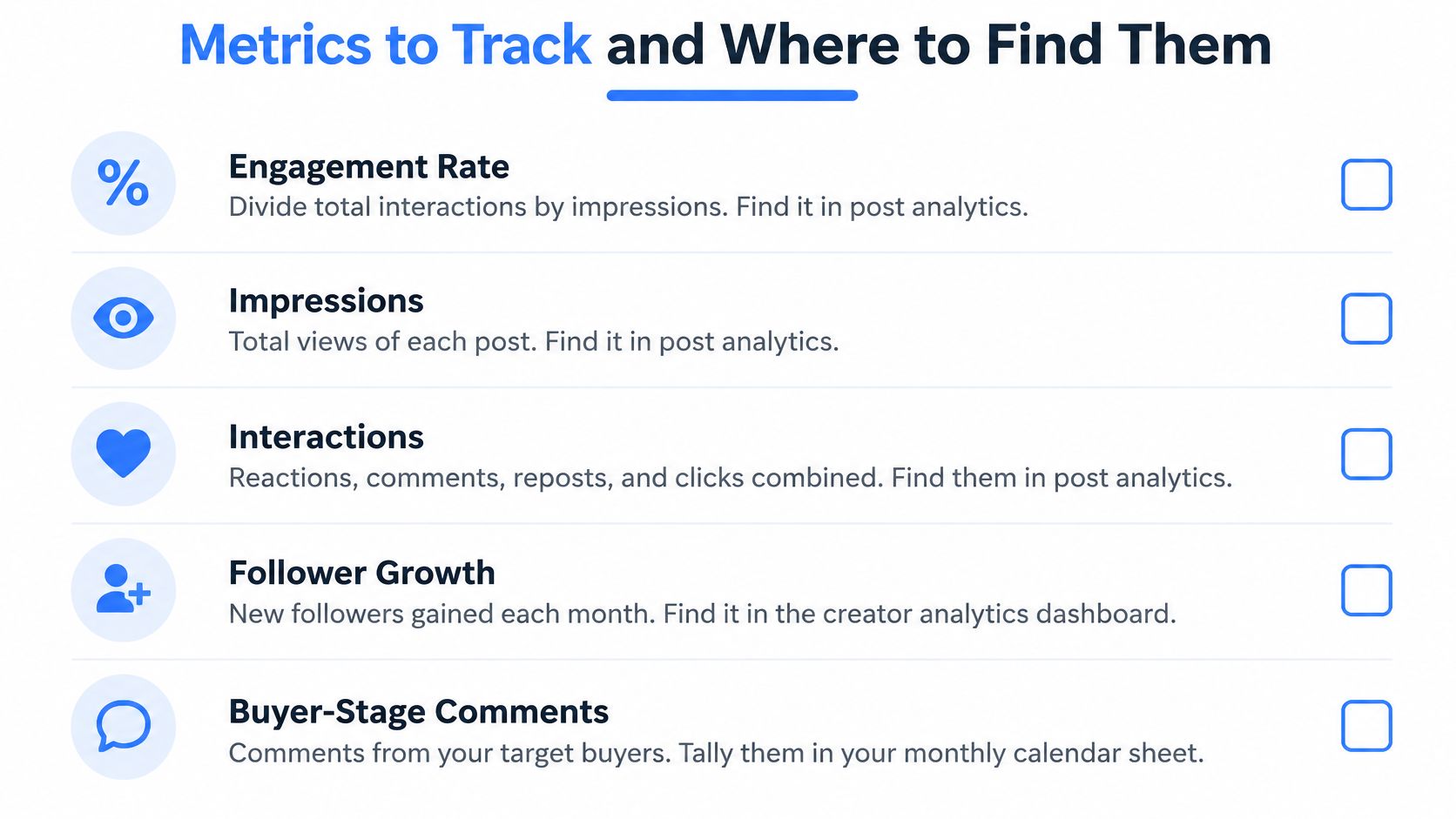
Metrics and review rules
| Metric | Where to find it | What it tells you | Review rule |
|---|---|---|---|
| Impressions | Post analytics | Estimated exposure, not unique people | Compare within the same format |
| Engagement rate | Interactions divided by impressions | Action per view | Compare across four to six weeks |
| Saves and sends | Post analytics | Value readers may keep or pass along | Track apart from likes |
| Comments that name a problem | Comment thread, tagged by hand | Whether the right people respond | Count monthly |
| Out of network share | Post analytics, impressions split | Reach beyond your network | Check whether it grows |
| Profile visits from target accounts | Profile analytics, where identities are visible | Possible interest from buyers | Compare against posting weeks |
| Direct inquiries | Inbox, tagged by pillar | Possible commercial interest | Count against pillar and format |
Separate Exposure From Buyer Interest
Impressions tell you that a post appeared, not that someone understood it. Engagement rate adds actions, but those actions still need context. A click and a detailed buying question shouldn't receive the same commercial interpretation.
Keep saves and sends separate from reactions. LinkedIn's combined post analytics includes saves and sends within its engagement reporting, which makes them useful fields for a portfolio review. They suggest retained or shared value, not purchase intent.
Tag substantive comments by hand. Keep the platform's total comment count, then add a qualified count for comments that name a problem or ask a relevant question. Record the apparent buyer stage without pretending you can read minds.
Keep Attribution Honest
Out of network exposure can help you find new readers. It doesn't establish that those readers fit your market. Follower growth belongs in the background until you can judge who followed.
Profile visits and inbox messages need similar care. Some viewers won't be identifiable, and a visit during a posting week doesn't prove the post caused it. Ask relevant inquirers what brought them in, then record their answer.
Use this video alongside your analytics setup.
Keep a single row per post and use a consistent LinkedIn post analytics workflow. Compare groups by pillar, format, and buyer stage. Keep attributed pipeline separate from reach.
Run the Monthly Review and Adjust the Calendar
Stop a pattern that stays below its relevant median for three review cycles. Scale a pattern that repeatedly brings substantive comments from the buyer stage you target. Start a test when you have a specific explanation to check, not because the team is bored.
Judge each stage against its assigned job. A decision post with modest reach can deserve another run if suitable buyers ask useful questions. A popular post attracting unrelated readers may deserve less space.
Make the Review Produce a Decision
-
Collect the working window
Export or manually compile the last four to six weeks into a sheet. Include date, pillar, format, buyer stage, CTA, proof source, and metrics. Keep missing values blank rather than turning them into zeros. -
Group before judging
Compare rows by pillar and format, with at least four posts before calling anything a pattern. Then inspect buyer stage. Otherwise, broad education posts can crowd useful evaluation content out of the calendar. -
Choose stop, start, or scale
Use the median for comparable posts, not the entire account. Stop repeated weak patterns, start a test that addresses a known gap, and scale useful patterns without copying the same wording indefinitely.
Use the calendar to record removals as well as additions.
-
Change a single variable
Choose the hook, proof format, or CTA. Hold the topic and audience steady. Changing everything may produce a better post, but it won't tell you which change helped. -
Inspect distribution before discarding the idea
If reach falls, check the format and audience source. LinkedIn's individual post analytics guidance describes reporting across post formats, including estimated exposure inside and outside your network. Compare those trends across cycles rather than treating a single dip as a verdict.
Write the Next Test Before Closing the Sheet
Keep a short decision log with the pattern, evidence, action, and owner. Record limitations, such as a customer announcement that received unusual employee support. That context matters when someone later tries to reproduce the result.
For example, test a checklist against a demo clip for the same lead routing question. Keep the audience and CTA steady, then assess relevant evaluation questions alongside exposure. Don't call the clip a winner merely because more people watched it.
Finish with the next test written in plain language, the variable it changes, and the person responsible. One good post gives you a reason to investigate. It doesn't give you a strategy.
ViralBrain offers post pattern analysis, a hook library, and drafts customized to your topics and voice. Visit ViralBrain to explore structures you can adapt, then tag each draft by buyer stage before adding it to your calendar.
Grow your LinkedIn to the next level.
Use ViralBrain to analyze top creators and create posts that perform.
Try ViralBrain free